
- Installs
- —
- Apple does not publish download counts
- Rating
- 4.67
- Ratings
- 3
- 3 reviews
- Version
- 1.7
- Updated 23 Sep 2024
- Released
- 28 Nov 2018
- Tracked since 11 May 2026
- Size
- 2 MB
- Needs 12.0
Screenshots


About PDF Projector
The description on the store listing
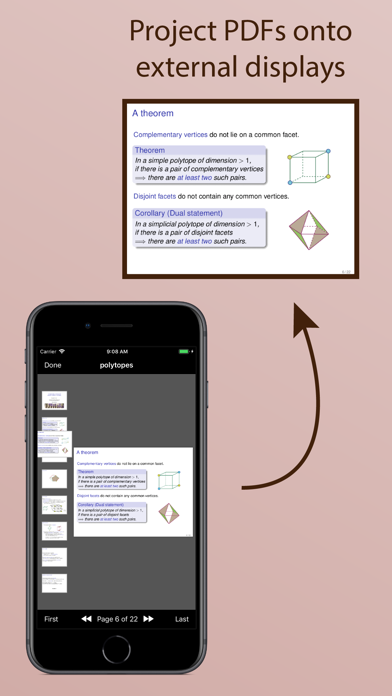
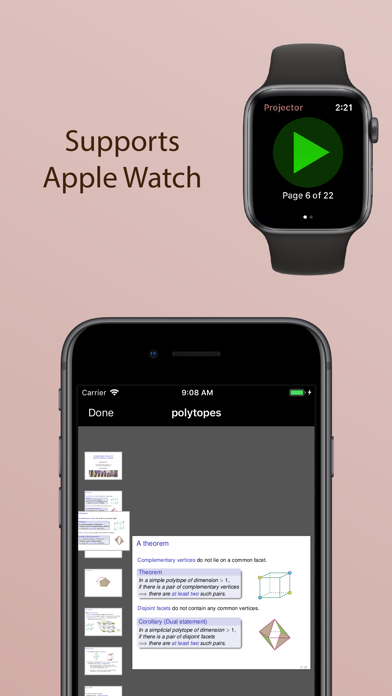
Projects PDF slideshows onto an external screen. If you have an Apple Watch, you can also use it as a remote control.
This app is useful if you write presentations using LaTeX Beamer, or LibreOffice Impress, or some other application that exports to PDF.
Simply open your PDF in the app and connect an external display (e.g., via VGA, HDMI, USB-C, or AirPlay). Your slides will be displayed full-screen on the external display, while the app provides additional navigation controls on your iPad or iPhone.
You can navigate on your iPad or iPhone by tapping and swiping, or using the buttons on the toolbar, or scrolling through the thumbnails, or using an external keyboard. When in landscape …
Read the full description
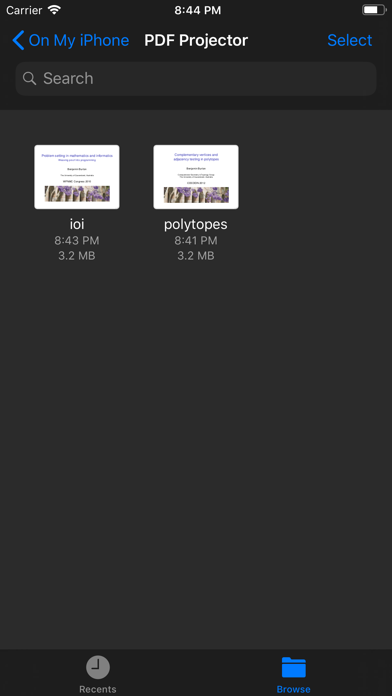
Projects PDF slideshows onto an external screen. If you have an Apple Watch, you can also use it as a remote control. This app is useful if you write presentations using LaTeX Beamer, or LibreOffice Impress, or some other application that exports to PDF. Simply open your PDF in the app and connect an external display (e.g., via VGA, HDMI, USB-C, or AirPlay). Your slides will be displayed full-screen on the external display, while the app provides additional navigation controls on your iPad or iPhone. You can navigate on your iPad or iPhone by tapping and swiping, or using the buttons on the toolbar, or scrolling through the thumbnails, or using an external keyboard. When in landscape mode, you will also see a preview of the next page (which you can turn on/off using the button on the upper toolbar). You can browse and open any of your iCloud documents, or you can share PDFs from your favourite app to open in PDF Projector. WATCH REMOTE: If you have an Apple Watch, you can use this as a remote control. Simply open a PDF document in the iPhone app and connect it to an external display, and then start the Watch app to use the remote control. If you talk a lot between slides, try adding the "Next Page" complication to your clock face (requires watchOS 7). This will let you step through the slides without having to keep reopening the app. You can also configure Settings / General / Wake Screen (on any watchOS version) to keep the app on screen for longer while you present your talk.
Installs
Apple does not publish download counts. Estimates are in testing.
We publish iOS estimates only after they pass a back-test against real numbers. Chart history below is measured.
Estimated store revenue Estimated Beta
App Store, worldwide, monthly rate from the last 14 chart days to 21 Nov 2026
Below the top 100 grossing apps in the markets we calibrate. In the United States that usually means under about $6.4M a month. App Store purchases and subscriptions only, before Apple's 15 to 30% fee. Ads and web payments are not included.
Ratings
3 ratings, 3 reviews
No rating breakdown published for this app.
Recent reviews
Latest public reviews from the store
No reviews in our sample for this app yet.
Top chart positions
Latest App Store chart ranks by country, last 10 days
- Countries ranked
- 2 of 50
- Best rank
- #14
- Top 10 placements
- 0
- of 2 chart placements
- Average rank
- #52
Best countries on App Store
- 🇫🇷 France · Top paid, Productivity#14
- 🇩🇪 Germany · Top paid, Productivity#90
PDF Projector history
Release, install milestones, listing and store changes
- First released on the store 28 Nov 2018
Recent versions
Current version 1.7
- Version 1.723 Sep 2024
Added dark and tinted icons for iOS 18.
Listing keywords
Words and phrases PDF Projector repeats most in its store listing
Top phrases: external display (3), remote control (3), ipad or iphone (2), apple watch (2), pdf projector (2).
Highlighted words also appear in the title. Counts cover the title, short description and description.
Compliance
What the listing and the app package show
- Store status
- Live
- Upkeep
- No update since 23 Sep 2024
- Age rating
- 4+
Apps like PDF Projector
 GoTime RepairAudatex North America Inc.★ 3.94
 Super VPN: Fast Private ProxyGeek Incorporated★ 4.4
 Hubtel RetailerHubtel Limited★ 4.32
 Monthly Calendar 2022 - CalistOmoboto LLC★ 4.38
 CBUS 311City of Columbus, Ohio★ 1.8
 Themes for Powerpoint - DesiGNGraphic Node★ 4.22
 iSiloDC & Co.★ 3.82
 Flashlight Pro [Multipurpose LED light]KAVAPOINT★ 3.88
 WiPryOscium LLC★ 2.68
PDF Projector: questions and answers
Who makes PDF Projector?
PDF Projector is published by Benjamin Burton.
When was PDF Projector last updated?
The latest version (1.7) was released on 23 Sep 2024.
Is PDF Projector free?
No. PDF Projector is a paid app priced at $0.99.
Is PDF Projector still available?
Yes. PDF Projector is live on App Store as of 1 Jul 2026.
Track PDF Projector and its competitors
Watch any app for new versions, rating drops, chart moves and removals. Free plan, no card.