
- Installs
- —
- Apple does not publish download counts
- Rating
- 4.41
- Ratings
- 435
- 435 reviews
- Version
- 3.3.0
- Updated 26 Oct 2026
- Released
- 8 Oct 2014
- Tracked since 10 May 2026
- Size
- 194 MB
- Needs 13.0
Screenshots
About PDF Reader Pro – Lite Edition
The description on the store listing
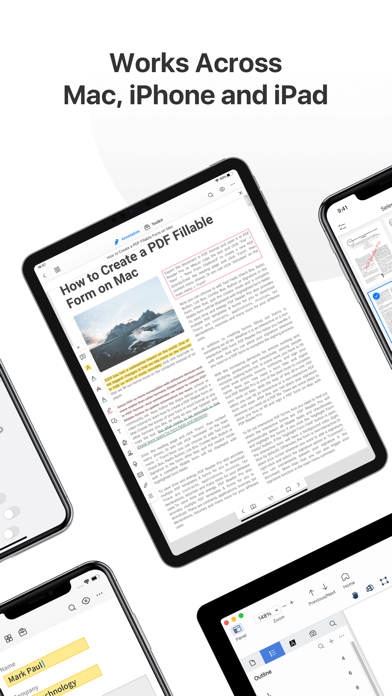
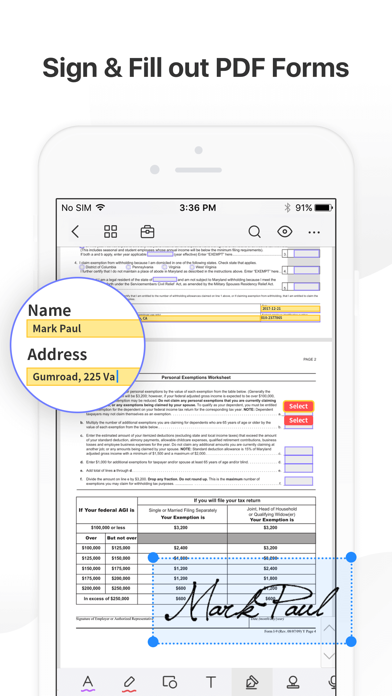
PDF Reader Pro helps much for anyone who reads, edit, highlights, OCR, signs, converts, creates, protects, compresses and fills out PDFs on their iPhone and iPad. It also makes it easy to organize, annotate and edit your PDFs. Import files from your computer or the cloud, then complete forms, add freehand drawings and audio notes and more.
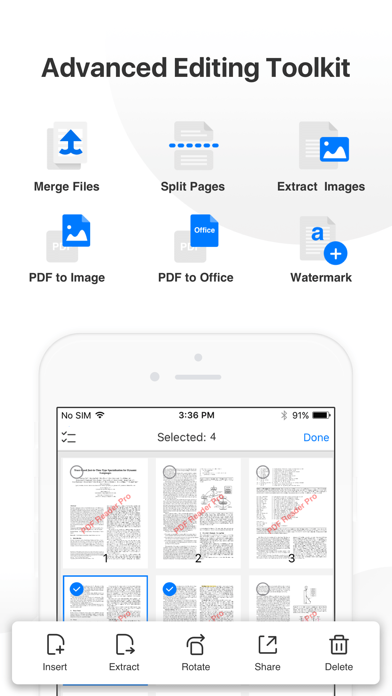
PDF Reader Pro offers even more - merge and combine multiple documents, split your PDFs, insert pages from another PDF, insert photos or hyperlinks to your PDFs, Convert PDF to Word and other Microsoft Office® formats. With support for reading files from popular productivity suites, it’s a convenient way to take the office anywhere you go.
PDF Reader …
Read the full description
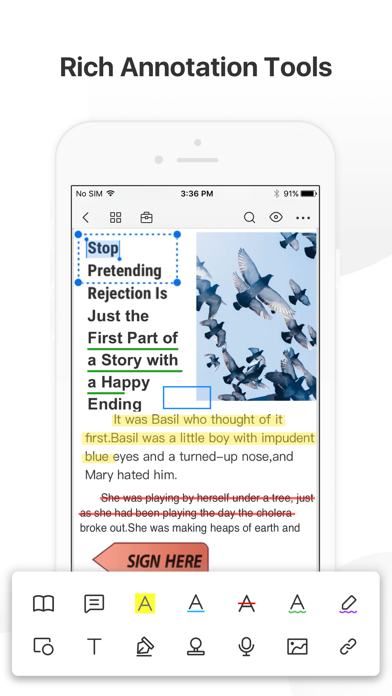
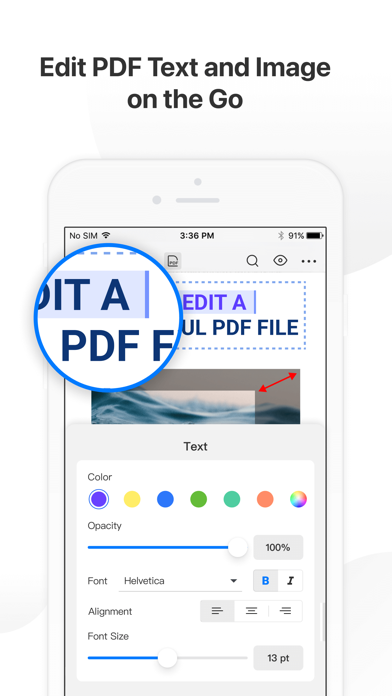
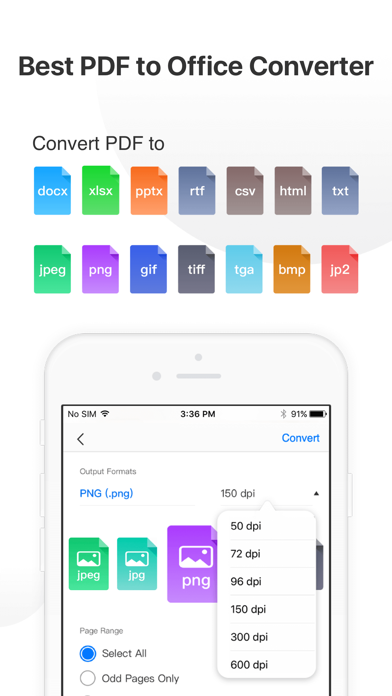
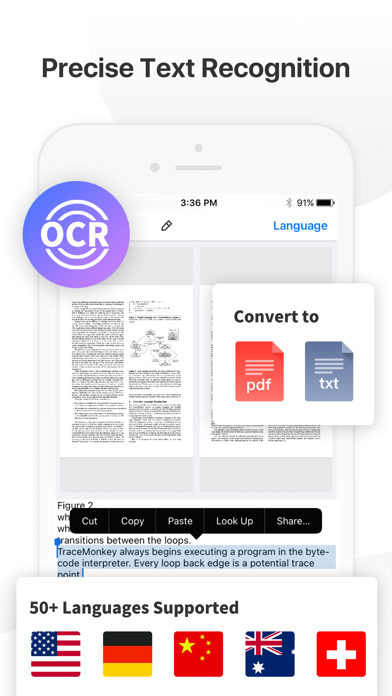
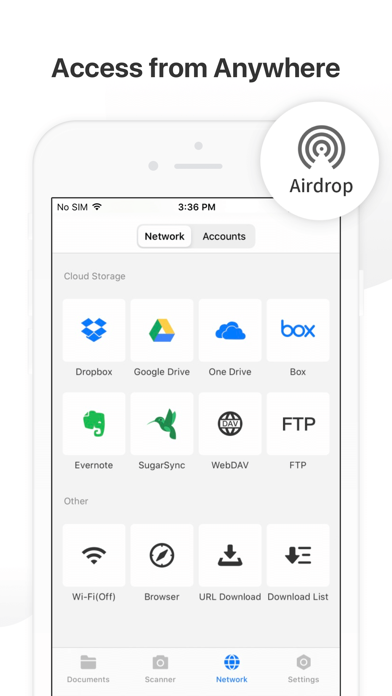
PDF Reader Pro helps much for anyone who reads, edit, highlights, OCR, signs, converts, creates, protects, compresses and fills out PDFs on their iPhone and iPad. It also makes it easy to organize, annotate and edit your PDFs. Import files from your computer or the cloud, then complete forms, add freehand drawings and audio notes and more. PDF Reader Pro offers even more - merge and combine multiple documents, split your PDFs, insert pages from another PDF, insert photos or hyperlinks to your PDFs, Convert PDF to Word and other Microsoft Office® formats. With support for reading files from popular productivity suites, it’s a convenient way to take the office anywhere you go. PDF Reader Pro Edition for Professional is your last choice of PDF application. READ ・ View PDFs with various themes like night mode to comfort your eyes. ・ Choose vertically/horizontally scroll pages or single pages/two pages/book mode. ・ Support crop mode, tabbed PDF reading, continuous page view, auto scroll and more. ・ Use text-to-speech feature to read selected text with no time limits. ・ Easy content navigation with bookmarks/outlines. ・ Fast files Printing to directly print PDFs from your device. ・ DRM, supports Vitrium* protected PDF files. ANNOTATE ・ Annotate PDFs with highlight, underline, strikethrough, note, freehand, text box, anchored note, rectangle, circle, line etc. ・ Create multiple signatures with trackpad, keyboard or images. ・ Insert pre-designed stamps such as Approved, Confidential and more. ・ Support to link any part of the text to a different page, email or website. ・ Share your annotated PDFs with others via PDF documents/Flattened copy/ Summary/ Original PDF. EDIT PDF ・Edit PDF text. Easily fix typos or other inaccurate content. Fast change the font color, size and style. ・Modify PDF images such as cropping, rotating, deleting, replacing, etc. Easily resize or move images for a better layout. ・Add and edit watermarks to keep your PDFs safe and professional. Watermark tiling is supported. ・Extract images from PDFs. ・Create a Flattened copy to flatten PDF to make the contents static. PAGE EDITOR ・ Merge & Split PDFs available, split documents into multiple documents or combine multiple pages into a new one. ・ Extract the desired pages to create a new PDF. ・ Insert blank pages / another PDF to import specified content. ・ Rotate, rearrange, add, and delete PDF pages. Fill FORMS ・ Work with static PDF forms created in Adobe Acrobat. ・ Fill out any PDF forms with interactive fields such as text fields, checkboxes, radio buttons, combo boxes, list boxes, etc. CONVERT PDF · Export from PDF to Microsoft Word (.docx), PowerPoint (.pptx), Excel (.xlsx), RTF, Text, Image, HTML, CSV, and more Offline. ・ Convert MS Office documents, iWorks, web content, and images to PDFs. ・ Create a new PDF as a blank PDF / from your clipboard content. COMPRESS PDFs ・ Compress large PDFs to reduce file size. PDF size-reduction for easily sharing. OCR · OCR pdfs to convert scanned PDF files or pictures into editable and searchable PDFs or TXT files. 50+ languages supported! PROTECT CONTENT WITH PASSWORD AND ENCRYPTION ・ Passcode to prevent unauthorized use of PDF Reader Pro. ・ Encrypt to protect your PDF files from unauthorized reading with a password. SCANNER ・Make continuous scans and automatically detect edges of scanned objects. Text-to-Speech ・ Support a total of 36 voices for 26 languages. WORK IN THE CLOUD ・ Store and secure files on iCloud Drive, Dropbox, OneDrive, Google Drive, Evernote, Box, FTP, WebDav, etc. Backup Files between iOS Devices, Mac and PC ・ Connect your iPhone/iPad with a desktop for transferring files using USB or WiFi connection. Support Various File Types ・ MS Office, iWork, image files ・ Compressed files (zip, rar) ・ audio and video files ・ Other file formats Have any feedback? Please contact us directly at [email protected] Terms of Use: https://www.apple.com/legal/internet-services/itunes/dev/stdeula/
Installs since 29 Aug 2026
Apple does not publish download counts. Estimates are in testing.
Estimated store revenue Estimated Beta
App Store, worldwide, monthly rate from the last 13 chart days to 20 Nov 2026
Below the top 100 grossing apps in the markets we calibrate. In the United States that usually means under about $6.4M a month. App Store purchases and subscriptions only, before Apple's 15 to 30% fee. Ads and web payments are not included.
Ratings
435 ratings, 435 reviews
No rating breakdown published for this app.
Recent reviews
Latest public reviews from the store
- 4 Nov 2022
Just get it
If you’ve been looking over countless reviews for a pdf editor that just works, look no further. The price is reasonable and it seamlessly allows you edit pdf’s like they’re word docs. Highlighting and taking notes is easy and the OCR function is fast and accurate. I’ve been loving it and it’s helped me with productivity. Highly recommend.
- 12 Feb 2022
Love this PDF viewer !
Beside that it is free, there are multitude of features that I like about this product; such as (1) It allows you to highlight or underline part of the text, (2) After you close the app, turn off you tablet and return to read more later, it remembers where you left off and open at the right section for you. Unlike other app, once you close it and open it again, it always starts from the first page.
- 19 Jan 2022
Great for College. Just Two Suggestions
I am often reading my textbooks on the go or in between classes, and let me tell you- it is so much better than the applications I can find on my computer. I upload 500 page pdfs into this and it loads just about as fast as a 1 page pdf (only takes a few seconds). I normally take notes and highlight the same as I would with a paper-back, which seems to be a difficult task for all the PDF editors I can find on my computer. Soon after getting the free version I upgraded to the pro version of the app and haven’t had to switch it since. Two suggestions: 1. While the pens and highlighters in the app get pretty small, occasionally I will have a document that needs an especially small pen. 2. Add a continuous display option that takes out the space between pages (as opposed to the one page, two page, and book mode options). Some of my textbooks cut off the top and bottom halves of words at the ends of each “page.” Smaller pens, continuous display mode.
- 27 Apr 2021
Great apps for iPad
I am looking for an apps that's cheaper than Adobe Acrobat, that has same functionality. I first got to try Mac version and I like it. I am happy to know they also have ios version for iPad. During few days of trying the lite version, I am incline to go for PRO version to unlock other functionality. It's really the only apps you ever need for PDF.
What reviewers bring up
Topics mentioned in the latest 8 reviews, by how many reviews mention them
Liked in good reviews (7 reviews)
- pdf 6
- looking 4
- features 3
- first 3
- same 3
- highlighting 2
- reviews 2
- further 2
Raised in bad reviews (1 reviews)
No topic comes up twice.
Top chart positions
Latest App Store chart ranks by country, last 10 days
- Countries ranked
- 1 of 50
- Best rank
- #29
- Top 10 placements
- 0
- of 1 chart placements
- Average rank
- #29
Best countries on App Store
- 🇮🇩 Indonesia · Top grossing, Business#29
| Country | Chart | Category | Rank | Best (10 days) | Date |
|---|---|---|---|---|---|
| 🇮🇩 Indonesia | Top grossing | Business | #29 | #29 | 20 Nov 2026 |
PDF Reader Pro – Lite Edition history
Release, install milestones, listing and store changes
- First released on the store 8 Oct 2014
Update frequency
How often PDF Reader Pro – Lite Edition ships a new version, month by month
2 updates in the last 12 months. About as often as similar apps, which shipped a median of 2 updates in the same year.
Recent versions
Current version 3.3.0
- Version 3.3.026 Oct 2026
New Updates: · Added Cloud Drive to upload PDF files and access documents across devices. · Organize cloud files with folders, search, sorting, and batch actions. · Share documents via links or email invitations, with viewing, commenting, or editing permissions. If you want to thank our never-resting developers, please write a review or recommend PDF Reader Pro to your friends and teammates. If you have any suggestions or feedback, please feel free to contact us at [email protected].
- Version 3.2.022 Apr 2026
New Updates: · Minor bug fixes and overall stability improvements for a better user experience. If you want to thank our never-resting developers, please write a review or recommend PDF Reader Pro to your friends and teammates.
Listing keywords
Words and phrases PDF Reader Pro – Lite Edition repeats most in its store listing
Top phrases: pdf reader pro (5), pdf reader (5), reader pro (5), pdf files (3), create new pdf (2).
Highlighted words also appear in the title. Counts cover the title, short description and description.
Compliance
What the listing and the app package show
- Store status
- Live
- Upkeep
- Updated 26 Oct 2026
- Age rating
- 4+
Apps like PDF Reader Pro – Lite Edition
 Invoice Creator by FreshBooksFreshBooks★ 4.83
 KLO – пальне, бонуси, гаманецьKLO★ 4.82
 PDF Scanner Document Converter兰 陈★ 4.55
 PDF Photos. Convert JPG to PDF7270356 Canada Inc★ 4.72
 Flight Schedule ProFlight Schedule Pro★ 3.62
 Airbus Safety firstAirbus SAS★ 4.91
 Delivered, by Lowe'sLowe's Companies, Inc.★ 1.87
 Для профиProfi.ru★ 3.33
 Khata Tracker Business LedgerANJU SIIMA TECHNOLOGIES PRIVATE LIMITED★ 4.63
PDF Reader Pro – Lite Edition: questions and answers
Who makes PDF Reader Pro – Lite Edition?
PDF Reader Pro – Lite Edition is published by PDF Technologies, Inc..
When was PDF Reader Pro – Lite Edition last updated?
The latest version (3.3.0) was released on 26 Oct 2026.
Is PDF Reader Pro – Lite Edition free?
Yes. PDF Reader Pro – Lite Edition is free to download.
Is PDF Reader Pro – Lite Edition still available?
Yes. PDF Reader Pro – Lite Edition is live on App Store as of 14 Nov 2026.
Track PDF Reader Pro – Lite Edition and its competitors
Watch any app for new versions, rating drops, chart moves and removals. Free plan, no card.