
- Installs
- —
- Apple does not publish download counts
- Rating
- 4.61
- Ratings
- 92
- 92 reviews
- Version
- 2.0.1
- Updated 6 Nov 2026
- Released
- 18 Feb 2022
- Tracked since 10 May 2026
- Size
- 16 MB
- Needs 14.0
Also on Google Play: PDF Scanner & Doc Scanner App (1K ratings)
Screenshots




About PDF Scanner・Doc Scanner App
The description on the store listing
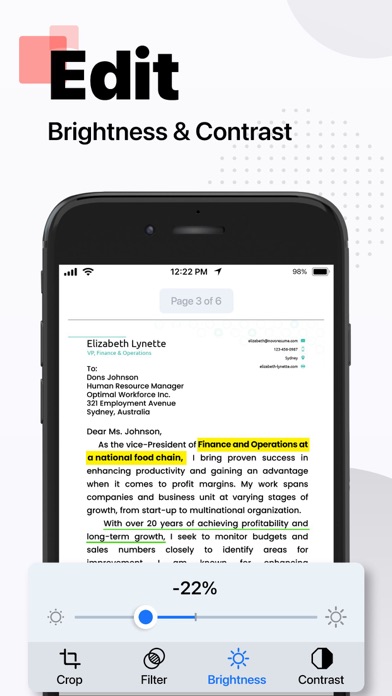
PDF scanner app is the ultimate tool for anyone who needs to scan documents and save them as PDF files. It is designed with advanced image processing technology that ensures your scans are always clear, sharp, and professional-looking. Here are some of the features that make this PDF app stand out from the rest:
1) Easy to use: It is incredibly easy to use, even if you're not tech-savvy. With just a few taps, you can quickly scan your document and save it as a PDF file.
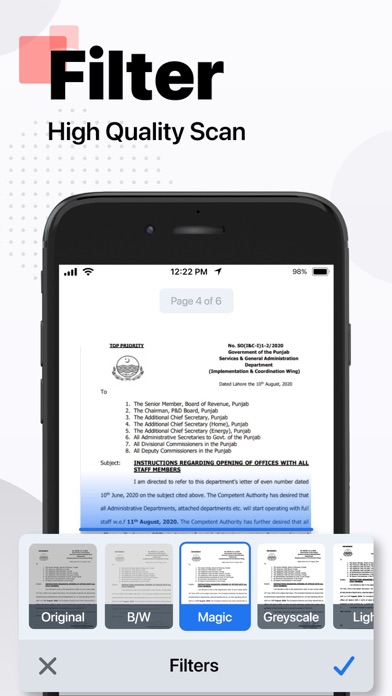
2) High-quality scans: The app uses advanced image processing technology to ensure your scans are always high-quality, with clear text and sharp images.
3) Adjustable settings: You can easily adjust settings such as …
Read the full description
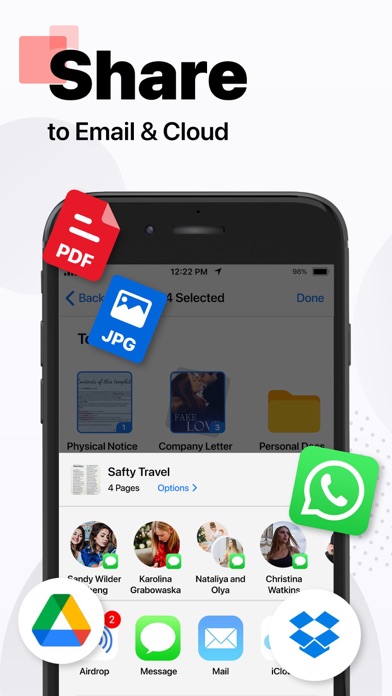
PDF scanner app is the ultimate tool for anyone who needs to scan documents and save them as PDF files. It is designed with advanced image processing technology that ensures your scans are always clear, sharp, and professional-looking. Here are some of the features that make this PDF app stand out from the rest: 1) Easy to use: It is incredibly easy to use, even if you're not tech-savvy. With just a few taps, you can quickly scan your document and save it as a PDF file. 2) High-quality scans: The app uses advanced image processing technology to ensure your scans are always high-quality, with clear text and sharp images. 3) Adjustable settings: You can easily adjust settings such as resolution, color mode, and file size to get the perfect scan every time. 4) Batch scanning: Need to scan multiple pages? No problem! DocuScan allows you to scan multiple pages and save them as a single PDF file. 5) Cloud integration: You can save your scans to the cloud for easy access from any device. 6) Share and export: DocuScan allows you to easily share your scanned documents via email, messaging apps, or social media. You can also export your scans to other file formats such as JPG or PNG. 7) Secure and private: It uses encryption to ensure your scanned documents are safe and secure. You can also set a passcode to protect your scans from prying eyes. Wherever you are, easily scan photos, texts, and documents into high-quality PDF and JPEG files with this app. Powered by OCR technology, the scanner allows you to easily digitize books, business cards, and receipts and access them. You can quickly share your scanned documents effortlessly. DocuScan is the perfect solution for all your scanning needs. Privacy Policy: https://hazelmobile.com/privacy-policy-ios/ Terms of Use: https://www.apple.com/legal/internet-services/itunes/dev/stdeula/ We’d love to hear from you! Please help us make our DocuScan: PDF Scanner & Maker App even better.
Installs since 29 Aug 2026
Apple does not publish download counts. Estimates are in testing.
Estimated store revenue Estimated Beta
App Store, worldwide, monthly rate from the last 14 chart days to 21 Nov 2026
Below the top 100 grossing apps in the markets we calibrate. In the United States that usually means under about $6.4M a month. App Store purchases and subscriptions only, before Apple's 15 to 30% fee. Ads and web payments are not included.
Ratings
92 ratings, 92 reviews
No rating breakdown published for this app.
Recent reviews
Latest public reviews from the store
No reviews in our sample for this app yet.
Top chart positions
Latest App Store chart ranks by country, last 10 days
Not in any tracked top chart in the last 10 days.
PDF Scanner・Doc Scanner App history
Release, install milestones, listing and store changes
- First released on the store 18 Feb 2022
Update frequency
How often PDF Scanner・Doc Scanner App ships a new version, month by month
1 updates in the last 12 months. More often than most similar apps: they shipped a median of 0 updates in the same year.
Recent versions
Current version 2.0.1
- Version 2.0.16 Nov 2026
Improved Translate feature in Tools. Bugs fixes in Editors New app icons added in current icons list. Overall app UI improvement and fixes.
- Version 1.4.524 Apr 2024
• Enhanced OCR accuracy. • Batch scanning feature. • Improved mobile interface. • Advanced file organization. • Security enhancements.
Listing keywords
Words and phrases PDF Scanner・Doc Scanner App repeats most in its store listing
Top phrases: high quality (3), pdf scanner (3), scanned documents (3), advanced image processing (2), image processing technology (2).
Highlighted words also appear in the title. Counts cover the title, short description and description.
Compliance
What the listing and the app package show
- Store status
- Live
- Upkeep
- Updated 6 Nov 2026
- Age rating
- 4+
Apps like PDF Scanner・Doc Scanner App
 Pomodoro DailyDinh Nhan Nguyen★ 4.86
 HOA ID: Homeowner AppID123 Inc.★ 4.86
 Cerebrum Tire SensorCerebrum★ 4.47
 AT Mobile AppAIRTEL GHANA LIMITED★ 3.58
 ScannerHD:Scanner to scan PDFHiThink★ 4.75
 BetBlocker: Gambling ExclusionBETBLOCKER★ 3.04
 Translator+ PlusSolid Apps INC★ 4.24
 TVAirScreen翔宇 孙★ 4.22
 cliQ by HUTCHHutchison Telecommunications Lanka (Private) Limited★ 4.33
PDF Scanner・Doc Scanner App: questions and answers
Who makes PDF Scanner・Doc Scanner App?
PDF Scanner・Doc Scanner App is published by Hazel Mobile.
When was PDF Scanner・Doc Scanner App last updated?
The latest version (2.0.1) was released on 6 Nov 2026.
Is PDF Scanner・Doc Scanner App free?
Yes. PDF Scanner・Doc Scanner App is free to download.
Is PDF Scanner・Doc Scanner App still available?
Yes. PDF Scanner・Doc Scanner App is live on App Store as of 21 Nov 2026.
Track PDF Scanner・Doc Scanner App and its competitors
Watch any app for new versions, rating drops, chart moves and removals. Free plan, no card.