
- Installs
- —
- Apple does not publish download counts
- Rating
- 1.28
- Ratings
- 250
- 250 reviews
- Version
- 3.0.0
- Updated 5 Aug 2026
- Released
- 30 Jan 2015
- Tracked since 10 May 2026
- Size
- 58 MB
- Needs 13.0
Also on Google Play: Pharos Print (113 ratings)
Screenshots
About Pharos Print
The description on the store listing
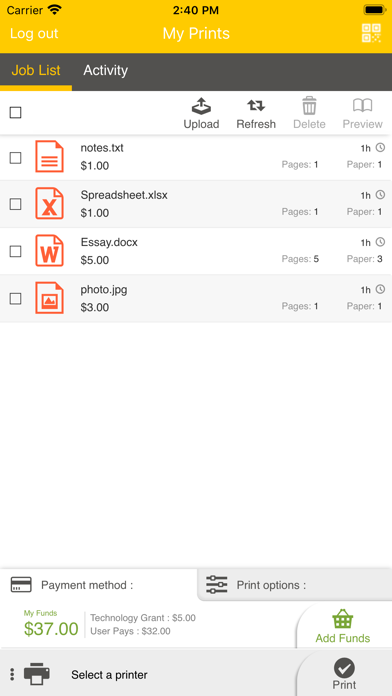
The Pharos Print app, part of the Pharos MobilePrint solution, allows you to easily submit content from your iOS device to a Pharos secure print queue. To use this app, Pharos MobilePrint and a Pharos secure print solution must be in place within your organization.
Features
• Easily submit content from your phone or tablet into a Pharos secure print queue.
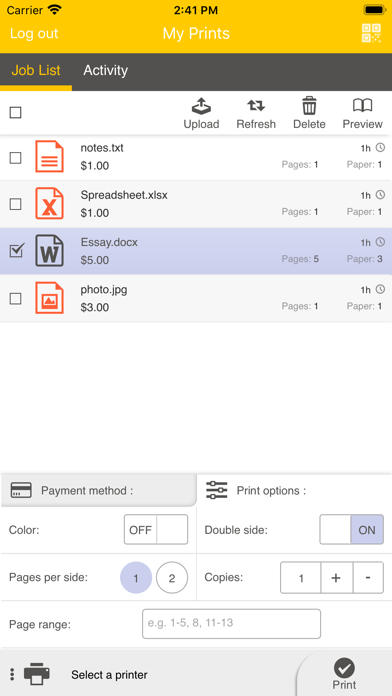
• Edit your finishing options before you print.
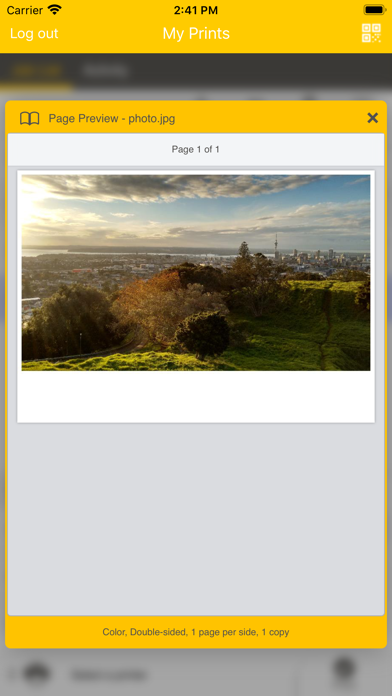
• Preview your document(s) before you print.
• Delete a print job from your Pharos secure print queue.
• View all documents in your Pharos secure print queue.
• View your Available Funds and job cost (when applicable).
• Release print jobs to the printer (if configured).
• Select …
Read the full description
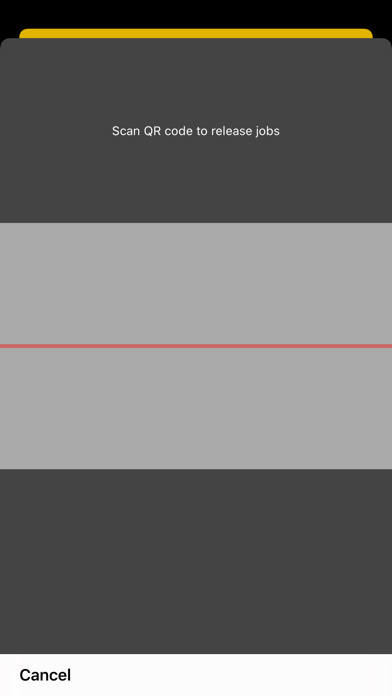
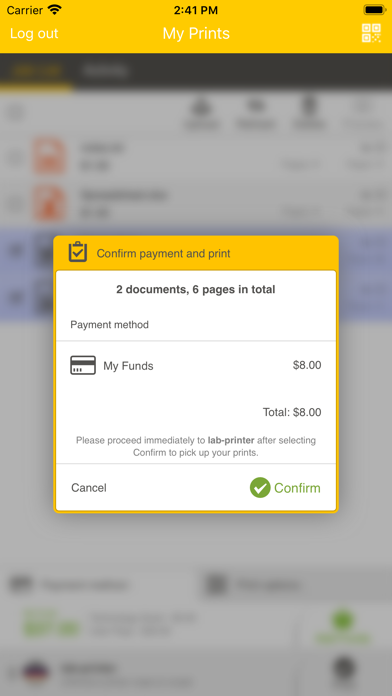
The Pharos Print app, part of the Pharos MobilePrint solution, allows you to easily submit content from your iOS device to a Pharos secure print queue. To use this app, Pharos MobilePrint and a Pharos secure print solution must be in place within your organization. Features • Easily submit content from your phone or tablet into a Pharos secure print queue. • Edit your finishing options before you print. • Preview your document(s) before you print. • Delete a print job from your Pharos secure print queue. • View all documents in your Pharos secure print queue. • View your Available Funds and job cost (when applicable). • Release print jobs to the printer (if configured). • Select printers for release by scanning QR code (if configured). Operating Environment • Supports iOS 14.0 and newer iPhone and iPad models. • Supports Pharos MobilePrint 2.0+ with Pharos Uniprint 9.0+ • Supports Pharos MobilePrint 2.0+ with Pharos Blueprint 5.2+ • QR Print Release requires MobilePrint 2.4 and Uniprint 9.1 SP3 Supported Files (Important) Uploading or opening files from other apps via “Open In” and "Sharing", or via the "Upload" button in the app supports the following file formats: Microsoft Office® documents, Microsoft Outlook®, PDF, images (JPG, GIF, PNG, BMP), text files (CSV, RTF & TXT), and OpenOffice documents. How to use the features of Pharos Print app [Note: some features or settings may be disabled by your organization, as noted] A. Download and install the Pharos Print app to your iOS device. B. Connect Pharos Print to your organization’s Pharos MobilePrint server. a. Open the Pharos Print app. b. Contact your organization’s IT administrator to obtain the Pharos MobilePrint server information (URL). c. Enter the Pharos Server Name and Server Port (both are required). d. Select Connect e. The Pharos Print app will connect to the Pharos server and display a User Authentication Screen. C. Authenticate to the Pharos Server. a. Enter the credentials that you normally use to print (your username and password). b. Select Log On to enter the Pharos Print app. D. Files can be submitted either via the Upload icon in the app or by using the native iOS “Open In” or the "Sharing" command to submit your print job. a. To upload supported documents from the app, simply log in and use the "Upload" button. Sources for files on your device, or cloud, will be presented. b. To upload supported documents using “Open In" or "Sharing" i. Select content in any app that supports “Open In" or "Sharing". ii. Select Open In/Share. iii. Select the Open/Share in Pharos Print icon. E. You may set finishing options, preview, or delete a document a. Select a print job in your job list. b. Apply your desired finishing options via the "Print Options" tab at the bottom of the app: i. 1 sided or 2 sided ii. Color or Black & White iii. Pages per side iv. Number of copies v. Page range to print c. To preview documents, select a document and use the "Preview" button. d. To delete documents, select a document and use the "Delete" button. F. To print documents, this option must be allowed by your organization a. Select document(s) to print b. Then either use the tab at the bottom of the app to select a printer (if available) c. Or use the “QR Code” icon at the top right of the app (if available) to enable the camera and point it at the QR code on the printer you want to print to. G. To view available funds you have for printing, use the “Payment method” tab at the bottom of the app. a. If made available by your organization, the app may offer the ability to “Add Funds” via the link on this tab. H. Logging out a. To log out of the Pharos Print app, select the gear icon in the upper left corner and select Log out.
Installs since 29 Aug 2026
Apple does not publish download counts. Estimates are in testing.
Estimated store revenue Estimated Beta
App Store, worldwide, monthly rate from the last 14 chart days to 21 Nov 2026
Below the top 100 grossing apps in the markets we calibrate. In the United States that usually means under about $6.4M a month. App Store purchases and subscriptions only, before Apple's 15 to 30% fee. Ads and web payments are not included.
Ratings
250 ratings, 250 reviews
No rating breakdown published for this app.
Recent reviews
Latest public reviews from the store
- 1 Apr 2025
Loading Bugs
First of all, please add a progress bar of some sort to show that ur application is loading. Also, the app does not open at times. Kindly fix these issues.
- 13 Aug 2024
Not sure what the other reviews are talking about
I was reading some of the other reviews and they talked about this app being very buggy and not working. Perhaps it’s due to recent bug fixes or updates, but this was my first time using this app and it worked fine! It did the job, printed my stuff. Nothing special, but really no issues.
- 5 Aug 2023
It works for me now
This app had never worked for me in the past…wouldn’t load, would constantly crash. It was impossible to use. I had to try it today because I was in a rush and it worked like a charm. Great job dev team!! Glad it works now :)
- 15 Sep 2021
Pharos Printer
Do it do you remember that national library or do homework and then go to library and print it off and then go to library print and library print it off at the end of the national anthem library print center print and library library website and library print print and print print off library library
What reviewers bring up
Topics mentioned in the latest 8 reviews, by how many reviews mention them
Liked in good reviews (3 reviews)
- job 2
Raised in bad reviews (4 reviews)
- lucky 3
- another 2
Top chart positions
Latest App Store chart ranks by country, last 10 days
- Countries ranked
- 1 of 50
- Best rank
- #90
- Top 10 placements
- 0
- of 1 chart placements
- Average rank
- #90
Best countries on App Store
- 🇮🇪 Ireland · Top free, Productivity#90
| Country | Chart | Category | Rank | Best (10 days) | Date |
|---|---|---|---|---|---|
| 🇮🇪 Ireland | Top free | Productivity | #90 | #87 | 19 Nov 2026 |
Pharos Print history
Release, install milestones, listing and store changes
- First released on the store 30 Jan 2015
Update frequency
How often Pharos Print ships a new version, month by month
1 updates in the last 12 months. About as often as similar apps, which shipped a median of 1 updates in the same year.
Recent versions
Current version 3.0.0
- Version 3.0.05 Aug 2026
The Pharos Print app now adopts Print Center's Menu Bar theme color for a cleaner, more consistent look.
- Version 2.2.1319 May 2025
Fixes issue connecting to Pharos server
Listing keywords
Words and phrases Pharos Print repeats most in its store listing
Top phrases: pharos print (10), pharos mobileprint (6), pharos secure print (5), pharos secure (5), secure print (5).
Highlighted words also appear in the title. Counts cover the title, short description and description.
Compliance
What the listing and the app package show
- Store status
- Live
- Upkeep
- Updated 5 Aug 2026
- Age rating
- 4+
Apps like Pharos Print
 HONK PartnerHONK Technologies Inc.★ 2.35
 拦截100-浏览器广告拦截油猴脚本UU Momentum Network Technology Co., Ltd.★ 4.07
 DeepClean - Smart AI Cleaner萍萍 刘★ 4.5
 Email Finder - Data ExtractorToba Ibrahim★ 4.21
 LockScreenNotesTakumi Banjoya★ 4.79
 Web2Pics: Full Page ScreenshotBharti Verma★ 4.41
 Smart Counter – Multi TallyL.droid Apps★ 4.73
 Movie Miner Collection Trackergiant cookie IT Consulting UG (haftungsbeschränkt)★ 4.79
 SHMLiveSociety of Hospital Medicine★ 4.79
Pharos Print: questions and answers
Who makes Pharos Print?
Pharos Print is published by Pharos Systems International.
When was Pharos Print last updated?
The latest version (3.0.0) was released on 5 Aug 2026.
Is Pharos Print free?
Yes. Pharos Print is free to download.
Is Pharos Print still available?
Yes. Pharos Print is live on App Store as of 21 Nov 2026.
Track Pharos Print and its competitors
Watch any app for new versions, rating drops, chart moves and removals. Free plan, no card.