
- Installs
- —
- Apple does not publish download counts
- Rating
- —
- Ratings
- —
- Version
- 2.1.5
- Updated 17 May 2024
- Released
- 20 Jan 2012
- Tracked since 10 May 2026
- Size
- 74 MB
- Needs 10.9
Also on App Store: Picture Collage Maker + (3 ratings), Picture Collage Maker (1.1K ratings), Picture Collage Maker (79 ratings)
Screenshots


About Picture Collage Maker
The description on the store listing
* * * 75% Off Time-Limited Offer * * *
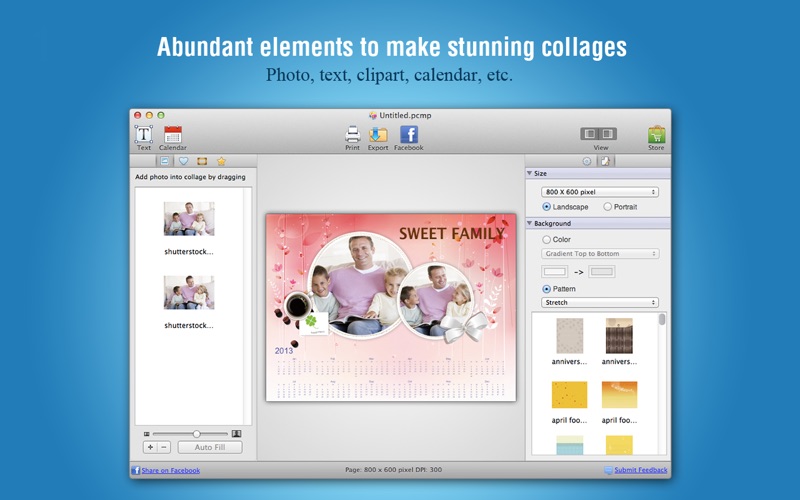
Picture Collage Maker is a powerful and easy-to-use photo collage creator on Mac OS X to create photo collages, scrapbooks, greeting cards, photo calendars, and posters quickly. You are able to immortalize your special moments by sharing these self-made collages with your friends and families.
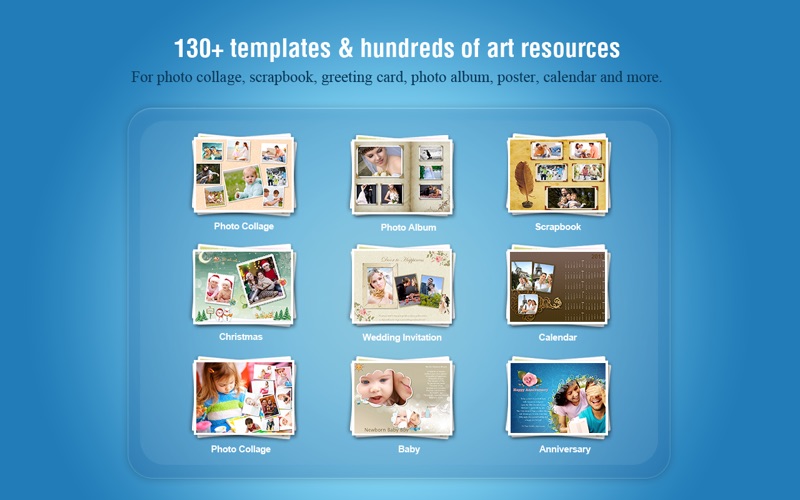
With its 130+ delicate templates, you can make magnificent artworks for any occasion and holiday such as birthday, wedding, anniversary, Christmas, Thanksgiving, etc. in your life. What’s more, you can apply decorations like clipart, frames, masks, backgrounds and texts with stunning effects. Whether you have extensive experience or no experience in …
Read the full description
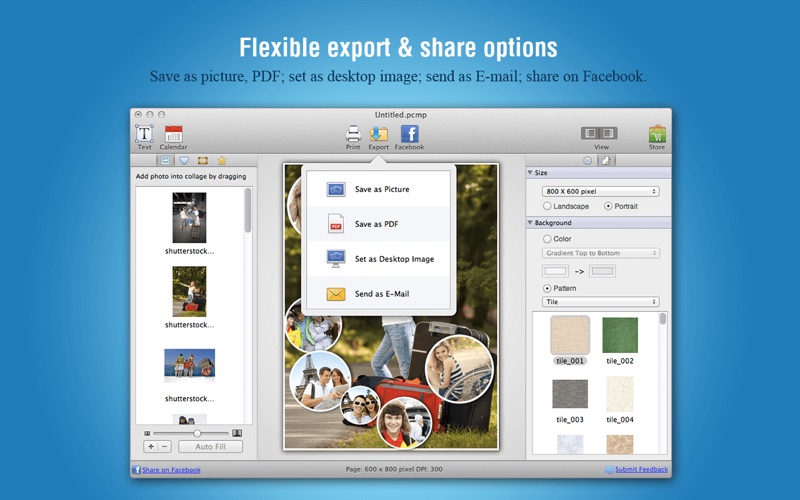
* * * 75% Off Time-Limited Offer * * * Picture Collage Maker is a powerful and easy-to-use photo collage creator on Mac OS X to create photo collages, scrapbooks, greeting cards, photo calendars, and posters quickly. You are able to immortalize your special moments by sharing these self-made collages with your friends and families. With its 130+ delicate templates, you can make magnificent artworks for any occasion and holiday such as birthday, wedding, anniversary, Christmas, Thanksgiving, etc. in your life. What’s more, you can apply decorations like clipart, frames, masks, backgrounds and texts with stunning effects. Whether you have extensive experience or no experience in photography, you can make extraordinary photo collages quickly and easily. "Really Professional - This app is really good and is HD quality and provides many awesome things such as different borders, text and it makes it look so professional and personal…" ----------------------------------------------- BENEFITS ----------------------------------------------- * Share self-created collages and scrapbooks with families and friends. * Create marvelous cards as special gifts. * Record special memories eternally by elaborated albums. * Make custom posters for decorating, advertising and drumbeating, etc. ----------------------------------------------- QUICK START GUIDE ----------------------------------------------- Step 1: Choose one template to start your work. Step 2: Import photos and personalize your collage. Step 3: Export and share your collage. ----------------------------------------------- HIGHLIGHTED FEATURES ----------------------------------------------- * New Features in 2.0 • Numerous photo effects/filters to get the best out of your photos. • Abundant text effects including Stroke, Glow, and Background, etc. • Three types of text Fill: Solid Color, Gradient Color, Pattern. • Rounded corners for photos to look more unique. • Share collage on Facebook directly from the app. * 130+ professional templates to choose • 130+ templates provided. • Various templates help you extend your creativity by designing creative photo collages, greeting cards, scrapbooks, posters, photo calendars, and photo albums, etc. • Templates are suitable for any occasion - Birthday, Easter, Christmas, Thanksgiving, Wedding and so on. * Create personalized collage with your photos • Drag and drop your photos into collage. • Move, rotate, and resize photos with a few mouse clicks. • Crop photos to make them fit well in chosen frame. • Apply photo effects/filters to beautify your photos. * Decorate collage with embellishments • Use various background patterns to produce good looking collages. • Add artistic effects to your collage by applying frames, masks, and clipart, etc. • Make collage looks even better by resizing, dragging and positioning clipart. • Add texts – resize; rotate; apply shadow & abundant text effects such as Stroke, Glow, and Background to make your text stand out. • Add calendar to create personalized photo calendars. * Export and share collage • Save collage as image formats. • Save collage as PDF file. • Set collage as desktop wallpaper. • Share collage with friends and families via Facebook and E-mail. • Print collage directly. ----------------------------------------------- HELP & SUPPORT ----------------------------------------------- We love to hear from our users. You might face some problems or have a suggestion for the feature you want to report. Please feel free to email us at [email protected] or [email protected]. Send us your comments! We'd love to hear your voice.
Installs
Apple does not publish download counts. Estimates are in testing.
We publish iOS estimates only after they pass a back-test against real numbers. Chart history below is measured.
Estimated store revenue Estimated Beta
App Store, worldwide, monthly rate from the last 13 chart days to 20 Nov 2026
Below the top 100 grossing apps in the markets we calibrate. In the United States that usually means under about $6.4M a month. App Store purchases and subscriptions only, before Apple's 15 to 30% fee. Ads and web payments are not included.
Ratings
No rating breakdown published for this app.
Recent reviews
Latest public reviews from the store
No reviews in our sample for this app yet.
Top chart positions
Latest App Store chart ranks by country, last 10 days
Not in any tracked top chart in the last 10 days.
Picture Collage Maker history
Release, install milestones, listing and store changes
- First released on the store 20 Jan 2012
Recent versions
Current version 2.1.5
- Version 2.1.517 May 2024
* Minor bug fixes.
Listing keywords
Words and phrases Picture Collage Maker repeats most in its store listing
Top phrases: photo calendars (3), photo collages (3), share collage (3), abundant text effects (2), export and share (2).
Highlighted words also appear in the title. Counts cover the title, short description and description.
Compliance
What the listing and the app package show
- Store status
- Live
- Upkeep
- No update since 17 May 2024
- Age rating
- 4+
Apps like Picture Collage Maker
 Video CollageaZeR DiLLs★ 4.08
 Vee for VideoMedious★ 2.98
 Beauty Camera -Selfie, StickerBhuvan Gupta★ 4.5
 FinalCamXShenzhen Xiaozhen Technology Co.,Ltd.★ 4.44
 Magic Studio - AI Photo EditorMagicStudio.com★ 4.62
 Foto Impresiones: 1 Hr PhotoSoftwareX★ 4.98
 SnapGeo - AI Location FinderRECEP ASLAN★ 4.24
 Family Photo Maker - AIRick-y Media★ 4.12
 BeautifAI: AI Try OnJAI UYGULAMA VE YAPAY ZEKA TEKNOLOJILERI ANONIM SIRKETI★ 4.36
Picture Collage Maker: questions and answers
Who makes Picture Collage Maker?
Picture Collage Maker is published by PearlMountain Technology.
When was Picture Collage Maker last updated?
The latest version (2.1.5) was released on 17 May 2024.
Is Picture Collage Maker free?
No. Picture Collage Maker is a paid app priced at $9.99.
Is Picture Collage Maker still available?
Yes. Picture Collage Maker is live on App Store as of 10 May 2026.
Track Picture Collage Maker and its competitors
Watch any app for new versions, rating drops, chart moves and removals. Free plan, no card.