- Installs
- —
- Apple does not publish download counts
- Rating
- —
- Ratings
- —
- Version
- 2.3.13
- Updated 23 Nov 2020
- Released
- 17 Jun 2015
- Tracked since 10 May 2026
- Size
- 7 MB
- Needs 10.11
Screenshots
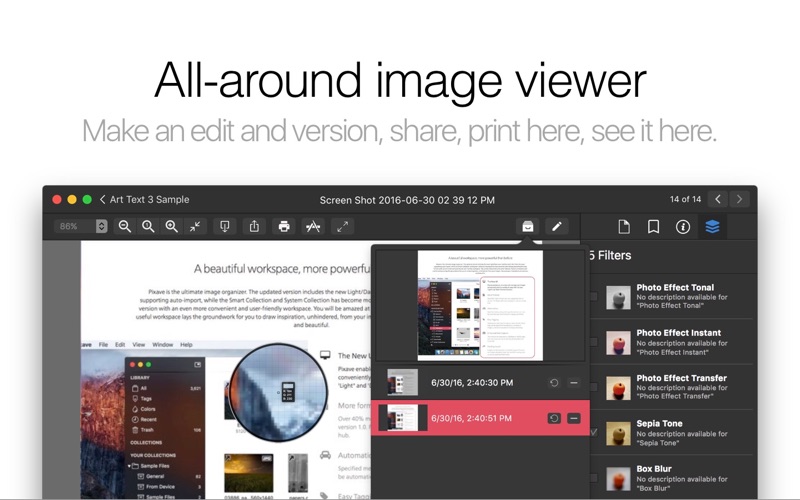

About Pixave
The description on the store listing
** BEST OF 2015 APP BY APPLE **
** FEATURED WORLDWIDE 2015, 2016 AS "BEST NEW APPS" BY APPLE **
Stay Inspired.
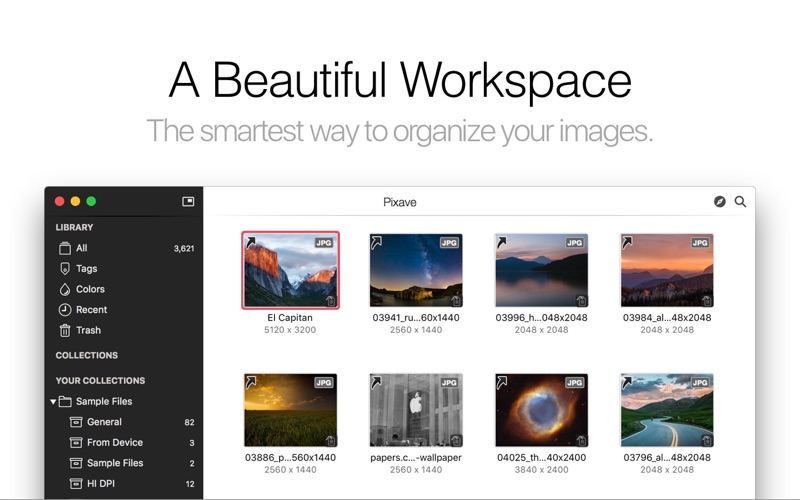
There is a whole world that we get from images. A single picture can fill us with inspiration which, in turn, brings us joy. Such impressions grow to create wonder and amazement for the world. That growth and creation is made possible by you. And Pixave is here to store and organize those inspired moments - to enable you to bring them to mind whenever, wherever you are.
A beautiful workspace, more powerful than before
Pixave is the ultimate image organizer. The updated version includes the new Light/Dark user interface with the Collection now supporting auto-import, while the …
Read the full description
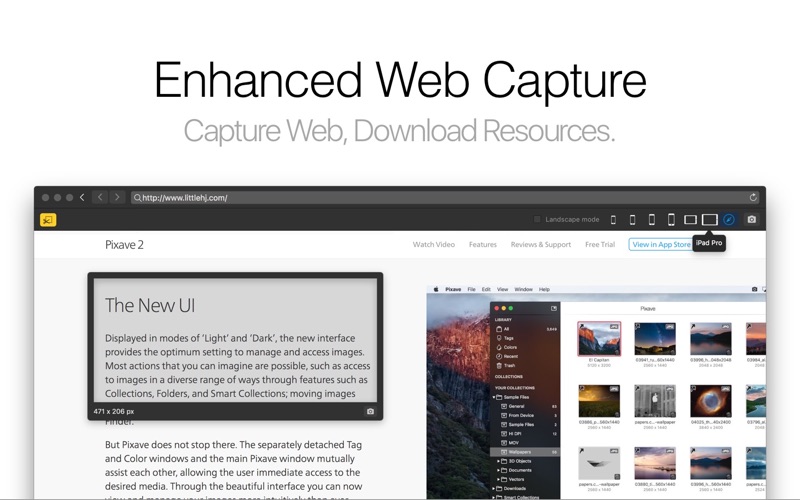
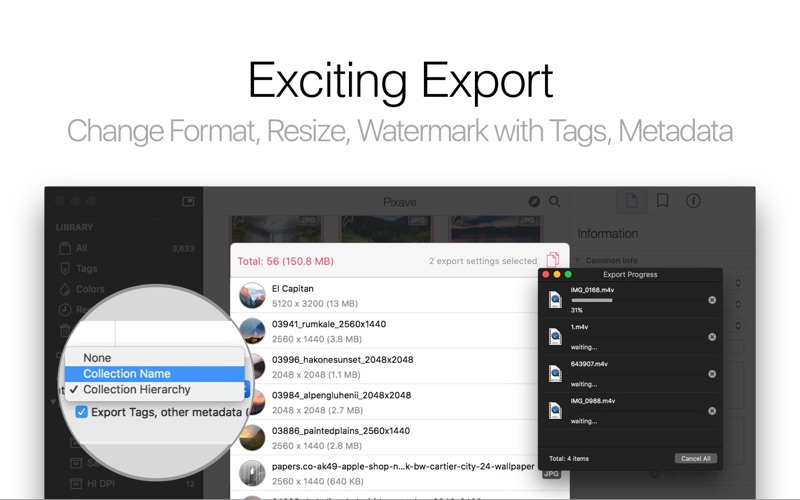
** BEST OF 2015 APP BY APPLE ** ** FEATURED WORLDWIDE 2015, 2016 AS "BEST NEW APPS" BY APPLE ** Stay Inspired. There is a whole world that we get from images. A single picture can fill us with inspiration which, in turn, brings us joy. Such impressions grow to create wonder and amazement for the world. That growth and creation is made possible by you. And Pixave is here to store and organize those inspired moments - to enable you to bring them to mind whenever, wherever you are. A beautiful workspace, more powerful than before Pixave is the ultimate image organizer. The updated version includes the new Light/Dark user interface with the Collection now supporting auto-import, while the Smart Collection and System Collection has become more powerful and refined, providing this new version with an even more convenient and user-friendly workspace. You will be amazed at such useful features. Pixave’s innovative and useful workspace lays the groundwork for you to draw inspiration, unhindered, from your images - because your inspirations are precious and beautiful. More Formats! Pixave supports common image formats such as GIF, JPEG, JPEG 2000, PNG, TIFF, ICNS, AI, PSD, EPS (included PDF info only), PDF, TGA, SVG, BMP, ICO, Camera RAW, HEIC, HEIF, as well as document formats from Mac Graphic Killer applications such as *Affinity Designer, *Affinity Photo, *Pixelmator, *Pixelmator Pro, *Sketch, *Audodesk Graphic, *Acorn document. And now, even more formats are supported: TrueType® Font, OpenType® Font, MOV, M4V, MP4, MPO, DAE for 3D Objects, OBJ files, *Apple Pages, *Numbers, *Keynote, *iBook Author, *MS Word, *Excel, *PowerPoint. Also the popular Mac software *OmniGraffle, *MindNode, *Comic Life 3, *Napkin, *Flinto, *iThoughtsX, *Principle, *Art Text 3 document are supported. (formats with “*” requires the relevant app to be already installed) Automation Specified media, along with tag information, can now be automatically imported from a designated folder. To import, images no longer need to be dragged, images no longer need to be clicked to apply tags, and image types no longer need to be separately categorized. Just place your desired files into the designated folder and Pixave will automatically import the selected media and automatically apply selected tags. Now importing media is taken care of automatically. How convenient! Easy Tagging Adding and searching for tags is a piece of cake. Many tags can be applied immediately to a number of images, and can be searched for along with its tag. Pixave’s new Tag system really is quite something. During import, not only are the keywords included in the image identified and automatically added to the tag, but tags added by the user can also be very easily applied. For tagging, simply drag the tag to an image or vice versa. This way of adding new tags or searching for tags provides a fresh approach in accessing them. Beware to not become overwhelmed by the incredible new tagging interface – the ability to apply numerous tags simultaneously to numerous images. Enhanced Web Capture Pixave’s web capturing capabilities have evolved. Now, the website that you wish to capture can be captured while interchanging freely between desktop and mobile modes. Pixave’s web capture also provides iPhone, iPad, as well as Landscape options for easy and flexible capture. Additionally, webpage resources can be directly downloaded as well - this feature enables you to directly import any graphic elements that you see on a website into Pixave with Web Browser Extensions Exciting Export Even exporting has evolved. Alongside the basic function of exporting according to image type, you can also adjust the image size in set increments, customize the file naming pattern and apply Watermarks. Tags you have inserted and managed are now also included within the image during export. And the ability to create ePub files is, no doubt, a bonus. - Compatibility: macOS 10.11.6 or higher
Installs
Apple does not publish download counts. Estimates are in testing.
We publish iOS estimates only after they pass a back-test against real numbers. Chart history below is measured.
Estimated store revenue Estimated Beta
App Store, worldwide, monthly rate from the last 13 chart days to 20 Nov 2026
Below the top 100 grossing apps in the markets we calibrate. In the United States that usually means under about $6.4M a month. App Store purchases and subscriptions only, before Apple's 15 to 30% fee. Ads and web payments are not included.
Ratings
No rating breakdown published for this app.
Recent reviews
Latest public reviews from the store
No reviews in our sample for this app yet.
Top chart positions
Latest App Store chart ranks by country, last 10 days
Not in any tracked top chart in the last 10 days.
Pixave history
Release, install milestones, listing and store changes
- First released on the store 17 Jun 2015
Recent versions
Current version 2.3.13
- Version 2.3.1323 Nov 2020
What's New in Version 2.3.13 - macOS Big Sur Ready! - macOS Universal App: Pixave now runs natively on both Apple Silicon Macs and Intel-based Macs. - Added ability to import WebP Image (Requires macOS Big Sur) - Fixed a problem where EXIF data didn't be shown correctly on macOS Big Sur - Fixed minor issues and more stable What's New in Version 2.3.12 - Fixed minor UI problems What's New in Version 2.3.11 - Fixed minor UI problems on macOS 10.13.X What's New in Version 2.3.10 - Fixed a problem where Rename UI didn’t be shown correctly. What's New in Version 2.3.9 - Improved macOS compatibility. What's New in Version 2.3.8 - Improved High-resolution PSD importing - Fixed ePub export - Fixed image markup problem on macOS 10.11 - Fixed minor UI issues What's New in Version 2.3.7 - Now, display current library name on window title - Improved image markup - Fixed minor UI issues What's New in Version 2.3.6 - Fixed minor problems What's New in Version 2.3.5 - Added ability to import Pixelmator Pro document - Added ability to import MindNode 5 document - Added ability to sort collection by Color Label - Improved iThought X document importing - Improved iCloud Sync for multiple devices - Improved Library Switcher UI and Actions - Improved handling date creation for imported images based on EXIF date time, date digitized - When capture website, page title will be added into note info - Improved scroll position when import complete. - Fixed a problem where scroll bar didn’t work with special mice devices - Fixed a problem where the exported image as original wouldn’t have correct rotation information - Fixed minor issues What's New in Version 2.3.4 - Fixed launch problem in specified environment What's New in Version 2.3.3 - Added ability to backup library in iCloud for the future updates. What's New in Version 2.3.2 - Improved iCloud Sync - Fixed a problem where sorting value in browser didn’t save correctly - Fixed minor issues. What’s New in Version 2.3.1 - Ready for Pixave for iPad - Support for macOS High Sierra - Added the ability to import HEIC, HEIF (Requires macOS High Sierra) - Improved SVG importing - Improved ProRes 4444 with alpha channel movie importing - Improved Library Switcher UI - Fixed scroller problem with third-party mice devices - Fixed a problem where Rename didn’t work correctly on macOS High Sierra - Fixed a crash that would occur when importing movie file By the way, App Store reviews are very helpful to us. If you think Pixave is worthy, would you mind taking a moment to write a nice review? We’d greatly appreciate it. Thanks for using Pixave.
Listing keywords
Words and phrases Pixave repeats most in its store listing
Top phrases: longer need (3), images no longer (2), searching for tags (2), designated folder (2), pixave’s web (2).
Highlighted words also appear in the title. Counts cover the title, short description and description.
Compliance
What the listing and the app package show
- Store status
- Live
- Upkeep
- No update since 23 Nov 2020
- Age rating
- 4+
Apps like Pixave
 AI Cut - Photo Generate & EditBeijing Changhai Internet Technology Co., Ltd.★ 4.1
 Birthday Invitations Makerwilliam leandro aristizabal giraldo★ 4.7
 AI VistaSCIENJOY META TECHNOLOGY LLC★ 2.9
 Logotipo - AI Logo GeneratorMobile Ocean★ 4.02
 Anime AI Maker: DreamtuneLYKOV STUDIO LTD★ 4.34
 DIY Wallpaper Maker DIYScreenEvgenii Fomin★ 4.68
 Vintage Camera - Film FiltersPlane Cubes★ 4.42
 Color Widgets - WallpapersFlying Pigeons LLC★ 4.34
 Artimind - AI Video GeneratorAPERO TECHNOLOGIES GROUP PTE.LTD★ 1.41
Pixave: questions and answers
Who makes Pixave?
Pixave is published by YoungHo Kim.
When was Pixave last updated?
The latest version (2.3.13) was released on 23 Nov 2020.
Is Pixave free?
Yes. Pixave is free to download.
Is Pixave still available?
Yes. Pixave is live on App Store as of 10 May 2026.
Track Pixave and its competitors
Watch any app for new versions, rating drops, chart moves and removals. Free plan, no card.