
- Installs
- —
- Apple does not publish download counts
- Rating
- 4.5
- Ratings
- 10.3K
- 10.3K reviews
- Version
- 5.22
- Updated 3 Sep 2026
- Released
- 16 Feb 2014
- Tracked since 10 May 2026
- Size
- 110 MB
- Needs 13.0
Screenshots
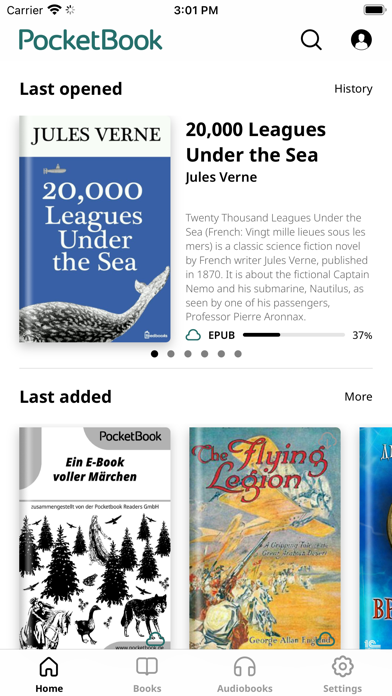
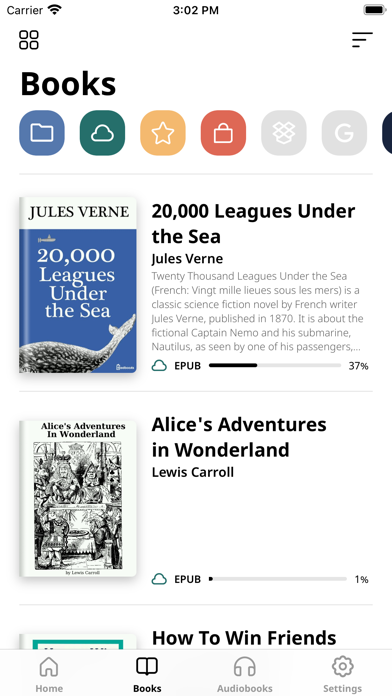
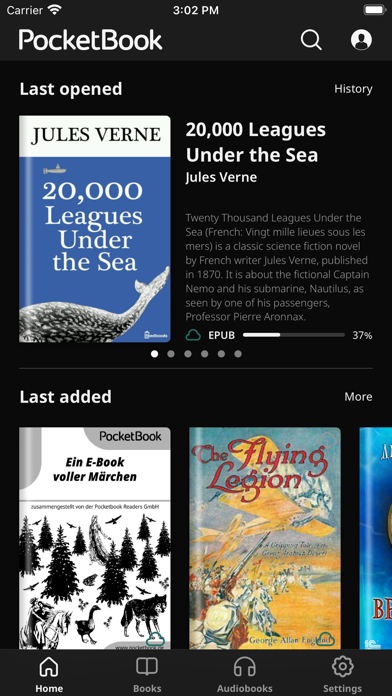
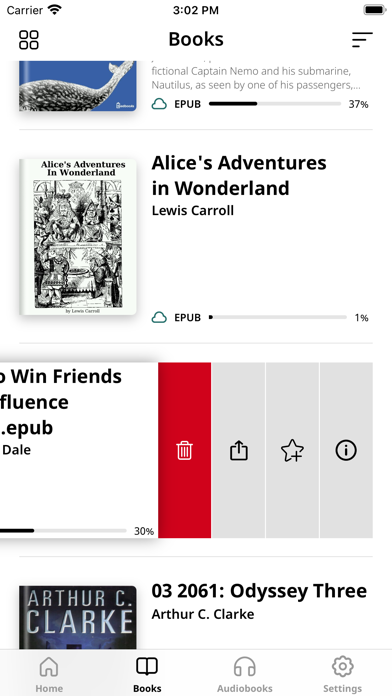
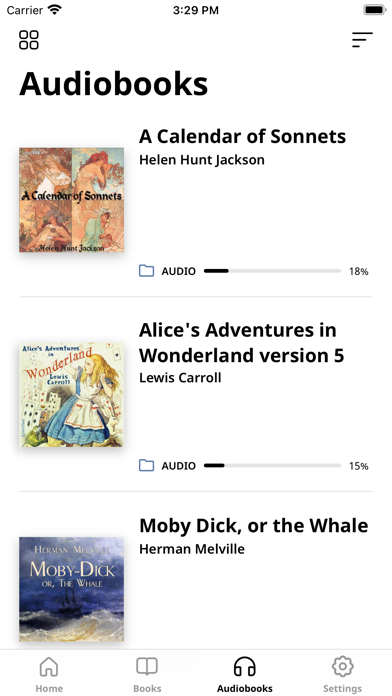


About PocketBook Reader
The description on the store listing
PocketBook Reader is a free app for reading all formats (books, magazines, textbooks, comic books, etc.) and listening to audiobooks! The application supports 26 book and audio formats, including mobi, epub, fb2, cbz, cbr. Read without ads and with total comfort!
Choose any content - any format!
• Support of 19 book formats, including the most popular - EPUB, FB2, MOBI, PDF, DJVU, DOCX, RTF, TXT, HTML;
• Comic book formats CBR and CBZ;
• Open books protected with Adobe DRM (PDF, EPUB);
• PDF Reflow function (reflow text in PDF files).
Listen to audiobooks!
• You can listen to audiobooks and other audio files in MP3, M4B, and take notes in them;
• Built-in TTS (Text-to-speech) engine for …
Read the full description
PocketBook Reader is a free app for reading all formats (books, magazines, textbooks, comic books, etc.) and listening to audiobooks! The application supports 26 book and audio formats, including mobi, epub, fb2, cbz, cbr. Read without ads and with total comfort! Choose any content - any format! • Support of 19 book formats, including the most popular - EPUB, FB2, MOBI, PDF, DJVU, DOCX, RTF, TXT, HTML; • Comic book formats CBR and CBZ; • Open books protected with Adobe DRM (PDF, EPUB); • PDF Reflow function (reflow text in PDF files). Listen to audiobooks! • You can listen to audiobooks and other audio files in MP3, M4B, and take notes in them; • Built-in TTS (Text-to-speech) engine for the voicing of the text files. Download and sync content easily! • Free PocketBook Cloud service for synchronizing all your books, including audiobooks, as well as reading positions, notes and bookmarks on all your devices; • Your files from Dropbox or Google Books services are easily connected to the app to create one consolidated library. You can even connect multiple accounts at the same time; • Support for OPDS catalogs - get access to network libraries; • ISBN scanner, for quick search of electronic versions of books by barcode; • Opportunity to borrow books and periodicals; • If you have a E Ink e-reader PocketBook, you can easily synchronize all your books and accounts just by scanning a QR code. Ready to switch from another app? No problem! Getting started with PocketBook Reader is easy! With an intuitive interface, the application provides you with unprecedented freedom – lots of options for settings and no restrictions. Choose, change, customize, and personalize! • Intuitive interface, easy navigation, and minimalistic design; • Opportunity to choose one of the seven interface color themes, reassign the buttons and display areas; • Two night-reading modes - for better reading comfort anytime; • Adjust the font style, font size, line spacing, and margin size; • Animation of turning pages; • Opportunity to crop margins – make the page look exactly the way you want. Get fast file access and easy search! • All files are quickly found and instantly opened, even with built-in audio and video fragments; • Your books will never be lost in the device’s memory - thanks to the smart search, scanning files on your tablet or smartphone is a matter of seconds. Any file or document can be found in a few clicks! • The app allows you to sort books, create collections, filter and mark files as you like. Your library - your rules; • Convenient managing of audio files - it is easy to sort and play your audiobooks. Make bookmarks, take notes, add comments! • You can quickly find all your notes and share them with friends via email or messengers; • Collect all your notes, bookmarks, and comments into separate files for even greater convenience. PocketBook Reader was created by avid readers for avid readers, and that’s why it’s probably the best e-book reader app.
Installs, last 30 days
Apple does not publish download counts. Estimates are in testing.
Estimated store revenue Estimated Beta
App Store, worldwide, monthly rate from the last 12 chart days to 19 Nov 2026
Below the top 100 grossing apps in the markets we calibrate. In the United States that usually means under about $6.4M a month. App Store purchases and subscriptions only, before Apple's 15 to 30% fee. Ads and web payments are not included.
Ratings
10,323 ratings, 10,323 reviews
- 5 ★77%
- 4 ★9.7%
- 3 ★4.0%
- 2 ★2.2%
- 1 ★6.5%
Recent reviews
Latest public reviews from the store
- 17 Mar 2026
This app is so good I had to write a review
First off: I want to say I never write reviews… but halfway into this book I am reading on the Pocketbook Reader app, I knew I had to write a review. I have never been more satisfied with a book app in all my life. 1. I can sign in on any device with my email and my entire library is at my fingertips. 2. It’s free 3. My highlights and notes all transfer over to my other devices! 4. There are 6 different highlighting colors (I wish they were a little bit different.. the pink and the orange are too similar and the two blues are too similar as well… I would love a pink and purple and more neon colors… but it’s not a deal breaker) 5. You are literally customize everything about the book you are reading. 6. Uploading epubs is so easy with this app. 7. One noticeable con is there seems to be a slight lag, when I am scrolling through my books, but the one tiny negative does not deter me from loving this app! I love that it gives descriptions of all the books before you even open them. 10/10 recommend, clearly the person who designed this app spends time reading! Now I have to figure out how to upload all my epubs from my calibre library!
- 19 Jan 2026
Review
I’ve had this app for four years, I’ve had other apps like this, but not on iOS so there are some things that they can improve on that they just haven’t. I would say that this app is a pretty solid option and I would rate it higher if it wasn’t for the fact that the page is glitch so when I download a book into the app and I go to a chapter, sometimes when you turn the page, it will just get to the whole next chapter and you have to completely exit out of the app to fix that and sometimes trying to get the text into a size that you would like is way too finicky and will mess it up to the point where you have to close out the app completely. So a pretty solid option for iOS and it’s free but just be prepared for the app to not be that consistent in quality. And I would read it four stars if it wasn’t so annoying at times and like I have to exit out a bit multiple times just for it to work, that example is not always but super annoying
- 16 Dec 2025
Fantastic Reader App with a FEW Exceptions…newest IOS update has made it unusable however
I will start off by saying that compared to almost every other book reading app that I have found, this one is fantastic. That said the most recent iOS upgrade made the app crash every single time I tried to use it with the exception of one day. As stated earlier compared to all of the other free readers, I have found this one works pretty dang well. I will rate this appropriately once they fix apps operation with the newest iOS update. There are a few things that are missing or need to be fixed to make this by far the best one free to use. The first thing is that there are some formatting issues that can be experienced when opening certain books. There seems to be a missing paragraph separation in almost every one of the books that I read, but it isn’t so bad that it causes problems. I do like how there are many different text and very specific formatting options and it is possible that I do not have the correct ones selected to make the book that I am reading as good as it would appear if I were using whatever the native reading app that it is designed for. I will also say that with the new iOS update the app has crashed every single time, I’ve tried to use it except for one
- 6 Oct 2025
The app desperately needs one button and that is a return to home while in any book
I am giving it 3 stars for this mainly because I have an updated iPhone and I am using the pdf books loaded into the files on my phone. When I go into any book and press on the left side the book will go back to the cover. You can make a saved spot in your book. The app functions well except for one tiny little thing. How do I exit the book so I can load a new book? You press and hold your finger down and a menu bar appears. For copy the screen, send or share the book, look up doing a search on the book and a dictionary. Then there are 5 colored balls that do nothing. So I am in the book and want to make sure my other book is loaded and I can’t get out of the book. I had Google search how to exit the book, it didn’t have a good answer. I opened the app several times hoping to beat the book loading and hit a menu button and gave up for a while then came back and got it to stop loading the book long enough to get to the main page. You would think the holding your finger down would bring the menu up with a “return to main screen” button link. Ok add that and I will be happy and give it 5 stars. Also for book reading maybe a better offer or link to a second app for reading the
What reviewers bring up
Topics mentioned in the latest 8 reviews, by how many reviews mention them
Liked in good reviews (4 reviews)
- reading 4
- book 4
- options 3
- say 3
- highlights 2
- different 2
- designed 2
- library 2
Raised in bad reviews (1 reviews)
No topic comes up twice.
Top chart positions
Latest App Store chart ranks by country, last 10 days
- Countries ranked
- 41 of 50
- Best rank
- #14
- Top 10 placements
- 0
- of 63 chart placements
- Average rank
- #63.1
Best countries on App Store
- 🇭🇺 Hungary · Top free, Books#14
- 🇬🇷 Greece · Top free, Books#16
- 🇨🇭 Switzerland · Top grossing, Books#18
- 🇨🇿 Czechia · Top free, Books#21
- 🇸🇪 Sweden · Top free, Books#21
- 🇪🇸 Spain · Top grossing, Books#21
| Country | Chart | Category | Rank | Best (10 days) | Date |
|---|---|---|---|---|---|
| 🇭🇺 Hungary | Top free | Books | #14 | #12 | 19 Nov 2026 |
| 🇬🇷 Greece | Top free | Books | #16 | #16 | 19 Nov 2026 |
| 🇨🇭 Switzerland | Top grossing | Books | #18 | #8 | 19 Nov 2026 |
| 🇨🇿 Czechia | Top free | Books | #21 | #12 | 19 Nov 2026 |
| 🇸🇪 Sweden | Top free | Books | #21 | #19 | 19 Nov 2026 |
| 🇪🇸 Spain | Top grossing | Books | #21 | #12 | 19 Nov 2026 |
| 🇨🇭 Switzerland | Top free | Books | #26 | #16 | 19 Nov 2026 |
| 🇩🇪 Germany | Top grossing | Books | #29 | #22 | 19 Nov 2026 |
| 🇩🇰 Denmark | Top free | Books | #30 | #25 | 19 Nov 2026 |
| 🇪🇸 Spain | Top free | Books | #32 | #32 | 19 Nov 2026 |
PocketBook Reader history
Release, install milestones, listing and store changes
- First released on the store 16 Feb 2014
Update frequency
How often PocketBook Reader ships a new version, month by month
2 updates in the last 12 months. More often than most similar apps: they shipped a median of 1 updates in the same year.
Recent versions
Current version 5.22
- Version 5.213 Sep 2026
Dear users! We've updated the app with new customization options and improved overall stability. What’s new: Open book after download — choose whether a book opens automatically after downloading or simply appears in your library Show Favorites on Home — books from Favorites can be displayed first on the Home screen (optional) Show statistics on Home — toggle reading statistics visibility on the Home screen Long-press menu — mark a book as read/unread or add it to Favorites directly from the long-press menu Also fixed: Various bug fixes and performance improvements Send feedback to support!
- Version 5.209 Feb 2026
Dear users! We've updated the app to enhance your reading experience. The Bookstore is now faster and more convenient. Key improvements: - New, optimized Bookstore API - Support for the latest LCP standards - An updated interface for the latest iOS versions Other changes: - An improved home screen widget for recently opened books - Quick actions support - Startup hangs in iOS 26 have been resolved - Google Drive login is now fixed - Other bug fixes Send feedback to support!
Listing keywords
Words and phrases PocketBook Reader repeats most in its store listing
Top phrases: pocketbook reader (4), listen to audiobooks (2), audio files (2), avid readers (2), book formats (2).
Highlighted words also appear in the title. Counts cover the title, short description and description.
Compliance
What the listing and the app package show
- Store status
- Live
- Upkeep
- Updated 3 Sep 2026
- Age rating
- 9+
Apps like PocketBook Reader
 ReadAnywhereMcGraw-Hill★ 4.62
 Lure: Interactive Chat StoriesRepresentLY Inc★ 4.49
 Inkitt: Books, Novels, StoriesFree Novels Inc★ 4.59
 KJV Bible with Apocrypha. KJVAOleg Shukalovich★ 4.85
 DailyBible Lite - KJV VersionLINKAMEN PTE. LTD.★ 4.84
 القرآن الكريم كاملا دون انترنتMaher Al Masri★ 4.4
 Novelaria - Read Book, Booktok窕翔 刘★ 4.86
 CreepypastaWoodsign★ 4.6
 Novel Effect: Read Aloud BooksNovel Effect Inc★ 4.89
PocketBook Reader: questions and answers
Who makes PocketBook Reader?
PocketBook Reader is published by Pocketbook International SA.
When was PocketBook Reader last updated?
The latest version (5.22) was released on 3 Sep 2026.
Is PocketBook Reader free?
Yes. PocketBook Reader is free to download.
Is PocketBook Reader still available?
Yes. PocketBook Reader is live on App Store as of 19 Nov 2026.
Track PocketBook Reader and its competitors
Watch any app for new versions, rating drops, chart moves and removals. Free plan, no card.