
- Installs
- —
- Apple does not publish download counts
- Rating
- 2.6
- Ratings
- 5
- 5 reviews
- Version
- 3.0
- Updated 16 Jan 2017
- Released
- 13 Jan 2010
- Tracked since 11 May 2026
- Size
- 2 MB
- Needs 9.1
Screenshots
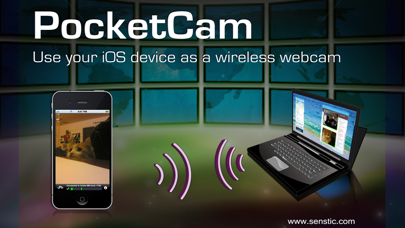

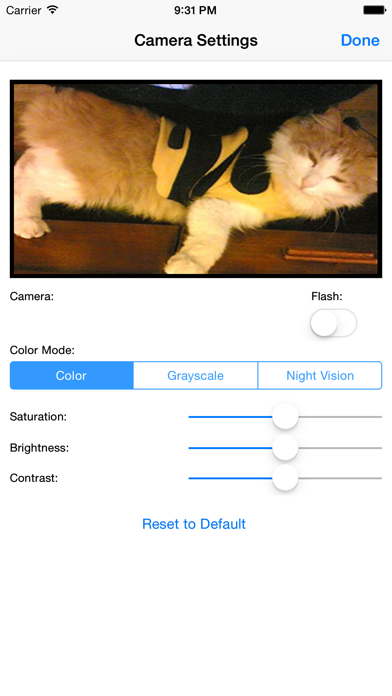


About PocketCam Lite
The description on the store listing
** UPDATE ** Support for FaceTime, iChat/Messages on macs added!
** YouTube Video: http://www.youtube.com/watch?v=A69c4HHok3U
** IMPORTANT ** Please turn off Bluetooth on the device (Settings->General->Bluetooth) before using PocketCam. Otherwise, you may experience frame drops/freeze.
Why paying for an expensive webcam when you can use your awesome iOS device for video conference? Better yet, your iOS webcam is wireless! Now you can use your iOS device to show around your house/apartment on your favorite webcam applications such as FaceTime, iChat/Messages, Windows Live or Skype.
PocketCam lets you use your iPhone/iPod Touch/iPad as a wireless webcam for your Windows-based computer …
Read the full description
** UPDATE ** Support for FaceTime, iChat/Messages on macs added! ** YouTube Video: http://www.youtube.com/watch?v=A69c4HHok3U ** IMPORTANT ** Please turn off Bluetooth on the device (Settings->General->Bluetooth) before using PocketCam. Otherwise, you may experience frame drops/freeze. Why paying for an expensive webcam when you can use your awesome iOS device for video conference? Better yet, your iOS webcam is wireless! Now you can use your iOS device to show around your house/apartment on your favorite webcam applications such as FaceTime, iChat/Messages, Windows Live or Skype. PocketCam lets you use your iPhone/iPod Touch/iPad as a wireless webcam for your Windows-based computer or Mac (OS X 10.7 or above). PocketCam automatically forwards video captured by your iOS camera, which can then be used as if they come from a virtual webcam. PocketCam works with any Windows-based webcam or video conferencing applications, including instant message applications such as MSN Live Messenger, Skype, AIM, etc. For Mac users, PocketCam works with any Mac applications such as FaceTime, iChat/Messages, GTalk, Skype and aMSN. You can even record the live video from your iOS cam using a webcam recorder such as QuickTime Pro. INSTRUCTIONS: 1. If you have not already done so, download and install the PocketControl for Windows or Mac software from our website: http://www.senstic.com/iPhone/PocketCam/PocketCam.aspx 2. On Windows, run PocketControl for Windows and make sure the PocketCam service is running on your computer. On Mac, run PocketControl, and run any application that uses webcam and select PocketCam as your preferred webcam. 3. Start PocketCam on iOS device, and the app will automatically connect to your computer. The bottom of your iOS screen should display "Connected to your_computer_name:port." 4. Start any program on your computer that uses webcam, and select "PocketCam" as your virtual webcam. Enjoy live feed from your iOS camera as your webcam source! Step-by-step instructions can be found at http://www.senstic.com/iphone/pocketcam/Support.aspx LIMITATIONS: 1. Currently, PocketCam supports Windows XP/Vista/7/8, Mac OS X 10.7 (Lion) or above. 2. There is a half second delay before the images are shown up on the computer. 3. PocketCam Lite (free version) is limited to monochrome feed. Audio is not supported.
Installs
Apple does not publish download counts. Estimates are in testing.
We publish iOS estimates only after they pass a back-test against real numbers. Chart history below is measured.
Estimated store revenue Estimated Beta
App Store, worldwide, monthly rate from the last 12 chart days to 19 Nov 2026
Below the top 100 grossing apps in the markets we calibrate. In the United States that usually means under about $6.4M a month. App Store purchases and subscriptions only, before Apple's 15 to 30% fee. Ads and web payments are not included.
Ratings
5 ratings, 5 reviews
No rating breakdown published for this app.
Recent reviews
Latest public reviews from the store
No reviews in our sample for this app yet.
Top chart positions
Latest App Store chart ranks by country, last 10 days
Not in any tracked top chart in the last 10 days.
PocketCam Lite history
Release, install milestones, listing and store changes
- First released on the store 13 Jan 2010
Recent versions
Current version 3.0
- Version 3.016 Jan 2017
This update from Apple will improve the functionality of this app. No new features are included. Support newer devices.
Listing keywords
Words and phrases PocketCam Lite repeats most in its store listing
Top phrases: facetime ichat messages (3), facetime ichat (3), ichat messages (3), ios device (3), pocketcontrol for windows (2).
Highlighted words also appear in the title. Counts cover the title, short description and description.
Compliance
What the listing and the app package show
- Store status
- Live
- Upkeep
- No update since 16 Jan 2017
- Age rating
- 4+
Apps like PocketCam Lite
 Video CollageaZeR DiLLs★ 4.08
 Vee for VideoMedious★ 2.98
 Beauty Camera -Selfie, StickerBhuvan Gupta★ 4.5
 FinalCamXShenzhen Xiaozhen Technology Co.,Ltd.★ 4.44
 Magic Studio - AI Photo EditorMagicStudio.com★ 4.62
 Foto Impresiones: 1 Hr PhotoSoftwareX★ 4.98
 SnapGeo - AI Location FinderRECEP ASLAN★ 4.24
 Family Photo Maker - AIRick-y Media★ 4.12
 BeautifAI: AI Try OnJAI UYGULAMA VE YAPAY ZEKA TEKNOLOJILERI ANONIM SIRKETI★ 4.36
PocketCam Lite: questions and answers
Who makes PocketCam Lite?
PocketCam Lite is published by Senstic.
When was PocketCam Lite last updated?
The latest version (3.0) was released on 16 Jan 2017.
Is PocketCam Lite free?
Yes. PocketCam Lite is free to download.
Is PocketCam Lite still available?
Yes. PocketCam Lite is live on App Store as of 1 Jul 2026.
Track PocketCam Lite and its competitors
Watch any app for new versions, rating drops, chart moves and removals. Free plan, no card.