
- Installs
- —
- Apple does not publish download counts
- Rating
- 4.61
- Ratings
- 365
- 365 reviews
- Version
- 3.3.28
- Updated 25 Oct 2026
- Released
- 15 Jan 2021
- Tracked since 10 May 2026
- Size
- 42 MB
- Needs 15.4
Screenshots

About PureLibro: ebook reader
The description on the store listing
Feature Highlights – All for a Better Reading Experience
1. Supports a wide range of popular reading formats: TXT, EPUB, MOBI, AZW3, AZW4, AZW, CBZ, CBR, PDF, ZIP, RAR (DRM-free files only).
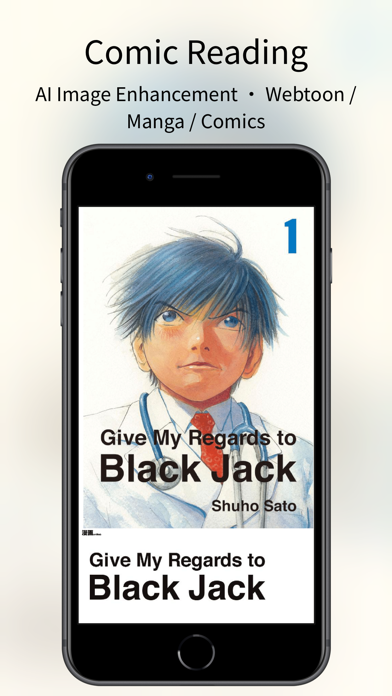
2. Comic reader: Supports ZIP, RAR, CBZ, and CBR comic formats. PDF, EPUB and MOBI files can also be switched to comic mode with one tap for an immersive image-based reading experience.
3. AI-powered image enhancement (supports Waifu2x / Anime4K, available in comic mode only).
4. iCloud sync: Automatically keeps your reading data consistent across devices.
5. Data backup: One-tap backup to cloud drives or other storage options—your reading data is always safe.
6. TXT file editing support.
7. Multiple …
Read the full description
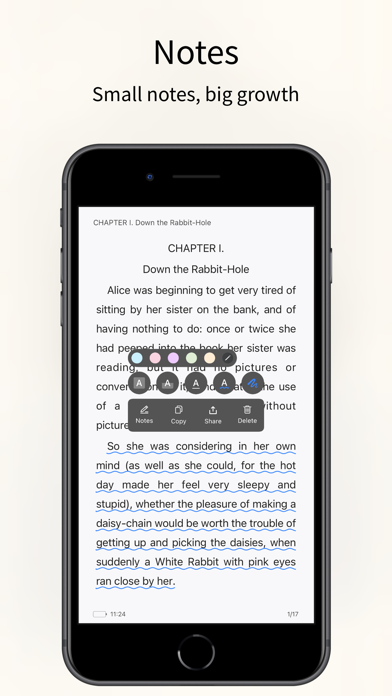
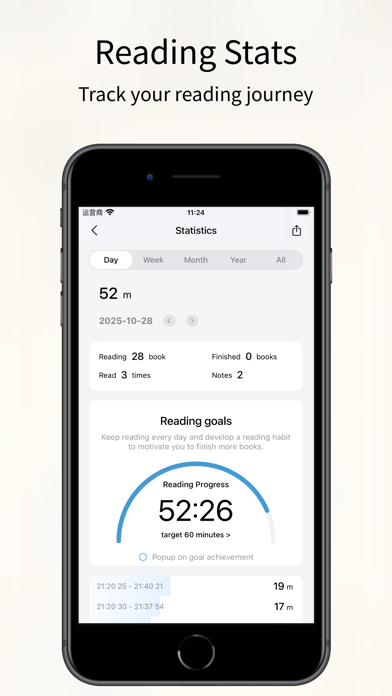
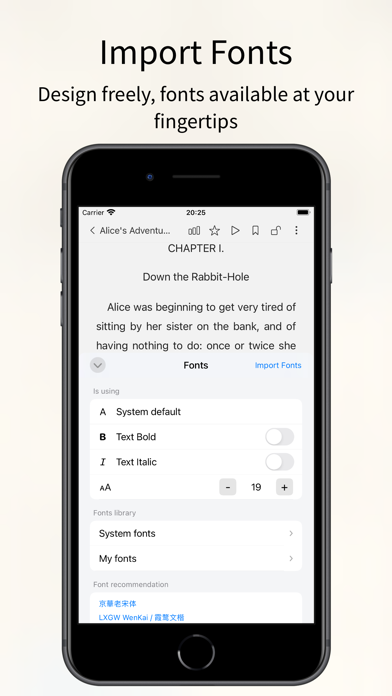
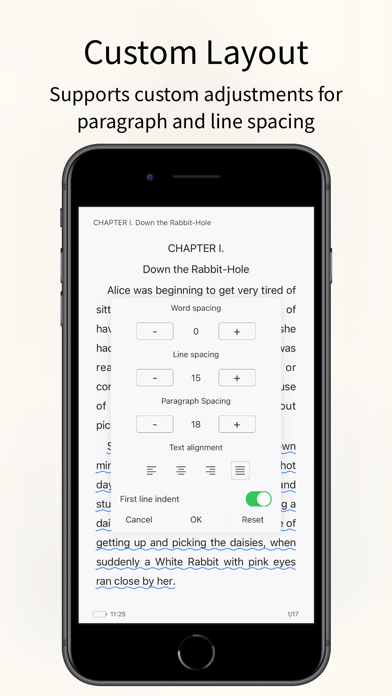
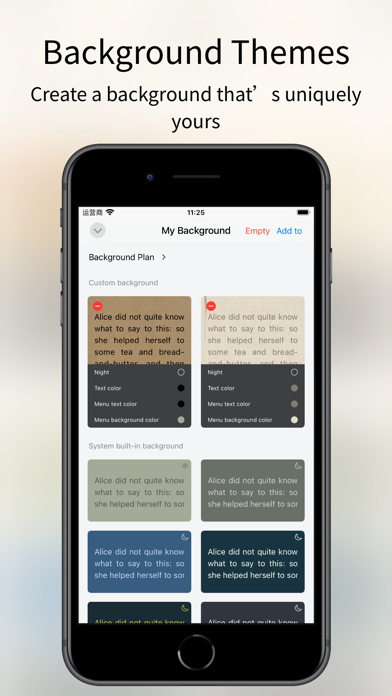
Feature Highlights – All for a Better Reading Experience 1. Supports a wide range of popular reading formats: TXT, EPUB, MOBI, AZW3, AZW4, AZW, CBZ, CBR, PDF, ZIP, RAR (DRM-free files only). 2. Comic reader: Supports ZIP, RAR, CBZ, and CBR comic formats. PDF, EPUB and MOBI files can also be switched to comic mode with one tap for an immersive image-based reading experience. 3. AI-powered image enhancement (supports Waifu2x / Anime4K, available in comic mode only). 4. iCloud sync: Automatically keeps your reading data consistent across devices. 5. Data backup: One-tap backup to cloud drives or other storage options—your reading data is always safe. 6. TXT file editing support. 7. Multiple import methods: WebDAV, cloud drives, Wi-Fi transfer, iCloud, and more. 8. Auto reading: Hands-free reading for a more relaxed experience. 9. Full customization: Adjust line spacing, paragraph layout, background images, and font colors to create your own reading style. 10. Eye-care interface: Night mode, page curl, slide, and scroll reading modes. Supports Simplified and Traditional Chinese. 11. Privacy protection: Password, gesture, and Face ID unlock supported. Books can be encrypted or hidden for extra privacy. 12. Reading statistics: Track reading time, frequency, and progress to stay motivated and achieve your reading goals. 13. Flexible library management: Custom groups, book renaming, and sorting for a clean and organized library. 14. Custom covers: Freely customize book covers (including TXT files) to personalize your library. 15. Automatic chapter detection: Instantly recognize chapters in TXT novels for a smoother reading experience. 16. Font support: Choose from system fonts or import your own custom fonts. 17. Text-to-speech support: System narration and Alibaba Cloud TTS with multiple voice options available. [Professional Version] Professional version benefits: After opening the professional version, you can use all professional advanced features during the service period and exempt from all advertising. Continuous monthly (one month), continuous quarterly (3 months), and continuous annual (one year) are automatic renewal services. The above product prices are based on actual prices. The price of purchasing the above products will be charged in your local currency according to the current exchange rate defined by iTunes, and payment will be deducted from the iTunes account when confirming the purchase. [Continuous monthly, quarterly, and annual services] If you subscribe to the continuous monthly, quarterly, or annual service, it is deemed that you authorize Window Reading to deduct the professional version service fee for the next billing cycle from your iTunes account (referred to as "account") when your professional version service subscription is about to expire. The deduction time is within 24 hours before the billing cycle. If the deduction fails due to insufficient balance in the account, Window Reading has the right to suspend or terminate your professional version service without prior notice. Regarding canceling the auto-renewal service that has been opened, on iOS devices, go to "Settings" → "iTunes Store and App Store" → select "Apple ID" → click "View Apple ID" → click "Subscription" on the account settings page → cancel subscription. Privacy policy: https://gitee.com/coder_to/luck/blob/master/App/Privacy_en.md Service terms and automatic renewal terms: https://gitee.com/coder_to/luck/blob/master/App/serviceForMembers_en.md Icon Design Studying icons created by Freepik - Flaticon
Installs since 29 Aug 2026
Apple does not publish download counts. Estimates are in testing.
Estimated store revenue Estimated Beta
App Store, worldwide, monthly rate from the last 12 chart days to 19 Nov 2026
Below the top 100 grossing apps in the markets we calibrate. In the United States that usually means under about $6.4M a month. App Store purchases and subscriptions only, before Apple's 15 to 30% fee. Ads and web payments are not included.
Ratings
365 ratings, 365 reviews
No rating breakdown published for this app.
Recent reviews
Latest public reviews from the store
- 21 Sep 2025
Great reader app, menus are not localized
I very much am enjoying PureLibro, it works as expected and all the features listed here are supported. However, many of the menus and settings are not localized in English, even with my language settings set to English. I did not have this app before iOS 26 so l am unsure what is a bug with iOS vs intended behavior of the app. Half the settings titles are in English and the others are in Mandarin characters. I have to take screenshots and then run them through the translator to understand settings. It would be great if these menus could be fully translated and localized into the selected language. I will gladly adjust my review if this gets updated. Otherwise, great app for what I need it to do
- 18 Sep 2025
Great ebook Reader App
I used to use the Marvin app and I hadn’t realized that it was discontinued until I upgraded my phone. This app is the best replacement that I could find. It has the features that I like having night and day settings, custom typography, and orientation lock so my phone doesn’t turn sideways if my phone moves around. Highly recommend!
- 2 Sep 2025
Awesome reader app!!!
I love the UI!! It has a lot of the features I like in a reader app. I think the only thing missing for me would be an option to edit the epub text like you can a txt file/and to be able to add another page to the epub. I sometimes find grammar errors or little annoyances but refrain from correcting because I’ve already made notes and bookmarks on it. 💔 But overall a really beautiful application, it’s multipurpose makes it valuable for anyone!
- 18 Aug 2025
Only book reader that let me disable page animations
Every other book reader I have used had some annoying page turn animation that could not be disabled and/or had issues importing many books at a time. This app lets me bulk import, disable page turn animations, and PDF rendering is good.
What reviewers bring up
Topics mentioned in the latest 8 reviews, by how many reviews mention them
Liked in good reviews (7 reviews)
- reader 6
- other 3
- books 3
- find 3
- features 2
- txt file 2
- overall 2
- reading 2
Raised in bad reviews (0 reviews)
No topic comes up twice.
Top chart positions
Latest App Store chart ranks by country, last 10 days
- Countries ranked
- 7 of 50
- Best rank
- #55
- Top 10 placements
- 0
- of 9 chart placements
- Average rank
- #80.2
Best countries on App Store
- 🇹🇼 Taiwan · Top grossing, Books#55
- 🇨🇳 China · Top grossing, Books#65
- 🇪🇸 Spain · Top grossing, Books#69
- 🇮🇩 Indonesia · Top grossing, Books#76
- 🇭🇰 Hong Kong SAR China · Top free, Books#86
- 🇮🇳 India · Top grossing, Books#86
| Country | Chart | Category | Rank | Best (10 days) | Date |
|---|---|---|---|---|---|
| 🇹🇼 Taiwan | Top grossing | Books | #55 | #55 | 19 Nov 2026 |
| 🇨🇳 China | Top grossing | Books | #65 | #52 | 19 Nov 2026 |
| 🇪🇸 Spain | Top grossing | Books | #69 | #69 | 13 Nov 2026 |
| 🇮🇩 Indonesia | Top grossing | Books | #76 | #76 | 18 Nov 2026 |
| 🇨🇳 China | Top free | Books | #85 | #85 | 19 Nov 2026 |
| 🇭🇰 Hong Kong SAR China | Top free | Books | #86 | #86 | 19 Nov 2026 |
| 🇮🇳 India | Top grossing | Books | #86 | #86 | 15 Nov 2026 |
| 🇹🇼 Taiwan | Top free | Books | #100 | #77 | 19 Nov 2026 |
| 🇻🇳 Vietnam | Top grossing | Books | #100 | #43 | 19 Nov 2026 |
PureLibro: ebook reader history
Release, install milestones, listing and store changes
- First released on the store 15 Jan 2021
Update frequency
How often PureLibro: ebook reader ships a new version, month by month
8 updates in the last 12 months. More often than most similar apps: they shipped a median of 1 updates in the same year.
Recent versions
Current version 3.3.28
- Version 3.3.2825 Oct 2026
• Fixed known issues on iOS 27.
- Version 3.3.2620 Aug 2026
• Added custom TTS read-aloud support for local and online streaming voice services. • Added quick note switching. • Fixed known issues.
- Version 3.3.227 Jul 2026
• Fixed an issue where comic bookmarks from older versions could not be displayed or located in the new version.
- Version 3.3.204 Jul 2026
• Added support for Kavita streaming reading. • Fixed page-turning issues in comic reading. • Fixed data loading issues when streaming Calibre PDF files.
Listing keywords
Words and phrases PureLibro: ebook reader repeats most in its store listing
Top phrases: professional version (6), professional version service (3), continuous monthly (3), reading experience (3), version service (3).
Highlighted words also appear in the title. Counts cover the title, short description and description.
Compliance
What the listing and the app package show
- Store status
- Live
- Upkeep
- Updated 25 Oct 2026
- Age rating
- 17+
Apps like PureLibro: ebook reader
 Farsi Bible (Persian Bible)RAVINDHIRAN SUMITHRA★ 4.78
 Bíblia Ave Maria de EstudoOleg Shukalovich★ 4.95
 Spanish Audio BibleKantaben Gorasiya★ 4.45
 米读小说-热门小说追书畅读阅读器上海大犀角信息科技有限公司★ 4.56
 VayimaenAce Web Opt Dev★ 4.97
 全本小说-看小说大全的电子书阅读器利鹏 王★ 4.6
 English Speaking: SpeakFluentNguyen Thi Hoai Thu★ 4.66
 Manga Reader Manga ManTran Phong★ 4.38
 Chants D'Esperance TunesElizete Lima★ 4.56
PureLibro: ebook reader: questions and answers
Who makes PureLibro: ebook reader?
PureLibro: ebook reader is published by 添欢 谢.
When was PureLibro: ebook reader last updated?
The latest version (3.3.28) was released on 25 Oct 2026.
Is PureLibro: ebook reader free?
Yes. PureLibro: ebook reader is free to download.
Is PureLibro: ebook reader still available?
Yes. PureLibro: ebook reader is live on App Store as of 14 Nov 2026.
Track PureLibro: ebook reader and its competitors
Watch any app for new versions, rating drops, chart moves and removals. Free plan, no card.