
- Installs
- —
- Apple does not publish download counts
- Rating
- 4.2
- Ratings
- 501
- 501 reviews
- Version
- 4.6.6
- Updated 30 Oct 2026
- Released
- 19 May 2012
- Tracked since 10 May 2026
- Size
- 196 MB
- Needs 16.0
Also on Google Play: Qfile Pro (9.7K ratings)
Screenshots
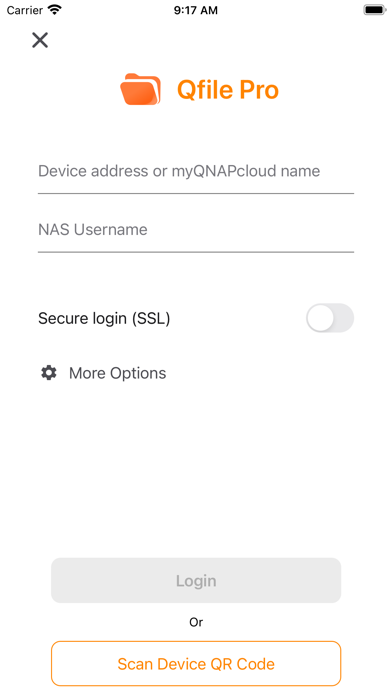
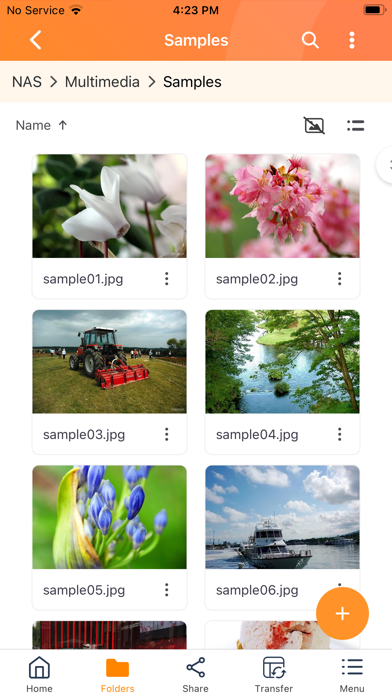
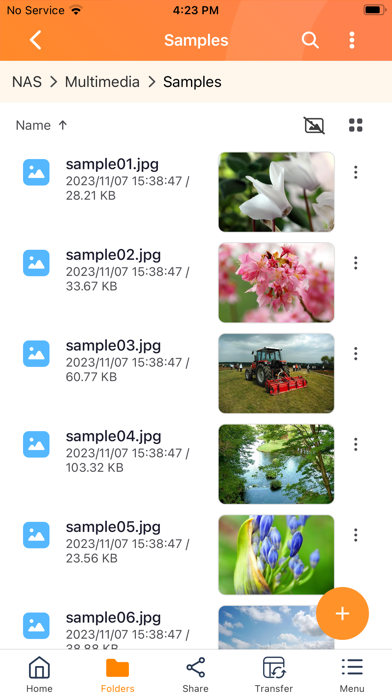
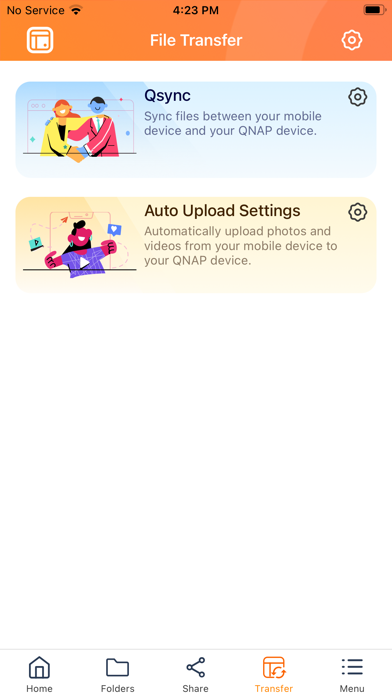

About Qfile Pro
The description on the store listing
Qfile Pro is a free companion app for QNAP NAS that allows you to browse and manage the files on your NAS using your iPhone or iPad.
Prerequisites:
- iOS 16 or later
- QNAP NAS running QTS 4.0 or later, QuTS hero 4.5.0 or later
Major features of Qfile Pro:
- Access files on your QNAP NAS anytime, anywhere.
- Directly upload photos and documents from your iOS devices to your NAS.
- Easy sharing: Create download links to easily share files via email or SMS, or simply email the file as an attachment.
- Easy management: Move, copy, rename, and delete files on your NAS using your mobile device. No computer required.
- Offline file reading: Download files from your NAS to your iOS device for …
Read the full description
Qfile Pro is a free companion app for QNAP NAS that allows you to browse and manage the files on your NAS using your iPhone or iPad. Prerequisites: - iOS 16 or later - QNAP NAS running QTS 4.0 or later, QuTS hero 4.5.0 or later Major features of Qfile Pro: - Access files on your QNAP NAS anytime, anywhere. - Directly upload photos and documents from your iOS devices to your NAS. - Easy sharing: Create download links to easily share files via email or SMS, or simply email the file as an attachment. - Easy management: Move, copy, rename, and delete files on your NAS using your mobile device. No computer required. - Offline file reading: Download files from your NAS to your iOS device for convenient access when you do not have an Internet connection. - Auto upload: Automatically upload photos from your device's photo gallery to the NAS. (To ensure that Qfile Pro can continually provide this background service, you must allow the location service - please note that this may noticeably decrease battery life.) - Qysnc integration: Synchronize files between your mobile device and your QNAP NAS. (Requires QTS 4.3.4/QuTS hero 4.5.0 or later, and Qsync Central to be installed on your QNAP NAS device.) Other features: 1. Support for displaying files thumbnail. 2. Supports control playback from QNAP NAS to DLNA devices. (requires QNAP Media Server, and QTS 4.0/QuTS hero 4.5.0 or later) 3. Support for file compression. (QTS 4.0/QuTS hero 4.5.0 or later) Supported Formats: Photos: BMP, JPG, JPE, PNG, TGA, GIF Music: MP3, FLAC, OGG, WAV, AIF, AIFF Videos: AVI, MP4
Installs since 29 Aug 2026
Apple does not publish download counts. Estimates are in testing.
Estimated store revenue Estimated Beta
App Store, worldwide, monthly rate from the last 12 chart days to 19 Nov 2026
Below the top 100 grossing apps in the markets we calibrate. In the United States that usually means under about $6.4M a month. App Store purchases and subscriptions only, before Apple's 15 to 30% fee. Ads and web payments are not included.
Ratings
501 ratings, 501 reviews
No rating breakdown published for this app.
Recent reviews
Latest public reviews from the store
- 30 Nov 2025
Login issues
App takes longer to login even in local network. And it keeps logging out when switching to another app and also when device locked. So background sync is not working with current version. Please fix. From user experience point of view, it would be good to have the app detect network speed and select the video streaming resolution automatically. It’s not user friendly to select variable streaming quality for every video.
- 25 Sep 2025
Best NAS storage for home
I use to have a Synology NAS. Which was really nice. But the QNAP model, which was the same price as the Synology was a lot more power due to its stronger processor. While I was out working in the field. The QNAP responded better, quicker. A Course I could have spent more money and upgraded to a better Synology for better results. But I wanted to stick to my budget. QNAP’s are very nice, great features!!!
- 26 Apr 2025
Love my qnap server
The server has saved me so much money that I would have been wasting on buying storage from someone like girl cloud. And with Synology locking users out of feature if they don’t buy their marked up prices drives. Qnap is one of the best options for a plug and play option. Not to mention they have faster hardware. And pretty solid app ecosystem! The file pro is there most solid app that has worked every time for me.
- 5 Dec 2024
UI needs work
I’m really not liking the bright orange borders when it’s supposed to be in dark mode. Also, it’s very hard to read white text on a bright background. Also, would you please put the menu back at the bottom? There is too much stuff at the top already and notifications go up there. So if a notification pops up at the same time I’m about to tap on a menu item, I end up going to the notification instead. There’s plenty of room at the bottom. I guess everyone’s trying to be like Apple, but Apple doesn’t always make the best decisions on the UI. Yours was better.
What reviewers bring up
Topics mentioned in the latest 8 reviews, by how many reviews mention them
Liked in good reviews (5 reviews)
- device 3
- qnap 3
- pro 3
- synology 2
- network 2
- storage 2
- feature 2
- options 2
Raised in bad reviews (1 reviews)
No topic comes up twice.
Top chart positions
Latest App Store chart ranks by country, last 10 days
Not in any tracked top chart in the last 10 days.
Qfile Pro history
Release, install milestones, listing and store changes
- First released on the store 19 May 2012
Update frequency
How often Qfile Pro ships a new version, month by month
4 updates in the last 12 months. More often than most similar apps: they shipped a median of 3 updates in the same year.
Recent versions
Current version 4.6.6
- Version 4.6.530 Oct 2026
[Fixed Issues] - Updated the attachment upload method for Service Portal support tickets. Please update to this version to continue uploading attachments when submitting support tickets. Fixed several minor issues to improve app stability [System Requirements] - iOS 16 and above.
- Version 4.6.14 Aug 2026
[Enhancements] - Added support for opening videos with VidHub when it is installed on your device. - Added an option to check the data integrity of files after uploading them via Qsync. Because this option may impact sync performance, it is disabled by default. [Fixed Issues] - Fixed several minor issues to improve app stability. [System Requirements] - iOS 16 and above.
- Version 4.6.04 Jun 2026
[New Features] - Introducing Qfile AI Assistant — type or speak to upload, search, and share files on your NAS. Requires iOS 26 or later with Apple Intelligence enabled, and device language set to Traditional Chinese, Simplified Chinese, or English (must match Apple Intelligence language). [Enhancements] - Improved the button labels on the Add Device screen to more clearly differentiate between adding a QNAP NAS and adding myQNAPcloud Storage. - Improved video playback: the player now starts muted by default and remembers your last mute preference, and a rotation button has been added to switch orientation. [Fixed Issues] - Fixed an issue where the app crashed during photo auto-upload on certain devices. - Fixed an issue where the file name was displayed incorrectly on the NAS after uploading photos across time zones. - Fixed an issue where the modification date (capture time) was displayed incorrectly on the NAS after uploading photos across time zones. - Fixed an issue where edits made to a NAS file through the iOS Files app were not reflected on other devices. - Fixed several minor issues to improve app stability. [System Requirements] - iOS 16 and above.
- Version 4.5.719 Mar 2026
[Enhancements] - Improved the rename experience for manual upload: the rename button is now directly accessible without opening the menu. [Fixed Issues] - Fixed an issue where auto-upload files had incorrect file extensions when the app was force-closed and restarted during HEIC-to-JPEG conversion. - Fixed an issue where Live Photos shared via iCloud were not uploaded in original resolution. - Fixed several minor issues to improve app stability. [System Requirements] - iOS 16 and above.
Listing keywords
Words and phrases Qfile Pro repeats most in its store listing
Top phrases: qnap nas (6), hero or later (4), qfile pro (4), quts hero (4), qts quts hero (3).
Highlighted words also appear in the title. Counts cover the title, short description and description.
Compliance
What the listing and the app package show
- Store status
- Live
- Upkeep
- Updated 30 Oct 2026
- Registered in
- United States
- Age rating
- 4+
Apps like Qfile Pro
 Documents ProSavy Soda Pty Ltd★ 4.56
 AI Detector – Search & CheckerLaraun★ 4.49
 AI Chat - Smart AI AssistantAppStation Studio Pte. Ltd.★ 4.82
 小习惯打卡-日常习惯养成与时间管理xiaorichang Technology Co., Ltd.★ 4.84
 Habitat - Group AccountabilityPalmsonntag Inc.★ 4.62
 Fext - Group Text MessagingPericarp Inc.★ 4.03
 Dialpad MeetingsDialpad, Inc.★ 4.37
 TeambridgeZira Technologies Inc.★ 4.92
 HiFutureSelf: Future MessengerDBElement, LLC★ 4.8
Qfile Pro: questions and answers
Who makes Qfile Pro?
Qfile Pro is published by QNAP Systems, Inc., a developer based in US.
When was Qfile Pro last updated?
The latest version (4.6.6) was released on 30 Oct 2026.
Is Qfile Pro free?
Yes. Qfile Pro is free to download.
Is Qfile Pro still available?
Yes. Qfile Pro is live on App Store as of 14 Nov 2026.
Track Qfile Pro and its competitors
Watch any app for new versions, rating drops, chart moves and removals. Free plan, no card.