
- Installs
- —
- Apple does not publish download counts
- Rating
- 4.5
- Ratings
- 8
- 8 reviews
- Version
- 2.2.0
- Updated 12 May 2023
- Released
- 22 Apr 2014
- Tracked since 11 May 2026
- Size
- 1 MB
- Needs 16.0
Screenshots
About Quick-E-Mail
The description on the store listing
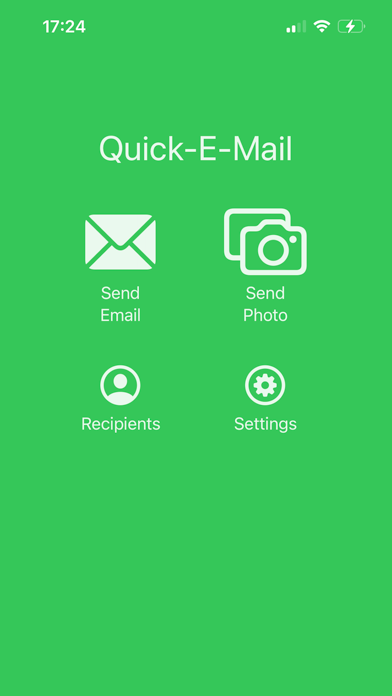
This app is not ground breaking and may be of no use to anyone but me! It's a great opening line and if you haven't hit install yet there's nothing that will make you do it!
I send myself emails to remember to do tasks, am I alone in that? Perhaps... But this app saves me 'precious' seconds by cutting out some of the unnecessary steps with mail apps, simply because the sole purpose of this app is to quickly send an email, nothing more, nothing less!
This app doesn't receive mail, it's merely a shortcut to send an email from whichever email accounts you've already got setup in iOS.
Features:
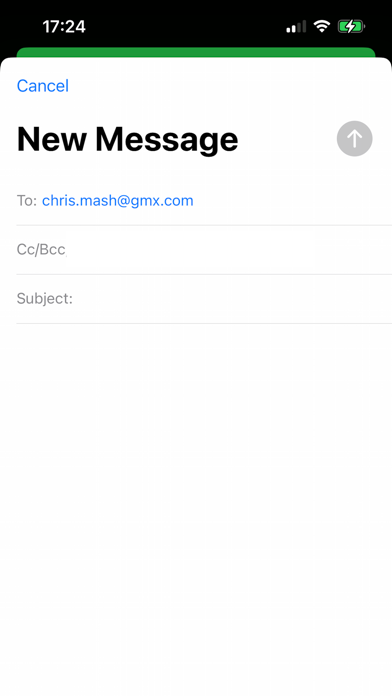
- App opens with the 'mail compose' screen displayed automatically
- You can setup one or many …
Read the full description
This app is not ground breaking and may be of no use to anyone but me! It's a great opening line and if you haven't hit install yet there's nothing that will make you do it! I send myself emails to remember to do tasks, am I alone in that? Perhaps... But this app saves me 'precious' seconds by cutting out some of the unnecessary steps with mail apps, simply because the sole purpose of this app is to quickly send an email, nothing more, nothing less! This app doesn't receive mail, it's merely a shortcut to send an email from whichever email accounts you've already got setup in iOS. Features: - App opens with the 'mail compose' screen displayed automatically - You can setup one or many default email addresses that will pre-populate the 'mail compose' screen - You can setup a default subject (maybe "TODO: " so the email is easy to spot or filter in your inbox) - Because the app merely sends the email content off to the Mail app to be sent you can use it offline and the Mail app will handle sending it whenever you get a connection - There's share functionality so you can quickly email files, pictures, links, text etc. from other apps that support sharing or 'Open in...' - Or you can quickly take a photo in the app and get it sent out sharpish!
Installs
Apple does not publish download counts. Estimates are in testing.
We publish iOS estimates only after they pass a back-test against real numbers. Chart history below is measured.
Estimated store revenue Estimated Beta
App Store, worldwide, monthly rate from the last 13 chart days to 20 Nov 2026
Below the top 100 grossing apps in the markets we calibrate. In the United States that usually means under about $6.4M a month. App Store purchases and subscriptions only, before Apple's 15 to 30% fee. Ads and web payments are not included.
Ratings
8 ratings, 8 reviews
No rating breakdown published for this app.
Recent reviews
Latest public reviews from the store
- 12 Sep 2018
Excellent for what it does
I use Airmail as an email client and if I want to send several photos by selecting them in the photos app there is no option for airmail after hitting share. This app bridges this gap. I select multiple photos, then share, hit quick e-mail and problem solved. Quick and easy. Thank You
- 2 Dec 2017
Perfect
Quick note to yourself using the iOS mailer. No signing up for a SMTP relay and exposing address to SPAM.
- 15 Mar 2016
Simply awesome!
I stumbled upon this app and said "eureka.....finally!!!" Thank you for making such useful app that does one simple thing well. Much needed by the masses no doubt, and FREE!!! I've now checked out & downloaded all of this developer's apps, he's nailed the list of repetitive tasks that irk me daily & should be simplified. For free! You rock 👍🏻👍🏻👍🏻👍🏻👍🏻
Top chart positions
Latest App Store chart ranks by country, last 10 days
Not in any tracked top chart in the last 10 days.
Quick-E-Mail history
Release, install milestones, listing and store changes
- First released on the store 22 Apr 2014
Recent versions
Current version 2.2.0
- Version 2.2.012 May 2023
New: - You can setup a default subject (maybe "TODO: " so the email is easy to spot or filter in your inbox, absolutely inspired by Max Silvestri on The Comedy Lineup) - The recipients list has moved to the settings screen Fixed: - The recipient delete action spanned the whole row in the list rather than being confined to the delete button itself - The "rate app" button opened the App Store but to a basically blank page
Listing keywords
Words and phrases Quick-E-Mail repeats most in its store listing
Top phrases: mail compose screen (2), send an email (2), compose screen (2), mail compose (2).
Highlighted words also appear in the title. Counts cover the title, short description and description.
Compliance
What the listing and the app package show
- Store status
- Live
- Upkeep
- No update since 12 May 2023
- Age rating
- 4+
Apps like Quick-E-Mail
 Super VPN: Fast Private ProxyGeek Incorporated★ 4.4
 Hubtel RetailerHubtel Limited★ 4.32
 Monthly Calendar 2022 - CalistOmoboto LLC★ 4.38
 Firstly: To-Do List & PlannerfocusCove LLC★ 4.7
 CBUS 311City of Columbus, Ohio★ 1.8
 Themes for Powerpoint - DesiGNGraphic Node★ 4.22
 iSiloDC & Co.★ 3.82
 Flashlight Pro [Multipurpose LED light]KAVAPOINT★ 3.88
 WiPryOscium LLC★ 2.68
Quick-E-Mail: questions and answers
Who makes Quick-E-Mail?
Quick-E-Mail is published by Chris Mash.
When was Quick-E-Mail last updated?
The latest version (2.2.0) was released on 12 May 2023.
Is Quick-E-Mail free?
Yes. Quick-E-Mail is free to download.
Is Quick-E-Mail still available?
Yes. Quick-E-Mail is live on App Store as of 1 Jul 2026.
Track Quick-E-Mail and its competitors
Watch any app for new versions, rating drops, chart moves and removals. Free plan, no card.