
- Installs
- —
- Apple does not publish download counts
- Rating
- 4.65
- Ratings
- 199K
- 199K reviews
- Version
- 5.36.1
- Updated 6 Nov 2026
- Released
- 17 Jul 2014
- Tracked since 11 May 2026
- Size
- 273 MB
- Needs 16.0
Also on Google Play: QuickBooks Workforce (69.8K ratings)
Screenshots
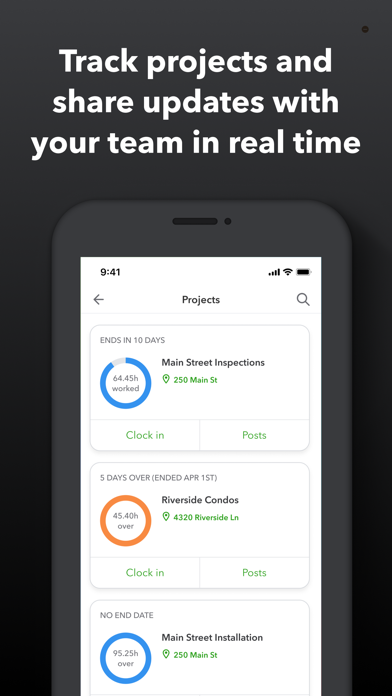
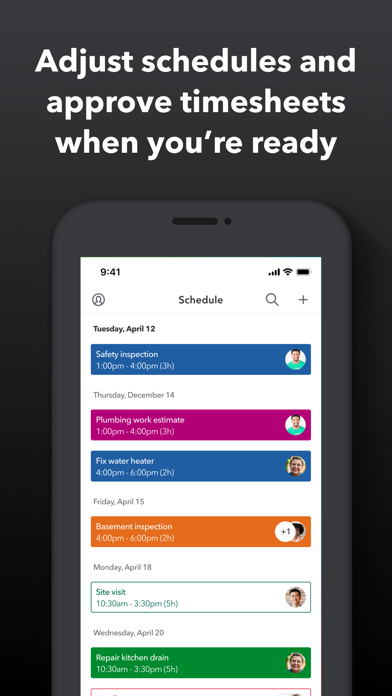
About QuickBooks Workforce
The description on the store listing
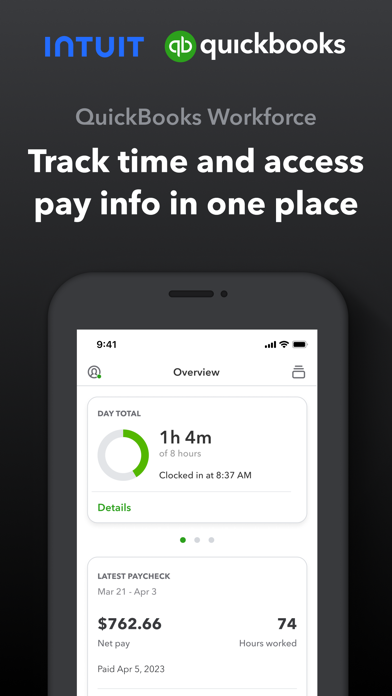
QuickBooks Workforce—an app for QuickBooks Payroll and QuickBooks Time (formerly TSheets)—lets teams view pay info and track time in one place.
Pay features are available to businesses that use QuickBooks Online Payroll & QuickBooks Desktop Payroll. Time tracking features are available to businesses that use QuickBooks Time.
What your team can do:
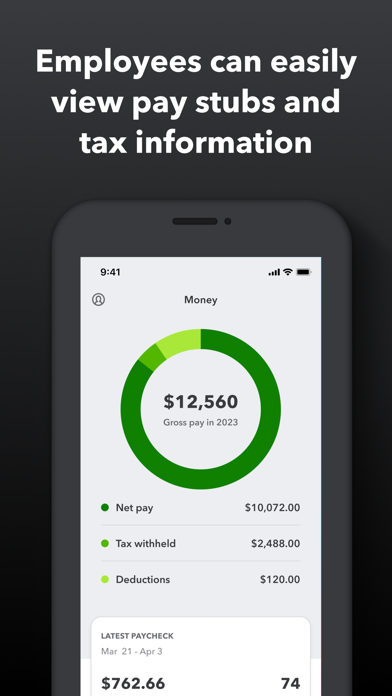
• Access pay stubs, W-2s, and other pay info anytime, anywhere
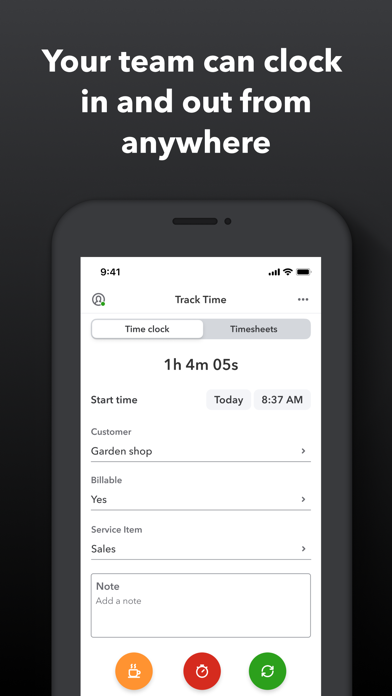
• Clock in and out, even without Wi-Fi or service
• Submit and track paid time off, sick days, and holidays
• Edit timesheets and manage job schedules
• Switch jobs, pause tracking, or take a break
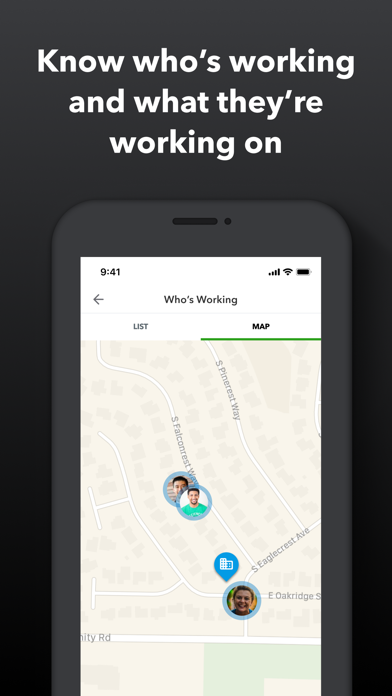
• Use GPS location-based time tracking
• Add photos and updates in a project …
Read the full description
QuickBooks Workforce—an app for QuickBooks Payroll and QuickBooks Time (formerly TSheets)—lets teams view pay info and track time in one place. Pay features are available to businesses that use QuickBooks Online Payroll & QuickBooks Desktop Payroll. Time tracking features are available to businesses that use QuickBooks Time. What your team can do: • Access pay stubs, W-2s, and other pay info anytime, anywhere • Clock in and out, even without Wi-Fi or service • Submit and track paid time off, sick days, and holidays • Edit timesheets and manage job schedules • Switch jobs, pause tracking, or take a break • Use GPS location-based time tracking • Add photos and updates in a project activity feed (QuickBooks Time Elite only) What an employer or admin can do: • Approve, edit, or delete timesheets • Schedule by job or by shift • See who’s working and where in real time • Set up a geofence that reminds your team to clock in or out when they enter or leave a job site (QuickBooks Time Elite only) • Create or modify schedules • Push, text and email alerts are triggered if employees don’t clock in as scheduled, or approach overtime • Track vacation, sick, or holiday accruals for employees • See day and week totals, plus other time reports, at a glance • Oversee team productivity and project status, and adjust budget, deadlines, and resources as needed (QuickBooks Time Elite only) Extra benefits: • Save on payroll costs and eliminate manual data entry • Get real-time reports in multiple formats (PDF, CSV, online, HTML) • Data seamlessly integrates with QuickBooks Online & QuickBooks for PC (Pro, Premier, & Enterprise) • Integrates with other payroll, accounting, and invoicing software • Protect yourself against labor disputes and audits with a detailed time log • Accurate time data replaces paper timesheets and makes payroll and invoicing faster and less costly. • Developer open API Terms, conditions, pricing, special features, and service and support options subject to change without notice.
Installs, last 30 days
Apple does not publish download counts. Estimates are in testing.
Estimated store revenue Estimated Beta
App Store, worldwide, monthly rate from the last 12 chart days to 19 Nov 2026
Below the top 100 grossing apps in the markets we calibrate. In the United States that usually means under about $6.4M a month. App Store purchases and subscriptions only, before Apple's 15 to 30% fee. Ads and web payments are not included.
Ratings
199,158 ratings, 199,158 reviews
- 5 ★84%
- 4 ★7.1%
- 3 ★2.9%
- 2 ★1.2%
- 1 ★4.8%
Recent reviews
Latest public reviews from the store
- 12 May 2019
Ever since scheduling
We have had tsheets for years. It was always great, awesome customer service. However, since scheduling our phone apps have been having issues mainly with iPhones. We have had many phone calls and tech support requests with tier two help buuut, every time someone calls or responds its the same blanket response: reset the app or delete and reload. Which granted doesn’t take that long however, every time I do it it deletes all my sheets since the last sync. Which is the problem, our phones will sync for a few hours, a few days then poof they stop. Another response was you can’t close down your app. Well that seems like a software problem not a user problem. And yes I have used WiFi for 31 hours straight with my screen saver off to see if it would sync my 91 sheets. But nope. It’s been months if not a year since this problem has been ongoing, still no fix. I wish I could come in to a location and show them the problem, or let them deal with it. I have to much time invested in this app it to me and please use it constantly to switch services however I am becoming closer and closer to that option. Tsheets also told me to turn off a bunch of the options and only view a few members
- 16 May 2018
Incredible program!
TSheets has honestly been a huge reason I made it through graduate school. I know this is geared towards businesses, but the fact that there were so many robust settings and options just let met customize it to fit my needs! I’m able to list classes as “clients” and add fields to track my time down to whatever level of detail I want (for example, which exam the topic I’m studying will be tested on & whether I’m doing class readings, homework, or projects - all with dropdown lists so I don’t have to type it repeatedly, plus a field where I can put notes about what specific chapter I’m working on!). It truly is so customizable that I can’t imagine anyone would be unable to make TSheets work for their needs (although I can’t speak for integration with other programs). It’s allowed me manage my ADHD by showing me how much time I’m spending on tasks so I can identify things that are just taking way too long and put more effort into working with professors and building better study habits in those particular areas. Plus, now I know how much time I’m spending on work as a teaching/research assistant so I make sure I get paid for what I’m doing! I cannot say enoug
- 23 Feb 2018
Kelsey T. Rocks! (and she’s a dog lover - BONUS!)
With one of the latest updates - I’m not sure if it was a TSheets update or a QuickBooks update - The mobile version of the time tracking system required that my employees select a customer when tracking their time. We are very small company and only have one employee who is tracking his time and therefore, we do not need time tracking at that detailed level. I chatted with Kelsey T. today to ask how I can remove that required field. She explained why the field is required and what needed to be done to “un-require” it. When I asked her what I needed to do, she went ahead and did it for me. It seemed to be an easy fix on her end as it only took a minute and I appreciated her doing it, saving me time. Kelsey is not the first customer support person I have chatted with from T – sheets. I have probably talked to three or four people and every single one of them provided the best customer service I have ever experienced. I’m giving Kelsey extra kudos today because she shares my love of dogs and congratulated me on good news that I received about my dog while we were chatting. Thank you Kelsey for helping me today and thank you TSheets for being so awesome.
- 14 Nov 2017
Outstanding customer service!
Once again I am proud to say I use T-sheets bc this time Dustin saved the day! Each time I call in I learn something new and more details about the digital functionality of my business tracking gets smoother and smoother! And that’s not bc I’m techy at all!!! But thanks to their diligent help to make sure they understand how my business functions we are little by little setting even my QB to function better. I know how things work on paper but the transition into programs has been a steep learning curve. Honestly TSheets doesn’t pass the buck when it comes to making things function and breaking it down so you understand. As much as I hate overhead the combination of QBO, T-sheets, and Expensify has simplified my life so much! Once again one of the great employees at T-sheets, this time Dustin, held my hand as I was trying to understand how to customize my invoice. Then when he had exhausted his capabilities he helped me prepare how I should ask for further assistance with QBO. Bless his heart! 2+ hours and now I understand how these programs should function together and what result I am looking for. So excited! We are getting somewhere! Thanks Dustin!
What reviewers bring up
Topics mentioned in the latest 8 reviews, by how many reviews mention them
Liked in good reviews (3 reviews)
- tsheets 3
- sure 3
- customer service 2
- customize 2
- employees 2
- honestly 2
- programs 2
- level 2
Raised in bad reviews (4 reviews)
- disappointed 2
- frustrating 2
- different 2
- reviewing 2
- purchased 2
- computer 2
- clocked 2
- problem 2
Top chart positions
Latest App Store chart ranks by country, last 10 days
- Countries ranked
- 2 of 50
- Best rank
- #34
- Top 10 placements
- 0
- of 2 chart placements
- Average rank
- #41
Best countries on App Store
- 🇨🇦 Canada · Top free, Business#34
- 🇺🇸 United States · Top free, Business#48
QuickBooks Workforce history
Release, install milestones, listing and store changes
- First released on the store 17 Jul 2014
Update frequency
How often QuickBooks Workforce ships a new version, month by month
11 updates in the last 12 months. About as often as similar apps, which shipped a median of 11 updates in the same year.
Recent versions
Current version 5.36.1
- Version 5.35.16 Nov 2026
Bug fixes and performance improvements
- Version 5.30.131 Aug 2026
Bug fixes and performance improvements
- Version 5.29.114 Aug 2026
Bug fixes and performance improvements
- Version 5.23.322 Jul 2026
Bug fixes and performance improvements
Listing keywords
Words and phrases QuickBooks Workforce repeats most in its store listing
Top phrases: quickbooks time elite (3), available to businesses (2), features are available (2), pay info (2), quickbooks online (2).
Highlighted words also appear in the title. Counts cover the title, short description and description.
Compliance
What the listing and the app package show
- Store status
- Live
- Upkeep
- Updated 6 Nov 2026
- Age rating
- 4+
Apps like QuickBooks Workforce
 AsiacellAsiacell★ 4.45
 Square Appointments: SchedulerBlock, Inc.★ 4.88
 Copart - Online Auto AuctionsCopart, Inc.★ 4.82
 Cuballama has it alltechrrific★ 4.88
 Scanner – Scan PDF & DocumentLuni★ 4.73
 Grubhub for DriversGrubHub.com★ 4.71
 FaxFree: Send Fax From iPhoneBPMobile★ 4.78
 Tiny Scanner - PDF Scanner AppTinyWork Apps★ 4.82
 Shipt: Shopper and DriverShipt★ 4.71
QuickBooks Workforce: questions and answers
Who makes QuickBooks Workforce?
QuickBooks Workforce is published by Intuit Inc..
When was QuickBooks Workforce last updated?
The latest version (5.36.1) was released on 6 Nov 2026.
Is QuickBooks Workforce free?
Yes. QuickBooks Workforce is free to download.
Is QuickBooks Workforce still available?
Yes. QuickBooks Workforce is live on App Store as of 19 Nov 2026.
Track QuickBooks Workforce and its competitors
Watch any app for new versions, rating drops, chart moves and removals. Free plan, no card.