
- Installs
- —
- Apple does not publish download counts
- Rating
- 4.1
- Ratings
- 10
- 10 reviews
- Version
- 7.3
- Updated 15 Jul 2023
- Released
- 7 Jan 2016
- Tracked since 10 May 2026
- Size
- 25 MB
- Needs 14.0
Screenshots


About RappleKey : Mobile Keyboard
The description on the store listing
Rapple - Smart mobile custom keyboard
iOS v14 or higher
------------------------------------------------
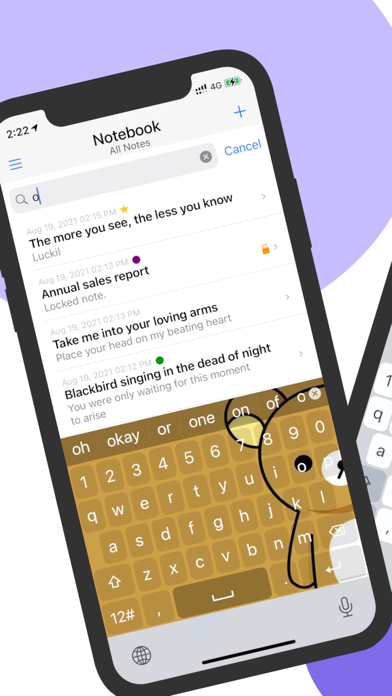
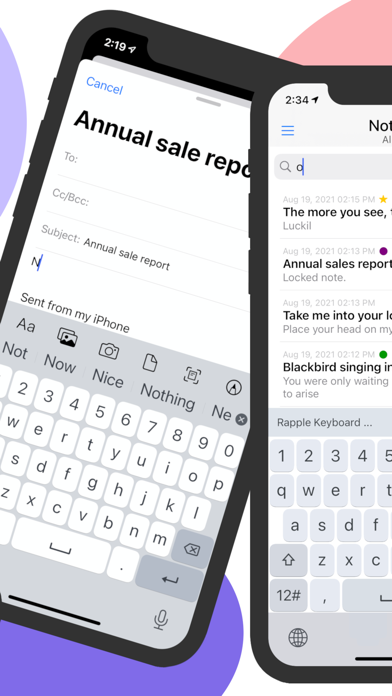
Rapple is an integrated iOS custom keyboard with a rich set of keyboard features and customizable themes.
Main features ***********
+ Smart English Layout
+ Emoji Layout
+ Symbols and Numbers
+ Word Suggestions
+ Long press for cursor movements
+ Customizable Themes
+ Secure notebook
------------------------------------------------
How to Activate the Rapple Keyboard
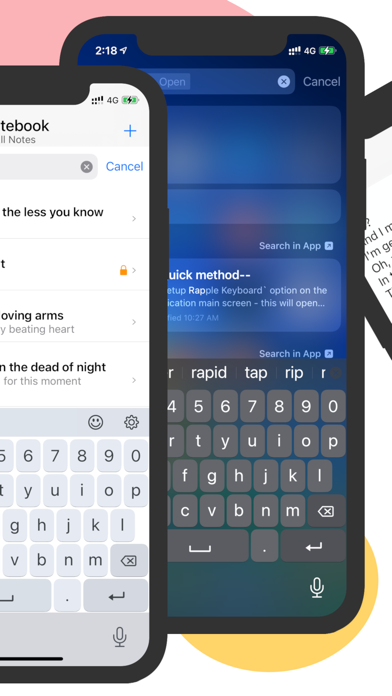
--Quick method--
Step 1:
• Tap on the `Setup Rapple Keyboard` option on the application's main screen
- this will open the application settings page (in the iOS settings app)
Step 2:
• Select the `Keyboards` option …
Read the full description
Rapple - Smart mobile custom keyboard iOS v14 or higher ------------------------------------------------ Rapple is an integrated iOS custom keyboard with a rich set of keyboard features and customizable themes. Main features *********** + Smart English Layout + Emoji Layout + Symbols and Numbers + Word Suggestions + Long press for cursor movements + Customizable Themes + Secure notebook ------------------------------------------------ How to Activate the Rapple Keyboard --Quick method-- Step 1: • Tap on the `Setup Rapple Keyboard` option on the application's main screen - this will open the application settings page (in the iOS settings app) Step 2: • Select the `Keyboards` option from the list Step3: • Enable the ‘Rapple’ switch - Keep the ‘Allow Full Access’ option OFF Step 4: • Go back to the app(or any other app) and select a Textfield. • Use the `Globe` icon (press & hold) to switch to Rapple Keyboard • Start typing... --Normal method-- Step 01: • Go to 'Settings > General > Keyboard' Step 02: • Select the 'Keyboards' option Step 03: • Select the `Add New Keyboard...` option under the list of currently activated keyboards section • Locate & Select ‘Rapple’ in the THIRD-PARTY KEYBOARDS section • Keep the 'Allow Full Access' option OFF Step 4: • Go back to the app(or any other app) and select a Textfield. • Use the `Globe` icon (press & hold) to switch to Tamil Keyboard • Start typing... Recommended iOS versions - iOS v14.0 or higher. This application will not collect any kind of information from the users of the app.
Installs
Apple does not publish download counts. Estimates are in testing.
We publish iOS estimates only after they pass a back-test against real numbers. Chart history below is measured.
Estimated store revenue Estimated Beta
App Store, worldwide, monthly rate from the last 13 chart days to 20 Nov 2026
Below the top 100 grossing apps in the markets we calibrate. In the United States that usually means under about $6.4M a month. App Store purchases and subscriptions only, before Apple's 15 to 30% fee. Ads and web payments are not included.
Ratings
10 ratings, 10 reviews
No rating breakdown published for this app.
Recent reviews
Latest public reviews from the store
No reviews in our sample for this app yet.
Top chart positions
Latest App Store chart ranks by country, last 10 days
Not in any tracked top chart in the last 10 days.
RappleKey : Mobile Keyboard history
Release, install milestones, listing and store changes
- First released on the store 7 Jan 2016
Recent versions
Current version 7.3
- Version 7.315 Jul 2023
+ performance optimizations + security enhancements + minor bug fixes
Listing keywords
Words and phrases RappleKey : Mobile Keyboard repeats most in its store listing
Top phrases: rapple keyboard (3), step go (3), step select (3), access option off (2), allow full access (2).
Highlighted words also appear in the title. Counts cover the title, short description and description.
Compliance
What the listing and the app package show
- Store status
- Live
- Upkeep
- No update since 15 Jul 2023
- Age rating
- 4+
Apps like RappleKey : Mobile Keyboard
 LaundrappLaundrapp Limited★ 4.28
 RoomstylerFloorplanner.com★ 1.98
 The Oldie magazineThe Oldie★ 4.84
 XRunningShenzhen Qixiang Technology Co., Ltd.★ 2.98
 Tamilan Tamil Calendar 2026banuchander janarthn★ 4.64
 MR StarShenZhen Lenze Technology Co,.Ltd.★ 2.74
 rllyrlly★ 4.84
 Book of Psalms For WorshipDeo Volente, LLC★ 4.66
 Daily Bible Devotion & PrayerSalem Communications★ 3.38
RappleKey : Mobile Keyboard: questions and answers
Who makes RappleKey : Mobile Keyboard?
RappleKey : Mobile Keyboard is published by Rajeev Prasad.
When was RappleKey : Mobile Keyboard last updated?
The latest version (7.3) was released on 15 Jul 2023.
Is RappleKey : Mobile Keyboard free?
Yes. RappleKey : Mobile Keyboard is free to download.
Is RappleKey : Mobile Keyboard still available?
Yes. RappleKey : Mobile Keyboard is live on App Store as of 1 Jul 2026.
Track RappleKey : Mobile Keyboard and its competitors
Watch any app for new versions, rating drops, chart moves and removals. Free plan, no card.