
- Installs
- —
- Apple does not publish download counts
- Rating
- 4.61
- Ratings
- 18.8K
- 18.8K reviews
- Version
- 5.334
- Updated 9 Nov 2026
- Released
- 24 Aug 2010
- Tracked since 10 May 2026
- Size
- 79 MB
- Needs 14.0
Also on App Store: Remote Mouse, Remote Mouse (124K ratings)
Screenshots


About Remote Mouse
The description on the store listing
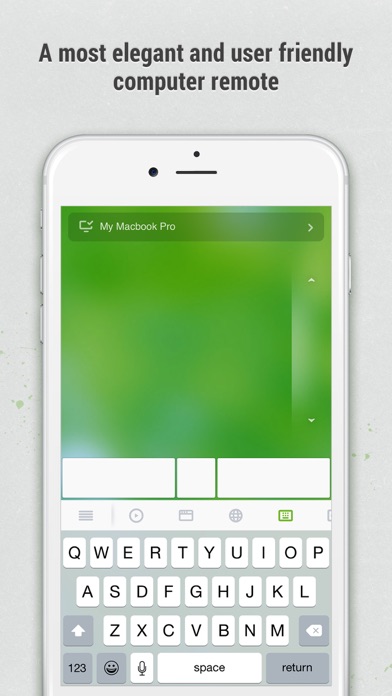
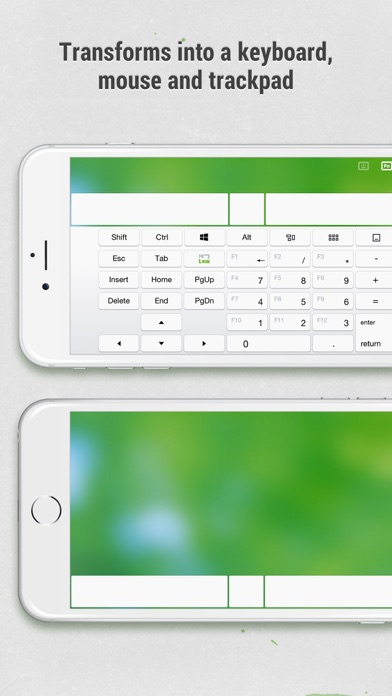
Remote Mouse™ transforms your mobile phone or tablet into an easy-to-use remote control for your computer, complete with a cross-device clipboard that enables seamless text and image transfer across platforms. It mimics the functions of a wireless mouse, keyboard, and touchpad, and also offers various specialized control panels that enhance your control over specific operations. The small features, designed for one-handed use or intuitive operations, will delight you.
Featured on CNET, Mashable, and Product Hunt, Remote Mouse is recognized as one of the most sophisticated and user-friendly computer remote apps. With over 20 million users worldwide, it's a trusted choice for effortless …
Read the full description
Remote Mouse™ transforms your mobile phone or tablet into an easy-to-use remote control for your computer, complete with a cross-device clipboard that enables seamless text and image transfer across platforms. It mimics the functions of a wireless mouse, keyboard, and touchpad, and also offers various specialized control panels that enhance your control over specific operations. The small features, designed for one-handed use or intuitive operations, will delight you. Featured on CNET, Mashable, and Product Hunt, Remote Mouse is recognized as one of the most sophisticated and user-friendly computer remote apps. With over 20 million users worldwide, it's a trusted choice for effortless computer control. Whether you're watching a movie online, giving a presentation, or shutting down your computer with one click, nothing can be more convenient than having a mobile phone remote at your fingertips. Mouse • Fully simulated mouse function • Gyro mouse is a feature that allows you to move the mouse cursor with a gyro sensor • Left-handed mode Keyboard • Integrated with system and third-party keyboards, supports typing in various languages • Remotely typing by voice if the soft keyboard supports speech recognition • Supports sending various shortcuts • Displays different keypads for Mac or PC Touchpad • Simulates the Apple Magic Trackpad and supports multi-touch gestures Specialty Control Panels • Media Remote: Control videos, music, and presentations across apps and sites like YouTube, Netflix, Disney+, Apple TV+, VLC, Spotify, and more, automatically adapting to what’s playing. • Web Remote: Supports Chrome, Firefox, and Opera • Application Switcher: quickly launch and switch between programs • Power Options: Supports remotely shutting down, sleeping, restarting, and logging off • Cross-device Clipboard: Allows for the transfer of text and images between your computer and mobile device Other Features • Use the physical volume buttons on the mobile device for remote control • Set a password for the connection • Customizable wallpaper Connection Method • Connect via IP address or QR code • Connect via history Operating Environment • Compatible with Windows, Mac OSX, and Linux • Works under Wi-Fi or Bluetooth To Get Started 1. Visit https://www.remotemouse.net on your computer and download the Remote Mouse computer server software. 2. Install and run the computer server software. 3. Connect your mobile device to the same Wi-Fi network or use Bluetooth to pair with your computer.
Installs, last 30 days
Apple does not publish download counts. Estimates are in testing.
Estimated store revenue Estimated Beta
App Store, worldwide, monthly rate from the last 12 chart days to 19 Nov 2026
Below the top 100 grossing apps in the markets we calibrate. In the United States that usually means under about $6.4M a month. App Store purchases and subscriptions only, before Apple's 15 to 30% fee. Ads and web payments are not included.
Ratings
18,847 ratings, 18,847 reviews
- 5 ★82%
- 4 ★8.5%
- 3 ★3.6%
- 2 ★1.3%
- 1 ★4.6%
Recent reviews
Latest public reviews from the store
- 7 Jul 2021
Great app
It’s a amazing app I love it honestly it’s beyond useful for me and the fact there’s keyboard and the other options I only have the free version but the features that come with the paid version would make this a 5 star for sure the reaction speed is nice the mouse is a a little slow but I think that’s good for precision there’s a few things I think could be better like the left click hold it’s a double tap hold it’s a little weird and sometimes doesn’t work but honestly it’s not a problem the scroll bar sometimes doesn’t work like for Netflix app and actual apps but works fine on websites but everything bad or wrong is so minor it’s not even a problem I just wish I had the paid version but I have issues with Apple payments or I’d get the paid version I highly recommitment this app it’s great
- 29 Apr 2020
Seriously awesome
This is so great. I truly love this app. It works absolutely perfect for my needs. My needs may be a little different than others, but for me I can't tell you how much of a game changer this was. I watch my computer stuff on my main tv and I usually use a wireless mouse to control things. I was tired of getting up to type or struggling to pause quick enough. So I thought about buying a whole wireless keyboard which would just be more mindless consumerism and waste. Instead, in comes this app! Now I can do everything from my phone and, for example, just easily press the space bar to pause most modern media platforms. I will probably buy Pro not because I need it, but because I so much appreciate the developers.
- 11 Jan 2020
Remote Mouse is fantastic!
Remote Mouse is great and does exactly what they claimed it would. It was a quick install and I was using it within seconds of completing the installation. When I go to bed, I set my MacBook Pro at the end of my bed on a small end table, in order to watch a movie of some tv before I fall asleep. I had previously had to get up and down out of bed, in order to change the movie, adjust the volume or skip ahead to a different scene. I found Remote Mouse in the App Store and thought I’d give it a try. I LOVE it and I can literally control my whole computer just from my phone. The mouse response is quick and accurate and the features are plentiful! I would highly recommend this app if you need to control your Mac from your phone. Also, using your phone as a trackpad is a nice change, from using the featureless mousepad. I give this app 5 stars!
- 27 Oct 2019
Works perfectly, does everything you could want it to.
Download app, download desktop app, open desktop app, boom. You’re set up. I can’t feel any latency at all and the mouse feels very fluid. There are many options to adjust things like sensitivity if you would like. The app has all kinds of functionality beyond the trackpad, too, including a keyboard, media controls, taskbar selector, function keys, etc.. I would recommend this app to anyone. It saved me from buying a wireless keyboard and mouse for use on the tv. Now, I wouldn’t recommend it for intense work or gaming, but it’s great for simple remote use. I like to use it to open games on my computer, then I use an Xbox controller to actually play them. Overall, for the functionality it promises, this app does great.
What reviewers bring up
Topics mentioned in the latest 8 reviews, by how many reviews mention them
Liked in good reviews (6 reviews)
- mouse 5
- keyboard 3
- computer 3
- remote 3
- watch 3
- whole 3
- pro 3
- accessible 2
Raised in bad reviews (2 reviews)
- behind paywall 2
- bluetooth 2
- connect 2
- option 2
- waste 2
- until 2
- might 2
- seem 2
Top chart positions
Latest App Store chart ranks by country, last 10 days
- Countries ranked
- 1 of 50
- Best rank
- #66
- Top 10 placements
- 0
- of 1 chart placements
- Average rank
- #66
Best countries on App Store
- 🇷🇺 Russia · Top grossing, Utilities#66
| Country | Chart | Category | Rank | Best (10 days) | Date |
|---|---|---|---|---|---|
| 🇷🇺 Russia | Top grossing | Utilities | #66 | #66 | 14 Nov 2026 |
Remote Mouse history
Release, install milestones, listing and store changes
- First released on the store 24 Aug 2010
Update frequency
How often Remote Mouse ships a new version, month by month
10 updates in the last 12 months. More often than most similar apps: they shipped a median of 1 updates in the same year.
Recent versions
Current version 5.334
- Version 5.3349 Nov 2026
Compatible with iPhone Duo.
- Version 5.3333 Nov 2026
- The Connection Bar now shows the active app, window title, and currently playing media. - Specialty Panels can now be shown or hidden. - Hold a mouse button for over a second to lock it in the pressed state, making drag-and-drop easier.
- Version 5.33121 Aug 2026
- Added support for 7 new languages: Danish, Finnish, Czech, Romanian, Ukrainian, Thai, and Vietnamese. - Improved RTL support and fixed display issues in the Arabic interface.
- Version 5.32920 Jul 2026
• Added support for sending modifier keys individually, such as the Windows key. You can turn this option on or off in Settings. • Improved Apple Watch connections. • Updated the Help instructions. • Other minor improvements.
Listing keywords
Words and phrases Remote Mouse repeats most in its store listing
Top phrases: remote mouse (4), mobile device (3), remote control (3), computer server software (2), cross device clipboard (2).
Highlighted words also appear in the title. Counts cover the title, short description and description.
Compliance
What the listing and the app package show
- Store status
- Live
- Upkeep
- Updated 9 Nov 2026
- Age rating
- 4+
Apps like Remote Mouse
 DTE EnergyDTE Energy Company★ 4.73
 Fonts X for iPhones: KeyboardSKA GAMES LIMITED★ 4.68
 mySolarEdgeSolarEdge Technologies★ 4.55
 SwiftScan AI Document ScannerMaple Media Apps, LLC★ 4.76
 Find MyApple★ 2.81
 Screen Mirroring – ChromecastKraus und Karnath GbR 2Kit Consulting★ 4.03
 Zain KSAMobile Telecommunications Company Saudi Arabia, (Zain Saudi Arabia)★ 4.64
 Charger - Charging PlayTAPUNIVERSE LLC★ 4.74
 All Mods SP GuideMuqadas Mano★ 4.48
Remote Mouse: questions and answers
Who makes Remote Mouse?
Remote Mouse is published by 耀 阮.
When was Remote Mouse last updated?
The latest version (5.334) was released on 9 Nov 2026.
Is Remote Mouse free?
Yes. Remote Mouse is free to download.
Is Remote Mouse still available?
Yes. Remote Mouse is live on App Store as of 19 Nov 2026.
Track Remote Mouse and its competitors
Watch any app for new versions, rating drops, chart moves and removals. Free plan, no card.