
- Installs
- —
- Apple does not publish download counts
- Rating
- 2.46
- Ratings
- 13
- 13 reviews
- Version
- 3.1
- Updated 12 Dec 2025
- Released
- 11 Mar 2017
- Tracked since 10 May 2026
- Size
- 22 MB
- Needs 15.6
Screenshots


About Reverse Image Search - OCR
The description on the store listing
Reverse Image Search, one of the most convenient apps for photo searching. With the help of this free Reverse Image Search app, searching your images against hundreds of similar images over internet is just a matter of seconds. This simple yet handy image reverse search app works with number of search engines for image searching.
Reverse Image Search, just like Google reverse image search, is an app that helps simplify the process of tracking down similar images, saving and sharing them in your emails or social networking accounts. You can use this efficient reverse photo search app to search for millions of high resolution wallpapers, images and more!
If you have stuck on an image that …
Read the full description
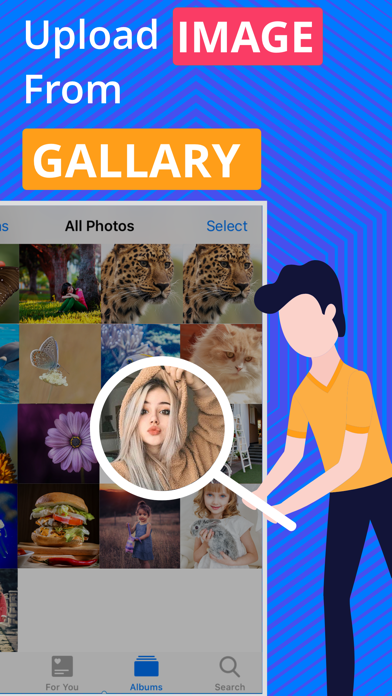
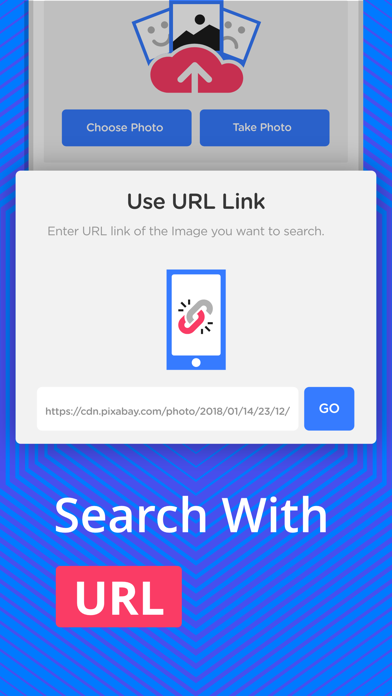
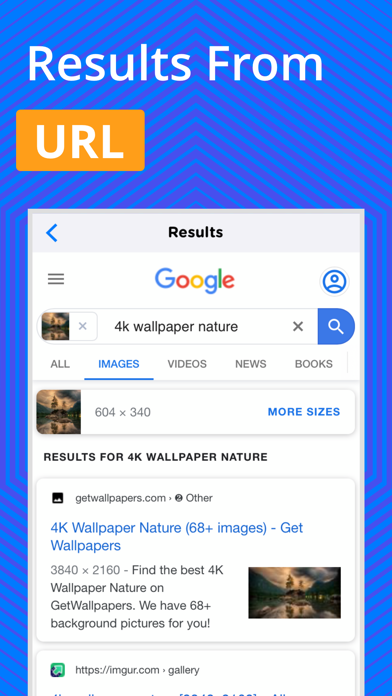
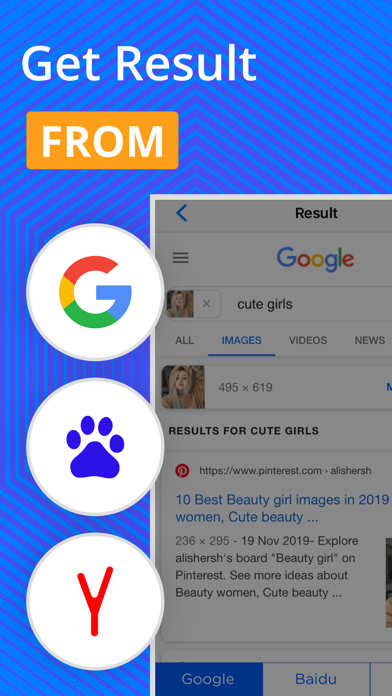
Reverse Image Search, one of the most convenient apps for photo searching. With the help of this free Reverse Image Search app, searching your images against hundreds of similar images over internet is just a matter of seconds. This simple yet handy image reverse search app works with number of search engines for image searching. Reverse Image Search, just like Google reverse image search, is an app that helps simplify the process of tracking down similar images, saving and sharing them in your emails or social networking accounts. You can use this efficient reverse photo search app to search for millions of high resolution wallpapers, images and more! If you have stuck on an image that looks familiar but you have no idea where you have seen it and you wish that you could find more about it? Then you are lucky because it is no longer impossible as there are many tools and apps available now that helps to search similar images. One such app for iOS users is Reverse Image Search that allows them to find the image details by simply giving a sample image to app. Reverse Image Search is a cool app that will enable you to search for similar images in a single tap. This simple and fast reverse photo search app works on the CBIR (content-based image retrieval) query technique that makes use of the CBIR system by providing a sample image. Later, the search is based on the same sample image, formulating a search query, in terms of information retrieval. The functionality of this reverse image search iOS app is same as that of the Google reverse image search. The aim behind the reverse photo search app is to allow people to search for the similar images conveniently and quickly. Just like Google image search, it requires you to share or upload the image or provide its URL. This reverse photo search app has exclusively been designed for all the iOS users with a device that supports the iOS operating system. Quality internet connection is the only requirement for using this simple yet quick reverse image search app. Once the app is downloaded and installed on your iOS device, it is instantly usable, with no trouble at all. Features of Reverse Image Search app: - It’s simple, efficient and reliable image search app - Free Reverse Image Search has same functionality as the Google reverse image search - Image search with the help of images in the photo gallery - Image search with the help of the image URL - Image reverse search by sharing images from Email, Whatsapp, Facebook, Twitter or other apps - You can choose your preferred search engine Steps for using Reverse Image Search app: - Download/install the Reverse Image Search app on your iOS device - Open the app and upload the image from the desired folder Or Upload the image URL of the image Or Directly share the image directly from Whatsapp, Facebook, Twitter or any other app - Tap on the button “Search Similar Images” - By your browser, the app will search the entire internet for all the similar images, matching to the given sample image - Image reverse search results will be redirected in the browser Some of the quick uses of Reverse Image Search app: - To identify fake profiles on different social media websites - To verify the actual identity of an individual on various websites - Look for the details of a specific image on internet - To get the information about your favorite celebrities - To get the image or wallpapers with a better or high resolution - The Reverse Image Search app can be used by travelers to search for the details of a place or location in a specific - To find the owner or the contributor of the image - For tracking an image as an image source finder or an image source locator Note: If you come across any issue with the app, please let us know by giving a brief review that describes the problem or you can contact us on our e-mail. Download this amazing Reverse Image Search app NOW and instantly search for the similar images.
Installs
Apple does not publish download counts. Estimates are in testing.
We publish iOS estimates only after they pass a back-test against real numbers. Chart history below is measured.
Estimated store revenue Estimated Beta
App Store, worldwide, monthly rate from the last 13 chart days to 20 Nov 2026
Below the top 100 grossing apps in the markets we calibrate. In the United States that usually means under about $6.4M a month. App Store purchases and subscriptions only, before Apple's 15 to 30% fee. Ads and web payments are not included.
Ratings
13 ratings, 13 reviews
No rating breakdown published for this app.
Recent reviews
Latest public reviews from the store
- 12 Dec 2020
Broken
The Yandex and the Baidu versions don’t work anymore (I bought the Yandex upgrade, used to work, now it doesn’t)
- 4 Sep 2017
Cumbersome
This isn't the app I'd suggest to search for a photograph of something that's not online. I've tried it with a few different searches and it's found some-mostly unambiguous ones. The main issue is where it goes; not to an ordinary browser. In fact, I don't know where they go unless it's to a faux browser within the app. For me that makes the results essentially useless. I've a link but it's unworkable except when I copy them into Chrome-That's annoying to do when you find something. The quality of the found Images is really low, like they display everything with 1994 photo resolution just because they can. Of course I use Google images for anything I find online; this type of reverse image search is useful for my own photos. Reversee is finally good enough to be reasonably reliable so I tend to use that as my first choice. I may see if anything else is worth having handy but last I checked nothing was, certainly not this.
Top chart positions
Latest App Store chart ranks by country, last 10 days
Not in any tracked top chart in the last 10 days.
Reverse Image Search - OCR history
Release, install milestones, listing and store changes
- First released on the store 11 Mar 2017
Update frequency
How often Reverse Image Search - OCR ships a new version, month by month
1 updates in the last 12 months. More often than most similar apps: they shipped a median of 0 updates in the same year.
Recent versions
Current version 3.1
- Version 3.112 Dec 2025
Resolved an issue where image search results were not displaying correctly.
Listing keywords
Words and phrases Reverse Image Search - OCR repeats most in its store listing
Top phrases: image search (22), reverse image search (18), reverse image (18), similar images (8), reverse photo search (4).
Highlighted words also appear in the title. Counts cover the title, short description and description.
Compliance
What the listing and the app package show
- Store status
- Live
- Upkeep
- Updated 12 Dec 2025
- Age rating
- 17+
Apps like Reverse Image Search - OCR
 Video CollageaZeR DiLLs★ 4.08
 Vee for VideoMedious★ 2.98
 Beauty Camera -Selfie, StickerBhuvan Gupta★ 4.5
 FinalCamXShenzhen Xiaozhen Technology Co.,Ltd.★ 4.44
 Magic Studio - AI Photo EditorMagicStudio.com★ 4.62
 Foto Impresiones: 1 Hr PhotoSoftwareX★ 4.98
 SnapGeo - AI Location FinderRECEP ASLAN★ 4.24
 Family Photo Maker - AIRick-y Media★ 4.12
 BeautifAI: AI Try OnJAI UYGULAMA VE YAPAY ZEKA TEKNOLOJILERI ANONIM SIRKETI★ 4.36
Reverse Image Search - OCR: questions and answers
Who makes Reverse Image Search - OCR?
Reverse Image Search - OCR is published by CONTENT ARCADE (UK) LTD..
When was Reverse Image Search - OCR last updated?
The latest version (3.1) was released on 12 Dec 2025.
Is Reverse Image Search - OCR free?
Yes. Reverse Image Search - OCR is free to download.
Is Reverse Image Search - OCR still available?
Yes. Reverse Image Search - OCR is live on App Store as of 1 Jul 2026.
Track Reverse Image Search - OCR and its competitors
Watch any app for new versions, rating drops, chart moves and removals. Free plan, no card.