
- Installs
- —
- Apple does not publish download counts
- Rating
- 1.62
- Ratings
- 45
- 45 reviews
- Version
- 3.6.2
- Updated 3 Mar 2026
- Released
- 15 Jun 2017
- Tracked since 11 May 2026
- Size
- 67 MB
- Needs 12.0
Screenshots
About SafeExamBrowser
The description on the store listing
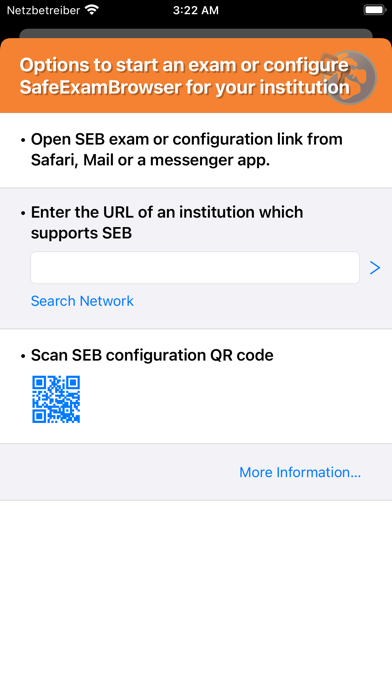
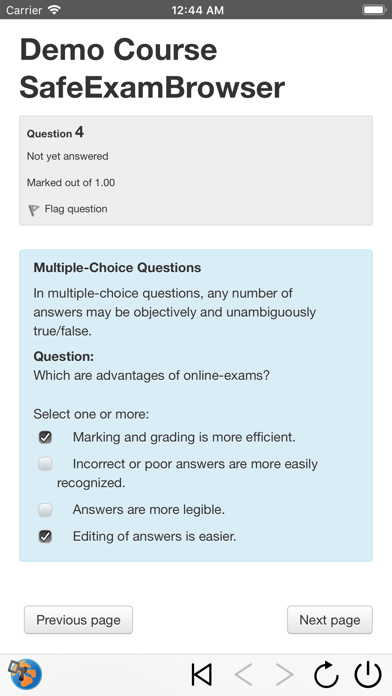
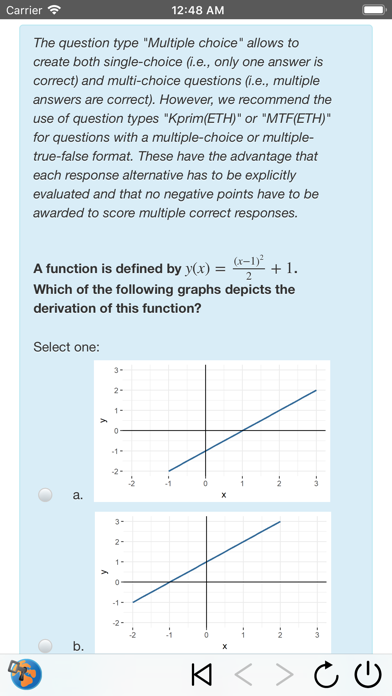
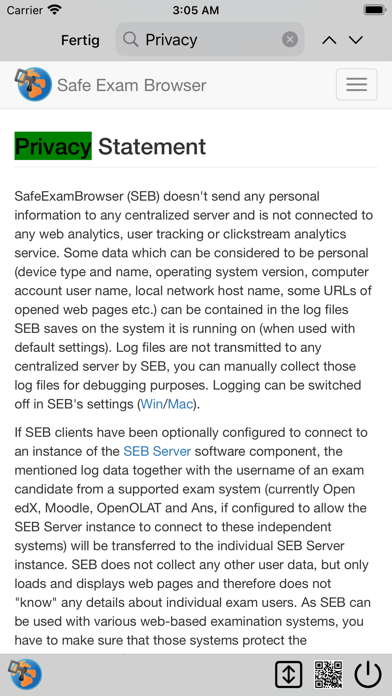
SafeExamBrowser (SEB) is a secure kiosk web browser environment used to carry out e-assessments that run on exam servers. SEB opens a web browser without an address and search bar, loads a pre-configured webpage and locks an iPad (or iPhone or iPod Touch) into an assessment kiosk mode. This mode prevents students from switching to other apps (unless additional permitted apps are configured), accessing websites and communicating with other students during an exam. SEB enables secure exams on unmanaged iOS devices like students' own iPads as well as on iOS devices owned and managed by an institution. SEB doesn't use a centralized server or cloud service; it can be configured with an API, …
Read the full description
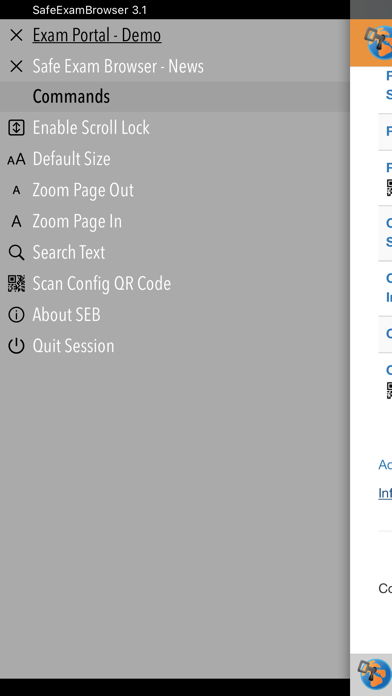
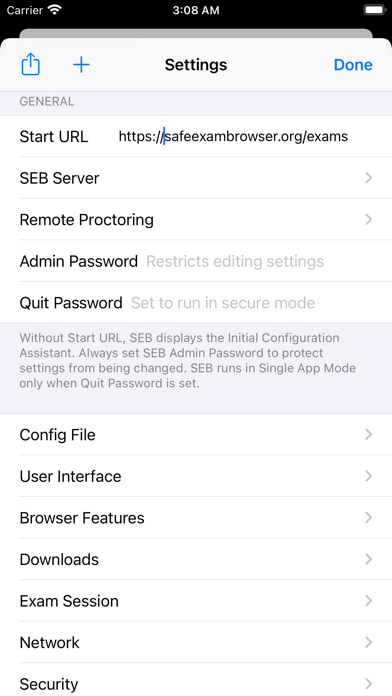
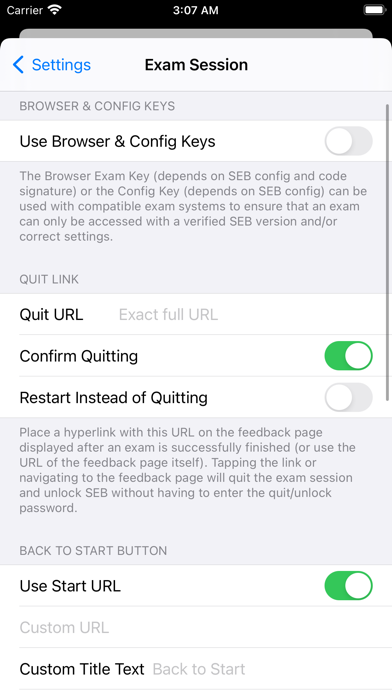
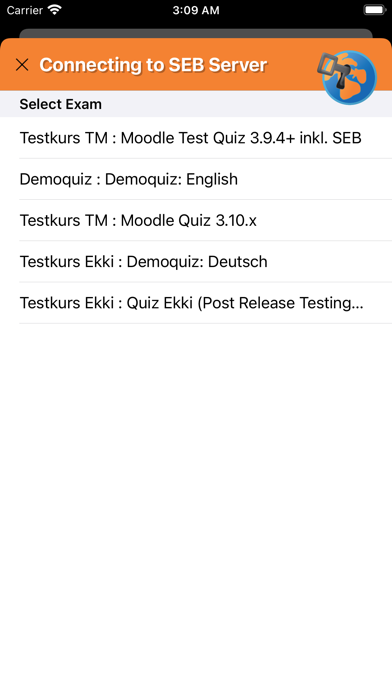
SafeExamBrowser (SEB) is a secure kiosk web browser environment used to carry out e-assessments that run on exam servers. SEB opens a web browser without an address and search bar, loads a pre-configured webpage and locks an iPad (or iPhone or iPod Touch) into an assessment kiosk mode. This mode prevents students from switching to other apps (unless additional permitted apps are configured), accessing websites and communicating with other students during an exam. SEB enables secure exams on unmanaged iOS devices like students' own iPads as well as on iOS devices owned and managed by an institution. SEB doesn't use a centralized server or cloud service; it can be configured with an API, configuration files, links and QR codes. It can be used with most web-based quiz and e-assessment systems. For improved security and usability, some exam systems provide additional built-in support for SEB. Currently, SEB integrates especially well with learning management systems (LMS) such as Moodle, OpenOlat, ILIAS and with several non-commercial and commercial exam systems, such as Inspera Assessment, Dugga, Exam.net, EvaExam and Ans. SEB uses one of the single app modes provided by iOS. After an exam is submitted, SEB can automatically end the app self-lock assessment mode (an exam invigilator could also use a quit password to end the SEB exam session and unlock the device if necessary). SEB features an optional Dock displaying buttons for various commands. Instead or in addition, a left slider menu shows a list of open browser tabs and commands which can be used to (if enabled in settings) quit an exam session, jump back to the start page of an exam, reload a web page, and navigate back/forward in the browsing history. SEB for iOS uses the same format for encrypted .seb configuration files as the SEB versions for other platforms. Those config files allow to individually configure SEB to display the start page of an exam system or an exam portal page with a list of links to current exams. If SEB for iOS is installed using a mobile device management (MDM) system, its initial configuration can easily be deployed using the "MDM Managed Configuration" feature. You can also directly start an exam with an individual configuration in SEB for iOS using a special config hyperlink. This link can be opened by examinees from Safari, Mail or a messenger app. In addition, you can use QR codes containing SEB links or even full, individual configurations. An exam can directly be started in SEB by using the iOS Camera app or the built-in QR code scanner. SEB also works together with Apple Classroom, teachers can start individually configured exams on all student devices. See https://safeexambrowser.org/ios for more information. SafeExamBrowser for iOS was developed by Daniel R. Schneider, ETH Zurich, IT Services, based on the original idea of Safe Exam Browser by Stefan Schneider, University of Giessen Project concept: Thomas Piendl, Daniel R. Schneider, Damian Büchel, Andreas Hefti, Nadim Ritter, Dirk Bauer, Michael Kern, Kai Reuter, Tobias Halbherr, Karsten Burger, Marco Lehre, Brigitte Schmucki, Oliver Rahs. Safe Exam Browser is released as freeware. The code is subject to the Mozilla Public License Version 1.1 (the "License"); you may only use these files in compliance with the License. You may obtain a copy of the License at http://www.mozilla.org/MPL/ . Important parts of this project have been carried out as part of the program "AAA/SWITCH – e-Infrastructure for e-Science" led by SWITCH, the Swiss National Research and Education Network and the cooperative project "Learning Infrastructure" (part of the CRUS program "Information scientifique: accès, traitement et sauvegarde") coordinated by SWITCH, and was supported by funds from the ETH Board and the State Secretariat for Education, Research and Innovation (SERI).
Installs
Apple does not publish download counts. Estimates are in testing.
We publish iOS estimates only after they pass a back-test against real numbers. Chart history below is measured.
Estimated store revenue Estimated Beta
App Store, worldwide, monthly rate from the last 13 chart days to 20 Nov 2026
Below the top 100 grossing apps in the markets we calibrate. In the United States that usually means under about $6.4M a month. App Store purchases and subscriptions only, before Apple's 15 to 30% fee. Ads and web payments are not included.
Ratings
45 ratings, 45 reviews
No rating breakdown published for this app.
Recent reviews
Latest public reviews from the store
- 25 Mar 2026
Man kann cheaten
Ich habe schon so oft gecheatet
What reviewers bring up
Topics mentioned in the latest 33 reviews, by how many reviews mention them
Liked in good reviews (1 reviews)
No topic comes up twice.
Raised in bad reviews (32 reviews)
- horrible 7
- teacher 4
- school 4
- slow 4
- recommend 3
- students 3
- take 3
- hope 3
Top chart positions
Latest App Store chart ranks by country, last 10 days
- Countries ranked
- 8 of 50
- Best rank
- #3
- Top 10 placements
- 1
- of 9 chart placements
- Average rank
- #64.6
Best countries on App Store
- 🇮🇩 Indonesia · Top free, Education#3
- 🇲🇾 Malaysia · Top free, Education#38
- 🇲🇽 Mexico · Top free, Education#62
- 🇧🇪 Belgium · Top free, Education#73
- 🇵🇭 Philippines · Top free, Education#74
- 🇷🇴 Romania · Top free, Education#82
| Country | Chart | Category | Rank | Best (10 days) | Date |
|---|---|---|---|---|---|
| 🇮🇩 Indonesia | Top free | Education | #3 | #3 | 20 Nov 2026 |
| 🇲🇾 Malaysia | Top free | Education | #38 | #32 | 20 Nov 2026 |
| 🇮🇩 Indonesia | Top free | All apps | #60 | #60 | 20 Nov 2026 |
| 🇲🇽 Mexico | Top free | Education | #62 | #62 | 17 Nov 2026 |
| 🇧🇪 Belgium | Top free | Education | #73 | #50 | 20 Nov 2026 |
| 🇵🇭 Philippines | Top free | Education | #74 | #52 | 20 Nov 2026 |
| 🇷🇴 Romania | Top free | Education | #82 | #82 | 17 Nov 2026 |
| 🇳🇬 Nigeria | Top free | Education | #94 | #47 | 16 Nov 2026 |
| 🇵🇹 Portugal | Top free | Education | #95 | #68 | 19 Nov 2026 |
SafeExamBrowser history
Release, install milestones, listing and store changes
- First released on the store 15 Jun 2017
Update frequency
How often SafeExamBrowser ships a new version, month by month
1 updates in the last 12 months. About as often as similar apps, which shipped a median of 1 updates in the same year.
Recent versions
Current version 3.6.2
- Version 3.6.23 Mar 2026
• Fixes that a secure MDM config (with quit password) lead to a red lock screen (exam not finished correctly) on first start, now also when running on iOS 26. • Removed all legacy code related to UIWebView. This wasn't used anymore, but might still have led to some random crashes. • Fixed a crash which randomly happened when reconfiguring SEB (starting a new session). • Fixed crash in Settings/Configuration/Use Config For … when changing the selected option. Optional features which need to be individually configured and are disabled by default: • Attempt to fix random crashes when using screen proctoring. Known issue with a specific MDM restriction: This causes the system to terminate the app when • it was deployed/is managed by MDM • the MDM restriction "Managed apps can't use iCloud sync” is active on the device • it invokes Assessment mode This is an iOS issue, which should be fixed in some future iOS update. If you require that MDM restriction, then you can contact us (https://safeexambrowser.org/alliance/contribute.html).
Listing keywords
Words and phrases SafeExamBrowser repeats most in its store listing
Top phrases: seb for ios (3), safe exam browser (2), configuration files (2), daniel schneider (2), exam browser (2).
Highlighted words also appear in the title. Counts cover the title, short description and description.
Compliance
What the listing and the app package show
- Store status
- Live
- Upkeep
- Updated 3 Mar 2026
- Age rating
- 4+
Apps like SafeExamBrowser
 Aprender a leer 1 con GrinEducaplanet S.L.★ 4.62
 考满分词汇-雅思:雅思听力阅读词汇备考AppBeijing Ying He You Shi Technology Limited Liability Company★ 4.82
 Multiplication Game Math LiteMaria Dolores Garcia Ferre★ 3.6
 Dinosaur World - DinosaursBABYBUS CO.,LTD★ 3.93
 Take Your MoneyNET Sigma★ 4.02
 Oregon CDL Permit PracticeS Mehta★ 4.64
 Plant Identification - PlantADManh Tran★ 4.27
 Learn Turkish Language OnlineAndrii Oliinyk★ 4.62
 PDG Mastery: Promote to E5, E6PDG APPS SRL★ 4.84
SafeExamBrowser: questions and answers
Who makes SafeExamBrowser?
SafeExamBrowser is published by ETH Zurich.
When was SafeExamBrowser last updated?
The latest version (3.6.2) was released on 3 Mar 2026.
Is SafeExamBrowser free?
Yes. SafeExamBrowser is free to download.
Is SafeExamBrowser still available?
Yes. SafeExamBrowser is live on App Store as of 1 Jul 2026.
Track SafeExamBrowser and its competitors
Watch any app for new versions, rating drops, chart moves and removals. Free plan, no card.