
- Installs
- —
- Apple does not publish download counts
- Rating
- 4.57
- Ratings
- 344
- 344 reviews
- Version
- 5.0.4
- Updated 6 Jun 2024
- Released
- 21 Oct 2010
- Tracked since 11 May 2026
- Size
- 57 MB
- Needs 14.0
Screenshots
About SatFinder
The description on the store listing
With SatFinder you can adjust your satellite antenna in a few seconds and with 4 simple steps:
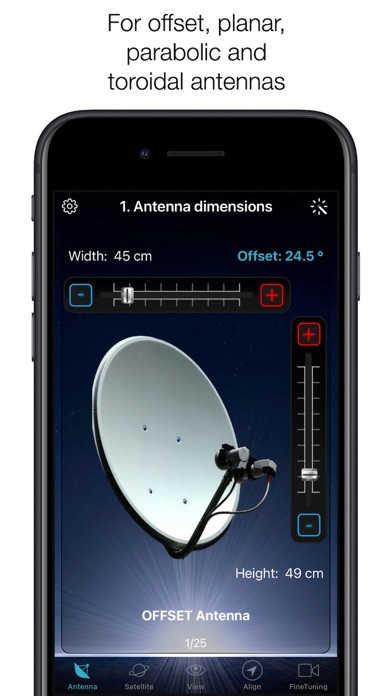
STEP 1 - CHOOSE YOUR ANTENNA
Choose one of the four different antenna designs:
- Offset antennas (the most common, is slightly oval, the LNB is not in the center).
- Special design (e.g. Oblong shaped Offset antenna, Multifeed antenna)
- Parabolic antenna (LNB is located in the center of the reflector, usually larger than 100cm)
- Flat or planar antenna (small, camping antennas)
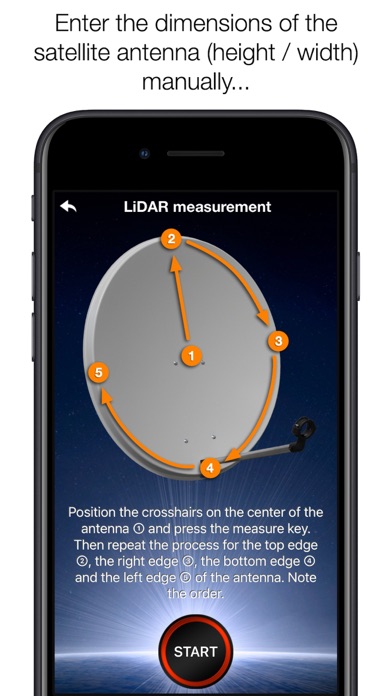
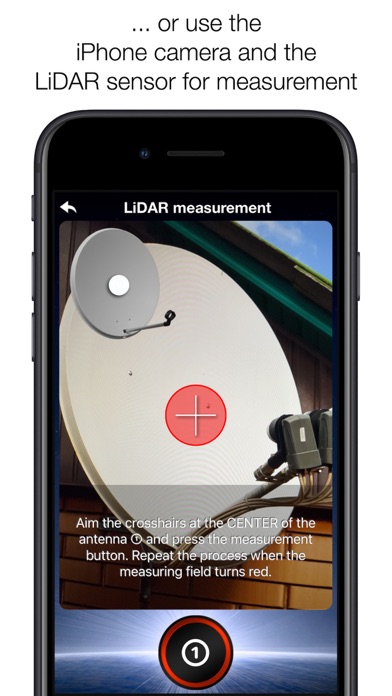
If you have an offset antenna, enter the height and width of the antenna. If your antenna has a special shape, enter the offset angle and the size of the satellite antenna. You can find the offset angle in the …
Read the full description
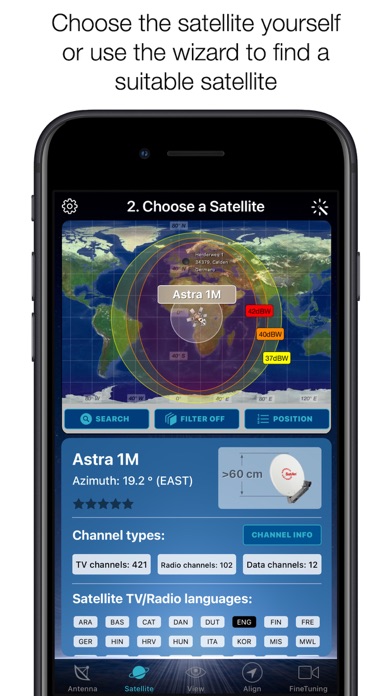
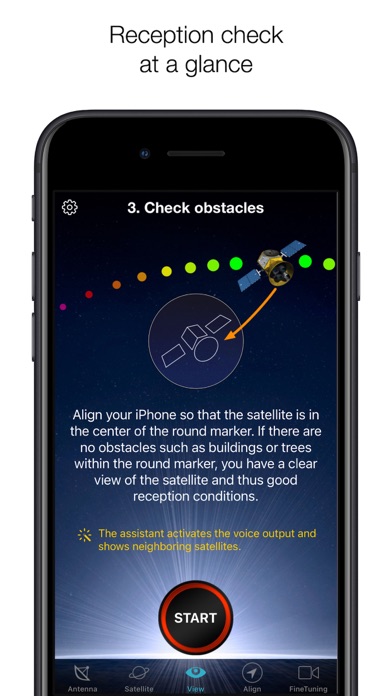
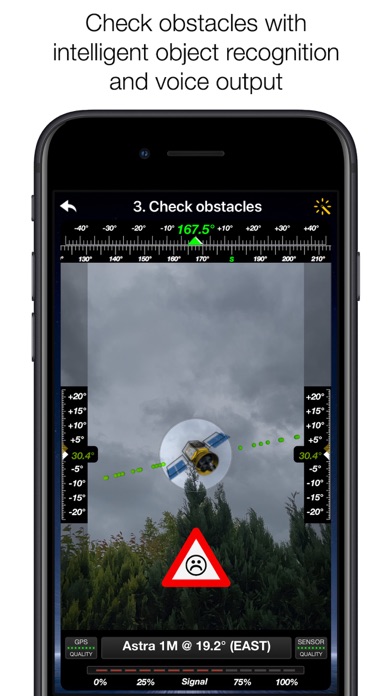
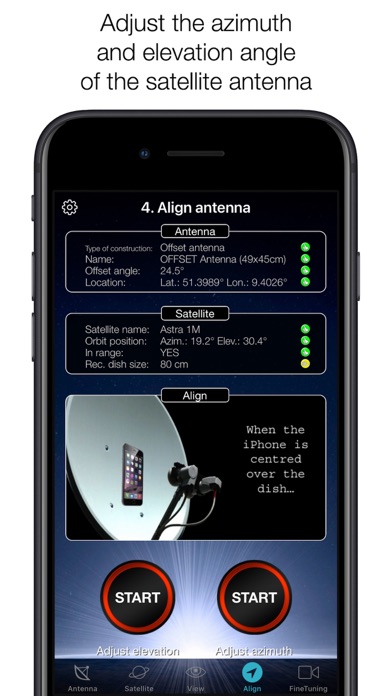
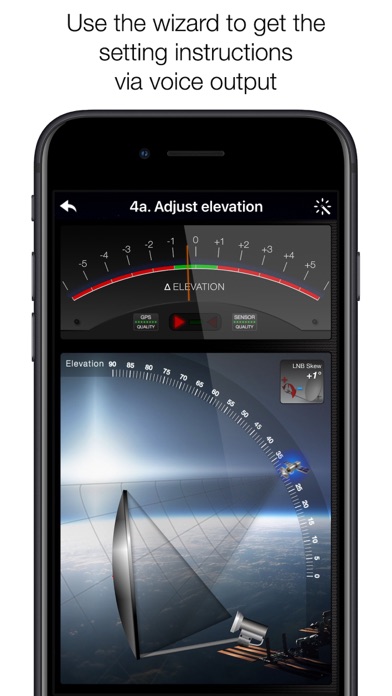
With SatFinder you can adjust your satellite antenna in a few seconds and with 4 simple steps: STEP 1 - CHOOSE YOUR ANTENNA Choose one of the four different antenna designs: - Offset antennas (the most common, is slightly oval, the LNB is not in the center). - Special design (e.g. Oblong shaped Offset antenna, Multifeed antenna) - Parabolic antenna (LNB is located in the center of the reflector, usually larger than 100cm) - Flat or planar antenna (small, camping antennas) If you have an offset antenna, enter the height and width of the antenna. If your antenna has a special shape, enter the offset angle and the size of the satellite antenna. You can find the offset angle in the manual of your satellite antenna. For parabolic antennas it is sufficient to enter the antenna diameter. With a flat antenna you do not have to set anything. If you know the exact antenna name, check if your antenna is already in the database. Tip: Press the wizard button to measure the size of the satellite antenna using the iPhone camera and LiDAR scanner. STEP 2 - CHOOSE YOUR SATELLITE To quickly and easily select a suitable satellite, simply press the "AUTO" button. The SatFinder will now automatically search for satellites that are in your reception area and that offer TV or radio stations in your language (the language setting of your iPhone will be selected). The stars (1-10) shown in the table result from the number of radio and TV channels offered and the reception strength at your location. If you want to receive a special satellite, switch off "AUTO": Now you can simply scroll through the table and select the satellite. Faster is the search function - just enter the name of the satellite, the channel or the orbit position. You can also reduce the number of table entries by hiding satellites that are not available at your location or do not broadcast in your language. With the button "Channel Info" you can check which channels the selected satellite is currently broadcasting - including all channel parameters for your satellite receiver. STEP 3 - CHECK OBSTACLES For a smooth satellite reception, there must not be any obstacles between the satellite and your satellite antenna. You can check this with the "View" function. Simply aim at the satellite and watch the signs (GREEN - no obstacle, RED - caution, free view may not be given). Tip: Press the button for the assistant to activate the voice output. STEP 4 - ADJUST ANTENNA In the menu item "Align" different graphics appear depending on the selected antenna type. If you use an offset antenna, you have to adjust the azimuth and elevation separately. With planar or parabolic antennas the adjustment of the angles is done together. Before you press the "Start" button, a video clip shows how to position your iPhone at the antenna. Tip: Press the button for the assistant to activate the voice output. STEP 5 - FINE TUNING If necessary, you can optimize the reception of your satellite system. The SatFinder provides you with the function "FineTuning". To use this function, you need a second iOS device. One device serves as a camera; the second device as a monitor. Simply place an iPhone in front of your reception screen and observe changes in picture quality while slightly rotating or tilting your satellite antenna. With the FineTuning feature, you'll have visual contact with your TV even when you're out of sight. THAT'S IT. YOU SHOULD NOW BE ABLE TO ENJOY INTERFERENCE-FREE SATELLITE RECEPTION... Note: Satellite antenna tuning is only available on iOS devices with LiDAR sensor (e.g. iPhone 12 Pro).
Installs since 29 Aug 2026
Apple does not publish download counts. Estimates are in testing.
Estimated store revenue Estimated Beta
App Store, worldwide, monthly rate from the last 12 chart days to 19 Nov 2026
Below the top 100 grossing apps in the markets we calibrate. In the United States that usually means under about $6.4M a month. App Store purchases and subscriptions only, before Apple's 15 to 30% fee. Ads and web payments are not included.
Ratings
344 ratings, 344 reviews
No rating breakdown published for this app.
Recent reviews
Latest public reviews from the store
- 24 May 2022
Great
D we
- 15 Mar 2022
I need good love and lots of money
Help me out buddy
- 25 Jul 2019
Great
Highly recommended
- 23 Feb 2019
SatFinder
The app seems really accurate and spot on it would make dish pointing easy than guessing
What reviewers bring up
Topics mentioned in the latest 8 reviews, by how many reviews mention them
Liked in good reviews (5 reviews)
No topic comes up twice.
Raised in bad reviews (3 reviews)
- information 2
Top chart positions
Latest App Store chart ranks by country, last 10 days
- Countries ranked
- 25 of 50
- Best rank
- #30
- Top 10 placements
- 0
- of 25 chart placements
- Average rank
- #70.6
Best countries on App Store
- 🇨🇱 Chile · Top paid, Utilities#30
- 🇬🇷 Greece · Top paid, Utilities#31
- 🇵🇹 Portugal · Top paid, Utilities#45
- 🇮🇪 Ireland · Top paid, Utilities#47
- 🇪🇬 Egypt · Top paid, Utilities#47
- 🇩🇰 Denmark · Top paid, Utilities#55
| Country | Chart | Category | Rank | Best (10 days) | Date |
|---|---|---|---|---|---|
| 🇨🇱 Chile | Top paid | Utilities | #30 | #27 | 19 Nov 2026 |
| 🇬🇷 Greece | Top paid | Utilities | #31 | #31 | 19 Nov 2026 |
| 🇵🇹 Portugal | Top paid | Utilities | #45 | #45 | 19 Nov 2026 |
| 🇮🇪 Ireland | Top paid | Utilities | #47 | #43 | 19 Nov 2026 |
| 🇪🇬 Egypt | Top paid | Utilities | #47 | #43 | 19 Nov 2026 |
| 🇩🇰 Denmark | Top paid | Utilities | #55 | #53 | 19 Nov 2026 |
| 🇧🇪 Belgium | Top paid | Utilities | #56 | #56 | 19 Nov 2026 |
| 🇩🇪 Germany | Top paid | Utilities | #58 | #58 | 13 Nov 2026 |
| 🇳🇴 Norway | Top paid | Utilities | #62 | #53 | 19 Nov 2026 |
| 🇦🇹 Austria | Top paid | Utilities | #62 | #62 | 19 Nov 2026 |
SatFinder history
Release, install milestones, listing and store changes
- First released on the store 21 Oct 2010
Update frequency
How often SatFinder ships a new version, month by month
0 updates in the last 12 months. Less often than most similar apps: they shipped a median of 1 updates in the same year.
Recent versions
Current version 5.0.4
- Version 5.0.46 Jun 2024
- Customizations for iOS 17
Listing keywords
Words and phrases SatFinder repeats most in its store listing
Top phrases: satellite antenna (7), offset antenna (3), tip press (3), activate the voice (2), assistant to activate (2).
Highlighted words also appear in the title. Counts cover the title, short description and description.
Compliance
What the listing and the app package show
- Store status
- Live
- Upkeep
- No update since 6 Jun 2024
- Age rating
- 4+
Apps like SatFinder
 Prayer Times & QiblaYahya Alzahrani★ 4.68
 Statistics Calculator--Dogahe★ 4.44
 BTU Calculator - Data CentersCristinel Bontas★ 4.58
 Universal Remote – TV ControlControlla TV LTD.★ 4.54
 Petra: Aptos Crypto WalletAptos Labs★ 4.76
 Angle Gradient InclinometerSHIGETO TAKAGI★ 4.34
 givestar - Fundraising AppTapSimple★ 4.75
 Calculator for PadBeijing Free Sight Technology Co., Ltd★ 4.34
 FUZE: Mobile ChargingFuze Technology Inc.★ 4.29
SatFinder: questions and answers
Who makes SatFinder?
SatFinder is published by Ralf Andrae.
When was SatFinder last updated?
The latest version (5.0.4) was released on 6 Jun 2024.
Is SatFinder free?
No. SatFinder is a paid app priced at $5.99.
Is SatFinder still available?
Yes. SatFinder is live on App Store as of 14 Nov 2026.
Track SatFinder and its competitors
Watch any app for new versions, rating drops, chart moves and removals. Free plan, no card.