
- Installs
- —
- Apple does not publish download counts
- Rating
- 4.8
- Ratings
- 173
- 173 reviews
- Version
- 1.1.3
- Updated 29 Nov 2025
- Released
- 8 May 2024
- Tracked since 10 May 2026
- Size
- 30 MB
- Needs 14.0
Screenshots

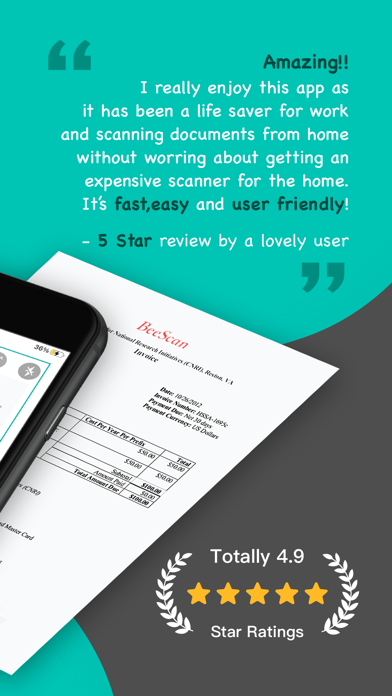




About ScanGo - PDF Document Scanner
The description on the store listing
WHAT IS ScanGo?
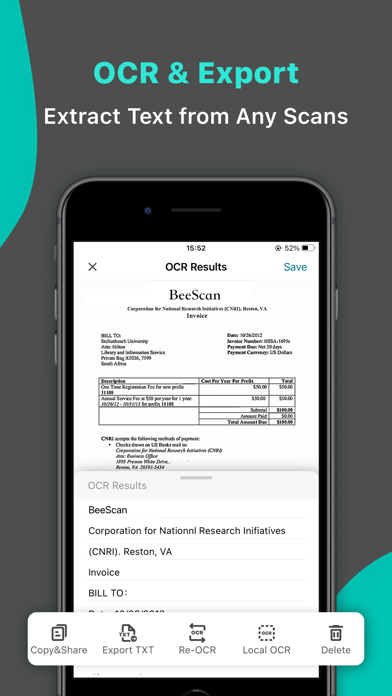
ScanGo is a little, simple, flexible, easy-to-use app with kinds of features satisfying different situations in your iPhone. It allows you to scan documents, certificates, credit cards, invoices, receipts, tickets and any paper with high quality image & PDF output. Also, you can extract text by OCR function from any scans just by one tap.
It is also a camera scanner with concise, efficient user interface whose main tone is black & white with teal & chrome yellow embellished throughout the app.
HOW TO SCAN DOCS?
- Scan everything by one click, of course you can choose to scan from Photos or Camera.
- Edit docs after scanning immediately, including add, rotate, adjust, …
Read the full description
WHAT IS ScanGo? ScanGo is a little, simple, flexible, easy-to-use app with kinds of features satisfying different situations in your iPhone. It allows you to scan documents, certificates, credit cards, invoices, receipts, tickets and any paper with high quality image & PDF output. Also, you can extract text by OCR function from any scans just by one tap. It is also a camera scanner with concise, efficient user interface whose main tone is black & white with teal & chrome yellow embellished throughout the app. HOW TO SCAN DOCS? - Scan everything by one click, of course you can choose to scan from Photos or Camera. - Edit docs after scanning immediately, including add, rotate, adjust, reorder and delete pages. - Rotate, Crop and Adjust filter to get high quality scans. - Provided five filter modes to enhance your scans - Original, B&W 1, B&W 2, Color, Grayscale. What’s more, each filter can be adjusted for its own Brightness, Contrast, Saturation and Sharpness. HOW TO MANAGE DOCS? - The Recents module on home page shows your recently added docs, which helps to find them faster. - Add folders and sub-folders to manage scanned docs. - Rename folders and documents to make them more distinguishable. - Important and urgent documents can be Starred for faster access. - Search function helps to find the doc you need from a dizzying array. - Every folder, doc and page can be shared with email, Dropbox, Google Drive, Evernote etc. or Wifi directly. - Save scans as JPEG to Photos. - Move/Copy/Delete docs and pages. - Print scans directly within app once you connect to a Printer. - Fax scans directly if you have Fax Pro app installed. AFRAID OF DATA LOSS? ScanGo supports syncing data with iCloud. MAKE THE APP MORE EFFICIENT CONVENIENT - Turn on the camera immediately whenever you open the app. HANDY - Save scans to Photos automatically. EASY - Auto edge detection and enhancement. SIMPLE - Share docs and folders in default PDF size. SECURE - Protect your documents with passcode. MORE QUESTIONS? If you have any problems with ScanGo, please email us at [email protected], we’ll help to figure it out asap.
Installs since 29 Aug 2026
Apple does not publish download counts. Estimates are in testing.
Estimated store revenue Estimated Beta
App Store, worldwide, monthly rate from the last 12 chart days to 19 Nov 2026
Below the top 100 grossing apps in the markets we calibrate. In the United States that usually means under about $6.4M a month. App Store purchases and subscriptions only, before Apple's 15 to 30% fee. Ads and web payments are not included.
Ratings
173 ratings, 173 reviews
No rating breakdown published for this app.
Recent reviews
Latest public reviews from the store
- 22 Feb 2026
First scan
Could not figure out how to frame. Finally got close then edited the image. Was not fun but it did a fine job. I just need lots of practice!
- 22 Oct 2025
Fast, Easy, Perfect Images
We’ve done a few home re-fi’s with ScanGo. Easily close to 100 docs, all sizes, varying original quality. No complaints from recipients. Saved my sanity!
- 12 Nov 2024
Easy to use
Good app. Thanks
- 10 Oct 2024
Awesome ;
I highly recommend !!
Top chart positions
Latest App Store chart ranks by country, last 10 days
Not in any tracked top chart in the last 10 days.
ScanGo - PDF Document Scanner history
Release, install milestones, listing and store changes
- First released on the store 8 May 2024
Update frequency
How often ScanGo - PDF Document Scanner ships a new version, month by month
1 updates in the last 12 months. Less often than most similar apps: they shipped a median of 2 updates in the same year.
Recent versions
Current version 1.1.3
- Version 1.1.329 Nov 2025
Thanks for using ScanGo! In this update: Fixed some minor bugs and improved stability We’d love to hear from you! If you have any ideas, suggestions, or feature requests for future versions, feel free to share them with us anytime. Just drop us an email at: [email protected]
Listing keywords
Words and phrases ScanGo - PDF Document Scanner repeats most in its store listing
Top phrases: helps to find (2), high quality (2), save scans (2), scans directly (2).
Highlighted words also appear in the title. Counts cover the title, short description and description.
Compliance
What the listing and the app package show
- Store status
- Live
- Upkeep
- Updated 29 Nov 2025
- Age rating
- 4+
Apps like ScanGo - PDF Document Scanner
 Voices Talent CompanionVoices.com Inc.★ 2.66
 Alon Dictaphone-Voice RecorderALON Software★ 4.23
 mySecurity SAOAramco Services Company★ 4.45
 McLeod AnywhereMcLeod Software★ 1.8
 NACANational Association for Campus Activities★ 4.89
 SAMACO MotorsSamaco★ 4.43
 RC.PayRC LLC★ 3.99
 MawaridRoyal Commission In Jubail★ 4.59
 GO! Dice RewardsKantilal Surani★ 4.4
ScanGo - PDF Document Scanner: questions and answers
Who makes ScanGo - PDF Document Scanner?
ScanGo - PDF Document Scanner is published by Beesoft Apps.
When was ScanGo - PDF Document Scanner last updated?
The latest version (1.1.3) was released on 29 Nov 2025.
Is ScanGo - PDF Document Scanner free?
Yes. ScanGo - PDF Document Scanner is free to download.
Is ScanGo - PDF Document Scanner still available?
Yes. ScanGo - PDF Document Scanner is live on App Store as of 14 Nov 2026.
Track ScanGo - PDF Document Scanner and its competitors
Watch any app for new versions, rating drops, chart moves and removals. Free plan, no card.