
- Installs
- —
- Apple does not publish download counts
- Rating
- 1.0
- Ratings
- 1
- 1 reviews
- Version
- 2.2
- Updated 26 May 2018
- Released
- 7 May 2014
- Tracked since 11 May 2026
- Size
- 20 MB
- Needs 8.0
Screenshots
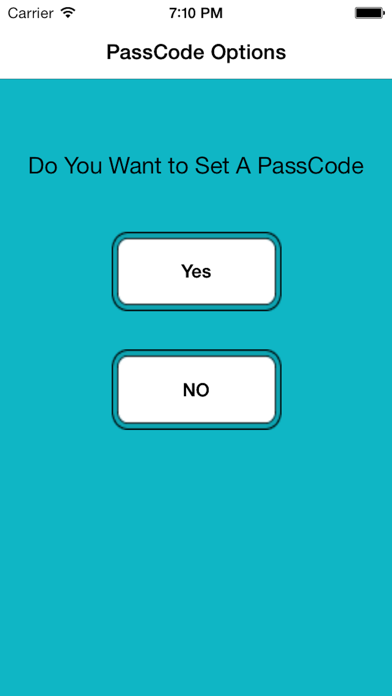
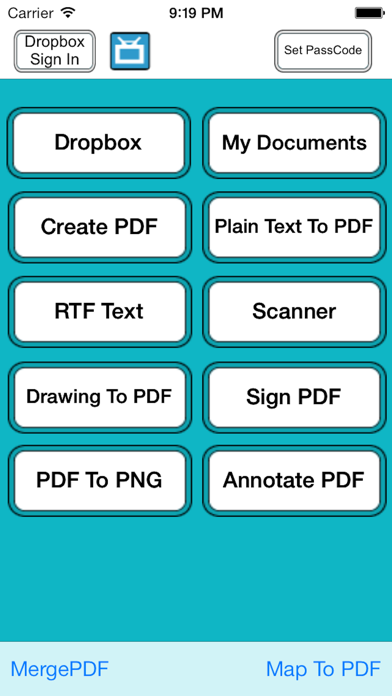
About Scanner Professional App
The description on the store listing
+++++ Experience the simplicity of document scanning. Scanner Professional will transforms your iPhone and iPad into portable scanners +++++
Scanner, DOCUMENT Maker , PDF file manager and reader. Document Writer , Document MANAGEMENT , Voice Recored App FOR your iPhone, iPad and iPod touch.
It allows you to scan multipage documents ,receipts, whiteboards, paper notes, or any multipage document and other text .
All processing happens on your iPhone and iPad, and the confidentiality of your data is never compromised (no Internet connection needed.)
Key Feature :
========
+ Smart Management:
• Keep track your document by the time it scanned or last edit.
• Keep track the size of document …
Read the full description
+++++ Experience the simplicity of document scanning. Scanner Professional will transforms your iPhone and iPad into portable scanners +++++ Scanner, DOCUMENT Maker , PDF file manager and reader. Document Writer , Document MANAGEMENT , Voice Recored App FOR your iPhone, iPad and iPod touch. It allows you to scan multipage documents ,receipts, whiteboards, paper notes, or any multipage document and other text . All processing happens on your iPhone and iPad, and the confidentiality of your data is never compromised (no Internet connection needed.) Key Feature : ======== + Smart Management: • Keep track your document by the time it scanned or last edit. • Keep track the size of document and files. • Multipage editing: view, delete pages • Document naming ,Merge, Export , Rename your documents or even Create a Copy of file and storage inside the app . + Scan • Scan , Bill, Invoice, Contract, Tax Roll, Business Card, Whiteboard, Memo, Script, Letters, Blackboard, Note, PPT, Book, Article, Credential, Certificate etc All scans can be saved as a PDF or Can be saved in a Folder within app. + industry-standard PDF files : • All scanned document are produced as industry-standard PDF files. + File Sharing: • Send documents as email attachments to any other person (you can zip documents before send). • USB file transfer (iTunes file sharing). • Send files to other apps Using "Open In..." approach, installed on your device. • Upload/download files , note and document to Dropbox .All your scans can be uploaded to Dropbox in form of PNG , PDF or ZIP. • Share your PDF and Scanned Document via email, or open in your favorite/installed applications on your device like Evernote, Box, SkyDrive, iBook, GoodReader, PDF Reader etc • Print scanned documents If the document needs to be printed, send it to any printer nearby. • Access your documents from any sources: Mac/PC Desktop (Wi-Fi), Dropbox, Email, build-in browser, other Apps and more. + Support the following File Formats: MS Word, PowerPoint, Excel, Apple iWork files (Numbers, Pages, Keynote), web page, RTF, Text, MS Office documents , images , photos, RTFD, HTML,CSS, XML, JSP, BMP,CSV, PHP3, PHP4, PHP, Java, JPG, PNG, Safari webarchive TXT,JPEG, BMP, C, CSS, XML, JSP, Maps and many other sources formats to PDF . + Import Documents : • Import your Office documents from Mail , Dropbox or from Any other installed applications that supports Open In function and convert it into PDF. Send PDFs by e-mail, even transfer to computer + Export Documents : • Export your Office documents to Any other installed applications that supports Open In function or Send PDFs by e-mail, even transfer to computer . + Sign PDF : • let you Receive documents through email, sign them using this app and send back through email. + Build-in PDF Merger • easy PDF file Combiner & Joiner designed to merge multiple PDF files . (No Limit Of PDF Files to Combine ) + Built-in viewer for PDF : • Thumbnail, Fit to Screen, Fit to Width, Actual Size & full screen views • Go to/rotate page • Multiple Bookmarks • Printing PDF Files to AirPrint Printers in your wifi network • Email Attachments + PDF annotation • Annotate PDF Any time you want on the go. + Build-in PDF converter: • Convert anything to PDF on iPhone & iPad easily. + Air Play Supports : • Connect to Apple TV or external monitor (required setup) .Make impressive presentations using this app from your iPhone or iPad .Enjoy reading on large external monitors or Apple TV + Privacy • Set password So No One Can See Your confidential files. + TIPS ON SCANNING • Make sure your document is flat and well lit. • Use flash in low light conditions, but avoid glare with glossy documents
Installs
Apple does not publish download counts. Estimates are in testing.
We publish iOS estimates only after they pass a back-test against real numbers. Chart history below is measured.
Estimated store revenue Estimated Beta
App Store, worldwide, monthly rate from the last 13 chart days to 20 Nov 2026
Below the top 100 grossing apps in the markets we calibrate. In the United States that usually means under about $6.4M a month. App Store purchases and subscriptions only, before Apple's 15 to 30% fee. Ads and web payments are not included.
Ratings
1 ratings, 1 reviews
No rating breakdown published for this app.
Recent reviews
Latest public reviews from the store
No reviews in our sample for this app yet.
Top chart positions
Latest App Store chart ranks by country, last 10 days
Not in any tracked top chart in the last 10 days.
Scanner Professional App history
Release, install milestones, listing and store changes
- First released on the store 7 May 2014
Update frequency
How often Scanner Professional App ships a new version, month by month
0 updates in the last 12 months. Less often than most similar apps: they shipped a median of 1 updates in the same year.
Recent versions
Current version 2.2
- Version 2.226 May 2018
This update from Apple will improve the functionality of this app. No new features are included. - bug fixed
Listing keywords
Words and phrases Scanner Professional App repeats most in its store listing
Top phrases: pdf files (5), installed applications (3), office documents (3), applications that supports (2), build in pdf (2).
Highlighted words also appear in the title. Counts cover the title, short description and description.
Compliance
What the listing and the app package show
- Store status
- Live
- Upkeep
- No update since 26 May 2018
- Age rating
- 4+
Apps like Scanner Professional App
 Robin - Mobile AppRobin Powered, Inc★ 3.32
 Bright AisleMedia Solutions Corp★ 2.52
 Rhingie: phone call 2nd numberDating onlain, ooo★ 3.96
 PayClockLathem Time Corporation★ 2.08
 云电话-网络电话虚拟隐私小号国辉 李★ 4.74
 QuicklynQuicklyn★ 4.86
 Diligent BoardsDiligent Corporation★ 3.32
 DATABASICSDATABASICS★ 3.8
 vMEyeSuperGuangzhou Kedi Intelligence Technology Co., Ltd.★ 3.14
Scanner Professional App: questions and answers
Who makes Scanner Professional App?
Scanner Professional App is published by Abdul Rahim Khurram.
When was Scanner Professional App last updated?
The latest version (2.2) was released on 26 May 2018.
Is Scanner Professional App free?
Yes. Scanner Professional App is free to download.
Is Scanner Professional App still available?
Yes. Scanner Professional App is live on App Store as of 1 Jul 2026.
Track Scanner Professional App and its competitors
Watch any app for new versions, rating drops, chart moves and removals. Free plan, no card.