
- Installs
- —
- Apple does not publish download counts
- Rating
- 4.37
- Ratings
- 3.1K
- 3.1K reviews
- Version
- 2.14.48
- Updated 17 Mar 2026
- Released
- 26 Jan 2019
- Tracked since 11 May 2026
- Size
- 425 MB
- Needs 12.1
Screenshots
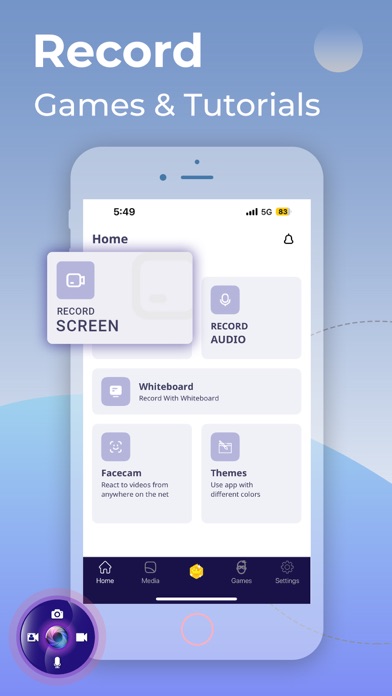
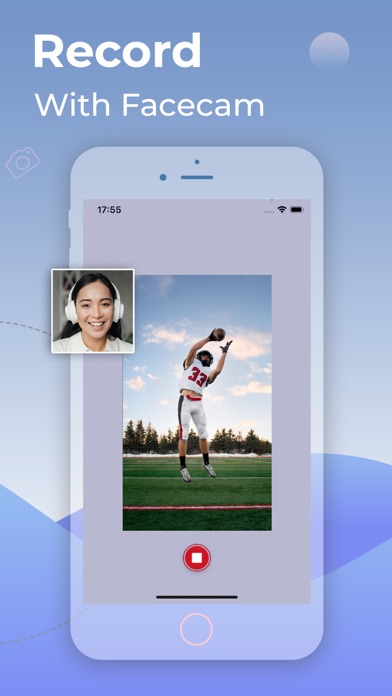
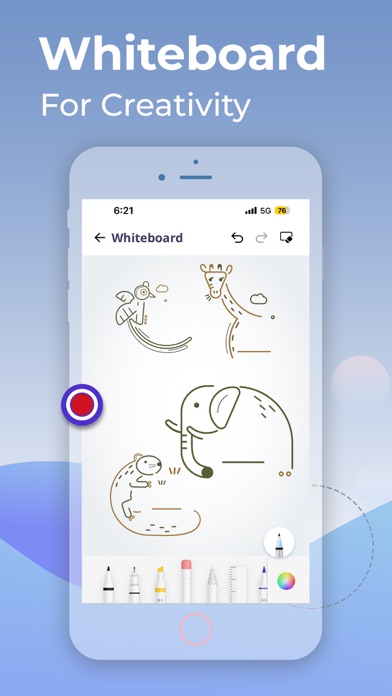


About Screen Recorder: Create & Edit
The description on the store listing
Screen Recorder helps you to record screen on iPhone, or iPad.
TOP FEATURES
+ Record the entire screen with audio & facecam
+ Record full HD videos(720p/1080p/4k)
+ Recorder internal or system sound
+ No recording time limits
+ Whiteboard recording
+ Easy taking Screenshot
+ Audio/voice Recording
+ Record Streaming
+ No Watermark
+ Convert Video to GIF
Screen Recorder is an efficient and easy-to-use professional stable video recording tool for iPhone, iPad. Screen Recorder for iPad enables you to capture everything that happens on your screen as a video with great quality up to 1080p. It has all the advanced features needed to create professional-looking demonstrations of new …
Read the full description
Screen Recorder helps you to record screen on iPhone, or iPad. TOP FEATURES + Record the entire screen with audio & facecam + Record full HD videos(720p/1080p/4k) + Recorder internal or system sound + No recording time limits + Whiteboard recording + Easy taking Screenshot + Audio/voice Recording + Record Streaming + No Watermark + Convert Video to GIF Screen Recorder is an efficient and easy-to-use professional stable video recording tool for iPhone, iPad. Screen Recorder for iPad enables you to capture everything that happens on your screen as a video with great quality up to 1080p. It has all the advanced features needed to create professional-looking demonstrations of new applications, record online, capture amazing game tricks or gameplays, presentations, and image slideshows on your iPhone screen! The whiteboard feature helps the artist or the teacher to create drawings or tutorial videos! What you can do with our Screen Recorder app - Create the demonstration video for any app program - Get creative with whiteboard & create tutorial videos for school and or collage class - Start recording with one click - Capture audio with a system built-in microphone or any audio input devices - Enable the camera to record reaction videos - Create a game reaction or commentary videos - Record YouTube live videos - Camera Roll Videos are supported - No Ads at all To access the app you'll need to Subscibe to Screen Recorder app. Choose from weekly, monthly 3-day trial, or yearly plans for the ultimate screen recording experience on iPhone and iPad. Privacy Policy & Terms and Conditions of Use: https://appscreenrecorder.com/privacy-policy-macos Feel free to share your valuable feedback or suggestions at [email protected]
Installs, last 30 days
Apple does not publish download counts. Estimates are in testing.
Estimated store revenue Estimated Beta
App Store, worldwide, monthly rate from the last 13 chart days to 20 Nov 2026
Below the top 100 grossing apps in the markets we calibrate. In the United States that usually means under about $6.4M a month. App Store purchases and subscriptions only, before Apple's 15 to 30% fee. Ads and web payments are not included.
Ratings
3,128 ratings, 3,128 reviews
- 5 ★75%
- 4 ★8.0%
- 3 ★5.1%
- 2 ★3.5%
- 1 ★8.7%
Recent reviews
Latest public reviews from the store
- 2 Jan 2026
I’m confused
I’m trying to record but everything is just telling me to buy it it won’t even let me record.
- 1 Jan 2024
How do I use!?
Can you tell me how to get pass the subscription part?
- 10 Sep 2023
Off-sync Video/Audio
Hello! 👋🏻 A Friend of mine uses this App to screen-record some Raptor Bird Nests from the YouTube Live Streams to help me out & this is a good App to use & all, but the problem is that after the Screen-Recordings are all recorded & uploaded/shared to YouTube, the Video & Audio are drastically off sync & it’s like if the Video & Audio are just completely & randomly somewhere else. If anything, I would like to request that an update for this App was to be made to fix the Video/Audio syncing, so that the Video & Audio can be completely in sync.
- 29 Jun 2023
Load’s forever
When I want to record I go into the app, I press skip and then it just load’s and load’s and load’s forever and it doesn’t let me record! It’s an amazing app otherwise!
What reviewers bring up
Topics mentioned in the latest 50 reviews, by how many reviews mention them
Liked in good reviews (3 reviews)
No topic comes up twice.
Raised in bad reviews (42 reviews)
- pay 12
- record 9
- premium 8
- screen 8
- without 7
- subscription 6
- money 6
- button 4
Top chart positions
Latest App Store chart ranks by country, last 10 days
Not in any tracked top chart in the last 10 days.
Screen Recorder: Create & Edit history
Release, install milestones, listing and store changes
- First released on the store 26 Jan 2019
Update frequency
How often Screen Recorder: Create & Edit ships a new version, month by month
1 updates in the last 12 months. About as often as similar apps, which shipped a median of 1 updates in the same year.
Recent versions
Current version 2.14.48
- Version 2.14.4817 Mar 2026
- Bug Fixes
Listing keywords
Words and phrases Screen Recorder: Create & Edit repeats most in its store listing
Top phrases: screen recorder (6), tutorial videos (2).
Highlighted words also appear in the title. Counts cover the title, short description and description.
Compliance
What the listing and the app package show
- Store status
- Live
- Upkeep
- Updated 17 Mar 2026
- Age rating
- 4+
Apps like Screen Recorder: Create & Edit
 Photo Slideshow Maker + MusicOwen Schick★ 4.35
 Funny Movie Maker - FMMAppcano LLC★ 4.27
 CREATE: Graphic Design + FontsAnything is★ 4.61
 Magazine Cover Maker & PIP CamHOANG PHAM★ 4.65
 简影-创意视频编辑制作神器锋 王★ 4.73
 instax UP! -Scan instax photosFUJIFILM Corporation★ 4.76
 Shox: Reel Maker, Video EditorApperto Bilgi Teknolojileri Ticaret Limited Sirketi★ 4.75
 Cloud Stream IPTV PlayerGiovanny Aranda★ 4.65
 TV Cast Pro for Samsung TVKraus und Karnath GbR 2Kit Consulting★ 3.84
Screen Recorder: Create & Edit: questions and answers
Who makes Screen Recorder: Create & Edit?
Screen Recorder: Create & Edit is published by AppSmartz.
When was Screen Recorder: Create & Edit last updated?
The latest version (2.14.48) was released on 17 Mar 2026.
Is Screen Recorder: Create & Edit free?
Yes. Screen Recorder: Create & Edit is free to download.
Is Screen Recorder: Create & Edit still available?
Yes. Screen Recorder: Create & Edit is live on App Store as of 20 Nov 2026.
Track Screen Recorder: Create & Edit and its competitors
Watch any app for new versions, rating drops, chart moves and removals. Free plan, no card.