
- Installs
- —
- Apple does not publish download counts
- Rating
- 2.91
- Ratings
- 79
- 79 reviews
- Version
- 2.5.1
- Updated 7 Jul 2018
- Released
- 8 Jun 2016
- Tracked since 11 May 2026
- Size
- 48 MB
- Needs 9.0
Also on Google Play: ScreenGuide | Parental Control (114 ratings)
Screenshots

About ScreenGuide Parental Control
The description on the store listing
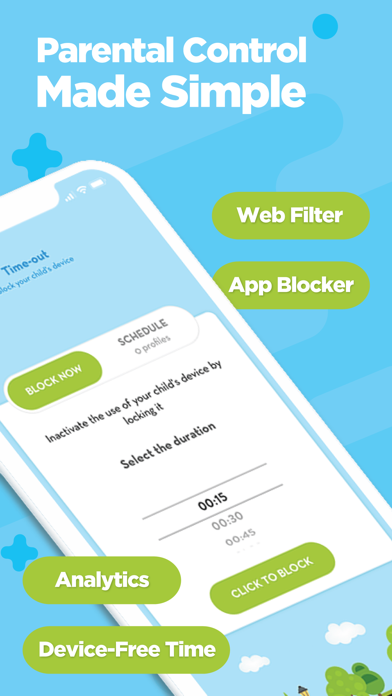
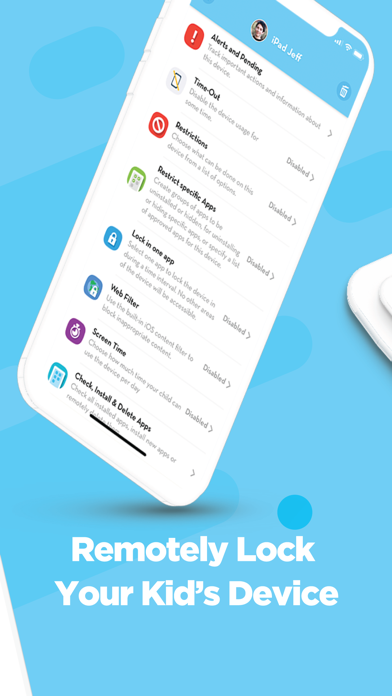
Monitor and control your kid's iPhones and iPads using these powerful parental controls! Set up daily screen time, configure the app blocker, restrict access to inappropriate websites and lock completely the device at any time and from anywhere.
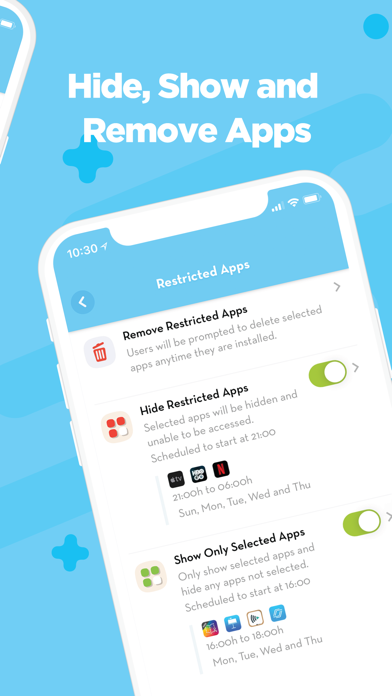
Be empowered by a quick and simple parental control app with great features like Internet filtering, list of selected apps to be hidden or accessible to children, and much more.
Create your family and easily add your child’s devices to be able to control it.
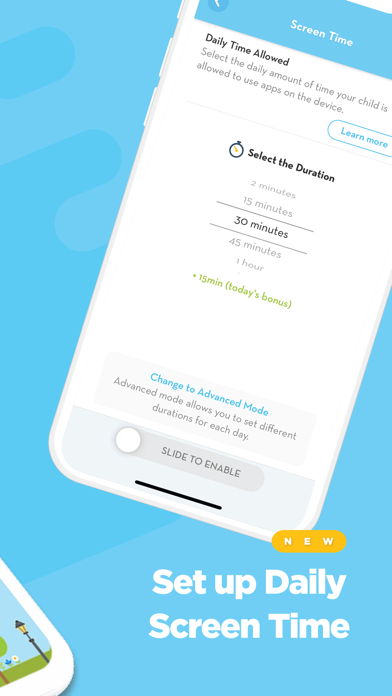
By using the Daily Screen Time feature, parents can configure the amount of time children will be allowed to use their iPhones, iPads and/or iPods during the day! Parents are also able to add …
Read the full description
Monitor and control your kid's iPhones and iPads using these powerful parental controls! Set up daily screen time, configure the app blocker, restrict access to inappropriate websites and lock completely the device at any time and from anywhere. Be empowered by a quick and simple parental control app with great features like Internet filtering, list of selected apps to be hidden or accessible to children, and much more. Create your family and easily add your child’s devices to be able to control it. By using the Daily Screen Time feature, parents can configure the amount of time children will be allowed to use their iPhones, iPads and/or iPods during the day! Parents are also able to add bonus time to the day for children and set a list of always allowed apps! Lock the device using the Time-Out feature and ensure kids will not be distracted with digital devices when they should be studying, sleeping or having fun with family and friends. CONFIGURE RULES FOR THE SAFE USE OF IPHONES AND IPADS: • Set up Daily Screen Time • Hide Restricted Apps from your children • Set a list to Show Only Selected Apps • Lock the device in one App, avoiding distractions during homework • Block all apps • Remotely install applications • See all the apps installed on child’s devices • Learn more about the apps your children are using PROTECT YOUR CHILD: • Block Facebook, SnapChat, Instagram, Twitter, or any other social media app • Internet filtering to limit access to inappropriate content • Completely block Internet by hiding app browsers • Receive alerts about potential risks on children’s devices • Remotely delete inappropriate apps • Do not allow kids to install new apps or some deleted apps • Prevent erotic and explicit content in iTunes and iBook Store • Control the use of FaceTime and iMessage apps SET RESTRICTIONS: • Remove the password when you have to get access to children’s devices • Block in-app purchasing • Block the Camera • Block Game Center • Block the Apple ID from being changed • Block any changes to Cellular Data settings • Block any changes to Passcode. ScreenGuide Premium: Unlock the full parental control experience Upgrade to Screen Guide Premium to monitor all family’s devices and schedule device rules to keep children safe and healthy! Premium parental control features: • Add up to 10 child’s devices; • Schedule Time-Out • Schedule App Lists for your children: Hide Restricted Apps, Show Only Selected Apps, Lock the device in one App You can be a premium user of the ScreenGuide App by auto-renewing your subscription, which will be charged to the associated iTunes Account at confirmation of purchase. The monthly subscription is US$2.99 per month. The 6-months subscription is US$2.42/month billed in one payment of US$14.49. The one-year subscription is US$2.08 per month billed in one payment of US$24.99. Prices are in US dollars, may vary in countries other than the US, and are subject to change without notice. Subscription will auto-renew unless turned off 24-hours prior to the end of the current period. Auto-renewal may be turned off at any time by going to your settings in the iTunes Store after purchase. If you don’t choose to purchase ScreenGuide Premium, you can simply continue using ScreenGuide for free. Privacy policy: http://screen.guide/legal/privacy Terms of use: http://screen.guide/legal/terms
Installs since 29 Aug 2026
Apple does not publish download counts. Estimates are in testing.
Estimated store revenue Estimated Beta
App Store, worldwide, monthly rate from the last 13 chart days to 20 Nov 2026
Below the top 100 grossing apps in the markets we calibrate. In the United States that usually means under about $6.4M a month. App Store purchases and subscriptions only, before Apple's 15 to 30% fee. Ads and web payments are not included.
Ratings
79 ratings, 79 reviews
No rating breakdown published for this app.
Recent reviews
Latest public reviews from the store
No reviews in our sample for this app yet.
Top chart positions
Latest App Store chart ranks by country, last 10 days
Not in any tracked top chart in the last 10 days.
ScreenGuide Parental Control history
Release, install milestones, listing and store changes
- First released on the store 8 Jun 2016
Recent versions
Current version 2.5.1
- Version 2.5.17 Jul 2018
This update from Apple will improve the functionality of this app. No new features are included. *NEW: Set a list of always allowed apps during Screen Time Now you can set a list of the applications that will never be blocked when Screen Time feature is enabled. Other updates to make ScreenGuide even better: *New Screen Time Analytics *Performance improvements
Listing keywords
Words and phrases ScreenGuide Parental Control repeats most in its store listing
Top phrases: parental control (4), lock the device (3), child’s devices (3), daily screen (3), access to inappropriate (2).
Highlighted words also appear in the title. Counts cover the title, short description and description.
Compliance
What the listing and the app package show
- Store status
- Live
- Upkeep
- No update since 7 Jul 2018
- Age rating
- 4+
Apps like ScreenGuide Parental Control
 Neivor CondosNeivor SAS★ 4.28
 Goldfarb ConnectWalk In Corp★ 4.33
 Heritage Market ColoradoA2 Advertising, LLC★ 4.8
 ACC of NYCMcGill DevTech, LLC★ 4.02
 LaunderdayHAIER US APPLIANCE SOLUTIONS, INC★ 1.33
 ProscenicProscenic Science and technology co., Ltd★ 2.69
 WiFi Hunting Camera甫强 王★ 1.59
 Extreme Motivation HypnosisHyptalk★ 4.67
 CatGeniePetNovations★ 2.37
ScreenGuide Parental Control: questions and answers
Who makes ScreenGuide Parental Control?
ScreenGuide Parental Control is published by Mosyle.
When was ScreenGuide Parental Control last updated?
The latest version (2.5.1) was released on 7 Jul 2018.
Is ScreenGuide Parental Control free?
Yes. ScreenGuide Parental Control is free to download.
Is ScreenGuide Parental Control still available?
Yes. ScreenGuide Parental Control is live on App Store as of 14 Nov 2026.
Track ScreenGuide Parental Control and its competitors
Watch any app for new versions, rating drops, chart moves and removals. Free plan, no card.