- Installs
- —
- Apple does not publish download counts
- Rating
- —
- Ratings
- —
- Version
- 3.3.6
- Updated 17 Sep 2024
- Released
- 8 Jul 2015
- Tracked since 11 May 2026
- Size
- 34 MB
- Needs 10.10
Screenshots
About Screenium 3
The description on the store listing
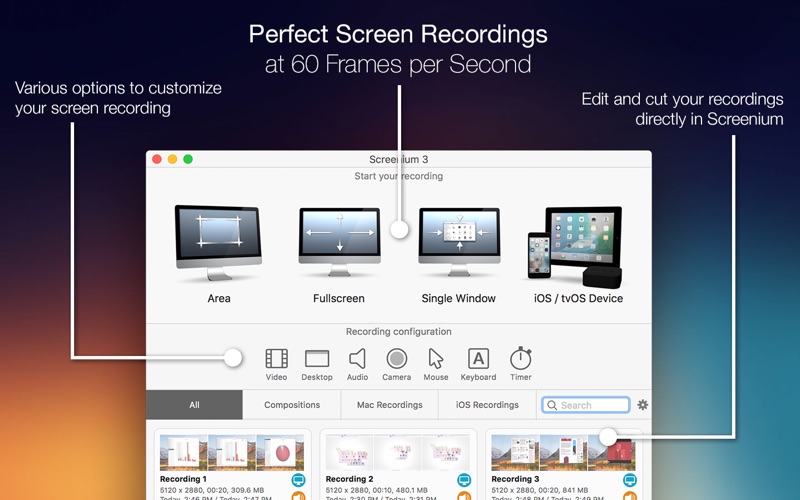
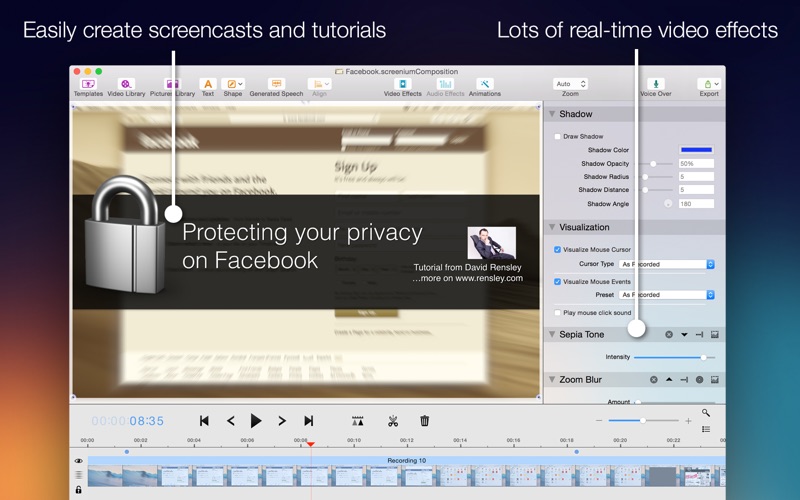
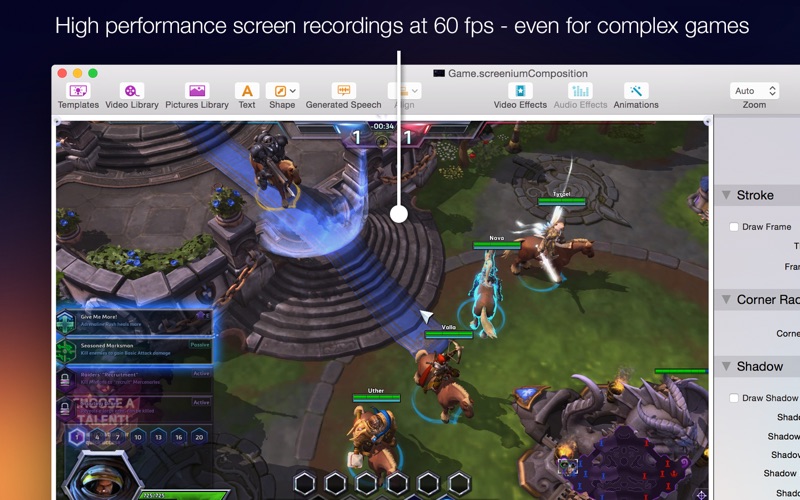
Record exactly what you see on the screen and turn it into a screencast in next to no time. Screenium 3 lets you record at 60 frames per second, offering optimum performance for your tutorials, gameplay recordings or any other screen content you wish to record. If you work with an ultra-high resolution 4K or 5K display or a Retina Mac, Screenium 3 puts you on the safe side as it creates the smoothest video quality possible for these types of devices.
But Screenium 3 offers much more than ultra-smooth video capture. Take advantage of numerous convenient tools that will help you create your perfect screencast. For example, embed FaceTime camera footage as a Picture-in-Picture clip, add audio …
Read the full description
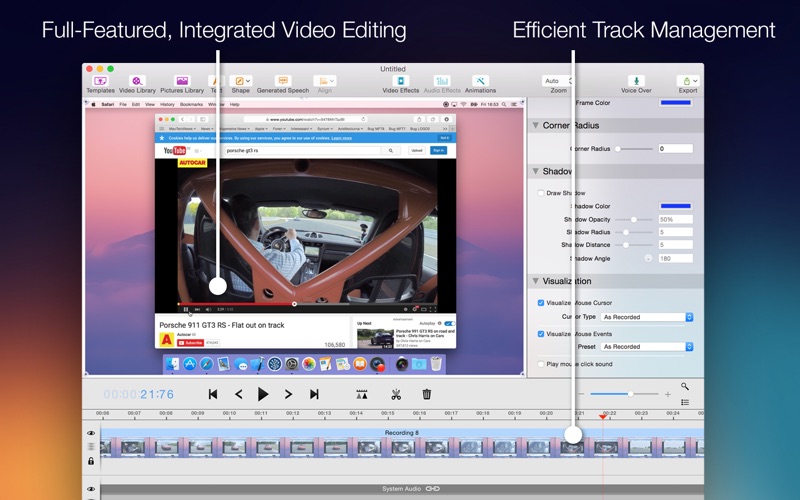
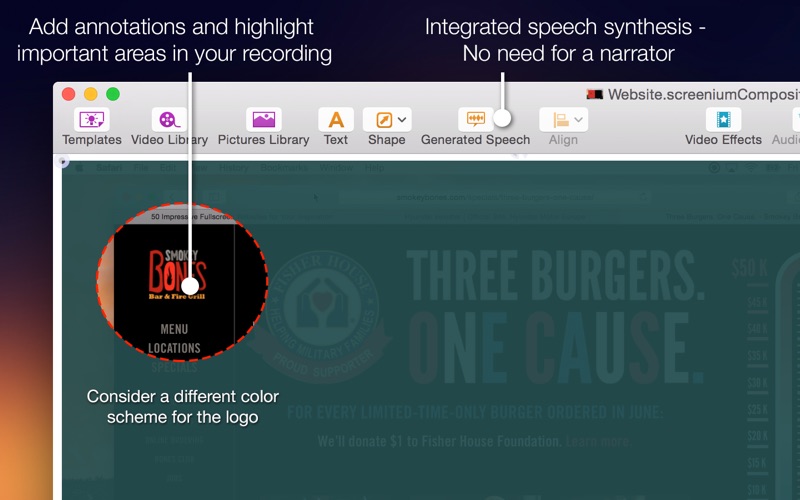
Record exactly what you see on the screen and turn it into a screencast in next to no time. Screenium 3 lets you record at 60 frames per second, offering optimum performance for your tutorials, gameplay recordings or any other screen content you wish to record. If you work with an ultra-high resolution 4K or 5K display or a Retina Mac, Screenium 3 puts you on the safe side as it creates the smoothest video quality possible for these types of devices. But Screenium 3 offers much more than ultra-smooth video capture. Take advantage of numerous convenient tools that will help you create your perfect screencast. For example, embed FaceTime camera footage as a Picture-in-Picture clip, add audio comments or hide your desktop or desktop symbols during recording. Screenium also records keystrokes and the mouse pointer as separate tracks so you can visualize pressed keys and mouse clicks or edit them at a later point without any hassle. Screenium's comfortable and powerful video editor provides you with all the tools you need to cut your footage, embed texts or add effects, transitions, or animations. Accentuate mouse clicks, add geometric shapes or hide screen sections that contain personal information. Of course you can also edit audio tracks and add filters. Using text synthesis, you can even add multilingual audio comments or auto-generated voice tracks. Screenium 3 Overview - Ultra-smooth 60 fps recording - Supports any screen resolution - 4 recording modes: Full screen, area selection, specific window, iOS / tvOS device - Optionally embed FaceTime camera footage as a Picture-in-Picture clip - Visualize keystrokes and mouse clicks - Incognito mode to hide desktop, desktop symbols, or simply Screenium - Highly optimized for multi-processor Macs - 4K and 5K recording at full frame rate - Versatile, convenient editor - Versatile video effects and transitions - Templates for text or graphic overlays - Numerous audio filters - VoiceOver using your own voice or auto-generated voice tracks
Installs
Apple does not publish download counts. Estimates are in testing.
We publish iOS estimates only after they pass a back-test against real numbers. Chart history below is measured.
Estimated store revenue Estimated Beta
App Store, worldwide, monthly rate from the last 12 chart days to 19 Nov 2026
Below the top 100 grossing apps in the markets we calibrate. In the United States that usually means under about $6.4M a month. App Store purchases and subscriptions only, before Apple's 15 to 30% fee. Ads and web payments are not included.
Ratings
No rating breakdown published for this app.
Recent reviews
Latest public reviews from the store
No reviews in our sample for this app yet.
Top chart positions
Latest App Store chart ranks by country, last 10 days
Not in any tracked top chart in the last 10 days.
Screenium 3 history
Release, install milestones, listing and store changes
- First released on the store 8 Jul 2015
Recent versions
Current version 3.3.6
- Version 3.3.617 Sep 2024
Fixes for an upcoming macOS release
Listing keywords
Words and phrases Screenium 3 repeats most in its store listing
Top phrases: mouse clicks (3), auto generated voice (2), embed facetime camera (2), facetime camera footage (2), footage as picture (2).
Highlighted words also appear in the title. Counts cover the title, short description and description.
Compliance
What the listing and the app package show
- Store status
- Live
- Upkeep
- No update since 17 Sep 2024
- Registered in
- Germany
- Age rating
- 4+
Apps like Screenium 3
 Video CollageaZeR DiLLs★ 4.08
 Vee for VideoMedious★ 2.98
 Beauty Camera -Selfie, StickerBhuvan Gupta★ 4.5
 FinalCamXShenzhen Xiaozhen Technology Co.,Ltd.★ 4.44
 Magic Studio - AI Photo EditorMagicStudio.com★ 4.62
 Foto Impresiones: 1 Hr PhotoSoftwareX★ 4.98
 SnapGeo - AI Location FinderRECEP ASLAN★ 4.24
 Family Photo Maker - AIRick-y Media★ 4.12
 BeautifAI: AI Try OnJAI UYGULAMA VE YAPAY ZEKA TEKNOLOJILERI ANONIM SIRKETI★ 4.36
Screenium 3: questions and answers
Who makes Screenium 3?
Screenium 3 is published by Synium Software GmbH, a developer based in DE.
When was Screenium 3 last updated?
The latest version (3.3.6) was released on 17 Sep 2024.
Is Screenium 3 free?
No. Screenium 3 is a paid app priced at $59.99.
Is Screenium 3 still available?
Yes. Screenium 3 is live on App Store as of 11 May 2026.
Track Screenium 3 and its competitors
Watch any app for new versions, rating drops, chart moves and removals. Free plan, no card.