- Installs
- —
- Apple does not publish download counts
- Rating
- 4.43
- Ratings
- 7
- 7 reviews
- Version
- 3.3.2
- Updated 11 Mar 2020
- Released
- 20 Dec 2014
- Tracked since 10 May 2026
- Size
- 53 MB
- Needs 9.0
Screenshots

About ShuBook 2P 書僕
The description on the store listing
自動轉換中文橫排為豎排、簡體為繁體、文字為語音的讀書與聽書app首選
ShuBook 2P has all the functionalities of ShuBook 2M, plus extensive Chinese book specific features.
■ 中文書專用特色(Chinese book specific features)
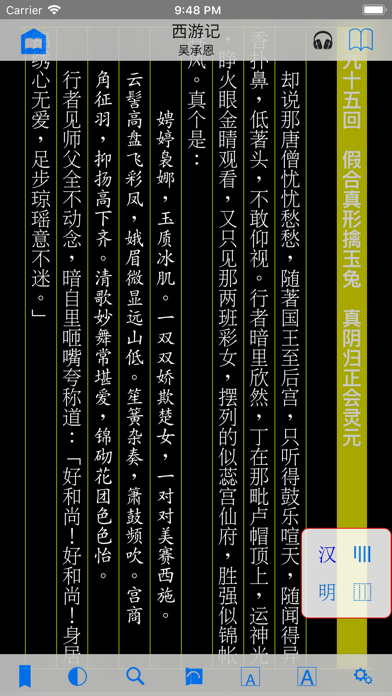
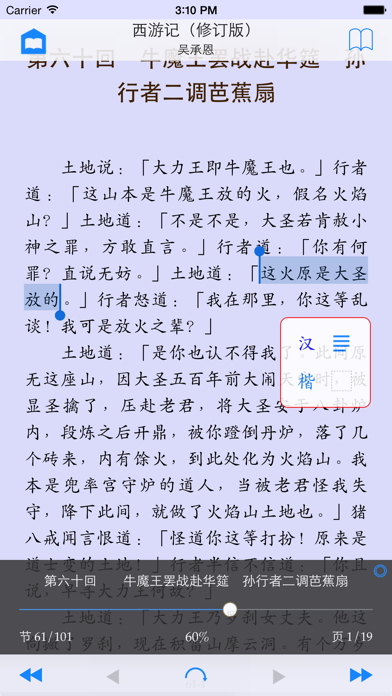
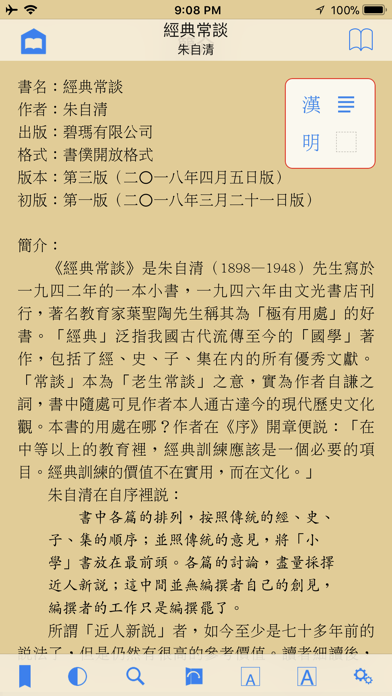
① 新的圖章型中文專用控制界面:印泥紅框,內含四個帶藍字半透明按鈕,分別控制橫豎、線框、簡繁、字體的轉換;圖章本身可以自由拖動
② 橫排與豎排的雙向轉換:原本為橫排設計的書也可以豎排(直排)讀
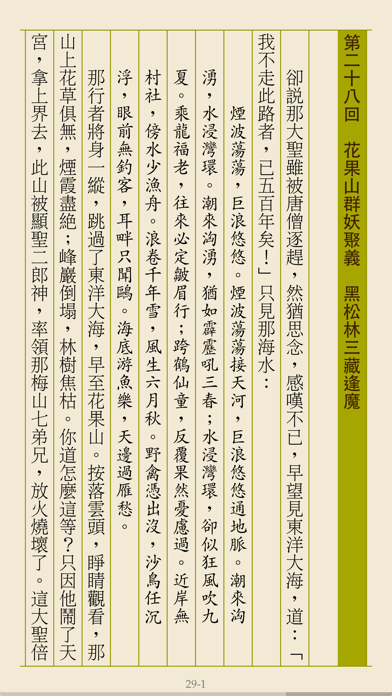
③ 豎排線框:有線框為仿古線裝書風格,格調優雅;無線框為仿今平装書風格,格調簡約
④ 簡體字與繁體字的雙向轉換:一個簡體字可能對應多個繁體字(正體字),正確轉換需要看前文後理。新算法再次提高了分析前文後理的能力,簡繁轉換的準確率繼續遠遠領先於同類軟件
⑤ 內置三套優質字體(明體、楷體、黑體):可以在同一本書裡混合使用,例如一般文字為明體,標題為黑體,而引文或韻文(如詩詞歌賦等)為楷體,讓版面更美觀、更好讀
⑥ 控制界面自動適應橫排與豎排:跳頁滑桿、書頁底部顯示閱讀進度幼線、翻頁手勢等的前進後退方向都一起隨橫排豎排的切換而變
⑦ 中文書與外文書各自一套排版參數設定,互不干擾:比如中文書用楷體,對應行距要較大;外文書則用 Georgia,對應行距可較小。
⑧ 自動產生多字體混編書:內置的碧瑪版《西遊記》示範了如何以空格符號去標記韻文或引文,以微小的增量編輯成本,得到超值的排版效果
⑨ …
Read the full description
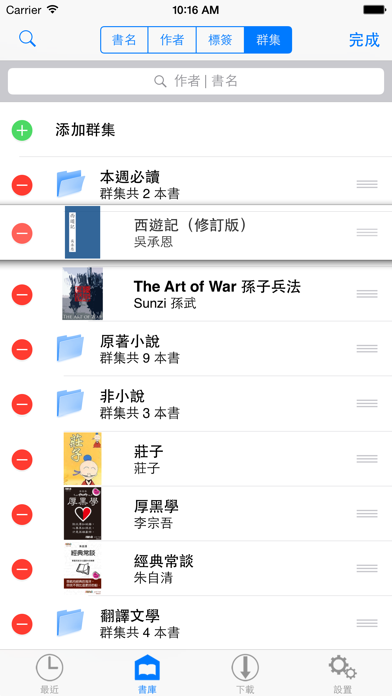
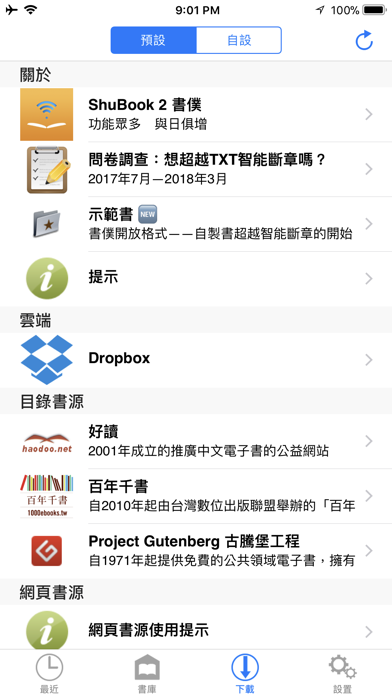
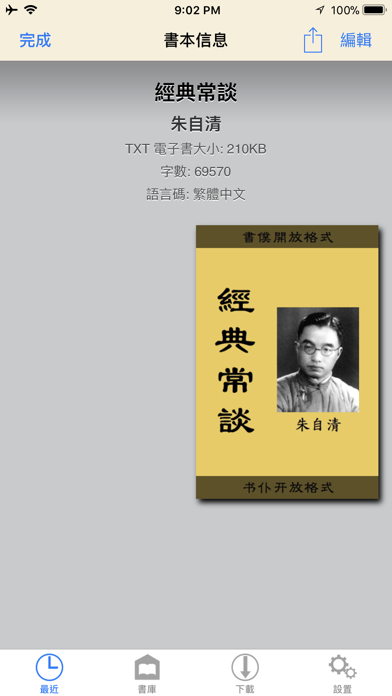
自動轉換中文橫排為豎排、簡體為繁體、文字為語音的讀書與聽書app首選 ShuBook 2P has all the functionalities of ShuBook 2M, plus extensive Chinese book specific features. ■ 中文書專用特色(Chinese book specific features) ① 新的圖章型中文專用控制界面:印泥紅框,內含四個帶藍字半透明按鈕,分別控制橫豎、線框、簡繁、字體的轉換;圖章本身可以自由拖動 ② 橫排與豎排的雙向轉換:原本為橫排設計的書也可以豎排(直排)讀 ③ 豎排線框:有線框為仿古線裝書風格,格調優雅;無線框為仿今平装書風格,格調簡約 ④ 簡體字與繁體字的雙向轉換:一個簡體字可能對應多個繁體字(正體字),正確轉換需要看前文後理。新算法再次提高了分析前文後理的能力,簡繁轉換的準確率繼續遠遠領先於同類軟件 ⑤ 內置三套優質字體(明體、楷體、黑體):可以在同一本書裡混合使用,例如一般文字為明體,標題為黑體,而引文或韻文(如詩詞歌賦等)為楷體,讓版面更美觀、更好讀 ⑥ 控制界面自動適應橫排與豎排:跳頁滑桿、書頁底部顯示閱讀進度幼線、翻頁手勢等的前進後退方向都一起隨橫排豎排的切換而變 ⑦ 中文書與外文書各自一套排版參數設定,互不干擾:比如中文書用楷體,對應行距要較大;外文書則用 Georgia,對應行距可較小。 ⑧ 自動產生多字體混編書:內置的碧瑪版《西遊記》示範了如何以空格符號去標記韻文或引文,以微小的增量編輯成本,得到超值的排版效果 ⑨ 支持讀者勘誤「好讀網站UPDB格式」書的整個流程:下載書本;發現錯謬,提出更正,並製作勘誤表;上傳勘誤表 ⑩ 支持自創的「書僕開放格式」,以方便用戶自己製作TXT電子書,格式簡易,效果美觀 ⑪ 支持聽書功能,適用於所有豎排中文書,可選普通話或廣東話、朗讀語速等等,關掉屏幕也可聽書 ■ READING BOOKS ① Read DRM-free and password-free books of 3 fluid-layout formats and 5 fixed-layout formats ② Read fluid-layout formats (EPUB, TXT, UPDB) in horizontal page-turning mode ③ Read fixed-layout formats (PDF, RTF, DOC, XLS, PPT) in vertical page-scrolling mode ④ Read in both portrait and landscape orientation ⑤ Long press on text to lookup built-in dictionary, read aloud, and copy ⑥ Sync book reading progress via AirDrop and email ⑦ Support all compatible iPhone and iPad models at native screen resolution ⑧ Provide an option to auto-reopen last book read at the page you left off for fluid-layout formats and fixed-layout formats For fluid-layout formats: ① Customize various layout parameters (font family, font size, text alignment, page margin, paragraph indentation, paragraph spacing, line spacing, letter spacing, hyphenation) and apply color themes ② Import unlimited number of user font files (TTF, TTC, OTF) via AirDrop, DropBox, Safari, Mail ③ Provide 16 built-in eye-pleasing color themes and 3 customizable color themes, where you can control background, text, heading and link colors ④ Jump to any page quickly and precisely via page slider with an unobtrusive reading progress line at the bottom of the page ⑤ Offer Night mode and brightness control by vertical swipe to complement iOS system brightness control via Control Center ⑥ Perform fast full text search and automatically save recent searches ⑦ Save an unlimited number of bookmarks per book ⑧ Long press on text to lookup built-in dictionary, read aloud, copy, search (and correct for UPDB) ■ MANAGING BOOKS ① Manage easily thousands of books in Library ② Group books by titles, authors, tags, and clusters with reading progress display ③ Group books by authors hierarchically in Library allowing multiple authors per book ④ Group books by tags hierarchically in Library allowing multiple tags per book ⑤ Group books by clusters hierarchically in Library allowing adding/removing/editing of clusters and re-ordering of clusters and their books ⑥ Search books in Library by title or author, or with help of the index bar ⑦ Edit book info, including title, author, tags and book cover image, for which you can choose from Album and online sources ■ GETTING BOOKS IN AND OUT ① Provide convenient access to millions of free ebooks from multiple sources (HTML websites and OPDS catalogs), including Dropbox and websites you input ② Perform TXT encoding auto-detection and TXT Smart Break after download/import of TXT files ③ Support downloading tags of books from OPDS catalogs ④ Smart batch download from calibre (and other OPDS servers on LAN) with an option to skip downloading books that are already in Library ⑤ Support iTunes File Sharing to import and export books ⑥ Send and receive books by email
Installs
Apple does not publish download counts. Estimates are in testing.
We publish iOS estimates only after they pass a back-test against real numbers. Chart history below is measured.
Estimated store revenue Estimated Beta
App Store, worldwide, monthly rate from the last 13 chart days to 20 Nov 2026
Below the top 100 grossing apps in the markets we calibrate. In the United States that usually means under about $6.4M a month. App Store purchases and subscriptions only, before Apple's 15 to 30% fee. Ads and web payments are not included.
Ratings
7 ratings, 7 reviews
No rating breakdown published for this app.
Recent reviews
Latest public reviews from the store
No reviews in our sample for this app yet.
Top chart positions
Latest App Store chart ranks by country, last 10 days
- Countries ranked
- 6 of 50
- Best rank
- #6
- Top 10 placements
- 2
- of 6 chart placements
- Average rank
- #50
Best countries on App Store
- 🇹🇼 Taiwan · Top paid, Books#6
- 🇭🇰 Hong Kong SAR China · Top paid, Books#8
- 🇵🇹 Portugal · Top paid, Books#53
- 🇸🇬 Singapore · Top paid, Books#65
- 🇲🇾 Malaysia · Top paid, Books#73
- 🇩🇰 Denmark · Top paid, Books#95
ShuBook 2P 書僕 history
Release, install milestones, listing and store changes
- First released on the store 20 Dec 2014
Recent versions
Current version 3.3.2
- Version 3.3.211 Mar 2020
- Fixed some minor bugs
Compliance
What the listing and the app package show
- Store status
- Live
- Upkeep
- No update since 11 Mar 2020
- Age rating
- 17+
Apps like ShuBook 2P 書僕
 Quran Audio in Arabic, EnglishISLAMOBILE★ 3.7
 Himnario Gracia y DevociónBaldomero Cho★ 4.7
 Opera: Carmina BuranaAppCube Ltd★ 3.06
 Amelia - Story Book for KidsOhNoo Studio★ 4.5
 산책: 내가 산 책들별책★ 4.66
 MangaMax秀娟 桑★ 3.3
 Giant Print Women BibleAPPS STARS DESENVOLVEDORES★ 4.64
 French English Audio Bible良普 李★ 4.12
 ASV Bible*RAVINDHIRAN SUMITHRA★ 4.78
ShuBook 2P 書僕: questions and answers
Who makes ShuBook 2P 書僕?
ShuBook 2P 書僕 is published by Ambibma Ltd..
When was ShuBook 2P 書僕 last updated?
The latest version (3.3.2) was released on 11 Mar 2020.
Is ShuBook 2P 書僕 free?
No. ShuBook 2P 書僕 is a paid app priced at $9.99.
Is ShuBook 2P 書僕 still available?
Yes. ShuBook 2P 書僕 is live on App Store as of 1 Jul 2026.
Track ShuBook 2P 書僕 and its competitors
Watch any app for new versions, rating drops, chart moves and removals. Free plan, no card.