
- Installs
- —
- Apple does not publish download counts
- Rating
- 4.16
- Ratings
- 1.8K
- 1.8K reviews
- Version
- 2026.9
- Updated 29 Sep 2026
- Released
- 29 Jul 2021
- Tracked since 10 May 2026
- Size
- 1406.4 MB
- Needs 13.4
Also on Google Play: Sibelius (534 ratings)
Screenshots
About Sibelius
The description on the store listing
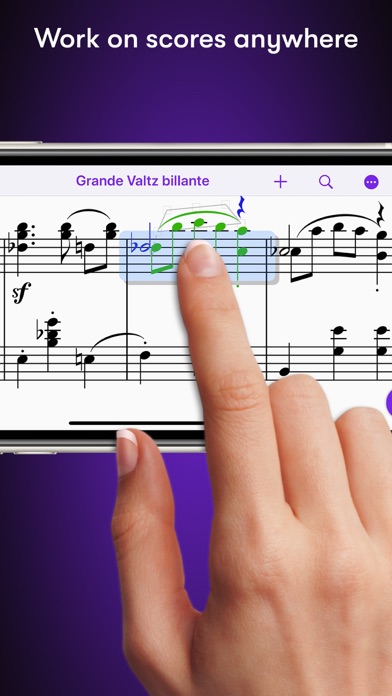
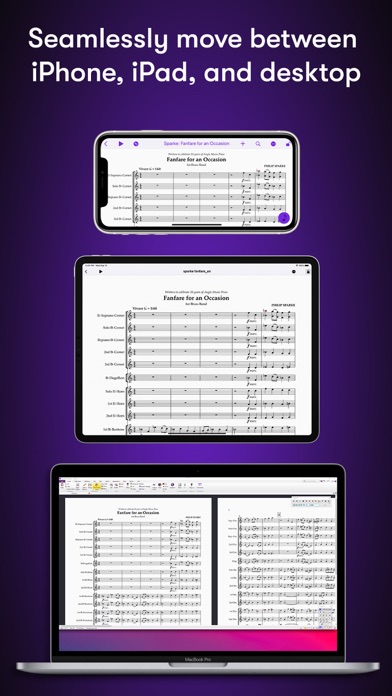
Sibelius brings professional music notation to iPad and iPhone, putting the workflows used by countless composers, orchestrators, and arrangers at your fingertips. Seamlessly move between iPad, iPhone and desktop, and from studio to coffeeshop to scoring stage, and write anywhere inspiration strikes.
# Work on scores anywhere
Sibelius for mobile puts the #1 selling music notation program at your fingertips—literally. Work with the same tools and features used by countless composers and production houses every day on your iPad and iPhone. Whether writing down ideas, creating full-blown compositions, or reviewing scores, you have the freedom to create wherever you’re comfortable.
#Take your …
Read the full description
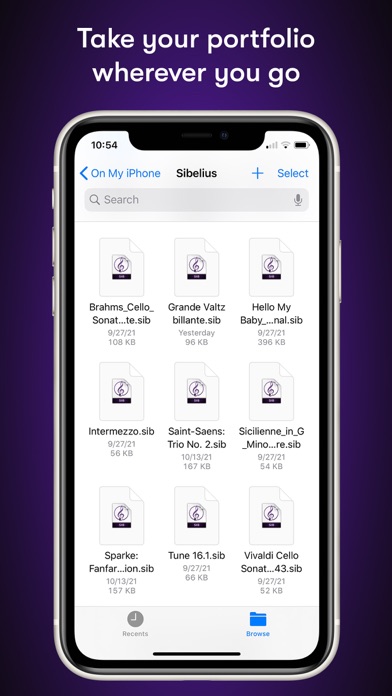
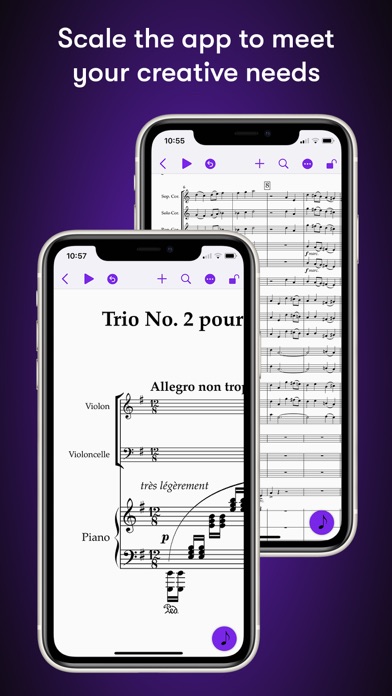
Sibelius brings professional music notation to iPad and iPhone, putting the workflows used by countless composers, orchestrators, and arrangers at your fingertips. Seamlessly move between iPad, iPhone and desktop, and from studio to coffeeshop to scoring stage, and write anywhere inspiration strikes. # Work on scores anywhere Sibelius for mobile puts the #1 selling music notation program at your fingertips—literally. Work with the same tools and features used by countless composers and production houses every day on your iPad and iPhone. Whether writing down ideas, creating full-blown compositions, or reviewing scores, you have the freedom to create wherever you’re comfortable. #Take your portfolio to go Forget having to bring and break out your laptop when meeting with clients and collaborators. Instead, you can conveniently take the world’s most powerful notation toolset and your entire music portfolio with you wherever you go—ideal for those unexpected opportunities. And for tandemly working through last-minute revisions. # Hear your music in stunning detail Sibelius includes a high-quality sample library filled with a variety of musical instrumentation, so you can hear what your music will sound like when performed by real musicians. The Espressivo advanced notation interpretation even lets you adjust rhythm and swing to create a more humanistic feel. # Speed your workflow Sibelius for mobile is designed to take full advantage of Apple Pencil and iPad touch capabilities. Its elegant, streamlined interface provides the most intuitive and efficient workflows possible while supporting the same keyboard shortcuts you know and love from working on the desktop version, so you’ll feel right at home. # Get innovative note entry Experience the pen and paper workflow reimagined. Enter notes with the onscreen Keypad or a keyboard, and Sibelius takes care of all note layout. Touch a note and drag up or down to change its value, or drag left or right to add a flat or sharp. With an Apple Pencil, tap a note and tilt up or down to add a flat or sharp, or tilt left or right to choose the note value. # Have everything you need In addition to the Keypad, Sibelius for mobile features a Create menu that’s optimized for iOS, making it easy to add clefs, key signatures, time signatures, barlines, symbols, text styles, and more to your score from searchable galleries. You can also quickly search through all Sibelius commands using the Command Search, putting the entire app at your fingertips. # Move tiers to meet needs Sibelius is designed to grow with you to support your creative aspirations and project needs. From the introductory (and free) Sibelius First to the industry-standard Sibelius Ultimate, you can add more notation capabilities and instrument parts to take on more creative opportunities by simply upgrading your subscription tier. # Have everything on one creative platform Seamlessly move from desktop to tablet and back without ever having to import or export files. That’s because whether on mobile or desktop, you’re always in Sibelius. With files saved to iCloud, Dropbox, Google Drive, or other iOS-supported cloud service, you have easy anywhere access to all your ideas and scores. # Enable a hybrid workflow While Sibelius for mobile is fully featured, providing many of the same tools as its desktop counterpart, there are some notation and layout features only available in the desktop version, making it an integral part of a complete workflow (compare versions). Plus, the mobile version comes free with the desktop version, enabling you to work where and how you want.
Installs, last 30 days
Apple does not publish download counts. Estimates are in testing.
Estimated store revenue Estimated Beta
App Store, worldwide, monthly rate from the last 12 chart days to 19 Nov 2026
Below the top 100 grossing apps in the markets we calibrate. In the United States that usually means under about $6.4M a month. App Store purchases and subscriptions only, before Apple's 15 to 30% fee. Ads and web payments are not included.
Ratings
1,827 ratings, 1,827 reviews
No rating breakdown published for this app.
Recent reviews
Latest public reviews from the store
- 17 Oct 2025
Needs work
Well, it’s nice that you can actually open your Sibelius files and work with them. I use an Apple Pencil and there are many flaws. Some of the tutorials that give you pointers on working with the Apple Pencil don’t work. For note entry, you cannot long press the pencil in a bar to activate note entry when it’s closed. It doesn’t work. It doesn’t matter how much pressure you had, it doesn’t work. You also cannot use the Apple Pencil to lasso. You have to use your finger. Things like this are very frustrating when you have to go back-and-forth between your Apple Pencil and your finger. Slow work flow. The app also freezes a lot. And then I have to restart it. The two finger gestures work sometimes, but not always. Honestly, I find the app to be more frustrating than it is useful. In addition, sidebar, Avid’s support for their products is possibly the worst I’ve seen…right below Facebook (the absolute worst)
- 16 Dec 2023
Frustrated and un-jolly
Ugh, had this app for a couple years now and I pay the 5.99 Sibelius artist subscription. I use it to write basic lead sheets and easy piano arrangements for my students. It’s convenient as I don’t use a desktop anymore. Now, in the middle of December some weird mercury in retrograde crap happens and I don’t have my regular access. Apple says there is nothing wrong on their end and that my subscription is still active. However, the app says I’m only a Sibelius first and I have to upgrade… when I try it states that already have it, and I am logged in on 5 devices and have to log out (it’s only on my iPad and iPhone) or my subscription expired. I’ve updated my iPad, I’ve uninstalled and reinstalled multiple times, and even upgraded to the ultimate… nothing helped at all, but contribute more to the holly-jolly stress in my life. Also contacted avid, they said it’s an apple thing, contact apple, they say it’s an Avid thing… I feel like a ping pong ball right now. Mercury in retrograde ends Jan. 2nd… I don’t think I can wait that long… may check out Dorico in the meantime. Sibelius… do your best to convince a longtime supporter to stay with you. I’m run
- 12 Oct 2023
i wouldn't bother... yet
I am a long time user and had high hopes when I installed this but its not particularly functional. the functionality with apple pencil is particularly poor. I would have liked the idea of editing in a more 'traditional' pencil paper way but avid basically made the pencil into a mouse. There is also limited access features that you might want from the desktop version. no plugins, for example. they could improve it by making this primarily a tool for setting finishing touches in the layout stage since most ipads are paper sized it would be great to do that with an apple pencil (at least for parts). Also being able to mark it up like you do in score editing and being able to go back and adjust with those marks in mind would add a lot of value. Currently its like using finale notepad but expensive.
- 2 Oct 2022
It’s definitely got potential
I’d like to see the ability to save as musicxml in the ultimate version. Also would like to see better quality sounds. I like the way you can write using a mouse. It’s like what you do on a desktop. Makes it so much easier since I’m used to it. Still getting used to where everything is since it’s all hidden. I’m used to having everything on screen. If you can implement an option for everything to be visible that would be awesome. Also exporting as an audio recording would be great, but only if you add better quality sounds. 900mb sounds is not very good. But I could work around that if you bring the ability to export as music xml. But this is the closest thing I’ve found to writing music in a quality program outside the computer. For when I travel I can keep writing music. Sure I could go with staffpad but it doesn’t recognize my handwriting most of the time. So, if you brought the sound quality and ability to save as music xml you would have an awesome app on your hands. It’s definitely got potential and I’d like to see pro tools come to iPad next.
What reviewers bring up
Topics mentioned in the latest 8 reviews, by how many reviews mention them
Liked in good reviews (2 reviews)
- potential 2
- ipad 2
- pro 2
Raised in bad reviews (2 reviews)
- another 2
- select 2
- write 2
- note 2
- try 2
Top chart positions
Latest App Store chart ranks by country, last 10 days
- Countries ranked
- 5 of 50
- Best rank
- #48
- Top 10 placements
- 0
- of 5 chart placements
- Average rank
- #71.4
Best countries on App Store
- 🇭🇺 Hungary · Top grossing, Music#48
- 🇷🇴 Romania · Top grossing, Music#57
- 🇫🇮 Finland · Top grossing, Music#72
- 🇰🇷 South Korea · Top grossing, Music#86
- 🇳🇴 Norway · Top grossing, Music#94
| Country | Chart | Category | Rank | Best (10 days) | Date |
|---|---|---|---|---|---|
| 🇭🇺 Hungary | Top grossing | Music | #48 | #48 | 18 Nov 2026 |
| 🇷🇴 Romania | Top grossing | Music | #57 | #57 | 12 Nov 2026 |
| 🇫🇮 Finland | Top grossing | Music | #72 | #72 | 14 Nov 2026 |
| 🇰🇷 South Korea | Top grossing | Music | #86 | #86 | 17 Nov 2026 |
| 🇳🇴 Norway | Top grossing | Music | #94 | #94 | 14 Nov 2026 |
Sibelius history
Release, install milestones, listing and store changes
- First released on the store 29 Jul 2021
Update frequency
How often Sibelius ships a new version, month by month
4 updates in the last 12 months. More often than most similar apps: they shipped a median of 2 updates in the same year.
Recent versions
Current version 2026.9
- Version 2026.929 Sep 2026
What's new in Sibelius 2026.9 - A whole new level of customizability for ties and tremolos - Improved cross-staff voice positioning - Support for iOS 27 and iPadOS 27
- Version 2026.820 Aug 2026
What's new in Sibelius for mobile 2026.8: -Improvements for cross-staff ties -Better vertical spacing for cross-staff notation -Support for line continuation text -Critical bug fixes
- Version 2026.625 Jun 2026
What's new in Sibelius for mobile 2026.6: - An option to auto-save your work after every change - Accessible navigation gestures for VoiceOver users - New scores now open with a proper zoom setting - Cross-staff accidental improvements, improved banjo tab, concert pitch wildcards, and more!
- Version 2026.57 May 2026
What's new in Sibelius for mobile 2026.5: -Objects that go off the printed page are now fully selectable, allowing them to be dragged back onto the score -Bar rests that have been globally hidden can now be individually shown -Bar rests in empty bars can be hidden via a single “hide” operation -Copying notes to a TAB staff no longer leaves out certain notes -Our most frequent crash reports have all been fixed
Listing keywords
Words and phrases Sibelius repeats most in its store listing
Top phrases: sibelius for mobile (4), desktop version (3), flat or sharp (2), ipad and iphone (2), add flat (2).
Highlighted words also appear in the title. Counts cover the title, short description and description.
Compliance
What the listing and the app package show
- Store status
- Live
- Upkeep
- Updated 29 Sep 2026
- Age rating
- 4+
Apps like Sibelius
 iMPC Pro 2 for iPhoneAkai Professional★ 4.65
 Cs Music ProMike Clay★ 4.32
 Ringtone Downloader ProMobgen Apps Inc★ 3.88
 Stemify : AI Vocal RemoverBreeze Technology Co., Limited★ 4.55
 Dominican Radio Live FM & AMRoman Skripchak★ 4.82
 Audify Music PlayerAudify Tech Private Limited★ 4.66
 גלצ - גלגלצGLZ Radio★ 3.17
 KeyTunerTimperLabs LLC★ 4.71
 AI Song Generator: Music Maker嘉璐 陈★ 4.4
Sibelius: questions and answers
Who makes Sibelius?
Sibelius is published by Avid®.
When was Sibelius last updated?
The latest version (2026.9) was released on 29 Sep 2026.
Is Sibelius free?
Yes. Sibelius is free to download.
Is Sibelius still available?
Yes. Sibelius is live on App Store as of 19 Nov 2026.
Track Sibelius and its competitors
Watch any app for new versions, rating drops, chart moves and removals. Free plan, no card.