
- Installs
- —
- Apple does not publish download counts
- Rating
- 4.73
- Ratings
- 84
- 84 reviews
- Version
- 10.24.0
- Updated 27 Oct 2026
- Released
- 3 Feb 2020
- Tracked since 10 May 2026
- Size
- 213 MB
- Needs 15.6
Screenshots


About Singularity To Do List, Tasks
The description on the store listing
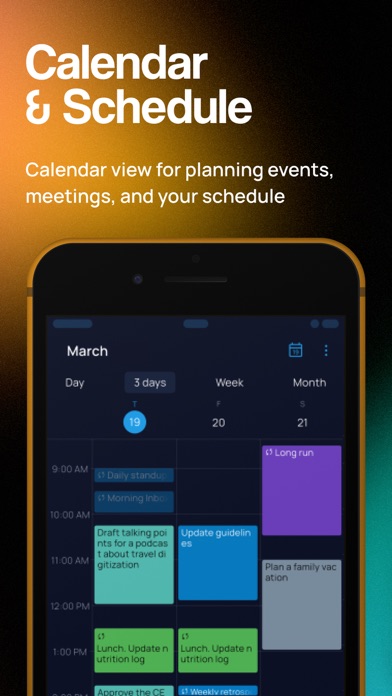
SingularityApp brings together everything you need to manage your tasks, projects, and daily schedule. A to-do list and calendar, daily planner and notepad, habit tracker, checklist, reminders, and Pomodoro timer — all in one free productivity app. Take control of the chaos and plan your day with confidence.
ADD TASKS AND NOTES WITH EASE
Voice input, home screen widgets, and a clean interface make capturing tasks effortless. Create tasks via email to get ideas out of your head and into your to-do list instantly.
KEEP NOTES WITH PHOTOS AND DOCUMENTS
Attach files, images, and documents to your tasks and notes. Use the built-in notepad for journaling, meeting notes, or saving important …
Read the full description
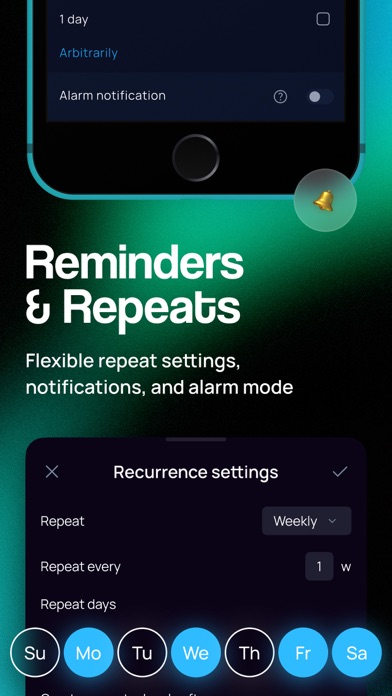
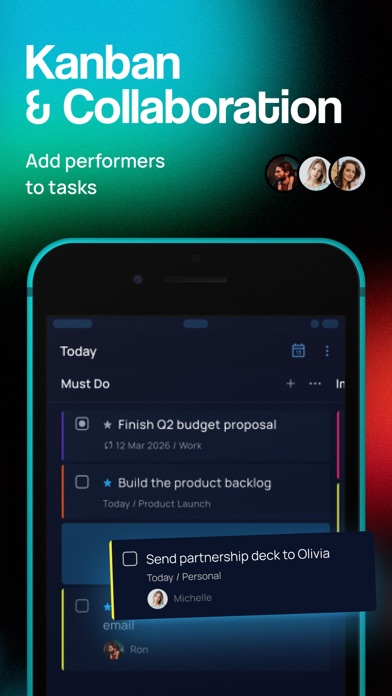
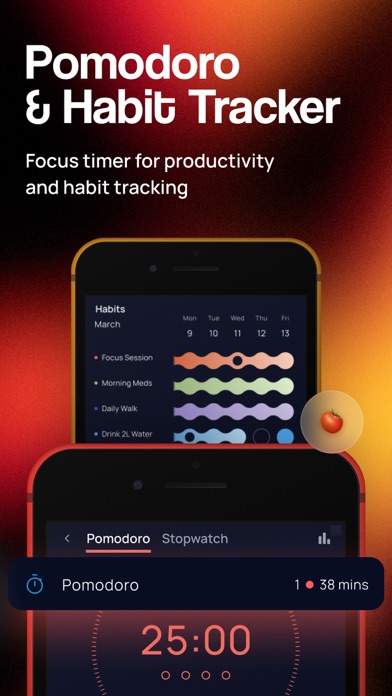
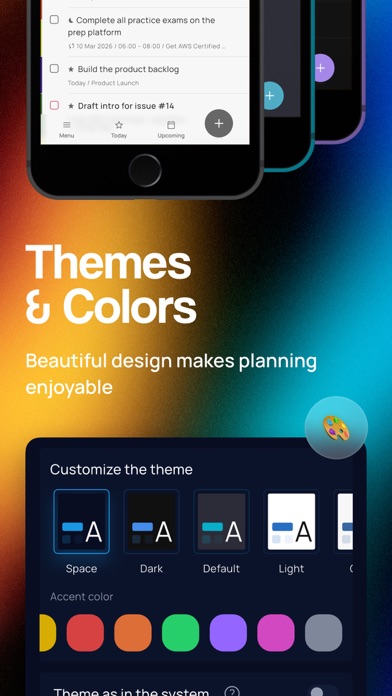
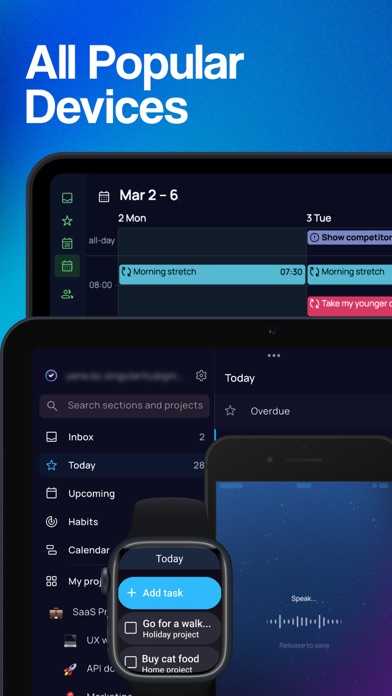
SingularityApp brings together everything you need to manage your tasks, projects, and daily schedule. A to-do list and calendar, daily planner and notepad, habit tracker, checklist, reminders, and Pomodoro timer — all in one free productivity app. Take control of the chaos and plan your day with confidence. ADD TASKS AND NOTES WITH EASE Voice input, home screen widgets, and a clean interface make capturing tasks effortless. Create tasks via email to get ideas out of your head and into your to-do list instantly. KEEP NOTES WITH PHOTOS AND DOCUMENTS Attach files, images, and documents to your tasks and notes. Use the built-in notepad for journaling, meeting notes, or saving important details — SingularityApp is a planner and a notes app in one. SET SMART REMINDERS Natural date recognition helps you set reminders in seconds, even from voice input. Add up to five reminders per task. Turn on alarm mode for high-priority tasks so nothing slips through the cracks. AUTOMATE RECURRING TASKS Flexible repeat settings let you schedule recurring tasks for daily routines, birthdays, workouts, study sessions, or work deadlines. Offload the mental load and let the app handle your schedule. PLAN YOUR DAY WITH CALENDAR AND DAILY PLANS Two powerful planning views: a Calendar to see your schedule by day, week, or month in a grid layout, and a Daily Plans view to browse your task list for any date. ORGANIZE WITH PROJECTS, TAGS, AND CHECKLISTS Build your task list the way you think. Nest projects and tasks with unlimited depth. Add color-coded tags and filter your to-do list by them. Use checklists for shopping lists, packing lists, or step-by-step workflows. STAY FOCUSED WITH POMODORO TIMER AND STOPWATCH Use the built-in Pomodoro timer to work in focused intervals and boost productivity. Switch to the stopwatch to track time without breaks. Attach the timer to any task and monitor time spent. BUILD HABITS AND REACH YOUR GOALS The habit tracker helps you form healthy routines and drop bad ones. Drink water, learn a language, exercise, meditate — add habits to your list and check them off daily. Set daily goals, track your streaks, and stay motivated. SHARE LISTS AND COLLABORATE Run family projects, shared to-do lists, or team tasks together. Share any list by link — even with people who don't use SingularityApp. Assign tasks and stay in sync. PERSONALIZE WITH THEMES AND COLORS Choose from beautiful themes and color options to make planning enjoyable. Add emoji to your projects for a personal touch. Color-code your calendar for quick visual navigation. SYNC ACROSS ALL YOUR DEVICES Install SingularityApp on every device so your tasks, notes, and to-do lists are always at hand. Use the desktop version for advanced features like Focus Mode and Project Check Mode. The Apple Watch app delivers reminders and lets you add tasks from your wrist. Most features are free. Upgrade to SingularityApp Pro or Elite for the most powerful productivity tools — task management, daily planner, calendar, goal tracking, and more, all in one place. Terms of use: https://singularity-app.com/terms_of_service/ Privacy Policy: https://singularity-app.com/policy/ Website: https://singularity-app.com Blog: https://singularity-app.com/blog/ Support: https://helpdesk.singularity-app.com/
Installs since 29 Aug 2026
Apple does not publish download counts. Estimates are in testing.
Estimated store revenue Estimated Beta
App Store, worldwide, monthly rate from the last 14 chart days to 21 Nov 2026
Below the top 100 grossing apps in the markets we calibrate. In the United States that usually means under about $6.4M a month. App Store purchases and subscriptions only, before Apple's 15 to 30% fee. Ads and web payments are not included.
Ratings
84 ratings, 84 reviews
No rating breakdown published for this app.
Recent reviews
Latest public reviews from the store
No reviews in our sample for this app yet.
Top chart positions
Latest App Store chart ranks by country, last 10 days
Not in any tracked top chart in the last 10 days.
Singularity To Do List, Tasks history
Release, install milestones, listing and store changes
- First released on the store 3 Feb 2020
Update frequency
How often Singularity To Do List, Tasks ships a new version, month by month
9 updates in the last 12 months. More often than most similar apps: they shipped a median of 0 updates in the same year.
Recent versions
Current version 10.24.0
- Version 10.23.027 Oct 2026
Bottom bar and Calendar integration settings update! • Updated the bottom bar settings screen. • You can now pin the Pomodoro timer to the bottom bar for quick access. • Redesigned the calendar connection settings screen. • Plus, lots of small fixes and improvements throughout the app :) P.S. Singularity is closer than you think!
- Version 10.18.025 Aug 2026
Code blocks are now available in the mobile app! • Create code blocks in task, note, and project descriptions: tap “+” on the description editing toolbar and select “Code block”. • Copy code blocks and paste them into other tasks, notes, and projects. • Changes to code blocks are synchronized with the desktop app. • We’ve also made a few minor fixes and improvements :) P.S. Singularity is closer than you think!
- Version 10.14.08 Jul 2026
Updated sorts and refinements across the app! • When you change a task's project or date, a notification appears — tap it to jump straight to the right project or date. • Task list settings have been refreshed — icon display is now fully configurable. • Tweaked the «By time» and «Smart» sorts — tasks with a scheduled time now show above tasks without one. • Added a new context menu for sections and subprojects in the project's task list. P.S. Singularity is closer than you think!
- Version 10.13.22 Jul 2026
Strikethrough and a few more useful changes! • Added strikethrough text formatting — highlight completed or outdated fragments right in the description. • If the task description is empty, the cursor is placed in the description field right away — you can start typing immediately. • Removed the outdated version of the task page and note — the app now uses only the new interface. • Plus a few minor fixes and improvements. P.S. Singularity is closer than you think!
Listing keywords
Words and phrases Singularity To Do List, Tasks repeats most in its store listing
Top phrases: pomodoro timer (3), tasks and notes (2), add tasks (2), daily planner (2), daily plans (2).
Highlighted words also appear in the title. Counts cover the title, short description and description.
Compliance
What the listing and the app package show
- Store status
- Live
- Upkeep
- Updated 27 Oct 2026
- Age rating
- 4+
Apps like Singularity To Do List, Tasks
 Pomodoro DailyDinh Nhan Nguyen★ 4.86
 HOA ID: Homeowner AppID123 Inc.★ 4.86
 Cerebrum Tire SensorCerebrum★ 4.47
 AT Mobile AppAIRTEL GHANA LIMITED★ 3.58
 ScannerHD:Scanner to scan PDFHiThink★ 4.75
 BetBlocker: Gambling ExclusionBETBLOCKER★ 3.04
 Translator+ PlusSolid Apps INC★ 4.24
 TVAirScreen翔宇 孙★ 4.22
 cliQ by HUTCHHutchison Telecommunications Lanka (Private) Limited★ 4.33
Singularity To Do List, Tasks: questions and answers
Who makes Singularity To Do List, Tasks?
Singularity To Do List, Tasks is published by SINGULARITYAPP LLP.
When was Singularity To Do List, Tasks last updated?
The latest version (10.24.0) was released on 27 Oct 2026.
Is Singularity To Do List, Tasks free?
Yes. Singularity To Do List, Tasks is free to download.
Is Singularity To Do List, Tasks still available?
Yes. Singularity To Do List, Tasks is live on App Store as of 21 Nov 2026.
Track Singularity To Do List, Tasks and its competitors
Watch any app for new versions, rating drops, chart moves and removals. Free plan, no card.