
- Installs
- —
- Apple does not publish download counts
- Rating
- 4.76
- Ratings
- 26.3K
- 26.3K reviews
- Version
- 9.15.4
- Updated 7 Apr 2021
- Released
- 19 Dec 2011
- Tracked since 10 May 2026
- Size
- 76 MB
- Needs 12.0
Screenshots
About Slideshow Creator
The description on the store listing
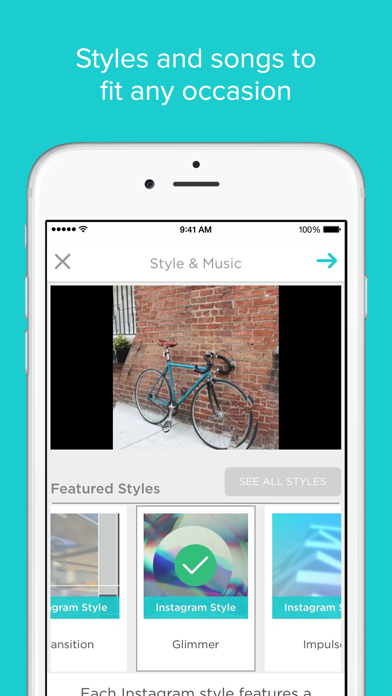
Bring your memories to life. Easily create slideshows set to music from your photos and video clips.
Slideshow styles to celebrate any occasion:
Birthdays
Travel vacations
Weddings and anniversaries
Graduations
Party invitations and recaps
Bar and Bat Mitzvahs
Sports teams and events
Quinceaneras
Birth announcements
Ecards and invites
Baby’s First Year
School events
Holidays: Halloween, Christmas, Valentine’s Day, Mother’s day, Father’s Day
Create in 5 easy steps. Here's how it works:
Select a slideshow style
Upload photos and video clips from your camera roll or Facebook account
Choose music from our song library
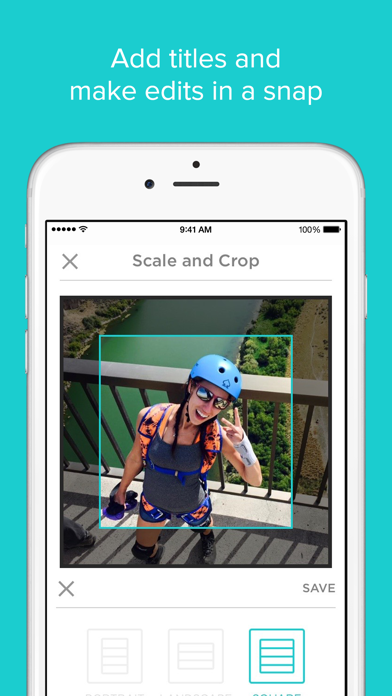
Add text and captions to tell you story
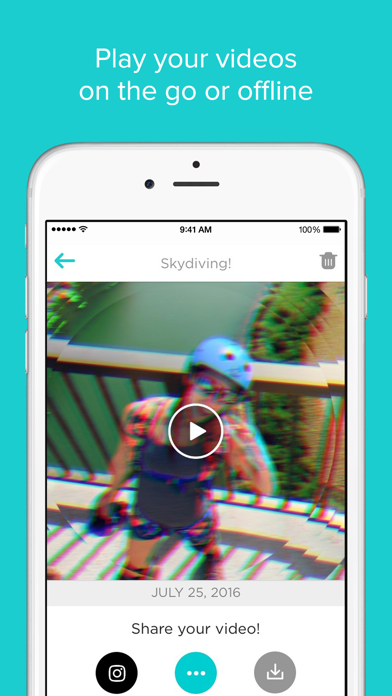
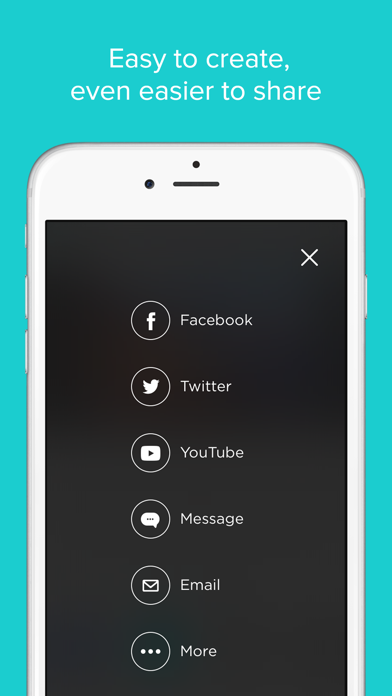
Finalize and share with family …
Read the full description
Bring your memories to life. Easily create slideshows set to music from your photos and video clips. Slideshow styles to celebrate any occasion: Birthdays Travel vacations Weddings and anniversaries Graduations Party invitations and recaps Bar and Bat Mitzvahs Sports teams and events Quinceaneras Birth announcements Ecards and invites Baby’s First Year School events Holidays: Halloween, Christmas, Valentine’s Day, Mother’s day, Father’s Day Create in 5 easy steps. Here's how it works: Select a slideshow style Upload photos and video clips from your camera roll or Facebook account Choose music from our song library Add text and captions to tell you story Finalize and share with family and friends or on social All the features you need to create movie magic: 100+ slideshow styles Licensed music library HD downloads Ability to add text and captions Clip trimming One tap saving and sharing Join our millions of users and see why we’ve been featured in the NY Times, WSJ, NBC, CNN, Forbes, HuffPo, Wired, TechCrunch, and more. The Slideshow Creator app is always free to use. Free version includes adding up to 20 media files per slideshow. Create longer slideshows (and get access to our award-winning desktop program) with a subscription. Subscription options include: SLIDESHOW CREATOR BASIC • Create slideshows up to 10 minutes (depending on your song choice) • Add longer video clips • $4.99 monthly/$29.99 yearly SLIDESHOW CREATOR PERSONAL • All the benefits of Basic, plus HD movies and advanced desktop features • $9.99 monthly/$59.99 yearly Payment will be charged to your iTunes account at confirmation of purchase. Subscriptions will be charged to your credit card through your iTunes account. Your subscription will automatically renew unless cancelled at least 24 hours before the end of your current subscription, and you cannot cancel a subscription during the active period. Your iTunes account will be charged for renewal within 24-hours prior to the end of the current period. You can manage your subscription at any time, either by viewing your account in iTunes from your Mac or PC, or Account Settings on your device after purchase.
Installs, last 30 days
Apple does not publish download counts. Estimates are in testing.
Estimated store revenue Estimated Beta
App Store, worldwide, monthly rate from the last 12 chart days to 19 Nov 2026
Below the top 100 grossing apps in the markets we calibrate. In the United States that usually means under about $6.4M a month. App Store purchases and subscriptions only, before Apple's 15 to 30% fee. Ads and web payments are not included.
Ratings
26,273 ratings, 26,273 reviews
No rating breakdown published for this app.
Recent reviews
Latest public reviews from the store
- 21 Sep 2022
Cool themes, little control, no option for music free slideshow
This program has some great themes and templates and can make a great video in a very short amount of time. However, within the themes there are no controls for duration for the video, the speed of the slides, and no option to make a slideshow without selecting a track from their library ( you have the option to integrate the Apple Music library but you can’t use any DRM tracks…) has great potential with more controls. Would gladly pay a little more per month if there were more options and robust controls.
- 20 Mar 2020
Visual Blast
I am not a tech maven, but I do capture lots of images in my travels. This app is an easy way to capture a bunch of pictures and video clips into a brief cinematic cohesive. There are many thematic options that are easy to audition. Very easy to swap out and in images in the editing process. Plus many music options to choose. Easily add titles and text, if you wish. The free version permits up to 20 images, including a five second video clip. Pay options will allow you to include more. Share the one minute creations to Facebook, friends or your website. A fun way to make yourself appear to be a video editing expert, in the most painfree way.
- 2 Jan 2020
Pretty Good
I’ve used this app to make movie trailers, projects for school, and even memorabilias of my life. (Ex. parties, trips, etc.) It is really great for all those things, but what I don’t like about it is that you have to wait 30 seconds to preview your video if you don’t want to publish it yet. I know most people would say, “Why is that a problem? It’s only 30 seconds, so it’s not that long!” But, if you’re previewing it after every change you make to it, (like me,) you’re going to get annoyed fast. Another thing I don’t like about it is the music. They don’t have very good options to pick from, and if you want to use let’s say Havana as your song, or Star Wars music or something, you have to have it in iTunes which costs $$$. 🙁 Some people might already have the songs that they want to use in iTunes, good for them, but it might be hard to find the music you’re looking for in iTunes if you’re looking for this song from a video game that most people have never even heard of before (for example). I hope this review was helpful for you to decide wether or not you should get this app!
- 17 Dec 2019
Love it!
It’s an excellent app to make videos with BOTH photos and video clips. Thank you for giving so many free options. It makes you want to purchase add ons or upgrade when applications give you enough free selections to play around with app long enough to see whether you like it or not. I do wish there was a way to purchase more music, instead of uploading it from your library. I also wish you could have the option to play video clips shorter or longer than 5 seconds. Anyone, on the fence about whether or not you should download it - I highly recommend downloading it! Have fun!
What reviewers bring up
Topics mentioned in the latest 8 reviews, by how many reviews mention them
Liked in good reviews (6 reviews)
- video 5
- options 4
- music 4
- choose 3
- photos 3
- songs 3
- let 3
- pictures 2
Raised in bad reviews (1 reviews)
No topic comes up twice.
Top chart positions
Latest App Store chart ranks by country, last 10 days
Not in any tracked top chart in the last 10 days.
Slideshow Creator history
Release, install milestones, listing and store changes
- First released on the store 19 Dec 2011
Update frequency
How often Slideshow Creator ships a new version, month by month
0 updates in the last 12 months. Less often than most similar apps: they shipped a median of 3 updates in the same year.
Recent versions
Current version 9.15.4
- Version 9.15.47 Apr 2021
The app’s name and icon have changed, but you can still expect the same great slideshow creation experience! In this release we’ve made some updates to the song library.
Listing keywords
Words and phrases Slideshow Creator repeats most in its store listing
Top phrases: slideshow creator (4), itunes account (3), video clips (3), photos and video (2), text and captions (2).
Highlighted words also appear in the title. Counts cover the title, short description and description.
Compliance
What the listing and the app package show
- Store status
- Live
- Upkeep
- No update since 7 Apr 2021
- Age rating
- 4+
Apps like Slideshow Creator
 Glam AI: Video & Photo EditorGlam Labs, Inc.★ 4.47
 Screen Mirroring AppKraus und Karnath GbR 2Kit Consulting★ 3.94
 Darkroom: Photo & Video EditorBergen Co.★ 4.78
 EasyPic: Photo Collage MakerAccess Creativity Labs LLC★ 4.64
 Loopsie: AI Image EffectsKRNL SRL★ 4.6
 LTS ConnectLT Security Inc.★ 4.69
 Image SizeVitalij Schaefer★ 4.74
 Photo Collage Frame - FramifyAnkur Chauhan★ 4.8
 MX Video Player HDGajera Himmatbhai★ 4.52
Slideshow Creator: questions and answers
Who makes Slideshow Creator?
Slideshow Creator is published by Animoto Inc..
When was Slideshow Creator last updated?
The latest version (9.15.4) was released on 7 Apr 2021.
Is Slideshow Creator free?
Yes. Slideshow Creator is free to download.
Is Slideshow Creator still available?
Yes. Slideshow Creator is live on App Store as of 19 Nov 2026.
Track Slideshow Creator and its competitors
Watch any app for new versions, rating drops, chart moves and removals. Free plan, no card.