
- Installs
- —
- Apple does not publish download counts
- Rating
- 4.2
- Ratings
- 5
- 5 reviews
- Version
- 1.0
- Updated 16 Feb 2018
- Released
- 16 Feb 2018
- Tracked since 10 May 2026
- Size
- 69 MB
- Needs 10.3
Screenshots
About SMART InkScan
The description on the store listing
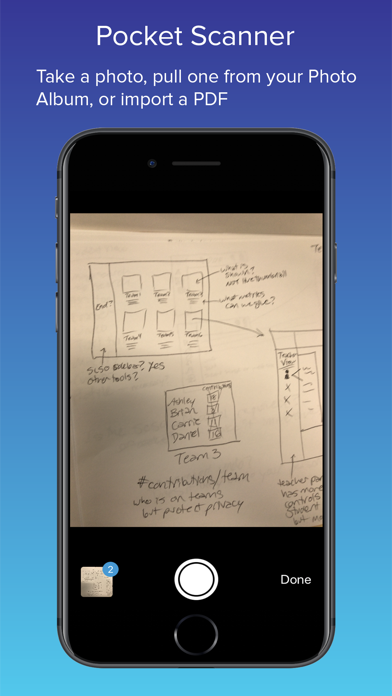
For those who love the immediacy and expression of pen and paper, SMART InkScan converts handwritten artifacts into digital SMART ink™. Users can begin brainstorming on the back of a napkin and seamlessly continue working from their mobile device, bridging the gap between the physical and digital domains.
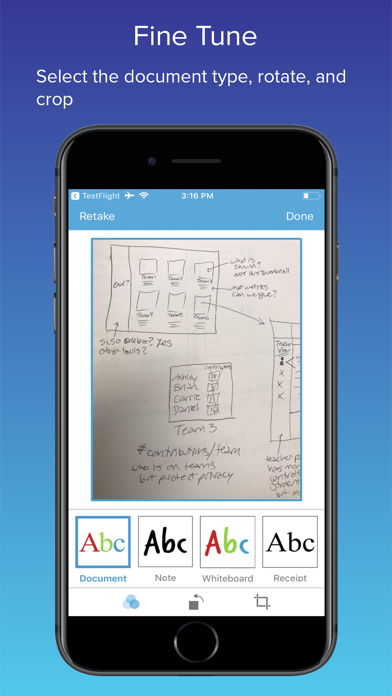
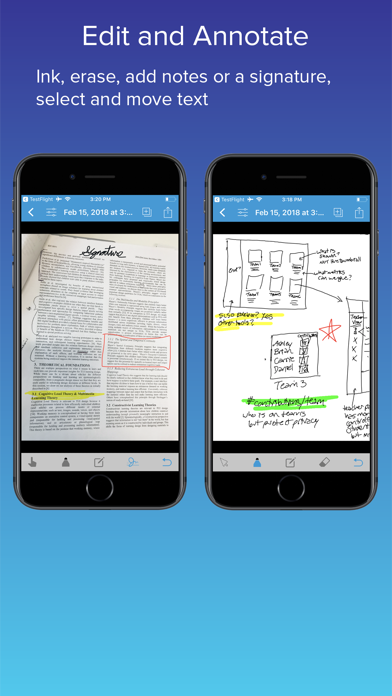
InkScan also offers the most useful features of other mobile scanner apps such as perspective correction, multi-image capture, numerous annotation options, and export as image or pdf.
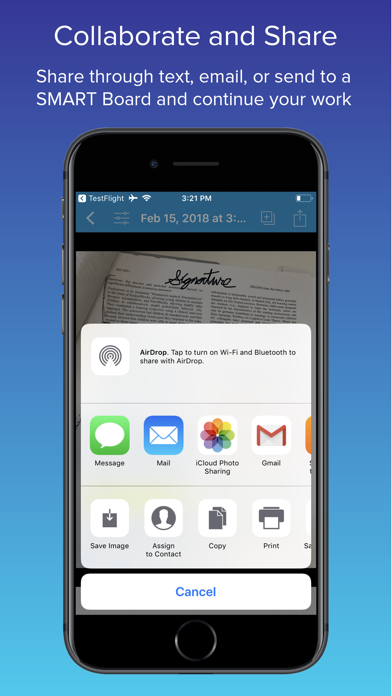
For users with access to a SMART Board with iQ, SMART InkScan offers a smooth transition from dry-erase whiteboards to SMART Ink with just a snap. InkScan converts your photos into digital ink and sends …
Read the full description
For those who love the immediacy and expression of pen and paper, SMART InkScan converts handwritten artifacts into digital SMART ink™. Users can begin brainstorming on the back of a napkin and seamlessly continue working from their mobile device, bridging the gap between the physical and digital domains. InkScan also offers the most useful features of other mobile scanner apps such as perspective correction, multi-image capture, numerous annotation options, and export as image or pdf. For users with access to a SMART Board with iQ, SMART InkScan offers a smooth transition from dry-erase whiteboards to SMART Ink with just a snap. InkScan converts your photos into digital ink and sends them directly to a SMART Board with iQ allowing teachers and students to continue working interactively with content. Here are some delightful examples of how SMART InkScan can improve your workflow: - Snap a pic of your next great concept sketch and convert it to digital ink. Continue fine-tuning your work within the app or use the large canvas on a SMART Board with iQ - Use the new Files app in iOS to import PDFs. Add a signature to important documents and share via email. You can even save your signature for next time - Enhance the quality of those whiteboard pics on your camera roll. Use the inking tools to markup and distribute to your team as a PDF or image - Combine notes taken from multiple team members, highlight the important items share them with your study group - Compile receipts for your next expense report, add notes and export as a multi-page PDF
Installs
Apple does not publish download counts. Estimates are in testing.
We publish iOS estimates only after they pass a back-test against real numbers. Chart history below is measured.
Estimated store revenue Estimated Beta
App Store, worldwide, monthly rate from the last 19 chart days to 27 Nov 2026
Below the top 100 grossing apps in the markets we calibrate. In the United States that usually means under about $6.4M a month. App Store purchases and subscriptions only, before Apple's 15 to 30% fee. Ads and web payments are not included.
Ratings
5 ratings, 5 reviews
No rating breakdown published for this app.
Recent reviews
Latest public reviews from the store
No reviews in our sample for this app yet.
Top chart positions
Latest App Store chart ranks by country, last 10 days
Not in any tracked top chart in the last 10 days.
SMART InkScan history
Release, install milestones, listing and store changes
- First released on the store 16 Feb 2018
Recent versions
Current version 1.0
- Version 1.016 Feb 2018
This update from Apple will improve the functionality of this app. No new features are included.
Listing keywords
Words and phrases SMART InkScan repeats most in its store listing
Top phrases: smart inkscan (4), board with iq (3), smart board (3), continue working (2), digital ink (2).
Highlighted words also appear in the title. Counts cover the title, short description and description.
Compliance
What the listing and the app package show
- Store status
- Live
- Upkeep
- No update since 16 Feb 2018
- Age rating
- 4+
Apps like SMART InkScan
 GoTime RepairAudatex North America Inc.★ 3.94
 Super VPN: Fast Private ProxyGeek Incorporated★ 4.4
 Hubtel RetailerHubtel Limited★ 4.32
 Monthly Calendar 2022 - CalistOmoboto LLC★ 4.38
 CBUS 311City of Columbus, Ohio★ 1.8
 Themes for Powerpoint - DesiGNGraphic Node★ 4.22
 iSiloDC & Co.★ 3.82
 Flashlight Pro [Multipurpose LED light]KAVAPOINT★ 3.88
 WiPryOscium LLC★ 2.68
SMART InkScan: questions and answers
Who makes SMART InkScan?
SMART InkScan is published by SMART Technologies.
When was SMART InkScan last updated?
The latest version (1.0) was released on 16 Feb 2018.
Is SMART InkScan free?
Yes. SMART InkScan is free to download.
Is SMART InkScan still available?
Yes. SMART InkScan is live on App Store as of 1 Jul 2026.
Track SMART InkScan and its competitors
Watch any app for new versions, rating drops, chart moves and removals. Free plan, no card.