
- Installs
- —
- Apple does not publish download counts
- Rating
- 4.47
- Ratings
- 206
- 206 reviews
- Version
- 4.0.3
- Updated 2 Sep 2026
- Released
- 7 Jul 2015
- Tracked since 10 May 2026
- Size
- 37 MB
- Needs 13.0
Also on Google Play: Speaking Email - voice reader (217 ratings)
Screenshots
About Speaking Email - voice reader
The description on the store listing
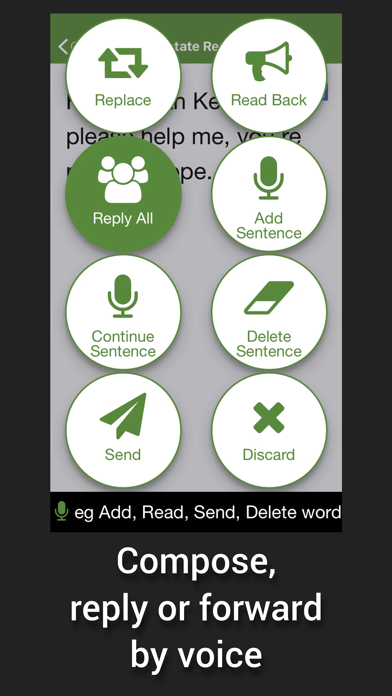
Reads your email out loud, lets you reply and manage mail by voice commands.
Ideal for visually impaired users, driving, or anytime you'd like to check email hands free & eyes free.
Premium Edition is free for 7 days. Then you are automatically switched to Basic Edition.
(Note for CarPlay users: see our other app 'Speaking Email CP')
— WHY DO I WANT IT? —
FOR DRIVERS
Get more time in your day when you check your email on the move.
Most people spend 1-2 hours in their inbox. With the help of Speaking Email during your daily drive to work, you can easily cut this time in half. Get more done, stay on top and keep a clean inbox.
Voice commands and simple gestures designed to be safe to …
Read the full description
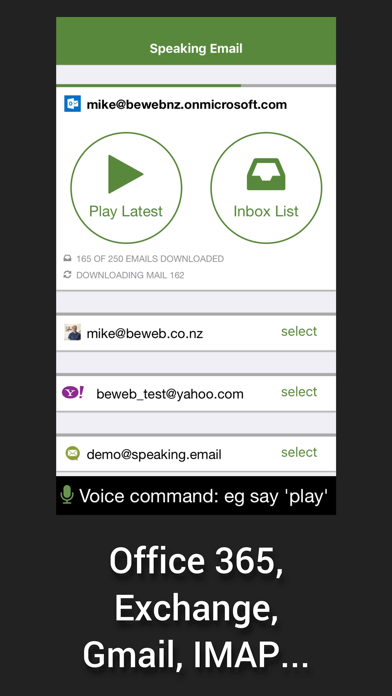
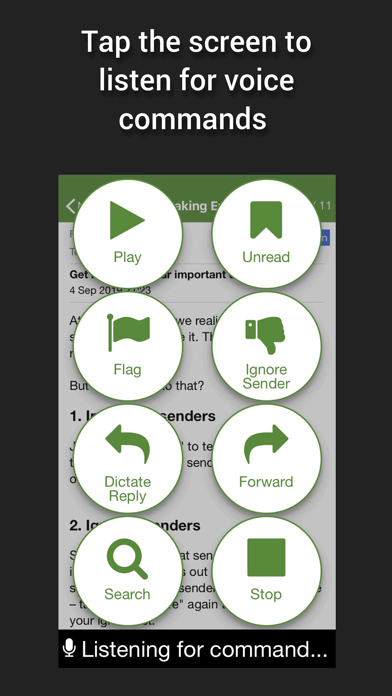
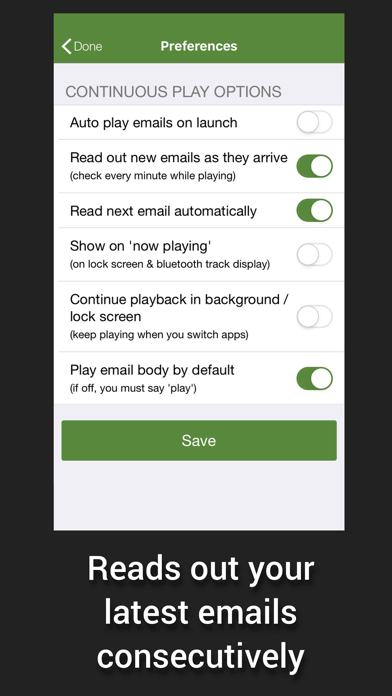
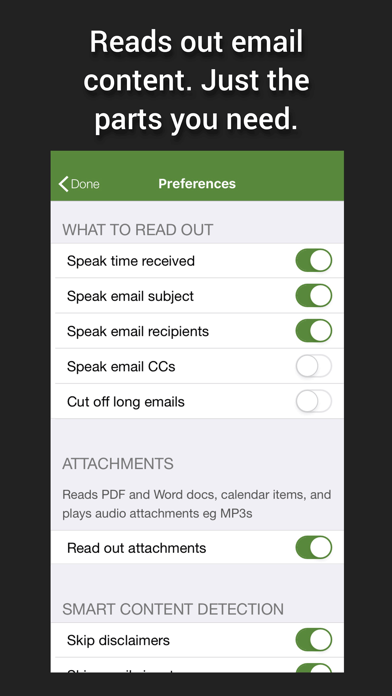
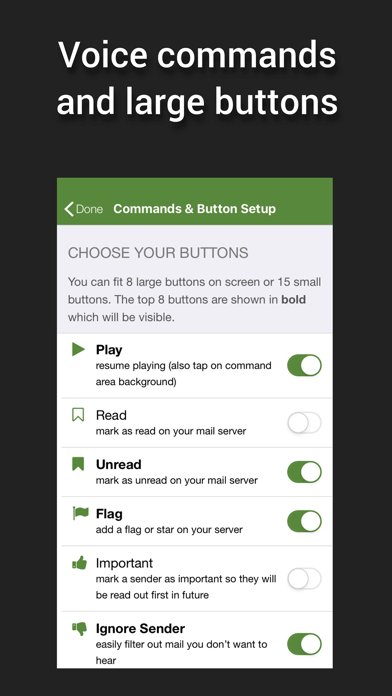
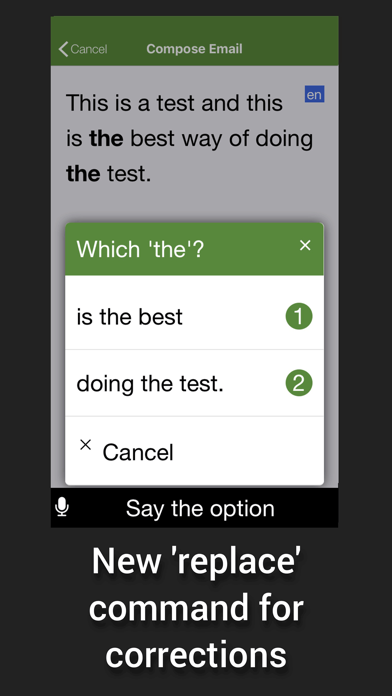
Reads your email out loud, lets you reply and manage mail by voice commands. Ideal for visually impaired users, driving, or anytime you'd like to check email hands free & eyes free. Premium Edition is free for 7 days. Then you are automatically switched to Basic Edition. (Note for CarPlay users: see our other app 'Speaking Email CP') — WHY DO I WANT IT? — FOR DRIVERS Get more time in your day when you check your email on the move. Most people spend 1-2 hours in their inbox. With the help of Speaking Email during your daily drive to work, you can easily cut this time in half. Get more done, stay on top and keep a clean inbox. Voice commands and simple gestures designed to be safe to use while driving give you the ability to archive, flag or even reply on the move. (Note for CarPlay users: see also our other app "Speaking Email CP") FOR ACCESSIBILITY Makes email easy to use for those with visual impairment, blindness, dyslexia, stroke, motor dysfunction. Designed to be used without needing to see or touch the screen, Speaking Email works as a fully voice operated email app. Note: a sighted assistant or VoiceOver is required to sign into your email account and configure the many preferences to your liking. The rest is all voice controlled! — HOW DOES IT WORK? — Speaking Email reads your latest emails out loud from your inbox, one by one. Swipe left and right to play your inbox like a jukebox. Whip through your inbox, clear clutter, flag important items and make inbox zero a reality - all while on the go. You can interact with your email using full screen taps, swipes and voice commands. Voice recognition needs a trigger. You choose when to pause for a command - on full screen tap, every 30 seconds, at the start/end of emails. — FEATURES — - Smart content detection skips over disclaimers, reply headers, and email signatures to speak only the content without the clutter - Multilingual mode automatically detects the email language and switches voices to match, using Apple text-to-speech voices - Makes use of the latest Apple speech recognition technology lets you dictate your reply, which is read back to you before sending - Our simple Ignore Sender command puts you in control, allowing you to avoid hearing emails from the sender in future - Connects securely to all email servers, including Gmail (using Google Sign In), Microsoft 365 (aka Office 365 - using Microsoft Sign In supporting Intune, MFA and OAUTH), Exchange (via ActiveSync), IMAP, POP, iCloud (using app password), Outlook/Hotmail (using Microsoft Sign In), Yahoo (using Yahoo Sign In), AOL (using AOL Sign In) - Voice commands and buttons include: Next Back Archive/Done Flag Trash Reply Forward Ignore (thumbs down) Important (thumbs up) Block Sender Rewind Fast Forward Compose Search Voice Slower Faster People When - Many preferences to set up your experience how you like — QUESTIONS — Reach us at [email protected] See our FAQ: http://www.speaking.email/faq Feature tour: http://www.speaking.email — RECOGNITION — - Gizmodo - "Highly Recommended" by Marc Saltzman in USA Today - TV3 News (NZ), Paul Henry Show, Sky News - The Australian, Herald Sun, Daily Telegraph - NZ Herald, National Business Review - Featured by Apple in Best New Apps - Voted Most Fundable App by Context.IO - Finalist in NZ Hi Tech Awards — QUOTES — “This is a nifty app, and one that will make driving a little safer for inbox addicts”—NBR “Brilliant idea”—Paul Henry, TV3 “My eyesight isn’t as it was years ago, and your Speaking Email makes it so much easier for me to keep in touch with folks” — Willis Hargrave “I absolutely love the app and being an outside sales rep in the car 4-6 hours a day find it incredibly helpful. It is literally freeing up and hour or 2 of time for me every day I am on the road by having a lot less time at the desk doing email. THANKS!!!” — Scott Middleton https://speaking.email/page/privacy https://speaking.email/page/terms-of-use
Installs since 29 Aug 2026
Apple does not publish download counts. Estimates are in testing.
Estimated store revenue Estimated Beta
App Store, worldwide, monthly rate from the last 14 chart days to 21 Nov 2026
Below the top 100 grossing apps in the markets we calibrate. In the United States that usually means under about $6.4M a month. App Store purchases and subscriptions only, before Apple's 15 to 30% fee. Ads and web payments are not included.
Ratings
206 ratings, 206 reviews
No rating breakdown published for this app.
Recent reviews
Latest public reviews from the store
- 27 Mar 2026
I love this app!
This app has been so helpful for me! I use it with both my work and personal email and I really appreciate being able to file emails and write responses through the app. I looked for other ways to accomplish this, but I could not find anything this good! I highly recommend it!
- 9 Oct 2025
Superb product !
Great features from an excellent company. I have been using this product multiple times each day for several years and could not be happier with the absolutely outstanding set of features combined with unparalleled support from the developer. This is an extraordinary product providing great assistance for those of us with low vision. It makes reading and replying to email simple and enjoyable. The degree of customization in every element of the program is wonderful, allowing preferences to be chosen for essentially every detail of how the program behaves. The developer, Mike Nelson, is a master of design and coding. He has been meticulous in crafting a beautiful product, and incorporating suggestions and improvements throughout my years of ownership. This program apparently provides comparable benefits to those dealing with reading issues arising from dyslexia and ADHD. Combined with those for vision issues, the impact of his benefit to accessibility for all of us just cannot be overstated! You will love this program. Seriously!
- 10 Oct 2023
Have typing pain? Here is the cure!
Mine is probably a different use case than others. Speaking Email allows me to quickly read email and use DOS-like commands to delete hundreds of emails in one sitting without using my hands. Saves me plenty of keystrokes every day. With some configuration, I can view an email and delete it within 3-4 seconds before moving to the next one. For those that I want to read later, I can skip to the next email, and then return and read at my leisure.
- 23 Apr 2023
For Adults with ADHD!
ADHD can be a superpower in many ways, but in my experience, email and ADHD (I have inattentive type) are not a match. It can be so overwhelming that I just shut down instead of making any progress. This app has changed everything! It took me about 10 minutes to get it going and test the settings to make it work with my preferences... Then, I started clearing my inbox like it was nothing! And I've kept a clear inbox now for about 2 weeks; NO unread EMAILS looming over my head on a daily basis is a game changer and frees up my mind to do all of the other things on my plate! The only thing I find difficult is to reply (which they do have many options on this app to use), but I'm not an eloquent "on the fly" speaker so I'd rather just flag the email and reply from my computer, ipad or phone. Just a tip in case you find the same thing when using it. It's fair to say that getting this app has been a lifesaver for me! And I've never written a review for anything before, so that's how much I love it!
What reviewers bring up
Topics mentioned in the latest 8 reviews, by how many reviews mention them
Liked in good reviews (8 reviews)
- email 6
- making 3
- other 3
- find 3
- his 3
- improvements 2
- preferences 2
- developer 2
Raised in bad reviews (0 reviews)
No topic comes up twice.
Top chart positions
Latest App Store chart ranks by country, last 10 days
Not in any tracked top chart in the last 10 days.
Speaking Email - voice reader history
Release, install milestones, listing and store changes
- First released on the store 7 Jul 2015
Update frequency
How often Speaking Email - voice reader ships a new version, month by month
3 updates in the last 12 months. More often than most similar apps: they shipped a median of 0 updates in the same year.
Recent versions
Current version 4.0.3
- Version 4.0.32 Sep 2026
NEW! Listen while talking - continuous listening for commands option - you can now interject and say a command even while emails are being read out to you See under Preferences > Voice Commands
- Version 4.0.225 Aug 2026
NEW! Listen while talking - continuous listening for commands option - you can now interject and say a command even while emails are being read out to you See under Preferences > Voice Commands
- Version 3.0.96 Mar 2026
Fix for Microsoft Intune causing crash
Listing keywords
Words and phrases Speaking Email - voice reader repeats most in its store listing
Top phrases: speaking email (8), voice commands (4), carplay users see (2), note for carplay (2), speaking email cp (2).
Highlighted words also appear in the title. Counts cover the title, short description and description.
Compliance
What the listing and the app package show
- Store status
- Live
- Upkeep
- Updated 2 Sep 2026
- Age rating
- 4+
Apps like Speaking Email - voice reader
 Scrib - APA Citation Generatortarik el ammouri baydi★ 4.79
 Free PDF Editor Filler, ReaderAMPLIFY VENTURES★ 4.29
 Calcly: Free Universal Calculator for iPadAlexander Deplov★ 4.27
 Long Day – Day PlannerYoeyo, Ltd.★ 4.44
 NAS ProEZV, spol. s r.o.★ 4.3
 Bible ReadManuel De Freitas★ 4.54
 FastClip - Snippets Editor寅 沈★ 4.31
 ProDefence - Secure VPNDL FACTORY SP ZOO★ 4.71
 Humanize AI - ByPass DetectorNextPixel apps★ 4.69
Speaking Email - voice reader: questions and answers
Who makes Speaking Email - voice reader?
Speaking Email - voice reader is published by BEWEB LTD.
When was Speaking Email - voice reader last updated?
The latest version (4.0.3) was released on 2 Sep 2026.
Is Speaking Email - voice reader free?
Yes. Speaking Email - voice reader is free to download.
Is Speaking Email - voice reader still available?
Yes. Speaking Email - voice reader is live on App Store as of 21 Nov 2026.
Track Speaking Email - voice reader and its competitors
Watch any app for new versions, rating drops, chart moves and removals. Free plan, no card.