
- Installs
- —
- Apple does not publish download counts
- Rating
- 4.55
- Ratings
- 6.3K
- 6.3K reviews
- Version
- 6.9.8
- Updated 17 Oct 2026
- Released
- 8 Nov 2013
- Tracked since 10 May 2026
- Size
- 133 MB
- Needs 16.0
Also on Google Play: Speed Tracker. GPS Speedometer (3.6K ratings)
Screenshots

About Speed Tracker: GPS Speedometer
The description on the store listing
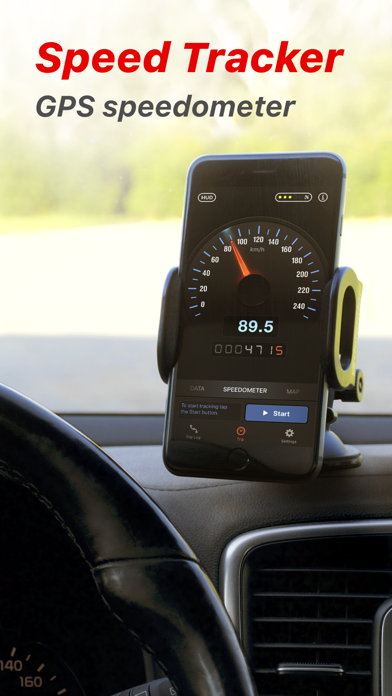
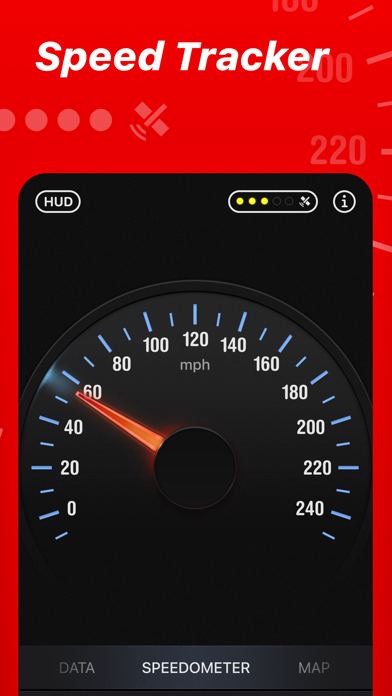
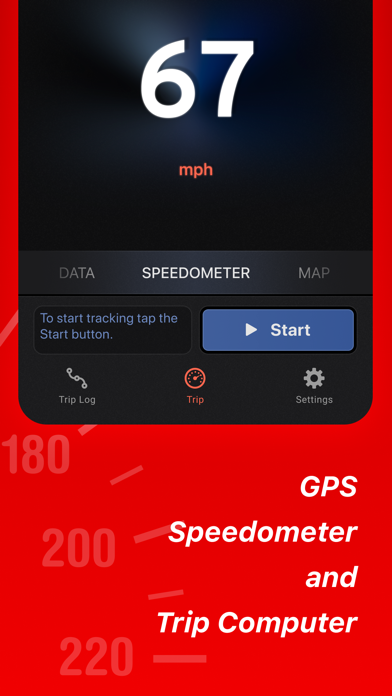
Speed Tracker is the most elegant and unique combination of GPS speedometer and Trip computer in just one application.
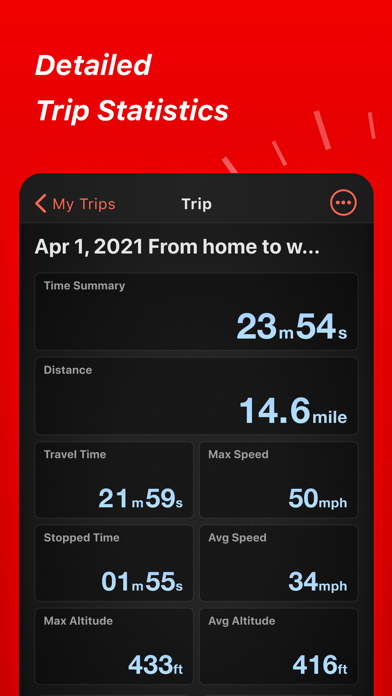
With lot of features built-in, Speed Tracker will help you to gather all the necessary trip statistics. Just start the application and it will let you record your speed, time, distance, heading, elevation and many more.
HUD
Head-up display – outstanding feature available in Speed Tracker application. Just enable HUD and put your iPhone or iPad under the windshield. Specially designed HUD interface will display the most accurate speed right on the windshield.
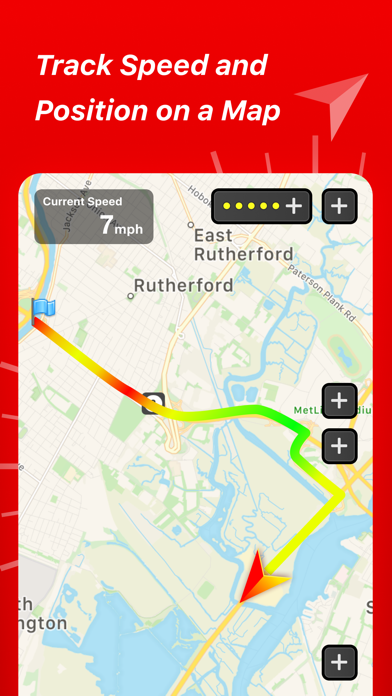
Map your trip.
Built-in GPS tracker will help you not to get lost. You can always switch to navigation mode and …
Read the full description
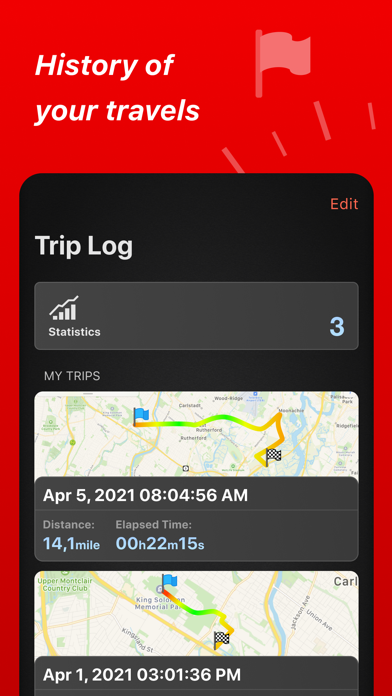
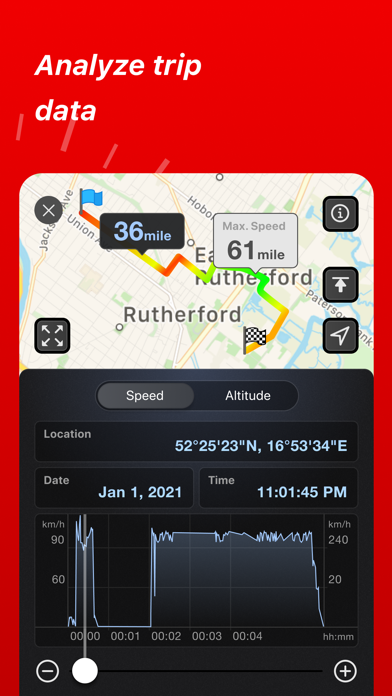
Speed Tracker is the most elegant and unique combination of GPS speedometer and Trip computer in just one application. With lot of features built-in, Speed Tracker will help you to gather all the necessary trip statistics. Just start the application and it will let you record your speed, time, distance, heading, elevation and many more. HUD Head-up display – outstanding feature available in Speed Tracker application. Just enable HUD and put your iPhone or iPad under the windshield. Specially designed HUD interface will display the most accurate speed right on the windshield. Map your trip. Built-in GPS tracker will help you not to get lost. You can always switch to navigation mode and check your current position on the map together with the track you’ve already traveled in Satellite or Hybrid view. Trip Log Trip Log records and saves the information within the application. You can easily have the access to ALL the trips with just one click. Inside the Trip Log you can check the trip on the map, see the speed, average speed, maximum speed, distance, total time and the detailed speed graph. Don't want to get lost in all the trips you have? Just name them the way you like. Want to share your driving experience or just compare your every day trips? With Trip Computer it’s easy as A, B, C. Export all the trips in available formats (CSV, KML, GPX) or even share with your friends on Facebook, Twitter or via email. With free version of Speed Tracker only one trip can be saved to the trip log. Subscribers for PRO plan can save unlimited trips. Trip Computer Track important trip statistics in real time. Average and Maximum speed, distance covered, moving and stopped time. Dashboard Display Layout Designed exclusively for iPad big screen it shows all the important trip information at a glance on a single screen and supports both portrait and landscape orientation. Full screen GPS Navigator Map mode is also available. Landscape mode allows you to mount your device horizontally on your car dashboard. If you prefer seeing things at wider angle then you find new landscape mode especially useful and practical. Scalable Speedometer Dial Speed Tracker features unique scalable speedometer dial. Select the maximum possible speed for you vehicle and watch your speed with greater precision either your are on a plain, train, car, bike, boat or bicycle Statistics All the aggregated data from the very first trip will be saved in one single place. Automatic Stop Detection Automatically identify either you are moving or standing and calculate your average speed basing on that. Generate trip report showing travel and stoppage time separately. Support for Apple Watch. Start and stop tracking and see your trip data on your wrist. SUBSCRIPTION INFORMATION Speed Tracker offers a subscription plan that lets you record unlimited number of trips and turn off in-app advertisements • Payment will be charged to iTunes Account at confirmation of purchase • Subscription automatically renews unless auto-renew is turned off at least 24-hours before the end of the current period • Account will be charged for renewal within 24-hours prior to the end of the current period, and identify the cost of the renewal • Subscriptions may be managed by the user and auto-renewal may be turned off by going to the user's Account Settings after purchase • Any unused portion of a free trial period, if offered, will be forfeited when the user purchases a subscription to that publication, where applicable NOTE: Speed Tracker is not compatible with WiFi only iPad or iPod touch. Continued use of GPS running in the background can decrease battery life. Data connection is required to see map. Make sure that you have location services enabled for the application. To enable - Settings> General> Location Services Privacy Policy: http://appannex.com/privacy-policy/ Terms of Use: https://www.apple.com/legal/internet-services/itunes/dev/stdeula/
Installs, last 30 days
Apple does not publish download counts. Estimates are in testing.
Estimated store revenue Estimated Beta
App Store, worldwide, monthly rate from the last 12 chart days to 19 Nov 2026
Below the top 100 grossing apps in the markets we calibrate. In the United States that usually means under about $6.4M a month. App Store purchases and subscriptions only, before Apple's 15 to 30% fee. Ads and web payments are not included.
Ratings
6,278 ratings, 6,278 reviews
No rating breakdown published for this app.
Recent reviews
Latest public reviews from the store
- 3 Mar 2026
Awesomeness!!!!
Simple, easy to use, huge visual screen, great app!
- 3 Aug 2025
Must have App for riders!
Just got back from a ride where I used the App for the first time. Well worth it!
- 23 Jun 2025
Great app
This is a great app to track speed and mileage
- 31 May 2025
Nice
Love the app, but how do I remove the trailing tail from the drive as I’m going? I don’t need that.
What reviewers bring up
Topics mentioned in the latest 50 reviews, by how many reviews mention them
Liked in good reviews (37 reviews)
- speed 8
- track 4
- accurate 3
- trips 3
- notoriously 2
- satellite 2
- exactly 2
- finally 2
Raised in bad reviews (10 reviews)
- money 3
- constantly 2
- bought 2
- ads 2
Top chart positions
Latest App Store chart ranks by country, last 10 days
- Countries ranked
- 21 of 50
- Best rank
- #51
- Top 10 placements
- 0
- of 22 chart placements
- Average rank
- #85.3
Best countries on App Store
- 🇳🇿 New Zealand · Top grossing, Navigation#51
- 🇸🇬 Singapore · Top grossing, Navigation#62
- 🇫🇮 Finland · Top grossing, Navigation#69
- 🇧🇪 Belgium · Top grossing, Navigation#73
- 🇲🇽 Mexico · Top grossing, Navigation#76
- 🇨🇭 Switzerland · Top grossing, Navigation#77
| Country | Chart | Category | Rank | Best (10 days) | Date |
|---|---|---|---|---|---|
| 🇳🇿 New Zealand | Top grossing | Navigation | #51 | #51 | 19 Nov 2026 |
| 🇸🇬 Singapore | Top grossing | Navigation | #62 | #44 | 19 Nov 2026 |
| 🇫🇮 Finland | Top grossing | Navigation | #69 | #39 | 19 Nov 2026 |
| 🇧🇪 Belgium | Top grossing | Navigation | #73 | #73 | 15 Nov 2026 |
| 🇲🇽 Mexico | Top grossing | Navigation | #76 | #76 | 19 Nov 2026 |
| 🇨🇭 Switzerland | Top grossing | Navigation | #77 | #77 | 14 Nov 2026 |
| 🇦🇹 Austria | Top grossing | Navigation | #77 | #77 | 14 Nov 2026 |
| 🇸🇪 Sweden | Top grossing | Navigation | #83 | #83 | 16 Nov 2026 |
| 🇩🇰 Denmark | Top grossing | Navigation | #84 | #81 | 16 Nov 2026 |
| 🇵🇭 Philippines | Top grossing | Navigation | #87 | #58 | 19 Nov 2026 |
Speed Tracker: GPS Speedometer history
Release, install milestones, listing and store changes
- First released on the store 8 Nov 2013
Update frequency
How often Speed Tracker: GPS Speedometer ships a new version, month by month
2 updates in the last 12 months. Less often than most similar apps: they shipped a median of 10 updates in the same year.
Recent versions
Current version 6.9.8
- Version 6.9.817 Oct 2026
Minor bug fixes and performance improvements.
- Version 6.9.74 Apr 2026
Minor bug fixes and performance improvements.
Listing keywords
Words and phrases Speed Tracker: GPS Speedometer repeats most in its store listing
Top phrases: speed tracker (8), trip log (4), trip computer (3), maximum speed distance (2), scalable speedometer dial (2).
Highlighted words also appear in the title. Counts cover the title, short description and description.
Compliance
What the listing and the app package show
- Store status
- Live
- Upkeep
- Updated 17 Oct 2026
- Age rating
- 17+
Apps like Speed Tracker: GPS Speedometer
 Compass ⊘Christophe Pereira★ 4.56
 Kingbee ExpressFluid Market Inc★ 4.82
 Argo - Boating NavigationArgo Navigation, LLC★ 4.9
 Presto - EV Charging StationsChargepass Inc★ 4.87
 Find My Car - Car TrackerGaurav Babbar★ 4.5
 Digital Speed GPS SpeedometerBITHAUS.TECH, UNIPESSOAL LDA★ 4.67
 Traffic Maps: realtime infoLittle Mouse Software★ 4.68
 Share Location: Phone TrackerThien Ly★ 4.59
 onX Backcountry: Trail GPS ApponXmaps, Inc.★ 4.76
Speed Tracker: GPS Speedometer: questions and answers
Who makes Speed Tracker: GPS Speedometer?
Speed Tracker: GPS Speedometer is published by Oxagile LLC.
When was Speed Tracker: GPS Speedometer last updated?
The latest version (6.9.8) was released on 17 Oct 2026.
Is Speed Tracker: GPS Speedometer free?
Yes. Speed Tracker: GPS Speedometer is free to download.
Is Speed Tracker: GPS Speedometer still available?
Yes. Speed Tracker: GPS Speedometer is live on App Store as of 19 Nov 2026.
Track Speed Tracker: GPS Speedometer and its competitors
Watch any app for new versions, rating drops, chart moves and removals. Free plan, no card.