- Installs
- —
- Apple does not publish download counts
- Rating
- 4.62
- Ratings
- 15.7K
- 15.7K reviews
- Version
- 6.2.0
- Updated 7 Apr 2025
- Released
- 22 Nov 2012
- Tracked since 10 May 2026
- Size
- 69 MB
- Needs 13.0
Screenshots
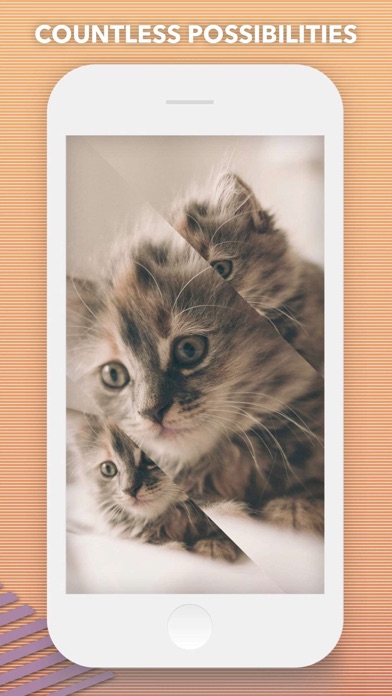
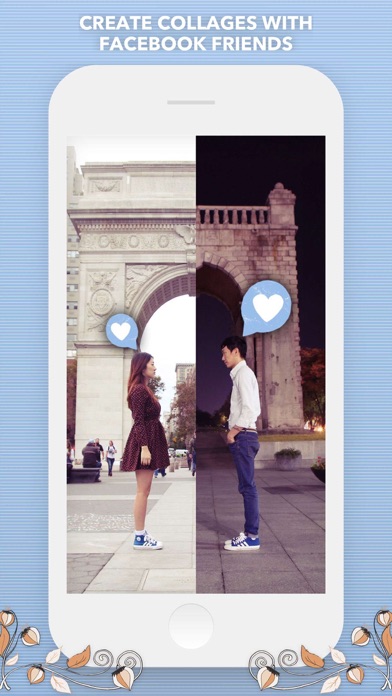
About Split Pic Collage Maker Layout
The description on the store listing
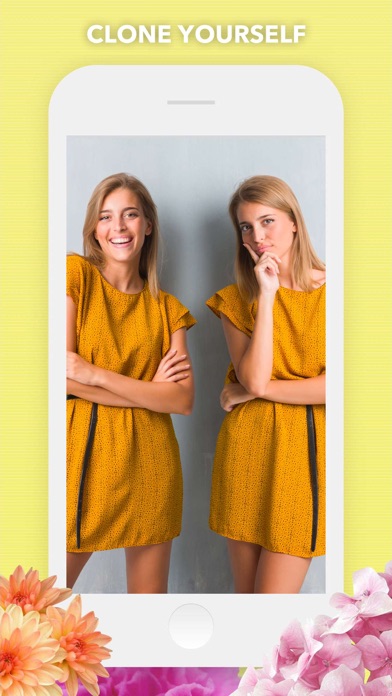
The (new and improved) Original Collage & Cloning App with over 50 MILLION satisfied users!
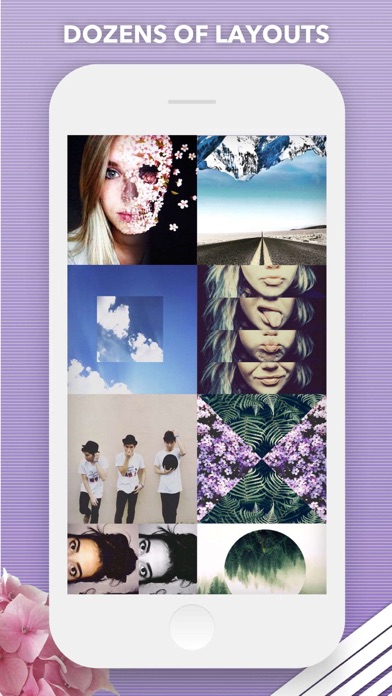
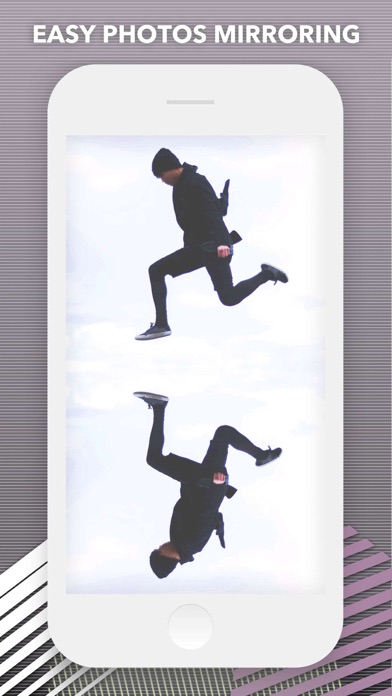
Split Pic divides your camera into several sections with several free layouts to choose from. You can choose to blend these images together creating a flawless looking special effect or make a sharp contrast between the photos to collage multiple images. The possibilities are limitless!
HOW IT WORKS:
• Select a layout
• Take photos or import images from your Camera Roll. You can now choose the order you take your images and if you’re not feeling the layout no problem just press the random button to check out more layout options!
• To blend or not to blend, it’s up to you! You can blend the images …
Read the full description
The (new and improved) Original Collage & Cloning App with over 50 MILLION satisfied users! Split Pic divides your camera into several sections with several free layouts to choose from. You can choose to blend these images together creating a flawless looking special effect or make a sharp contrast between the photos to collage multiple images. The possibilities are limitless! HOW IT WORKS: • Select a layout • Take photos or import images from your Camera Roll. You can now choose the order you take your images and if you’re not feeling the layout no problem just press the random button to check out more layout options! • To blend or not to blend, it’s up to you! You can blend the images together to look like one photo and fool all your friends or keep the sharp contrast and show off your artistic side. The blend bar is now available immediately so you can test it before moving on to the editing process! • Adjust your images. Zoom-in or out, move the split bars, move your images around, and choose from various photo editing options like crop, rotate, color adjustments, etc! • Choose from 14 custom photo filters to get your Split Pic looking fly. You can filter each section separately to switch it up or make the each frame the same filter! • Save it to your Camera Roll or share it with friends! With our integrated social media posting to Instagram, Facebook, Twitter, Flickr, Tumblr, Email, or SMS is just a click away. FEATURES: • COLLABORATE with friends anywhere in the world (heck even Mars if they have wifi)! Just take part of a Split Pic and select which of your Facebook friends you want to complete it. Way better than a postcard! •Beautiful, Exclusive Artwork and Stickers to apply over your edits. • Any unfinished Split Pics get automatically saved to your in-app LIBRARY! You can save your projects to easily come back and work on it over time or make several combinations and choose your favorite. • Need some Split Pic-spiration? Check out the HALL OF FAME section to see what amazing images users are creating all around the world...your photo can be featured too just post your creations to Instagram with the hashtag #splitpic to enter your photo! • Having trouble or want to give us feedback? Go to SETTINGS to send us feedback, ask for help, or to just say Hi! SUBSCRIPTION INFO: Subscribe to take advantage of the features described above. • Subscription length: weekly • Your payment will be charged to your iTunes Account as soon as you confirm your purchase. • You can manage your subscriptions and turn off auto-renewal from your Account Settings after the purchase. • Your subscription will renew automatically, unless you turn off auto-renew at least 24 hours before the end of the current period. • The cost of renewal will be charged to your account in the 24 hours prior to the end of the current period. • When canceling a subscription, your subscription will stay active until the end of the period. Auto-renewal will be disabled, but the current subscription will not be refunded. • Any unused portion of a free trial period, if offered, will be forfeited when purchasing a subscription. Terms of service: https://support.bendingspoons.com/tos?app=570748340 Privacy policy: https://bendingspoons.com/privacy.html?app=570748340 Have a feature request you would like to see in a future version of the app? Do not hesitate to contact us at [email protected]
Installs, last 30 days
Apple does not publish download counts. Estimates are in testing.
Estimated store revenue Estimated Beta
App Store, worldwide, monthly rate from the last 13 chart days to 20 Nov 2026
Below the top 100 grossing apps in the markets we calibrate. In the United States that usually means under about $6.4M a month. App Store purchases and subscriptions only, before Apple's 15 to 30% fee. Ads and web payments are not included.
Ratings
15,665 ratings, 15,665 reviews
No rating breakdown published for this app.
Recent reviews
Latest public reviews from the store
- 30 Jan 2024
Really good app
This is the perfect app to just make collages and be done. No ads constantly popping up every time you click a button trying to sell you something, or make you get a trial before paying for a pro version. Yes there’s a watermark in the corner, and if you click the x on the watermark it’ll ask you if you want to pay for the newer version that doesn’t watermark. That’s it. And honestly you could probably crop it off afterwards if you really wanted to. I don’t mind it because I think it’s nice that people can see and try it too.
- 7 Jan 2023
My opinion
So very much fun & easy 2 use, I love the amount of options u can use 2 make your photos look amazing 👍am glad I decided 2 get this App back, I love the way it makes my photos blend 2gether so well! I had 2 let this App go due 2 storage space, but definitely got it back‼️👍I will always keep this App, so much fun & easy 2 use! Have always loved this App, it just doesn’t get any easier than this, put your photos together & make magic💯👍I love how my pics combine 2 a spectacular photo, it doesn’t get any easier than this‼️
- 2 Nov 2022
Cool & Unique Collage app
Very cool app! I use it to create artwork that I sell on Etsy, and my creations always get lots if positive feedback, e.g., “how did you get that cool blur effect?” I look at them with a knowing look and say, “Well, you have to be really good with photoshop” without letting on that SplitPic is doing the heavy lifting for me! A really unique app that lets you create really cool collages and even things I sell as “fine art.”
- 28 Apr 2022
No add picture option
I don’t like the fact that once you select your pictures to add at the beginning it don’t have an option button to allow you to go back and select more photos. You have to log out than log back in to have the option to select more photos. That is very frustrating and time consuming when you’re in a hurry to complete a project. Please fix this issue as soon as possible.
What reviewers bring up
Topics mentioned in the latest 8 reviews, by how many reviews mention them
Liked in good reviews (5 reviews)
- photo 3
- collages 2
- people 2
- think 2
- sell 2
- look 2
- ads 2
Raised in bad reviews (1 reviews)
No topic comes up twice.
Top chart positions
Latest App Store chart ranks by country, last 10 days
- Countries ranked
- 42 of 50
- Best rank
- #13
- Top 10 placements
- 0
- of 45 chart placements
- Average rank
- #69.1
Best countries on App Store
- 🇭🇺 Hungary · Top grossing, Graphics & Design#13
- 🇳🇴 Norway · Top grossing, Graphics & Design#18
- 🇬🇧 United Kingdom · Top grossing, Graphics & Design#22
- 🇦🇺 Australia · Top grossing, Graphics & Design#26
- 🇬🇷 Greece · Top grossing, Graphics & Design#29
- 🇮🇪 Ireland · Top grossing, Graphics & Design#32
| Country | Chart | Category | Rank | Best (10 days) | Date |
|---|---|---|---|---|---|
| 🇭🇺 Hungary | Top grossing | Graphics & Design | #13 | #13 | 20 Nov 2026 |
| 🇳🇴 Norway | Top grossing | Graphics & Design | #18 | #18 | 20 Nov 2026 |
| 🇬🇧 United Kingdom | Top grossing | Graphics & Design | #22 | #22 | 20 Nov 2026 |
| 🇦🇺 Australia | Top grossing | Graphics & Design | #26 | #26 | 20 Nov 2026 |
| 🇬🇷 Greece | Top grossing | Graphics & Design | #29 | #27 | 20 Nov 2026 |
| 🇮🇪 Ireland | Top grossing | Graphics & Design | #32 | #17 | 20 Nov 2026 |
| 🇺🇸 United States | Top grossing | Graphics & Design | #38 | #38 | 20 Nov 2026 |
| 🇮🇱 Israel | Top grossing | Graphics & Design | #40 | #30 | 20 Nov 2026 |
| 🇨🇴 Colombia | Top free | Graphics & Design | #47 | #47 | 20 Nov 2026 |
| 🇮🇩 Indonesia | Top grossing | Graphics & Design | #49 | #49 | 18 Nov 2026 |
Split Pic Collage Maker Layout history
Release, install milestones, listing and store changes
- First released on the store 22 Nov 2012
Update frequency
How often Split Pic Collage Maker Layout ships a new version, month by month
0 updates in the last 12 months. Less often than most similar apps: they shipped a median of 4 updates in the same year.
Recent versions
Current version 6.2.0
- Version 6.0.137 Apr 2025
This app has been updated by Apple to prepare for watchOS 27 compatibility. No new features are included. Anything new, you’d ask? Well, not much to be honest, just a few bug fixes that (hopefully) will result into performance improvement.
Listing keywords
Words and phrases Split Pic Collage Maker Layout repeats most in its store listing
Top phrases: split pic (5), turn off auto (2), auto renewal (2), camera roll (2), current period (2).
Highlighted words also appear in the title. Counts cover the title, short description and description.
Compliance
What the listing and the app package show
- Store status
- Live
- Upkeep
- Updated 7 Apr 2025
- Age rating
- 4+
Apps like Split Pic Collage Maker Layout
 Creati: Gen AI Content CreatorIMGCreator Limited★ 4.52
 Themelia: Theme & WidgetWOOHOO LIMITED★ 4.56
 Doodle Buddy Paint Draw AppDoodle Buddy Labs★ 4.67
 Clay – Story Templates FramesPlexagon s.r.l.★ 4.66
 Remodel AI - Home DesignREIMAGE AI INC.★ 4.7
 Drawing Desk: Sketch Paint ArtFarida Afrose★ 4.28
 VideoAI: AI Video Generator+Koi Apps★ 4.19
 AI Video Generator + CreatorPlus Apps Bilisim Teknolojileri Reklamcilik Limited Sirketi★ 4.34
 piZap: Design & Edit PhotosDigital Palette LLC★ 4.73
Split Pic Collage Maker Layout: questions and answers
Who makes Split Pic Collage Maker Layout?
Split Pic Collage Maker Layout is published by Mosaic S.r.l..
When was Split Pic Collage Maker Layout last updated?
The latest version (6.2.0) was released on 7 Apr 2025.
Is Split Pic Collage Maker Layout free?
Yes. Split Pic Collage Maker Layout is free to download.
Is Split Pic Collage Maker Layout still available?
Yes. Split Pic Collage Maker Layout is live on App Store as of 20 Nov 2026.
Track Split Pic Collage Maker Layout and its competitors
Watch any app for new versions, rating drops, chart moves and removals. Free plan, no card.