
- Installs
- —
- Apple does not publish download counts
- Rating
- —
- Ratings
- —
- Version
- 27.0.1
- Updated 26 Oct 2026
- Released
- 10 Oct 2015
- Tracked since 10 May 2026
- Size
- 32 MB
- Needs 11.0
Screenshots

About Split Screen Multitasking View
The description on the store listing
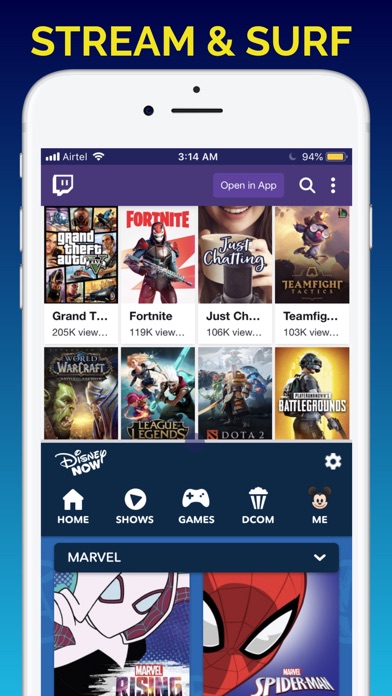
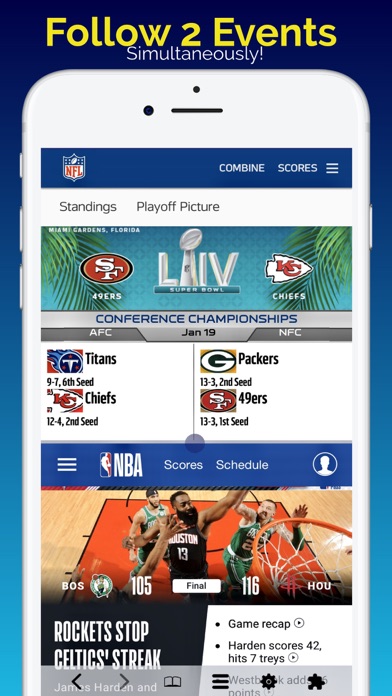
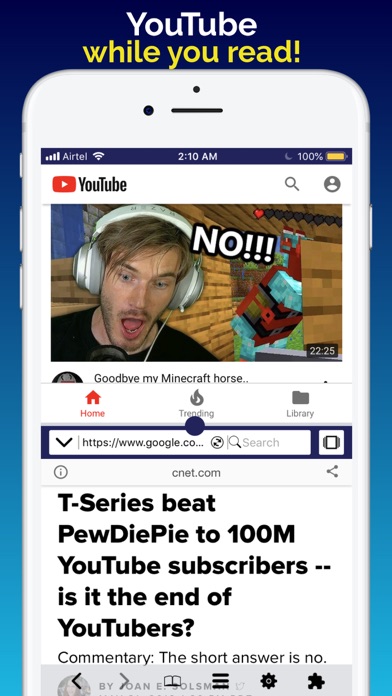
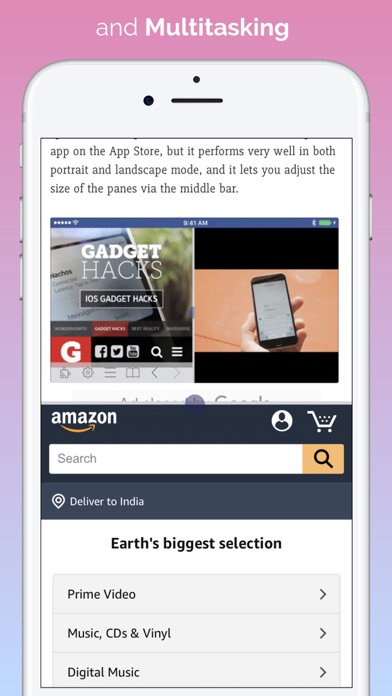
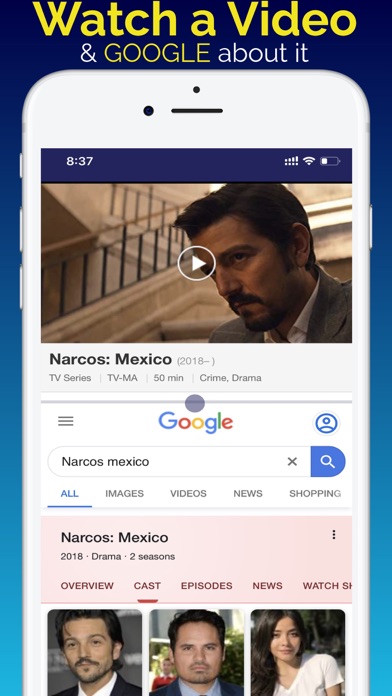
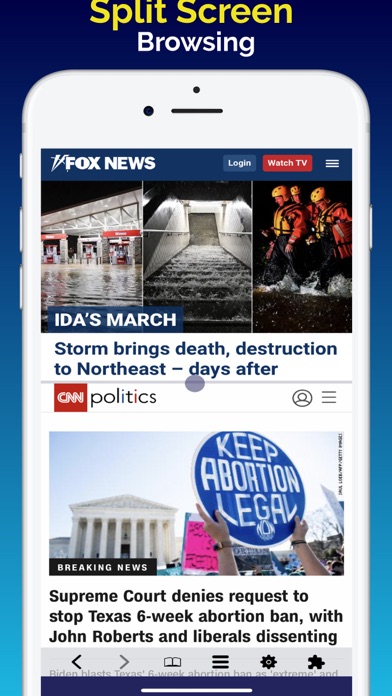
Ranked #1 iPhone & iPad Utility App in 50+ Countries, Split Screen Multitasking app DuMore also ranked Top 10 in around 100 countries including USA, China & Japan, Top 25 in 84 countries and Top 100 in several more. Split View lets you do 2 things at the same time. Download to stop constantly switching between apps or browser tabs for all your online tasks. Start viewing two things at the same time in Dual Split Screens on your iPhone and iPad.
We love doing two things on iPad & iPhone multitasking, but keeping an eye on both at the same time was impossible until now. Haven’t you always wanted to open and view 2 things on your iPhone and iPad at the same time? Now you can! Download Now! …
Read the full description
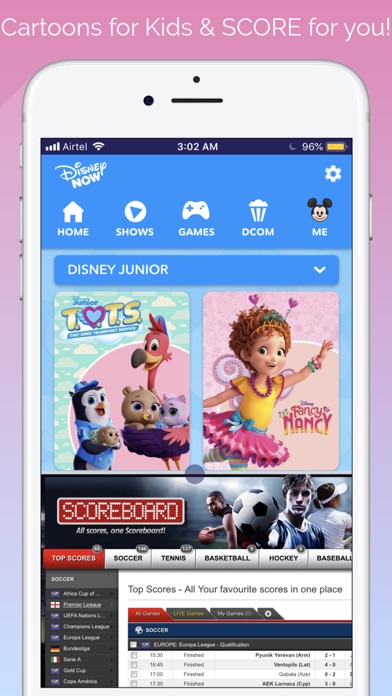
Ranked #1 iPhone & iPad Utility App in 50+ Countries, Split Screen Multitasking app DuMore also ranked Top 10 in around 100 countries including USA, China & Japan, Top 25 in 84 countries and Top 100 in several more. Split View lets you do 2 things at the same time. Download to stop constantly switching between apps or browser tabs for all your online tasks. Start viewing two things at the same time in Dual Split Screens on your iPhone and iPad. We love doing two things on iPad & iPhone multitasking, but keeping an eye on both at the same time was impossible until now. Haven’t you always wanted to open and view 2 things on your iPhone and iPad at the same time? Now you can! Download Now! DuMore Split Screen Multitasker is designed for your new large screen iPhone and iPads that do not have the native iOS Split Screen, Split View and Slide Over features. The DuMore Split Screen App offers an alternative experience similar to using two apps at the same time with web apps, browsers, inbuilt plugins and extensions. ► Download Now! ◄ How will you DuMore with Split Screen View? - Watch a TV show while you check all your social network accounts - flip left/right in social plugin to easily manage all your social network accounts in a split screen - Or play Music and check Facebook while checking routes with Google Maps on a road trip! - How about having the superpower to play your little one’s favorite cartoon while tracking the score - Imagine keeping one eye on the market, news or data while responding to an email at work » There are millions of possibilities! ►Download Now!◄ Get most out of the large screen of your iPhone, iPhone Plus or iPad with split screen multitasking. DuMore comes equipped with all the tools you need for multitasking: » Social Plugin: Instantly switch between social networks with left/right swipe in a cool cube animation. Access all your social media accounts in one app. » Child Lock: Control and limit access to web pages, social networks, videos and more. » File Manager: Download and save files or screenshots in the file manager. » Download Manager: Desktop-class download manager coming soon. » Split View Management: Resize, Maximize, Minimize, Add, and Remove Split Tabs. » Plugins: Full featured mini apps for split screen multitasking experience. » Extensions: support for Evernote, 1Password, Translate and more apps coming soon. » Support for Left Handed User: First and only iOS app to support left handed users on iOS. Toggle interface for left-hand or right-hand users in settings. » Page shot: screen capture now allows you to turn a full web page into an image. » And more! ► DuMore includes a desktop class screen split browser that includes: - Smart address box. - Private Browsing. - Translator. - Customizable Home Page. -Parental Controls. - Maximize, Minimize, Add or Remove a Tab in split screen view. - Edge-to-edge full-screen. - Customizable search box: 1 click access to your favorite search engine. - Bookmark, History, Reading List. - Share Link - Save a complete web page as a pdf. - And more. DuMore also helps you recover several GB disk space on your iPhone and iPad by allowing you to remove Facebook, Instagram and other bulky apps that store content you can't delete. This is the perfect iPhone split screen app with split screen multitasking browser for your large screen iPhone Pro, iPhone Pro Max, 12, 11, etc. DuMore brings split screen multi tasking and split view for all iPads, old and new. You don't have to switch between two apps when you can view two things simultaneously. This is limited to apps that have a website like facebook and twitter. You can also resize the two split view windows or close one split screen tab for an edge-to-edge full screen view of your favorite websites and videos. iOS Limitations Apply. Some web apps are not compatible and/or blocked in third party apps like this one. Tell us how you use this app & how it can be improved for you, we're listening.
Installs since 29 Aug 2026
Apple does not publish download counts. Estimates are in testing.
Estimated store revenue Estimated Beta
App Store, worldwide, monthly rate from the last 13 chart days to 20 Nov 2026
Below the top 100 grossing apps in the markets we calibrate. In the United States that usually means under about $6.4M a month. App Store purchases and subscriptions only, before Apple's 15 to 30% fee. Ads and web payments are not included.
Ratings
No rating breakdown published for this app.
Recent reviews
Latest public reviews from the store
- 20 Aug 2021
Facebook messenger
Can’t figure out how to open messenger in split screen app main reason i got it
- 22 May 2021
Not what i needed
This seems like a great app, but its not what i needed. Please refund my money.
- 13 Apr 2021
Very productive app!
I enjoy being able to multitask between multiple websites. It’s unfortunate that I have to login again but not a big deal for the amazing quality the application brings. Was able to keep up to date watching the golf tournaments and posting on social media! Keep up the good work team!
- 11 Apr 2021
Worth experiencing
THANK GOD you made this app! Bless you people! This app might be the best app there is because it increases your productivity - whatever you may need to do.
What reviewers bring up
Topics mentioned in the latest 50 reviews, by how many reviews mention them
Liked in good reviews (4 reviews)
- needed 2
Raised in bad reviews (45 reviews)
- refund 17
- money 14
- misleading 11
- screen 11
- split 9
- description 7
- web 7
- browser 6
Top chart positions
Latest App Store chart ranks by country, last 10 days
- Countries ranked
- 9 of 50
- Best rank
- #47
- Top 10 placements
- 0
- of 9 chart placements
- Average rank
- #70.3
Best countries on App Store
- 🇳🇬 Nigeria · Top paid, Productivity#47
- 🇵🇪 Peru · Top paid, Productivity#53
- 🇲🇾 Malaysia · Top paid, Productivity#59
- 🇹🇭 Thailand · Top paid, Productivity#60
- 🇵🇭 Philippines · Top paid, Productivity#61
- 🇬🇷 Greece · Top paid, Productivity#84
| Country | Chart | Category | Rank | Best (10 days) | Date |
|---|---|---|---|---|---|
| 🇳🇬 Nigeria | Top paid | Productivity | #47 | #43 | 20 Nov 2026 |
| 🇵🇪 Peru | Top paid | Productivity | #53 | #52 | 20 Nov 2026 |
| 🇲🇾 Malaysia | Top paid | Productivity | #59 | #59 | 20 Nov 2026 |
| 🇹🇭 Thailand | Top paid | Productivity | #60 | #56 | 20 Nov 2026 |
| 🇵🇭 Philippines | Top paid | Productivity | #61 | #58 | 20 Nov 2026 |
| 🇬🇷 Greece | Top paid | Productivity | #84 | #84 | 20 Nov 2026 |
| 🇮🇩 Indonesia | Top paid | Productivity | #87 | #87 | 20 Nov 2026 |
| 🇦🇪 United Arab Emirates | Top paid | Productivity | #90 | #89 | 20 Nov 2026 |
| 🇨🇱 Chile | Top paid | Productivity | #92 | #92 | 20 Nov 2026 |
Split Screen Multitasking View history
Release, install milestones, listing and store changes
- First released on the store 10 Oct 2015
Update frequency
How often Split Screen Multitasking View ships a new version, month by month
2 updates in the last 12 months. More often than most similar apps: they shipped a median of 1 updates in the same year.
Recent versions
Current version 27.0.1
- Version 27.0.126 Oct 2026
Medley, your private on-device AI assistant, gets smoother in 27.0.1. Ask any question about the pages you're reading. Medley reads both panes and answers in one box, no account, no cloud. New in 27.0.1: • Polish and stability fixes across both panes, AI Stage and the Medley box, building on everything that arrived in 27.0. • Faster, more reliable pane loading and layout on rotation and resize. • Small fixes to search, Stage focus mode and Medley replies. Still here from 27.0: the unified Medley box, one-tap Reconcile, Compare, Summary, Companion and Synapse, voice-first asking, and long-press Copy, Share or Translate on any reply. Privacy: • All on-device AI runs on Apple's FoundationModels framework, where your device and language support it. • No account, no tracking, no telemetry. Every reply stays on your iPhone. Made in India by your one man army.
- Version 3.0.025 Aug 2026
Eleven years ago, you made a one-man split-screen browser the #1 utility app in 50+ countries. Then I went quiet, five years without an update, because what I wanted to build next simply wasn't possible on an iPhone yet. Version 3.0 is what I had always dreamed of building: the app I always promised you, now that the technology finally allows it. If you wish it did more, write to me from the support button in the app or if something is off, let me know: I read everything and build what all of you need quickly, where technically feasible. THE LEAP FROM v1.8.5 TO 3.0 • Private, on-device AI. Reconcile reads BOTH open panes and merges them into one clear card. Summary distills the page you are reading. Companion chats with you about it. Nothing is sent to a server. (These three require an Apple Intelligence-capable iPhone.) • Every AI, side by side. Open ChatGPT, Claude, Gemini, Perplexity and Grok in your two panes and compare their answers on one screen, the AI Row, AI Cube and AI Compare bento put them a tap away. • 40+ built-in tools and mini apps, Notes, Calculator, Translate, QR scanner, Read-Aloud, Maps, Weather, Stocks and more. • Four redesigned homes: Classic, AI Stage ("Every AI, one screen"), Matrix and Atelier. • Optional Tandem sync-scroll: switch it on in Settings and both panes scroll together. • A stronger family suite: parent PIN, web filtering modes, an approved-sites list and time limits, parent-configured, off by default. • Rebuilt end to end for today's iPhones: faster, smoother, edge-to-edge. And the honest housekeeping: this update also fixes a rare freeze when using a tool in one pane while minimizing the other, repairs the clipboard tool's Add button, improves Live Translate's language detection, stops "Open in New Tab" from overwriting existing tabs, and removes the theme flash at launch. As always, your one-man army read every message you sent and worked on the fixes you asked for. Please write to me if anything is off, your reviews decide what I build next: I read every one, and I answer. Version 3.0 is the foundation, not the finish the pace you saw in 2015 since back. If you ever searched for a split screen browser, a dual browser, side-by-side apps, or a way to use two apps at once on your iPhone, this is that app, eleven years in the making. Split Screen is still a one-time purchase, everything above included, no subscription. Thank you for eleven years. ► Here's to the next eleven. ◄
- Version 1.8.55 Sep 2021
Improved Split Screen performance in a powerful new multitasking app. View and do two things more effectively on your iPhone and iPads. Updated for the latest iOS, this update improves Twitch, Youtube and other Streaming Video performance along with enhancements for handling social networks. Fixes some videos not loading bugs. Improved user experience. As always your one man army has worked on other under the hood performance improvements and bug fixes you wrote to me about. DuMore Split Screen Multitasking View app is now better than ever. This update includes: Better compatibility with latest iOS version as of release. Improved Dark mode performance. Improved performance on all iPhones, iPhone Pro: 12 & 11, etc. Works better on all Plus and Max phones, all the iPads and the iPad Pros. ► Please write to me if you come across an issue or think of a way to improve this app. I love to hear from you. I'm working everyday on including all the features and fixing all the bugs that you write to me about. How would you like me to improve the DuMore Split Screen App for your iPhone and iPad? Let me know. ► 5 STAR App Store REVIEWS with constructive feedback help me prioritize bug fixes, improvements, and new features. Thank you for using Split Screen Multitasking View for iPhone and iPad - DuMore App.
Listing keywords
Words and phrases Split Screen Multitasking View repeats most in its store listing
Top phrases: split screen (14), split screen multitasking (5), screen multitasking (5), split view (5), iphone and ipad (3).
Highlighted words also appear in the title. Counts cover the title, short description and description.
Compliance
What the listing and the app package show
- Store status
- Live
- Upkeep
- Updated 26 Oct 2026
- Age rating
- 17+
Apps like Split Screen Multitasking View
 Library of AviationNazmi Yavuz★ 4.82
 MyNOVECNorthern Virginia Electric Cooperative★ 2.28
 打工人小组件光翔 卓★ 4.96
 TruckbaysTruckbays LLC★ 4.3
 Tornado PRO PlayerMohammed Altam★ 4.44
 VDX - Video ManagerARISEPEAK LP★ 1.74
 TV CastingZeasn Info Technology Co., Ltd.★ 1.86
 Mil-Dot BallisticsTom Holsten★ 3.82
 MySontiqSontiq, Inc.★ 2.4
Split Screen Multitasking View: questions and answers
Who makes Split Screen Multitasking View?
Split Screen Multitasking View is published by vishnu rao.
When was Split Screen Multitasking View last updated?
The latest version (27.0.1) was released on 26 Oct 2026.
Is Split Screen Multitasking View free?
No. Split Screen Multitasking View is a paid app priced at $8.99.
Is Split Screen Multitasking View still available?
Yes. Split Screen Multitasking View is live on App Store as of 14 Nov 2026.
Track Split Screen Multitasking View and its competitors
Watch any app for new versions, rating drops, chart moves and removals. Free plan, no card.