
- Installs
- —
- Apple does not publish download counts
- Rating
- —
- Ratings
- —
- Version
- 7.0
- Updated 21 Feb 2026
- Released
- 22 May 2014
- Tracked since 10 May 2026
- Size
- 15 MB
- Needs 15
Screenshots
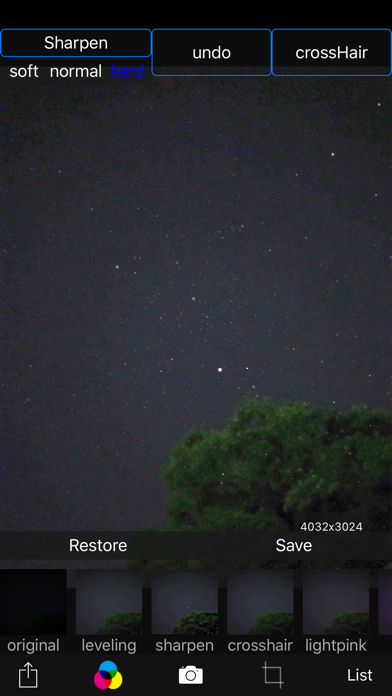


About Starry sky Camera
The description on the store listing
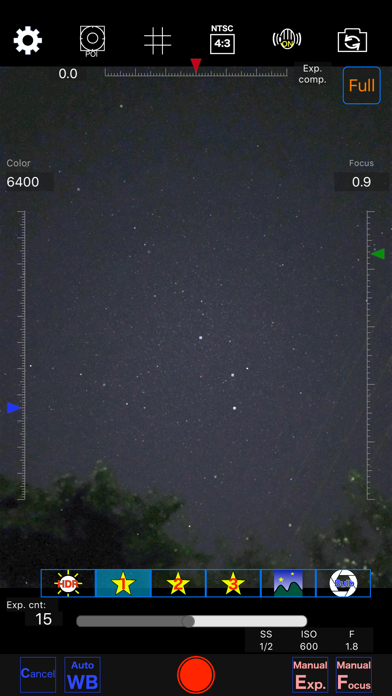
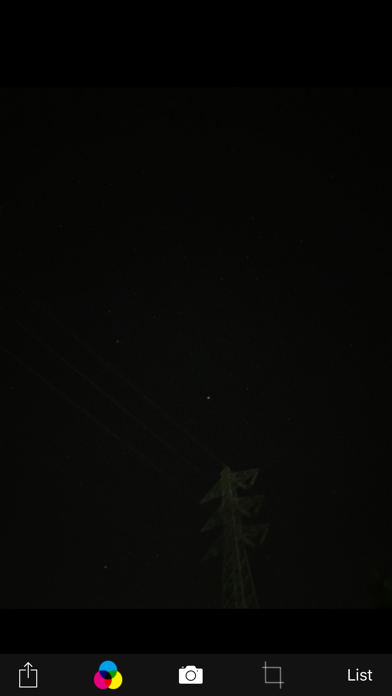
This camera app is able to take pictures of a real starry sky. You can take stars of the first magnitude and stars of the second magnitude or less in good condition.
If you have a device with a high-performance camera these days, you might even be able to capture the Milky Way, depending on the conditions. (Conditions include long exposure (e.g., 4 seconds or more) x 10 or more continuous shots, and keeping the ISO as low as possible while still achieving sufficient brightness.)
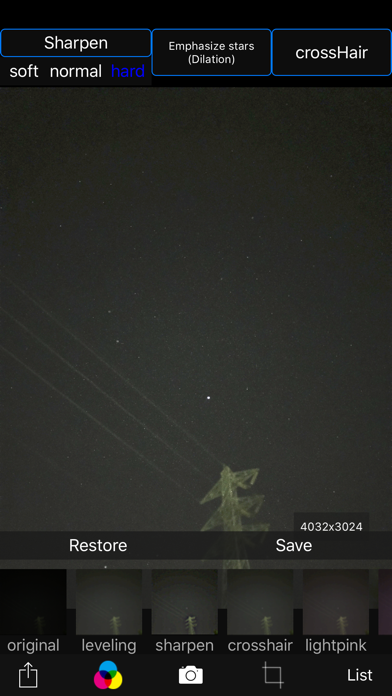
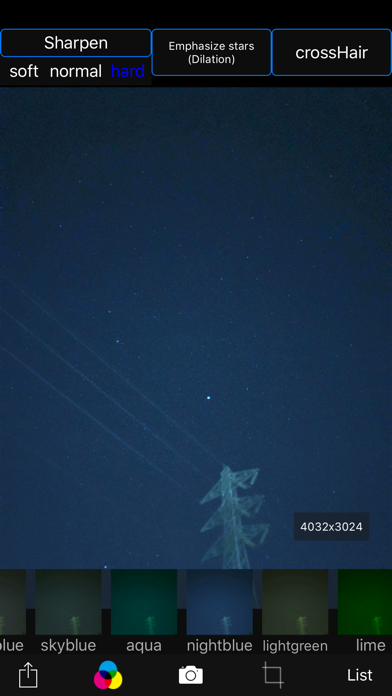
You can also get the pictures processed through dozens or more kinds of image processing filter.
To take pictures of the starry sky, you have only to
(1)set your iPhone camera toward a starry sky on a tripod, …
Read the full description
This camera app is able to take pictures of a real starry sky. You can take stars of the first magnitude and stars of the second magnitude or less in good condition. If you have a device with a high-performance camera these days, you might even be able to capture the Milky Way, depending on the conditions. (Conditions include long exposure (e.g., 4 seconds or more) x 10 or more continuous shots, and keeping the ISO as low as possible while still achieving sufficient brightness.) You can also get the pictures processed through dozens or more kinds of image processing filter. To take pictures of the starry sky, you have only to (1)set your iPhone camera toward a starry sky on a tripod, (2)tap the star icon (star1, star2 or star3), (Star1 is recommended.) (3)release the shutter, and just wait a minute or so. Adjust the long exposure parameters using manual exposure depending on the results. For Star 1, select the brightest pixel for each pixel in the continuous shooting image to highlight the brightness of the stars in the dark night sky. Star 2 raises the tone of brightness according to the number of continuous shots and shoots brightly. Star 3 adds brightness to each pixel of the continuous shooting image and shoots very brightly. Even with the same number of exposures, the images are brightly combined in the low to high order of star 1, star 2, star 3. However, please note that the brightness of Star 3 tends to be saturated. The main features of this app are as follows. [Initial setting] (1) Camera position / library selection (setting screen) You can select the front camera and the rear camera. Also, if you select the library, you can import photos from the camera roll. (2) Shooting scene settings The following scenes (functions) can be set. Daytime (HDR), Starry sky 1 (comparative bright composition), Starry sky 2 (screen composition), Starry sky 3 (additional composition), Night view Valve (superimposed) (3) Color temperature setting When white balance is set to manual, 1000 K to 12000 K can be selected as the color temperature. If it is set to auto, the automatic setting value will be used. (4) Focus setting If the focus is set to manual, you can set the focus at any distance within the range of device performance. If set to auto, it will be the automatic setting value. (5) Exposure compensation settings It can be set within the range of device performance. (6) Camera shake correction function The camera shake correction function is useful for minute camera shake. Also, even if the star moves during shooting due to diurnal movement, the deviation is corrected and combined. (7) HDR (high dynamic range) function You can take multiple pictures with automatically changed exposure and combine them to take a picture with a pseudo-widened dynamic range. (8) Manual exposure setting function The shutter speed and ISO value can be manually set to any value within the range of device performance. [Camera function] Camera work is possible according to the contents set in the initial settings. You can also pinch in and out for digital zoom. The shutter also has a 2-second or 10-second timer to avoid camera shake when tapping. These can be selected by pressing and holding the shutter icon. [List display function] Photos taken with this app are stored in this app at the same time as they are stored in the camera roll, and can be displayed in a list with shooting date and time information on the list display screen. You can delete the tapped image by tapping Select, selecting the image, and tapping the trash can icon. [Image processing function] Tap the displayed image to display the filter list for image processing. There are about 70 types of filters such as brightness adjustment, contrast, blur, sharpening, sepia, monochrome, edge detection, sketch, etc.
Installs
Apple does not publish download counts. Estimates are in testing.
We publish iOS estimates only after they pass a back-test against real numbers. Chart history below is measured.
Estimated store revenue Estimated Beta
App Store, worldwide, monthly rate from the last 13 chart days to 20 Nov 2026
Below the top 100 grossing apps in the markets we calibrate. In the United States that usually means under about $6.4M a month. App Store purchases and subscriptions only, before Apple's 15 to 30% fee. Ads and web payments are not included.
Ratings
No rating breakdown published for this app.
Recent reviews
Latest public reviews from the store
No reviews in our sample for this app yet.
Top chart positions
Latest App Store chart ranks by country, last 10 days
- Countries ranked
- 1 of 50
- Best rank
- #94
- Top 10 placements
- 0
- of 1 chart placements
- Average rank
- #94
Best countries on App Store
- 🇯🇵 Japan · Top paid, Photo & Video#94
| Country | Chart | Category | Rank | Best (10 days) | Date |
|---|---|---|---|---|---|
| 🇯🇵 Japan | Top paid | Photo & Video | #94 | #66 | 12 Nov 2026 |
Starry sky Camera history
Release, install milestones, listing and store changes
- First released on the store 22 May 2014
Update frequency
How often Starry sky Camera ships a new version, month by month
1 updates in the last 12 months. More often than most similar apps: they shipped a median of 0 updates in the same year.
Recent versions
Current version 7.0
- Version 7.021 Feb 2026
- Improved photo capture and storage during continuous shooting to a more secure and reliable method. - Improved memory management to a more reliable method.
Listing keywords
Words and phrases Starry sky Camera repeats most in its store listing
Top phrases: starry sky (7), camera shake (4), range of device (3), device performance (3), image processing (3).
Highlighted words also appear in the title. Counts cover the title, short description and description.
Compliance
What the listing and the app package show
- Store status
- Live
- Upkeep
- Updated 21 Feb 2026
- Age rating
- 4+
Apps like Starry sky Camera
 Video CollageaZeR DiLLs★ 4.08
 Vee for VideoMedious★ 2.98
 Beauty Camera -Selfie, StickerBhuvan Gupta★ 4.5
 FinalCamXShenzhen Xiaozhen Technology Co.,Ltd.★ 4.44
 Magic Studio - AI Photo EditorMagicStudio.com★ 4.62
 Foto Impresiones: 1 Hr PhotoSoftwareX★ 4.98
 SnapGeo - AI Location FinderRECEP ASLAN★ 4.24
 Family Photo Maker - AIRick-y Media★ 4.12
 BeautifAI: AI Try OnJAI UYGULAMA VE YAPAY ZEKA TEKNOLOJILERI ANONIM SIRKETI★ 4.36
Starry sky Camera: questions and answers
Who makes Starry sky Camera?
Starry sky Camera is published by HIROFUMI MARUO.
When was Starry sky Camera last updated?
The latest version (7.0) was released on 21 Feb 2026.
Is Starry sky Camera free?
No. Starry sky Camera is a paid app priced at $0.99.
Is Starry sky Camera still available?
Yes. Starry sky Camera is live on App Store as of 10 May 2026.
Track Starry sky Camera and its competitors
Watch any app for new versions, rating drops, chart moves and removals. Free plan, no card.