
- Installs
- —
- Apple does not publish download counts
- Rating
- 2.33
- Ratings
- 3
- 3 reviews
- Version
- 1.3
- Updated 17 Sep 2021
- Released
- 19 May 2020
- Tracked since 11 May 2026
- Size
- 10 MB
- Needs 12.0
Screenshots

About Stream For OBS
The description on the store listing
This application works with OBS Studio via USB connection only.
You can use full matrix picture from iPhone device camera.
You can switch front/rear camera.
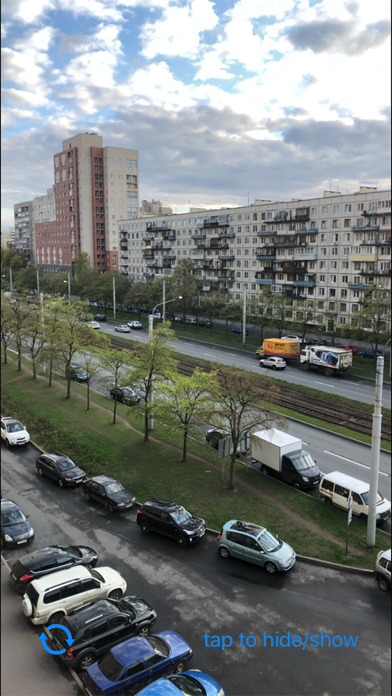
For hide/show switch button, tap once on the screen.
When you connect your iPhone to the OBS Studio application, you can see iPhone as external video camera. Just add video source to the scene and choose your iphone as source of video. Start StreamOBS application and you will see full screen video from the iPhone camera device.
In most of other cases, you need crop picture, cause capture cameras screen has a lot of info, such as "record button" / "flash button " / "switch camera button" / "tracking square for face" and other... …
Read the full description
This application works with OBS Studio via USB connection only. You can use full matrix picture from iPhone device camera. You can switch front/rear camera. For hide/show switch button, tap once on the screen. When you connect your iPhone to the OBS Studio application, you can see iPhone as external video camera. Just add video source to the scene and choose your iphone as source of video. Start StreamOBS application and you will see full screen video from the iPhone camera device. In most of other cases, you need crop picture, cause capture cameras screen has a lot of info, such as "record button" / "flash button " / "switch camera button" / "tracking square for face" and other... As a fact, you need crop image to receive video inside OBS Studio. So, you will see only part of you video at last... This application hides all unneeded elements from the screen, and you can capture video from the full whole matrix. Stream you video to youtube, twitch and other platforms with OBS Studio and your iPhone as a main camera device. User Agreement: https://serve.center/streamobs/agreement Policy: https://serve.center/streamobs/policy Sample use with OBS on MacOSX: https://youtu.be/5L1m5U4S894?t=104 Works with USB connection only on MacOSX You can rotate screen from Portrait to Landscape mode uses transform function of OBS.
Installs
Apple does not publish download counts. Estimates are in testing.
We publish iOS estimates only after they pass a back-test against real numbers. Chart history below is measured.
Estimated store revenue Estimated Beta
App Store, worldwide, monthly rate from the last 13 chart days to 20 Nov 2026
Below the top 100 grossing apps in the markets we calibrate. In the United States that usually means under about $6.4M a month. App Store purchases and subscriptions only, before Apple's 15 to 30% fee. Ads and web payments are not included.
Ratings
3 ratings, 3 reviews
No rating breakdown published for this app.
Recent reviews
Latest public reviews from the store
No reviews in our sample for this app yet.
Top chart positions
Latest App Store chart ranks by country, last 10 days
Not in any tracked top chart in the last 10 days.
Stream For OBS history
Release, install milestones, listing and store changes
- First released on the store 19 May 2020
Recent versions
Current version 1.3
- Version 1.317 Sep 2021
Now you can lock (disable) "auto focus" and "auto exposition". Just tap on new "Lock Focus" button near the Settings button on the main view of app. When app in "locked" mode, you can manual set focus with "Long press" gesture...
Listing keywords
Words and phrases Stream For OBS repeats most in its store listing
Top phrases: obs studio (4), camera device (2), need crop (2), usb connection (2).
Highlighted words also appear in the title. Counts cover the title, short description and description.
Compliance
What the listing and the app package show
- Store status
- Live
- Upkeep
- No update since 17 Sep 2021
- Age rating
- 4+
Apps like Stream For OBS
 Video CollageaZeR DiLLs★ 4.08
 Vee for VideoMedious★ 2.98
 Beauty Camera -Selfie, StickerBhuvan Gupta★ 4.5
 FinalCamXShenzhen Xiaozhen Technology Co.,Ltd.★ 4.44
 Magic Studio - AI Photo EditorMagicStudio.com★ 4.62
 Foto Impresiones: 1 Hr PhotoSoftwareX★ 4.98
 SnapGeo - AI Location FinderRECEP ASLAN★ 4.24
 Family Photo Maker - AIRick-y Media★ 4.12
 BeautifAI: AI Try OnJAI UYGULAMA VE YAPAY ZEKA TEKNOLOJILERI ANONIM SIRKETI★ 4.36
Stream For OBS: questions and answers
Who makes Stream For OBS?
Stream For OBS is published by chepil.
When was Stream For OBS last updated?
The latest version (1.3) was released on 17 Sep 2021.
Is Stream For OBS free?
No. Stream For OBS is a paid app priced at $0.99.
Is Stream For OBS still available?
Yes. Stream For OBS is live on App Store as of 1 Jul 2026.
Track Stream For OBS and its competitors
Watch any app for new versions, rating drops, chart moves and removals. Free plan, no card.