- Installs
- —
- Apple does not publish download counts
- Rating
- 4.0
- Ratings
- 16
- 16 reviews
- Version
- 11.0
- Updated 1 May 2024
- Released
- 2 Sep 2015
- Tracked since 10 May 2026
- Size
- 85 MB
- Needs 12.0
Screenshots
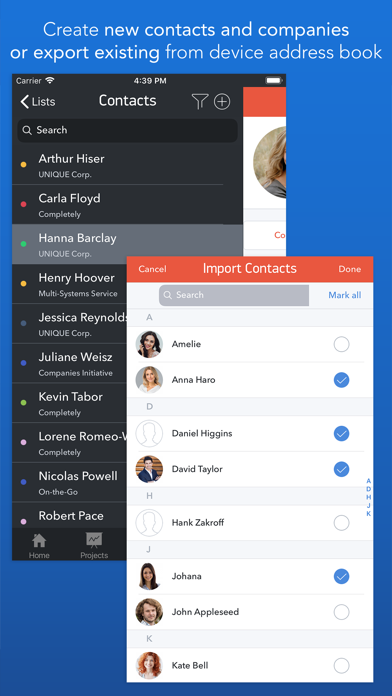
About Task Office lite: to-do list
The description on the store listing
Task Office is the best of ever existing GTD, to do lists, projects and contacts management apps. Manage both simple and complex projects, to do lists without any difficulties and focus on the final result. Manage your contacts and relationships, schedule your time and succeed.
Planning & Performing
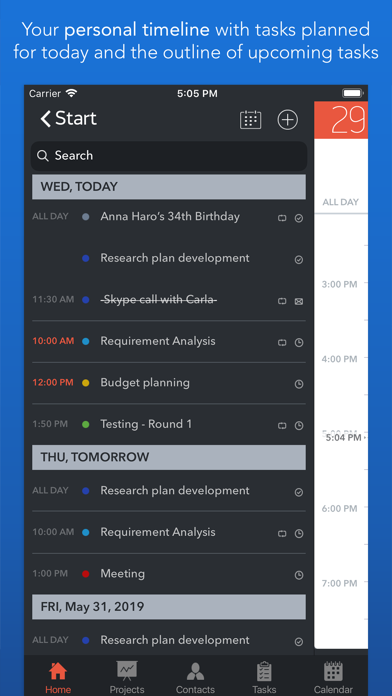
• Start scheduling each new day on Home screen. Here you will find your current projects and to dos: a timeline with tasks you have planned for today and outline of upcoming tasks. Home screen allows you to focus only on current tasks, planned for today, and not to get lost in plenty of other planned tasks. You can plan your day directly from Home screen creating new tasks, projects, contacts …
Read the full description
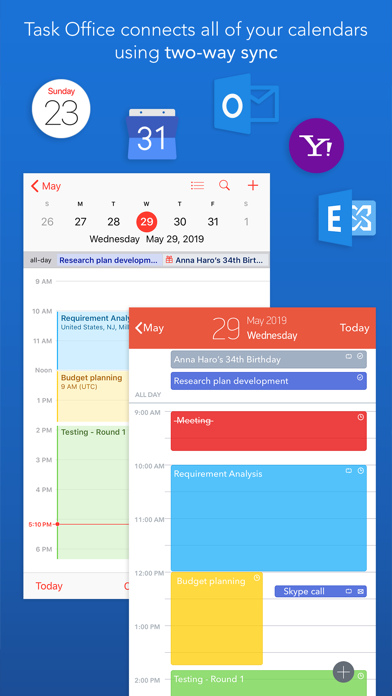
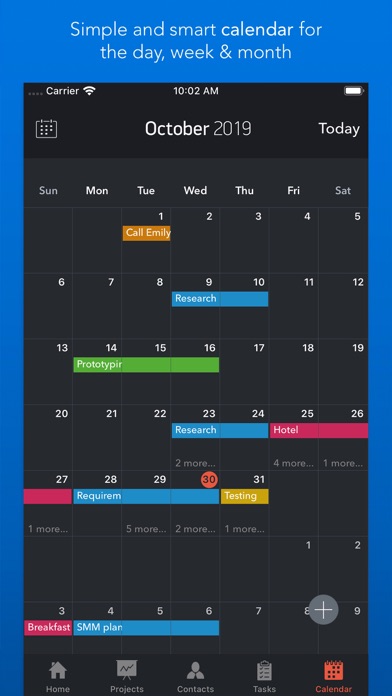
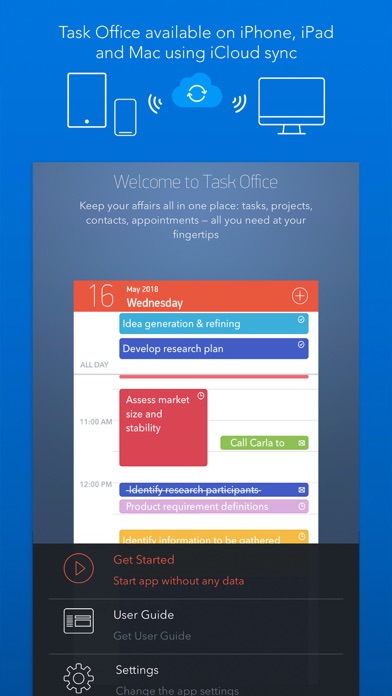
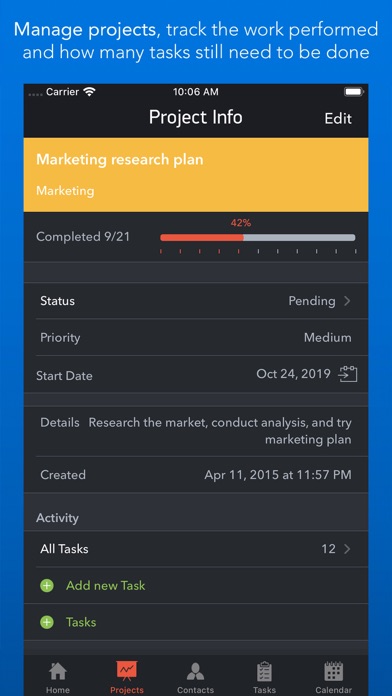
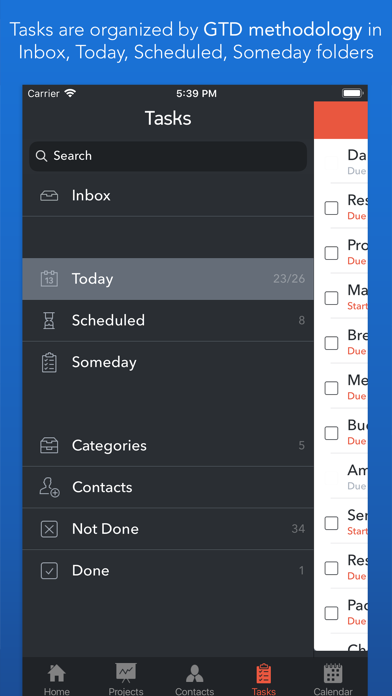
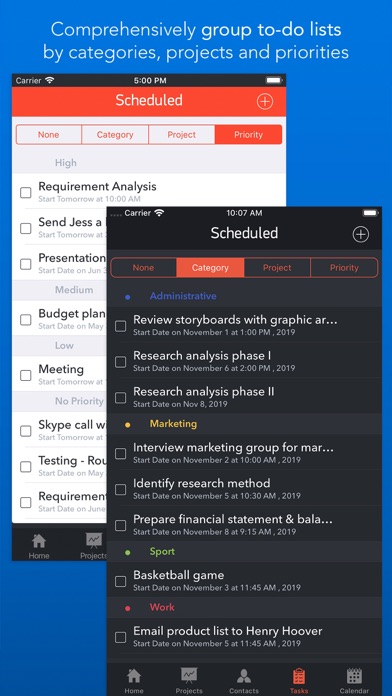
Task Office is the best of ever existing GTD, to do lists, projects and contacts management apps. Manage both simple and complex projects, to do lists without any difficulties and focus on the final result. Manage your contacts and relationships, schedule your time and succeed. Planning & Performing • Start scheduling each new day on Home screen. Here you will find your current projects and to dos: a timeline with tasks you have planned for today and outline of upcoming tasks. Home screen allows you to focus only on current tasks, planned for today, and not to get lost in plenty of other planned tasks. You can plan your day directly from Home screen creating new tasks, projects, contacts and companies Quick & Easy navigation • Reach any project, task, to do list or contact in seconds. Task Office is designed in a way that will allow you to navigate within app screens just in one tap • Organize your tasks by categories, projects or priorities and make a logic order of all your plans Detailed GTD • Add all important details to get things done: choose tasks category, status, priority and set dates • Assign tasks to people by choosing a person from all existing contacts • Add locations to each task and project • Make all your information categorized – assign special categories for easy filtering and browsing through tasks and projects Comprehensive GTD Tab • All tasks are organized according to GTD methodology (by D. Allen) • Add tasks of different types: - ToDo – tasks with duration of several days - Appointment – assign task duration accurate to minutes - Email/Call – short task for making calls or sending emails to any user Alerts • Use double alert and let the program remind you what is next to be done Tracking project progress • Track the progress of your projects and to do lists by viewing the pipeline: view the percentage of work performed and how many tasks still need to be done • Check out everyone who is involved in project: view the list of contacts involved in the project Managing your team • Create new contacts and companies; add all the important information about your contact or company. Either you can import existing contact from your iOS device Address Book • Send e-mails directly from Contacts Screen • Group your contacts creating your Private Lists, so that you can easily monitor their productivity and track task implementation. Save each Private list and refer back to easily Visualized Calendar • Task Office calendar allows you to focus on what is important in your timeline. See your planed To Dos, Appointments, Emails/Calls to get things done in time • View calendar by day, week or month • Add tasks directly to the Calendar by Tap&Hold • Change tasks duration or Start and Due Dates simply Drag&Drop Calendar Syncing • Task Office syncs with Calendars (iCloud, Google Calendar, Exchange, Yahoo, Outlook) and you will not miss anything checking out due dates iCloud Sync • Sync your information – tasks, projects, contacts, etc. – between your devices Repeating tasks • Add repeated tasks, choosing recurrences frequency Set goals and achieve them. Become a part of Task Office team today!
Installs
Apple does not publish download counts. Estimates are in testing.
We publish iOS estimates only after they pass a back-test against real numbers. Chart history below is measured.
Estimated store revenue Estimated Beta
App Store, worldwide, monthly rate from the last 13 chart days to 20 Nov 2026
Below the top 100 grossing apps in the markets we calibrate. In the United States that usually means under about $6.4M a month. App Store purchases and subscriptions only, before Apple's 15 to 30% fee. Ads and web payments are not included.
Ratings
16 ratings, 16 reviews
No rating breakdown published for this app.
Recent reviews
Latest public reviews from the store
No reviews in our sample for this app yet.
Top chart positions
Latest App Store chart ranks by country, last 10 days
Not in any tracked top chart in the last 10 days.
Task Office lite: to-do list history
Release, install milestones, listing and store changes
- First released on the store 2 Sep 2015
Recent versions
Current version 11.0
- Version 11.01 May 2024
Task Office version 11.0 squashes bugs and makes some performance and stability improvement: • Fixed an issue which occurred when purchasing the app.
Listing keywords
Words and phrases Task Office lite: to-do list repeats most in its store listing
Top phrases: task office (6), home screen (3), contacts and companies (2), planned for today (2), tasks projects contacts (2).
Highlighted words also appear in the title. Counts cover the title, short description and description.
Compliance
What the listing and the app package show
- Store status
- Live
- Upkeep
- No update since 1 May 2024
- Age rating
- 4+
Apps like Task Office lite: to-do list
 Super VPN: Fast Private ProxyGeek Incorporated★ 4.4
 Hubtel RetailerHubtel Limited★ 4.32
 Monthly Calendar 2022 - CalistOmoboto LLC★ 4.38
 Firstly: To-Do List & PlannerfocusCove LLC★ 4.7
 CBUS 311City of Columbus, Ohio★ 1.8
 Themes for Powerpoint - DesiGNGraphic Node★ 4.22
 iSiloDC & Co.★ 3.82
 Flashlight Pro [Multipurpose LED light]KAVAPOINT★ 3.88
 WiPryOscium LLC★ 2.68
Task Office lite: to-do list: questions and answers
Who makes Task Office lite: to-do list?
Task Office lite: to-do list is published by DK CONSULTING, TOV.
When was Task Office lite: to-do list last updated?
The latest version (11.0) was released on 1 May 2024.
Is Task Office lite: to-do list free?
Yes. Task Office lite: to-do list is free to download.
Is Task Office lite: to-do list still available?
Yes. Task Office lite: to-do list is live on App Store as of 1 Jul 2026.
Track Task Office lite: to-do list and its competitors
Watch any app for new versions, rating drops, chart moves and removals. Free plan, no card.