
- Installs
- —
- Apple does not publish download counts
- Rating
- 4.41
- Ratings
- 117
- 117 reviews
- Version
- 1.0.52
- Updated 8 Sep 2026
- Released
- 12 Oct 2021
- Tracked since 10 May 2026
- Size
- 116 MB
- Needs 15.6
Screenshots

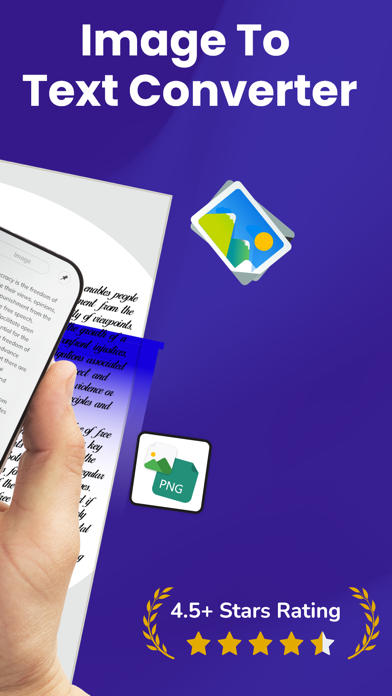
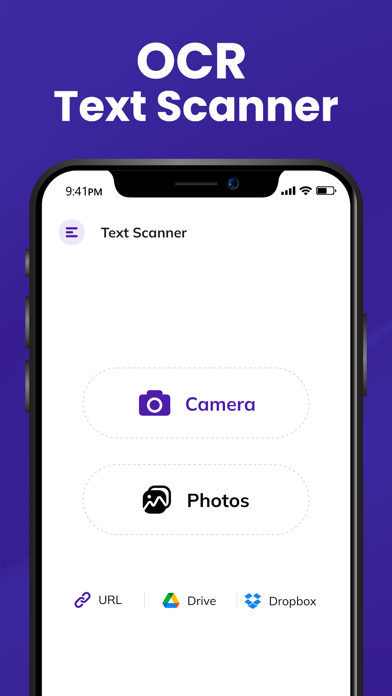
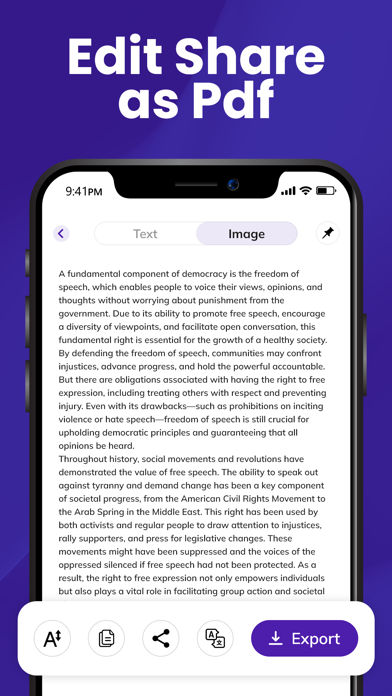


About Text Scanner OCR App: OCR Scan
The description on the store listing
Tired of typing long paragraphs from images, notes, or PDFs?
Try the Image to Text Scanner, a fast and accurate OCR scanner app. Whether you're scanning books, notes, PDFs, or handwriting to text, this text extractor extracts text in seconds. Use AI to summarize content, scan multiple pages at once, and export to text, Word, PDF, Excel, and more.
Whether it’s a document, photo, picture to text, handwritten note, scanned PDF, or even web content, this OCR scanner converts it into editable digital text in seconds, saving time and increasing productivity.
Core Features of Text Scanner:
Image to Text Grabber:
Convert photos or screenshots into text with high precision. Upload or take a …
Read the full description
Tired of typing long paragraphs from images, notes, or PDFs? Try the Image to Text Scanner, a fast and accurate OCR scanner app. Whether you're scanning books, notes, PDFs, or handwriting to text, this text extractor extracts text in seconds. Use AI to summarize content, scan multiple pages at once, and export to text, Word, PDF, Excel, and more. Whether it’s a document, photo, picture to text, handwritten note, scanned PDF, or even web content, this OCR scanner converts it into editable digital text in seconds, saving time and increasing productivity. Core Features of Text Scanner: Image to Text Grabber: Convert photos or screenshots into text with high precision. Upload or take a picture, and this OCR text scanner converts an image to text will instantly extracting all readable content. Translate Instantly: The fun doesn't stop once you've converted your photo to text. Image to text converter app goes the extra mile by offering in-app language translation. Translate your extracted words into any language you desire, all within the convenience of the scan-to-text tool. PDF to Text: Extract scan text from any standard or scanned PDF file. Whether it's an invoice, a book page, or a scanned contract, convert it into plain text with ease. Handwriting to Text: Digitize your handwritten notes! Handwriting to text lets you scan any handwritten material and turn it into editable, shareable content. Ideal for students or note-takers using picture-to-text and image scanning. Summarize Text (AI-Powered): Convert lengthy paragraphs or entire documents into concise, informative summaries with intelligent AI summarization. Perfect for learning or extracting key points quickly from scanned text. Batch Scanning: Need to scan multiple documents or images at once? The scan-to-text feature allows you to process several pages in one go — no need to scan them individually using the text scanner repeatedly. Scan from URL: Paste a webpage URL and extract readable, clean text from it — without ads, clutter, or distractions. Great for reading articles offline or using image-to-text on web screenshots. Convert & Export Easily: Once the text is extracted, you can: * Save it in your preferred format * Edit it inside the app * Share via social apps or email * Export as PDF, Word (DOC), or Excel (XLS) — depending on your workflow, using text scanner from image features. If you're looking for a clean, reliable, and powerful image-to-text and scan-to-text solution, this is the one. Whether it’s for work, education, research, or content creation, we’ve got you covered with handwriting to text and picture to text capabilities — all in one app. If you have any questions or suggestions, please reach out to us at [email protected]. Your feedback is very important to us. Disclaimer: Text extraction accuracy depends on image quality and content, and results may vary. Users are advised to review and verify the extracted text before using it for official or important purposes. Privacy Policy: https://www.cardscanner.co/privacy Terms of Service: https://www.cardscanner.co/terms
Installs since 29 Aug 2026
Apple does not publish download counts. Estimates are in testing.
Estimated store revenue Estimated Beta
App Store, worldwide, monthly rate from the last 13 chart days to 20 Nov 2026
Below the top 100 grossing apps in the markets we calibrate. In the United States that usually means under about $6.4M a month. App Store purchases and subscriptions only, before Apple's 15 to 30% fee. Ads and web payments are not included.
Ratings
117 ratings, 117 reviews
No rating breakdown published for this app.
Recent reviews
Latest public reviews from the store
- 19 Nov 2024
Best Text Scanner App!
Accurate and fast text scanner! Extracts text flawlessly from images and supports multiple languages. A perfect tool for study and work!
- 12 Nov 2024
Perfect Text Scanner for macOS!
Excellent text scanner for macOS! Fast, accurate, and easy to use – a must-have tool!
- 12 Nov 2024
Quick & Reliable Text Scanner!
Excellent text scanner! Fast, accurate, and incredibly easy to use. Perfect for on-the-go document scanning!
- 1 Nov 2024
Smart Text Scanner for Mac
This text scanner is fantastic! It captures text with high accuracy and allows for easy editing, saving me so much time on document management.
What reviewers bring up
Topics mentioned in the latest 19 reviews, by how many reviews mention them
Liked in good reviews (15 reviews)
- text 15
- scanner 13
- accurate 9
- fast 8
- documents 7
- images 7
- scanning 6
- tool 6
Raised in bad reviews (4 reviews)
No topic comes up twice.
Top chart positions
Latest App Store chart ranks by country, last 10 days
Not in any tracked top chart in the last 10 days.
Text Scanner OCR App: OCR Scan history
Release, install milestones, listing and store changes
- First released on the store 12 Oct 2021
Update frequency
How often Text Scanner OCR App: OCR Scan ships a new version, month by month
2 updates in the last 12 months. More often than most similar apps: they shipped a median of 1 updates in the same year.
Recent versions
Current version 1.0.52
- Version 1.0.528 Sep 2026
- Now Convert Multiple images at ones - Add more Tools - Text to Speech - Accurate OCR technology - Improvements in user experience - Performance and stability. - Minor bug fixed
- Version 1.0.5013 Mar 2026
- Now Convert Multiple images at ones - Add more Tools - Text to Speech - Accurate OCR technology - Improvements in user experience - Performance and stability. - Minor bug fixed
Listing keywords
Words and phrases Text Scanner OCR App: OCR Scan repeats most in its store listing
Top phrases: image to text (6), text scanner (6), handwriting to text (4), picture to text (3), scan to text (3).
Highlighted words also appear in the title. Counts cover the title, short description and description.
Compliance
What the listing and the app package show
- Store status
- Live
- Upkeep
- Updated 8 Sep 2026
- Age rating
- 4+
Apps like Text Scanner OCR App: OCR Scan
 WardBulletJared Green★ 4.31
 Tally Counter WidgetT-Logic★ 4.42
 Widget: Custom Widgets GalleryPlanner X LLC★ 4.32
 Zoho Sheet—Spreadsheet on iPadZoho Corporation★ 4.58
 Texts on VideoGyoom★ 4.58
 NuminarNuminar Inc★ 4.56
 KilnLinkSkutt Ceramic Products, Inc.★ 1.88
 Mowr TechnologiesMowr Technologies LLC★ 4.55
 Jungle.Yaccov Snir★ 3.34
Text Scanner OCR App: OCR Scan: questions and answers
Who makes Text Scanner OCR App: OCR Scan?
Text Scanner OCR App: OCR Scan is published by Asad Ahsan.
When was Text Scanner OCR App: OCR Scan last updated?
The latest version (1.0.52) was released on 8 Sep 2026.
Is Text Scanner OCR App: OCR Scan free?
Yes. Text Scanner OCR App: OCR Scan is free to download.
Is Text Scanner OCR App: OCR Scan still available?
Yes. Text Scanner OCR App: OCR Scan is live on App Store as of 14 Nov 2026.
Track Text Scanner OCR App: OCR Scan and its competitors
Watch any app for new versions, rating drops, chart moves and removals. Free plan, no card.