
- Installs
- —
- Apple does not publish download counts
- Rating
- 4.15
- Ratings
- 20
- 20 reviews
- Version
- 4.9.9
- Updated 27 Sep 2025
- Released
- 1 Nov 2018
- Tracked since 17 Jun 2026
- Size
- 15 MB
- Needs 17.6
Screenshots
About The Clock by seense
The description on the store listing
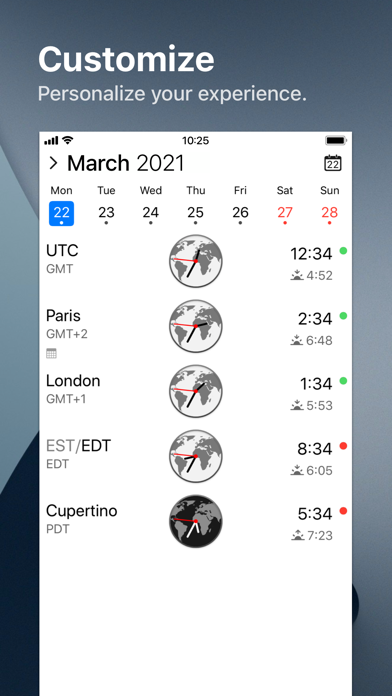
After 10 years on the Mac and tens of thousands of happy users, The Clock now on your iPhone/iPad.
The Clock
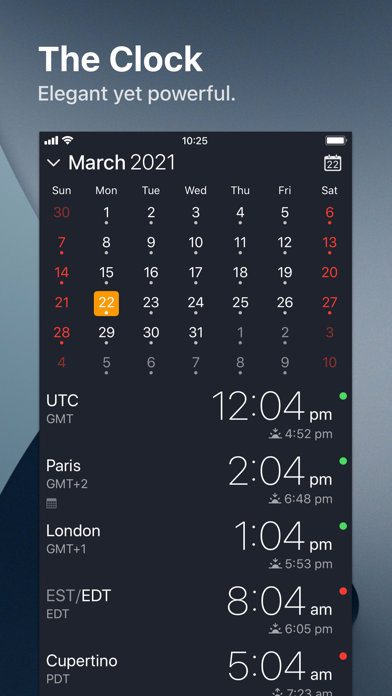
• Keep track, easily and efficiently of your contacts in different time zones.
• Have a quick view on a Calendar, which can be integrated with the iOS Calendar
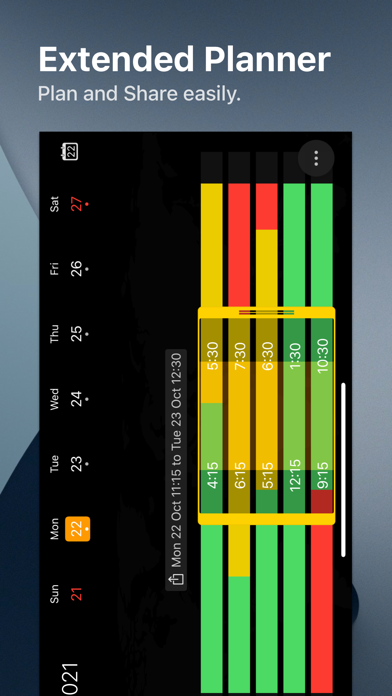
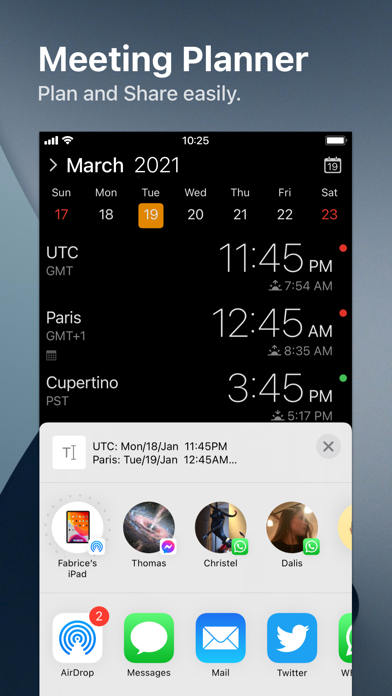
• Easily setup meetings with the Meeting Planner.
• Have a highlight on the Business Hours and Holidays of your subcontractors, customers, ...
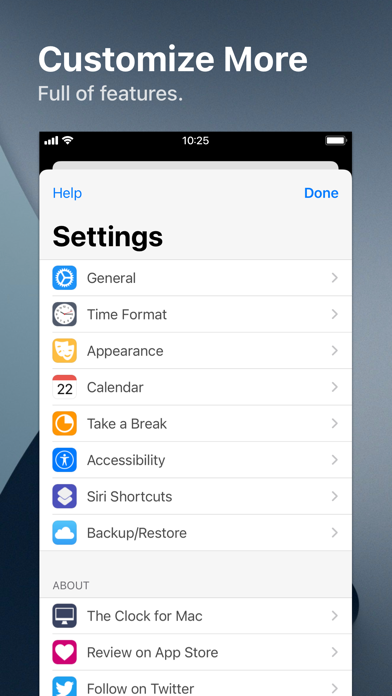
• Highly customizable.
• Be reminded when to Take a Break and relax.
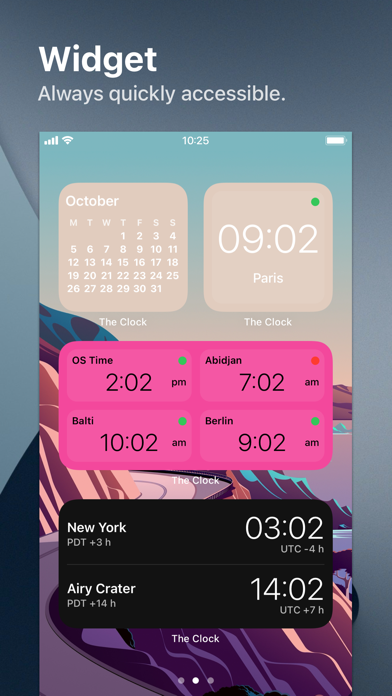
• Widget ready for your convenience.
• Siri Shortcuts available.
• Responsive design to adapt to portrait/landscape view.
• HandOff with The Clock on your Mac.
The World Clocks
• AM/PM or 24Hours.
• …
Read the full description
After 10 years on the Mac and tens of thousands of happy users, The Clock now on your iPhone/iPad. The Clock • Keep track, easily and efficiently of your contacts in different time zones. • Have a quick view on a Calendar, which can be integrated with the iOS Calendar • Easily setup meetings with the Meeting Planner. • Have a highlight on the Business Hours and Holidays of your subcontractors, customers, ... • Highly customizable. • Be reminded when to Take a Break and relax. • Widget ready for your convenience. • Siri Shortcuts available. • Responsive design to adapt to portrait/landscape view. • HandOff with The Clock on your Mac. The World Clocks • AM/PM or 24Hours. • Analog or Digital Clock view. • Choose among a wide range of complications • Business Hours. • Time offset. • Sunrise/Sunset. • Country. • Time Zone offset (PDT, CDT, UTC…). • Yesterday, Today, Tomorrow. • AM/PM, 24H. • Drag&Drop the world clocks to order them. • Beautiful clock face displaying day and night. • Personalize the world clock time format per cities. • Change the city name. • PDT, CDT, MDT, GMT… and more automatically adapting during daylight saving period. Meeting Planner • Meeting Planner swipe the screen to travel through time. • Business Hours led to check if your contact is in the working hours time frame. • Select a date in the calendar for an accurate Daylight Saving adjustment. • With the iOS Calendar integration into The Clock have a quick look on your schedule • With the Calendar Complication, automatically know if you are busy while planning a meeting. • Export easily your schedule information with the share menu or Drag & Drop (iPad). • Slider automatically round the time to 15/30 min. Calendar • Navigate the months with a tap, or keyboard shortcuts (iPad Pro). • Show/Hide the Calendar. • Toggle week/month view. • Show/Hide the weeks number. • Select your referenced calendar for the week number. (Regional settings, or ISO 8601). • Select a day in Meeting Planner for an accurate Daylight Saving adjustment. • Highlight days off per city. • Follow the iOS setting for Calendar first day of the week or set your own... • Choose to integrate or not with the iOS Calendar. • Have a quick view on your calendar events. • Calendar complication to immediately see what is coming next on your schedule. Accessibility • Voice Over. • Dynamic Type for font size to adapt to your need. • Color blind friendly. • Haptic feedback (for device supporting it). Other • Choose between 4 beautiful themes (White/Dark/Daisy Blue/Deep Dark). • Select clock faces. • Keyboard Shortcuts for most common actions (on iPad Pro with keyboard). • Backup/Restore your settings easily (Local, Dropbox, iCloud). • Enjoy the Take a Break feature, and relax. • And more … • And with a real user manual to go deeper in the discovery of all the features.
Installs
Apple does not publish download counts. Estimates are in testing.
We publish iOS estimates only after they pass a back-test against real numbers. Chart history below is measured.
Estimated store revenue Estimated Beta
App Store, worldwide, monthly rate from the last 14 chart days to 21 Nov 2026
Below the top 100 grossing apps in the markets we calibrate. In the United States that usually means under about $6.4M a month. App Store purchases and subscriptions only, before Apple's 15 to 30% fee. Ads and web payments are not included.
Ratings
20 ratings, 20 reviews
- 5 ★65%
- 4 ★10%
- 3 ★10%
- 2 ★5.0%
- 1 ★10%
Recent reviews
Latest public reviews from the store
No reviews in our sample for this app yet.
Top chart positions
Latest App Store chart ranks by country, last 10 days
- Countries ranked
- 2 of 50
- Best rank
- #32
- Top 10 placements
- 0
- of 2 chart placements
- Average rank
- #63
Best countries on App Store
- 🇬🇧 United Kingdom · Top paid, Productivity#32
- 🇦🇺 Australia · Top paid, Productivity#94
The Clock by seense history
Release, install milestones, listing and store changes
- First released on the store 1 Nov 2018
Recent versions
Current version 4.9.9
- Version 4.9.927 Sep 2025
The Clock is ready for iOS 26. • Minor bug fixes and improvements.
Listing keywords
Words and phrases The Clock by seense repeats most in its store listing
Top phrases: meeting planner (4), business hours (3), daylight saving (3), ios calendar (3), accurate daylight saving (2).
Highlighted words also appear in the title. Counts cover the title, short description and description.
Compliance
What the listing and the app package show
- Store status
- Live
- Upkeep
- Updated 27 Sep 2025
- Age rating
- 4+
Apps like The Clock by seense
 GoTime RepairAudatex North America Inc.★ 3.94
 Super VPN: Fast Private ProxyGeek Incorporated★ 4.4
 Hubtel RetailerHubtel Limited★ 4.32
 Monthly Calendar 2022 - CalistOmoboto LLC★ 4.38
 CBUS 311City of Columbus, Ohio★ 1.8
 Themes for Powerpoint - DesiGNGraphic Node★ 4.22
 iSiloDC & Co.★ 3.82
 Flashlight Pro [Multipurpose LED light]KAVAPOINT★ 3.88
 WiPryOscium LLC★ 2.68
The Clock by seense: questions and answers
Who makes The Clock by seense?
The Clock by seense is published by Fabrice Leyne.
When was The Clock by seense last updated?
The latest version (4.9.9) was released on 27 Sep 2025.
Is The Clock by seense free?
No. The Clock by seense is a paid app priced at $2.99.
Is The Clock by seense still available?
Yes. The Clock by seense is live on App Store as of 1 Jul 2026.
Track The Clock by seense and its competitors
Watch any app for new versions, rating drops, chart moves and removals. Free plan, no card.