
- Installs
- —
- Apple does not publish download counts
- Rating
- 4.68
- Ratings
- 6K
- 6K reviews
- Version
- 26.5.0
- Updated 31 Oct 2026
- Released
- 13 Jul 2014
- Tracked since 10 May 2026
- Size
- 44 MB
- Needs 15.6
Screenshots
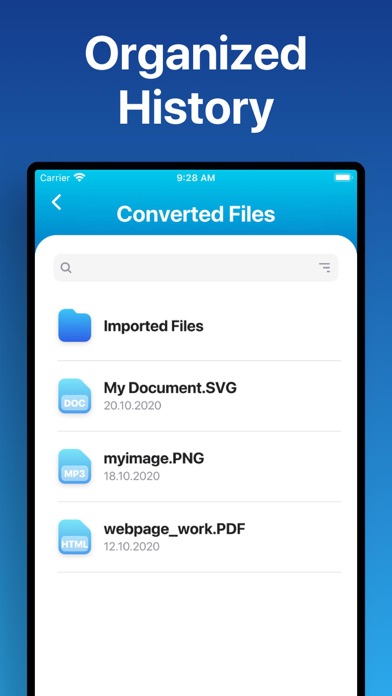
About The Document Converter
The description on the store listing
Easily convert your files to nearly any document format!
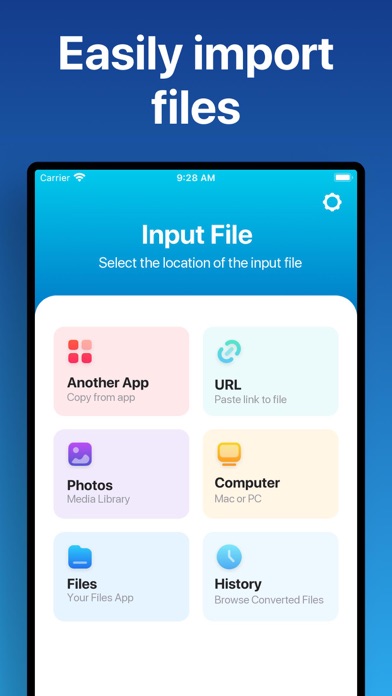
1. Select your input file
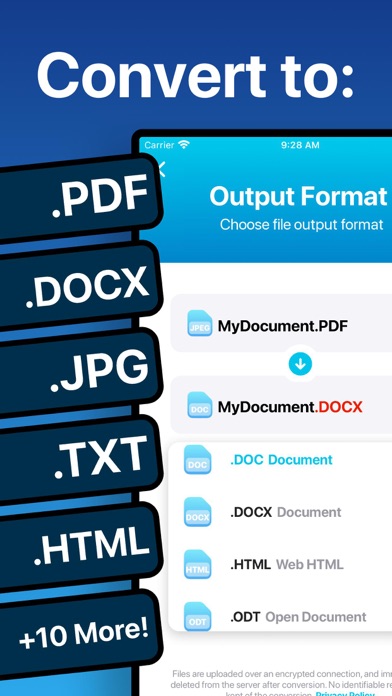
2. Choose your output format ( DOCX, PDF, JPG, TXT etc. )
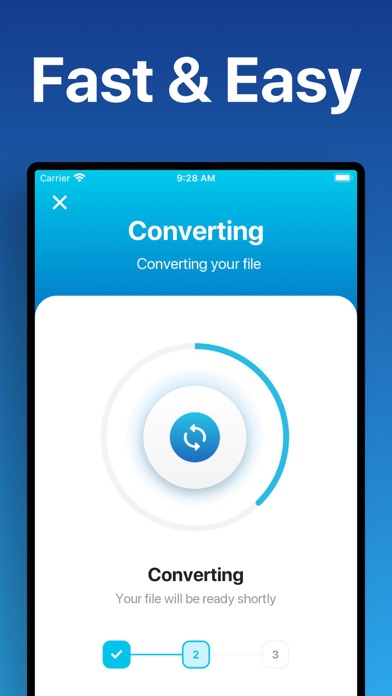
3. Convert! It will only take a few seconds.
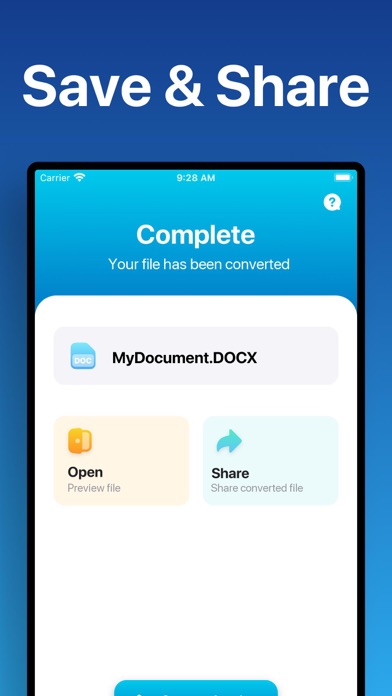
4. Save your file, or open it in Office, Drive, Dropbox, etc!
Here are the output formats you can choose from:
DOC, DOCX, HTML, ODT, PDF, RTF, TXT, JPG, PNG, JPEG, PNG
You can convert from dozens of input formats, here are some of the most popular formats we support converting from:
• Documents: ABW, DJVY, DOC, DOCM, DOCX, DOT, DOTX, HTML, HWP, LWP, MD, ODT, PAGES, PDF, RST, RTF, SDW, TEXT, TXT, WPD, WPS, ZABW and more!
• Ebooks: AZW, AZW3, AZW4, CBC, CBR, CBZ, CHM, EPUB, FB2, HTM, HTMLZ, LIT, LRF, …
Read the full description
Easily convert your files to nearly any document format! 1. Select your input file 2. Choose your output format ( DOCX, PDF, JPG, TXT etc. ) 3. Convert! It will only take a few seconds. 4. Save your file, or open it in Office, Drive, Dropbox, etc! Here are the output formats you can choose from: DOC, DOCX, HTML, ODT, PDF, RTF, TXT, JPG, PNG, JPEG, PNG You can convert from dozens of input formats, here are some of the most popular formats we support converting from: • Documents: ABW, DJVY, DOC, DOCM, DOCX, DOT, DOTX, HTML, HWP, LWP, MD, ODT, PAGES, PDF, RST, RTF, SDW, TEXT, TXT, WPD, WPS, ZABW and more! • Ebooks: AZW, AZW3, AZW4, CBC, CBR, CBZ, CHM, EPUB, FB2, HTM, HTMLZ, LIT, LRF, MOBI, PDB, PML, PRC, RB, SNB, TCR, TXTZ and more! • Images: HEIC, JPG, JPEG, PNG, ICO, SVG, EPS, BMP, GIF, NEF, TIFF and more! • Spreadsheets: CSV, XLS, XLSX and more! • Presentations: PPT, PPTX, KEY, PDF and more! Save, Share or Open your converted files in your favorite apps immediately. Browse your previously converted files with our in-app file browser. You can even AirDrop your files right to your Mac or another device. Conversions usually take less than 15 seconds! Conversion is done on a secure cloud server, which makes conversion easier, faster and much more battery-friendly. You must have an internet connection to use this app. Files are immediately deleted from the server after conversion. While the files are immediately deleted after conversion or cancellation, you should be aware that by using this app, you agree that your files will be sent over to internet from the app to the conversion server. We've also recently added support for local conversions for many popular conversion types. These conversions don't require a server, and are usually done almost instantly! We are continuing to add support for more local conversions with each update. This app includes an optional auto-renewable subscription (Premium Pass): Premium Pass beings with a free trial period, then an auto-renewable monthly subscription when trial ends. Payment will be charged to your Apple account at confirmation of purchase and will automatically renew (at the duration/price selected) unless auto-renew is turned off at least 24 hrs before the end of the current period. Account will be charged for renewal within 24-hours prior to the end of the current period. Current subscription may not be cancelled during the active subscription period; however, you can manage your subscription and/or turn off auto-renewal by visiting your Apple Account Settings after purchase. Any unused portion of the free initial period will be forfeited when you purchase a subscription. Privacy Policy: https://float.support/the-document-converter/privacy Terms of Use: https://float.support/the-document-converter/terms
Installs, last 30 days
Apple does not publish download counts. Estimates are in testing.
Estimated store revenue Estimated Beta
App Store, worldwide, monthly rate from the last 12 chart days to 19 Nov 2026
Below the top 100 grossing apps in the markets we calibrate. In the United States that usually means under about $6.4M a month. App Store purchases and subscriptions only, before Apple's 15 to 30% fee. Ads and web payments are not included.
Ratings
5,974 ratings, 5,974 reviews
No rating breakdown published for this app.
Recent reviews
Latest public reviews from the store
- 18 Jun 2023
Apple - buy this applet!
This is absolutely the easiest and best document converter on the iPad I have ever used. I have very OLD Word Perfect documents (remember the blue screen and the blinking block?) that it flawlessly converts to .docx. Same with XML files, etc. I have had good success with image file conversions. Apple should buy this app, make this developer rich, and incorporate this converter app into their Files App. Until then, get the app, pay the premium, and be thankful as I am that it exists.
- 13 Mar 2023
Perfect!! 10 Stars!
Just what I needed to convert a .pdf to pages file. The app works quickly and it’s simple to use. Not sure why all the negative reviews lately. I wanted to try the app, downloaded and was given a free lifetime premium subscription. Not sure if I needed anymore than what was already free, but a huge THANK YOU to the developer for the premium upgrade. ⭐️⭐️⭐️⭐️⭐️
- 6 Oct 2022
Easy to use
Downloaded several of these apps and none supported my file except this app. It was easy to use and super quick also very inexpensive in comparison to others. They also offered a free trial. With that being said download it!
- 12 Jun 2022
Converts document easily
I was looking for something easy and not expensive. Just to do a few documents but not very often. This was easier than I expected. Found it quite by accident. Very pleased with the final results.
What reviewers bring up
Topics mentioned in the latest 8 reviews, by how many reviews mention them
Liked in good reviews (7 reviews)
- file 6
- document 4
- found 3
- pdf 3
- downloaded 2
- struggling 2
- developer 2
- converts 2
Raised in bad reviews (1 reviews)
No topic comes up twice.
Top chart positions
Latest App Store chart ranks by country, last 10 days
- Countries ranked
- 1 of 50
- Best rank
- #88
- Top 10 placements
- 0
- of 1 chart placements
- Average rank
- #88
Best countries on App Store
- 🇷🇺 Russia · Top grossing, Utilities#88
| Country | Chart | Category | Rank | Best (10 days) | Date |
|---|---|---|---|---|---|
| 🇷🇺 Russia | Top grossing | Utilities | #88 | #88 | 18 Nov 2026 |
The Document Converter history
Release, install milestones, listing and store changes
- First released on the store 13 Jul 2014
Update frequency
How often The Document Converter ships a new version, month by month
2 updates in the last 12 months. About as often as similar apps, which shipped a median of 2 updates in the same year.
Recent versions
Current version 26.5.0
- Version 26.5.031 Oct 2026
• More reliable conversions with our new conversion service • If a file can't be converted, you'll now see a clear explanation in your language • Bug fixes and performance improvements
- Version 26.1.06 Apr 2026
Repaired issue caused for some users when re-installing app
Listing keywords
Words and phrases The Document Converter repeats most in its store listing
Top phrases: files are immediately (2), after conversion (2), apple account (2), auto renewable (2), converted files (2).
Highlighted words also appear in the title. Counts cover the title, short description and description.
Compliance
What the listing and the app package show
- Store status
- Live
- Upkeep
- Updated 31 Oct 2026
- Age rating
- 4+
Apps like The Document Converter
 VPN PRO - Unlimited ProtectionProtect Solution Pro★ 4.52
 SOLARMAN SmartIGEN Tech Co., Ltd.★ 4.62
 biubiuVPN : VPNSOON BODYWERKZ AUTO PTE. LTD.★ 4.05
 RateTracker:Blood SugarX-SPARK HK LIMITED★ 4.11
 CastOn - Screen Mirror & ShareEpicScale Inc★ 4.47
 Encrypt.meCloak Holdings LLC★ 4.44
 ServiceTitan FieldServiceTitan Inc.★ 3.49
 Melon VPN - Easy Fast Low-costWildlook Tech Pte Ltd★ 4.46
 iNetTools - Ping,DNS,Port ScanComcSoft Corporation★ 4.56
The Document Converter: questions and answers
Who makes The Document Converter?
The Document Converter is published by Float Tech, LLC.
When was The Document Converter last updated?
The latest version (26.5.0) was released on 31 Oct 2026.
Is The Document Converter free?
Yes. The Document Converter is free to download.
Is The Document Converter still available?
Yes. The Document Converter is live on App Store as of 19 Nov 2026.
Track The Document Converter and its competitors
Watch any app for new versions, rating drops, chart moves and removals. Free plan, no card.