
- Installs
- —
- Apple does not publish download counts
- Rating
- —
- Ratings
- —
- Version
- 1.25.1
- Updated 22 Jan 2026
- Released
- 10 May 2015
- Tracked since 10 May 2026
- Size
- 23 MB
- Needs 10.13
Screenshots




About Total Resizer
The description on the store listing
Tired of resizing hundreds of photos one by one and spending hours preparing images for a website, blog, or portfolio?
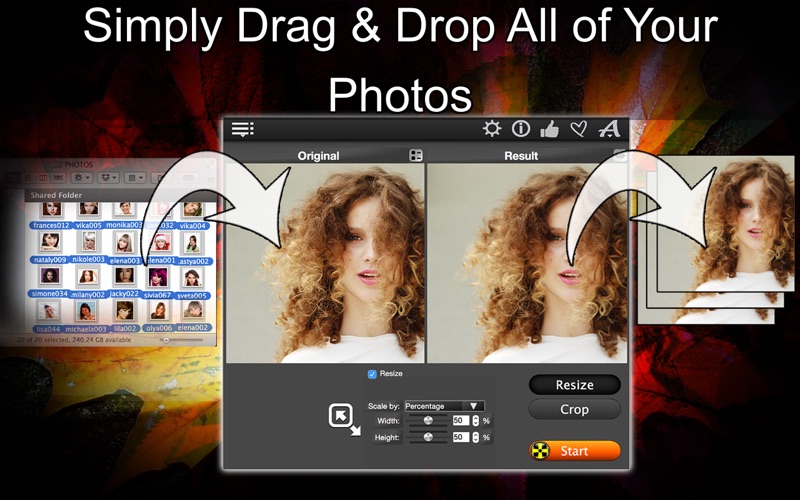
Total Resizer is a reliable tool to batch-process images quickly and easily. It eliminates the busywork: resize, crop, and convert unlimited photos with just one click!
What Users Are Saying:
+ "Easy to use and full performance" - andijem
+ "Super easy. The resizer is so easy, even for non-programming heroes" - 1952salvo
+ "Absolutely satisfied with it" - fiachtl
+ "Resize and crop top. Crop is a visual setup combined with resize. No problem exporting 200 photos. Top for the money." - deGallier
Powerful Features With Minimal Effort:
+ Batch Resize: Resize multiple images …
Read the full description
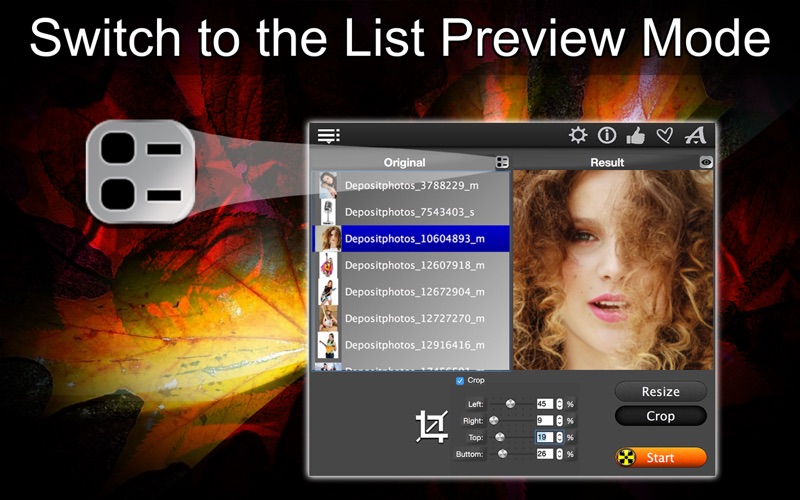
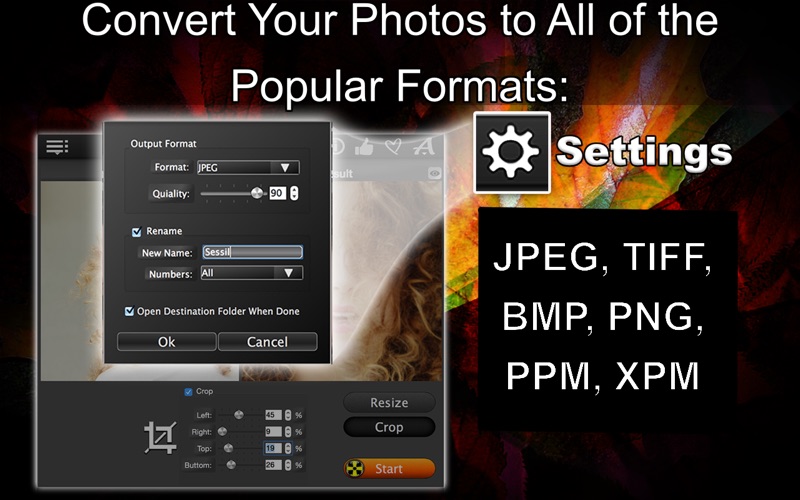
Tired of resizing hundreds of photos one by one and spending hours preparing images for a website, blog, or portfolio? Total Resizer is a reliable tool to batch-process images quickly and easily. It eliminates the busywork: resize, crop, and convert unlimited photos with just one click! What Users Are Saying: + "Easy to use and full performance" - andijem + "Super easy. The resizer is so easy, even for non-programming heroes" - 1952salvo + "Absolutely satisfied with it" - fiachtl + "Resize and crop top. Crop is a visual setup combined with resize. No problem exporting 200 photos. Top for the money." - deGallier Powerful Features With Minimal Effort: + Batch Resize: Resize multiple images by pixels or percentage + Smart Crop: Trim unwanted parts of your photos with precision + One-Click Convert: Export to JPEG, PNG, BMP, TIFF, XMP, or PPM + Preview Before Processing: See results before processing with built-in preview or the native macOS viewer + Auto-Rename: Customize output filenames for better organization + Aspect Ratio Lock: Preserve proportions automatically (or unlock for custom dimensions) + Drag and Drop Simplicity: Drop your files, adjust settings, and click “Export Results” Why Professionals Choose Total Resizer: + Ideal for photographers, bloggers, designers, marketers, and developers + Save hours by processing hundreds of images in a single batch + One-time purchase, no subscriptions, no ads + Compatible with both Intel and Apple Silicon Macs + Clean, efficient interface with zero distractions Perfect For: + Preparing images for websites, email, blogs, e-commerce, portfolios, and social platforms + Quickly converting formats to meet platform-specific requirements + Renaming and organizing your image assets for personal or professional use Stop wasting time and start working smarter: Get Total Resizer today, process hundreds of images in the time it used to take to edit one, and transform your photo editing workflow!
Installs
Apple does not publish download counts. Estimates are in testing.
We publish iOS estimates only after they pass a back-test against real numbers. Chart history below is measured.
Estimated store revenue Estimated Beta
App Store, worldwide, monthly rate from the last 12 chart days to 19 Nov 2026
Below the top 100 grossing apps in the markets we calibrate. In the United States that usually means under about $6.4M a month. App Store purchases and subscriptions only, before Apple's 15 to 30% fee. Ads and web payments are not included.
Ratings
No rating breakdown published for this app.
Recent reviews
Latest public reviews from the store
No reviews in our sample for this app yet.
Top chart positions
Latest App Store chart ranks by country, last 10 days
Not in any tracked top chart in the last 10 days.
Total Resizer history
Release, install milestones, listing and store changes
- First released on the store 10 May 2015
Update frequency
How often Total Resizer ships a new version, month by month
1 updates in the last 12 months. More often than most similar apps: they shipped a median of 0 updates in the same year.
Recent versions
Current version 1.25.1
- Version 1.25.122 Jan 2026
+ App is translated to 33 languages (see app information) + Minor changes and improvements + New App Icon
Listing keywords
Words and phrases Total Resizer repeats most in its store listing
Top phrases: total resizer (4), hundreds of images (2), before processing (2), preparing images (2).
Highlighted words also appear in the title. Counts cover the title, short description and description.
Compliance
What the listing and the app package show
- Store status
- Live
- Upkeep
- Updated 22 Jan 2026
- Registered in
- Germany
- Age rating
- 4+
Apps like Total Resizer
 AI Cut - Photo Generate & EditBeijing Changhai Internet Technology Co., Ltd.★ 4.1
 Birthday Invitations Makerwilliam leandro aristizabal giraldo★ 4.7
 Artimind - AI Video GeneratorAPERO TECHNOLOGIES GROUP PTE.LTD★ 1.42
 AI VistaSCIENJOY META TECHNOLOGY LLC★ 2.9
 Logotipo - AI Logo GeneratorMobile Ocean★ 4.02
 Anime AI Maker: DreamtuneLYKOV STUDIO LTD★ 4.34
 DIY Wallpaper Maker DIYScreenEvgenii Fomin★ 4.68
 Vintage Camera - Film FiltersPlane Cubes★ 4.42
 Color Widgets - WallpapersFlying Pigeons LLC★ 4.34
Total Resizer: questions and answers
Who makes Total Resizer?
Total Resizer is published by Max Schlee, a developer based in DE.
When was Total Resizer last updated?
The latest version (1.25.1) was released on 22 Jan 2026.
Is Total Resizer free?
No. Total Resizer is a paid app priced at $5.99.
Is Total Resizer still available?
Yes. Total Resizer is live on App Store as of 10 May 2026.
Track Total Resizer and its competitors
Watch any app for new versions, rating drops, chart moves and removals. Free plan, no card.