- Installs
- —
- Apple does not publish download counts
- Rating
- 3.54
- Ratings
- 52
- 52 reviews
- Version
- 5.2
- Updated 8 Nov 2012
- Released
- 27 May 2011
- Tracked since 10 May 2026
- Size
- 4 MB
- Needs 5.0
Screenshots


About Tracing Paper Lite
The description on the store listing
I'm currently celebrating "Cato's Hike", my just released game to teach children (and adults) basic programming! Please check out and enjoy :)
Please note the full version has had a major update!!! Get it while it is hot :)
This is the Lite version of Tracing Paper. It contains all the features of the paid version except for:
- can create only *THREE* traces at a time in the app, you can always delete old ones if you want to create more
- can't save or export your pictures outside of the app or share your traces using email, PDF, Twitter, Facebook, photo gallery, Open in..., Copy to Clipboard or printing
Please enjoy!
Tracing Paper is a simple yet elegant universal application for the …
Read the full description
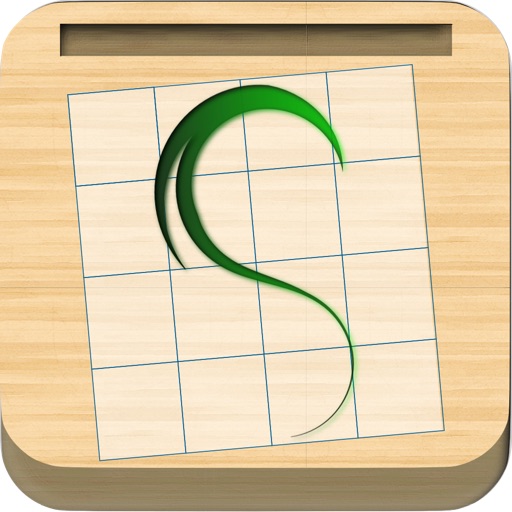
I'm currently celebrating "Cato's Hike", my just released game to teach children (and adults) basic programming! Please check out and enjoy :) Please note the full version has had a major update!!! Get it while it is hot :) This is the Lite version of Tracing Paper. It contains all the features of the paid version except for: - can create only *THREE* traces at a time in the app, you can always delete old ones if you want to create more - can't save or export your pictures outside of the app or share your traces using email, PDF, Twitter, Facebook, photo gallery, Open in..., Copy to Clipboard or printing Please enjoy! Tracing Paper is a simple yet elegant universal application for the iPad, iPhone and iPod Touch that helps you practice and improve your drawing and sketching skills by giving you a blank translucent canvas with a clean and simple grid on which you can trace anything you wish as often as you like. I believe it will be great for anyone who enjoys drawing or for kids that just want to play around! After choosing a photo from your library you can adjust its size and location under the canvas using your fingers to pinch to rotate/zoom and one finger to drag it around, then you just trace and shade whatever you wish using your finger. If you make a mistake simply choose the eraser tool and erase your mistake (also, you can use the eraser creatively to help add details in ways that are different from simply drawing), or if you want more accuracy than an eraser there is undo/redo support for up to 8 actions. For those hard to see details zoom, rotate or pan the canvas in for further detail by simply pinching the canvas or using two fingers and dragging to move! For those details where we want the colors to really pop there is now support for coloring and changing the pencil size to draw larger or smaller details as needed! For those moments where you want to quickly fill a region, there is now flood fill support, just press the bucket tool and click in an enclosed region to fill in. After you are done, wow the world and save your masterpiece to your Photo Library or share it via Email, Facebook, Twitter, PDF or even copy to the clipboard or use open-with to open it in compatible programs to touch it up! Tracing Paper features: • Super-smooth drawing with proprietary OpenGL-based rendering engine • 2 pencil styles • Support for tracing any photo from your device’s photo album • Gallery mode to browse to create/load/edit your traces • Shading support just like a real pencil, draw over the same area multiple times to shade it darker • Changing brush size to help draw or shade larger areas • Zooming, rotating and panning of the image to trace to focus on the details that matter (pinch to zoom/rotate, two fingers to pan) • Flood Fill • Undo/redo up to 12 actions • Saving your creations to your Photo library • Sending your traces via email, Facebook, Twitter, Open-with for other programs • Export to PDF • Open With... support to open trace in other programs I am definitely excited about this project and want to continue improving it as much as possible. I've already added many features based on feedback I've received and I'm always appreciative of new ideas that fit the vision and feel of this app. Please feel free to leave ratings and reviews however you feel and I will do my best to respond with updates! You can reach me anytime at the email below or via twitter at: @tracingpaperios. Please feel free to email me ANY questions, comments or crashes you have. I will continue working to add new features. Version 5.2 - iPhone 5 and iOS6 fixes - fix using the new pencil mode on iOS6 - save last used pencil settings - stability and OpenGL crash fixes, especially multitasking - fix tracing grid to not show crash on resize - added new iOS6 sharing sheet - raise limit to 3 traces - fix problem using "Open With..." when already tracing - eraser fix - retina pencil icon
Installs since 29 Aug 2026
Apple does not publish download counts. Estimates are in testing.
Estimated store revenue Estimated Beta
App Store, worldwide, monthly rate from the last 14 chart days to 21 Nov 2026
Below the top 100 grossing apps in the markets we calibrate. In the United States that usually means under about $6.4M a month. App Store purchases and subscriptions only, before Apple's 15 to 30% fee. Ads and web payments are not included.
Ratings
52 ratings, 52 reviews
No rating breakdown published for this app.
Recent reviews
Latest public reviews from the store
No reviews in our sample for this app yet.
Top chart positions
Latest App Store chart ranks by country, last 10 days
Not in any tracked top chart in the last 10 days.
Tracing Paper Lite history
Release, install milestones, listing and store changes
- First released on the store 27 May 2011
Recent versions
Current version 5.2
- Version 5.28 Nov 2012
I'm celebrating the release "Cato's Hike", my new game to teach children (and adults) basic programming! Please check out and enjoy :) Please note, I've worked on updating all performance issues, if you still have any please send me feedback from the app in addition to on the app store. I couldn't reproduce any performance issues on the iPad3 as in one of the reviews. I've also upped the number of drawings to 3 in the Lite version, to draw more you can always delete an old one or upgrade to the full version. - iPhone 5 and iOS 6 fixes - fix using the new pencil mode on iOS 6 - save/restore last used pencil settings - many stability and OpenGL crash fixes, especially multitasking - fix rendering tracing grid to not show extra lines or crash on resize - added support for the new iOS 6 sharing sheet for cleaner sharing UI - raise limit to 3 traces in Trial mode - fix problem using "Open With..." when already tracing - eraser fixed to be round shape - retina pencil icon and remove old icons
Listing keywords
Words and phrases Tracing Paper Lite repeats most in its store listing
Top phrases: tracing paper (4), email facebook twitter (2), email facebook (2), facebook twitter (2), flood fill (2).
Highlighted words also appear in the title. Counts cover the title, short description and description.
Compliance
What the listing and the app package show
- Store status
- Live
- Upkeep
- No update since 8 Nov 2012
- Age rating
- 4+
Apps like Tracing Paper Lite
 The Hit ListKarelia Software LLC★ 3.55
 Audio Notebook PocketQrayon, LLC★ 4.67
 Milk for UsDaniel Rinser★ 3.73
 JotLinkT-One Corporation★ 4.29
 Oriole - Text to Speech ReaderOriole AI Inc.★ 4.62
 Code Master - Source Code EditorJustin Bush★ 2.71
 ASUS AiCloudASUS★ 2.42
 Samepage: Team CollaborationPaylocity★ 3.49
 AI Writer Master & AssistantSmash Inc★ 4.75
Tracing Paper Lite: questions and answers
Who makes Tracing Paper Lite?
Tracing Paper Lite is published by Hesham Wahba.
When was Tracing Paper Lite last updated?
The latest version (5.2) was released on 8 Nov 2012.
Is Tracing Paper Lite free?
Yes. Tracing Paper Lite is free to download.
Is Tracing Paper Lite still available?
Yes. Tracing Paper Lite is live on App Store as of 21 Nov 2026.
Track Tracing Paper Lite and its competitors
Watch any app for new versions, rating drops, chart moves and removals. Free plan, no card.