
- Installs
- —
- Apple does not publish download counts
- Rating
- 4.39
- Ratings
- 467
- 467 reviews
- Version
- 7.0.4
- Updated 11 Jul 2026
- Released
- 8 Mar 2015
- Tracked since 10 May 2026
- Size
- 80 MB
- Needs 15.6
Screenshots


About Typiora Keyboard
The description on the store listing
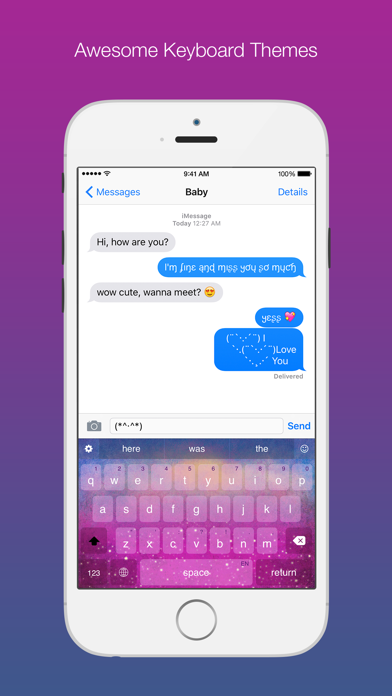
Typiora is an amazing keyboard extension that has a lot of powerful features to help you to type with fun and convenient like Cursor Control, Swipe to Delete, Swipe to Type, Text-Case Control, ForceTouch-Capitalize, Alternate Key, Numbers Row, Shortcuts, or One-Hand Mode.
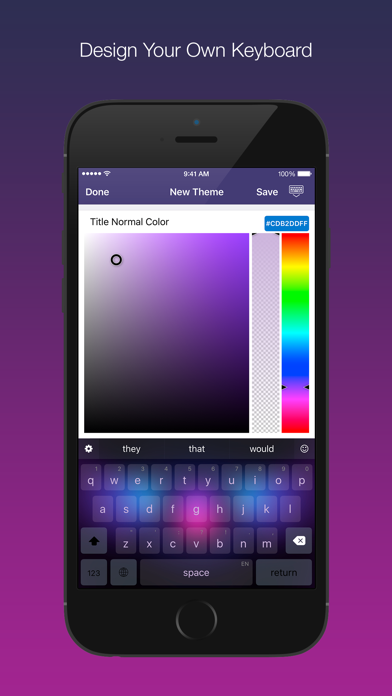
It's also very easy to design your own theme with a powerful Theme Customizer. Choose from mood presets or fine-tune every detail in Advanced mode. Be unique and creative!
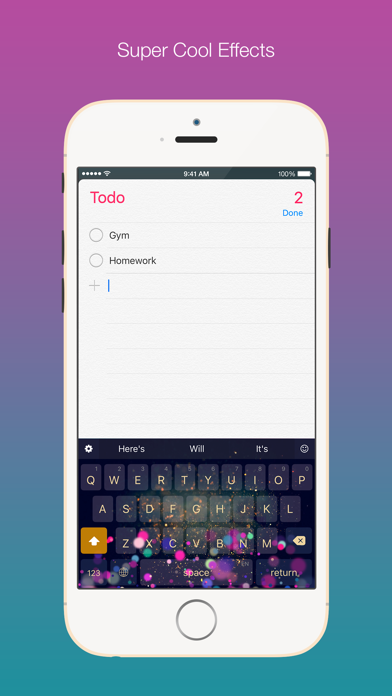
You can also enjoy beautiful effects inside Typiora keyboard. Create your own effect with the Effect Editor and share it with your friends!
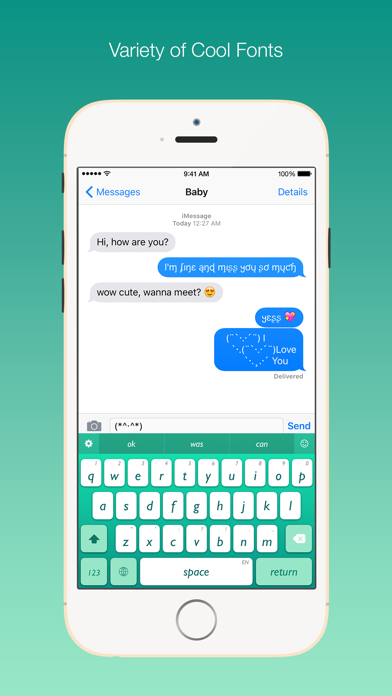
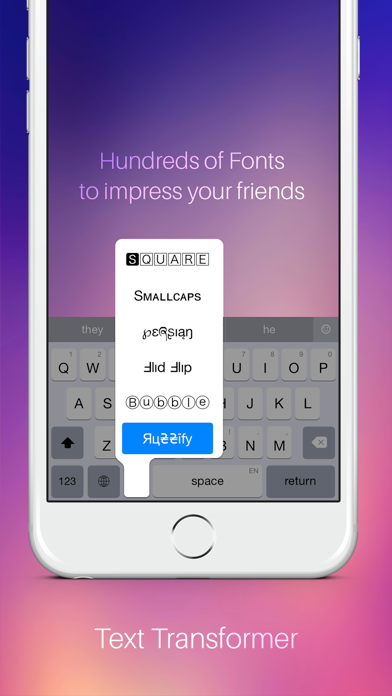
Typiora can change your text into hundreds of fonts to impress your friends.
Boring of click sound? Typiora …
Read the full description
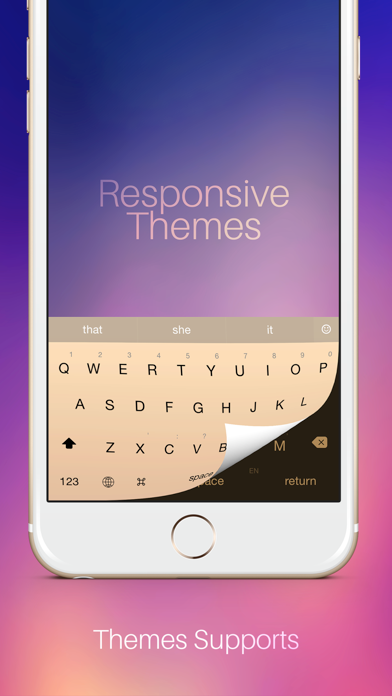
Typiora is an amazing keyboard extension that has a lot of powerful features to help you to type with fun and convenient like Cursor Control, Swipe to Delete, Swipe to Type, Text-Case Control, ForceTouch-Capitalize, Alternate Key, Numbers Row, Shortcuts, or One-Hand Mode. It's also very easy to design your own theme with a powerful Theme Customizer. Choose from mood presets or fine-tune every detail in Advanced mode. Be unique and creative! You can also enjoy beautiful effects inside Typiora keyboard. Create your own effect with the Effect Editor and share it with your friends! Typiora can change your text into hundreds of fonts to impress your friends. Boring of click sound? Typiora brings fun to your typing with different sounds on every touch. Typiora Store allows you to browse and download themes, effects, fonts, sounds, and keyboard layouts from a growing community of creators. Highlight features: • Awesome Themes: Hundreds of cool themes. Create your own Theme and share with your friends • Theme Editor: Design from mood presets or go Advanced for full per-element control • Particle Effects: Your keyboard is more lively with beautiful particle effects • Effect Editor: Create and customize your own particle effects • Fancy Fonts: to make words look exquisite • Sounds: Type with different sounds or even a song, no more boring click sound • AI Grammar Check: Fix grammar, spelling, and punctuation instantly • AI Translate: Translate your text into 30+ languages right from the keyboard • AI Rephrase: Rewrite in Formal, Casual, Concise, Polite, or Funny tone • AI Continue Writing: Let AI complete your sentences and paragraphs • Typing Stats: Track your speed, accuracy, words typed, and daily activity • Typing Personality: Discover if you're a Speed Demon, Night Owl, Emoji Artist, and more • 44+ Achievements: Unlock milestones for typing, gestures, and AI usage • Cursor Control: Drag to move the cursor quickly • Quick Delete: Swipe to delete, repeat deletion and word deletion • Forward Deletion: Delete text on the right • Swipe to Type: Glide across keys to type entire words • One-Handed Mode: Shrink the keyboard to type easily with one hand • Smart Prediction: Next-word guessing and auto correction • Emoji Suggestions: Context-aware emoji with 300+ country flag suggestions • Calculator: Evaluate math expressions in the suggestion bar • Unit Conversion: Convert units instantly as you type • Shortcuts & Text Templates: Type less and faster, shortcuts are used as text templates • Alt-Keys: Fast number input • Number Row: Addition number row on top • Case Sensitive: Keyboard buttons in lowercase or uppercase • Text-Case Control: Fast switching text to uppercase, lowercase or capitalize • Responsive Theme: Theme system supports both Light and Dark mode • Typiora Store: Browse and download community themes, effects, fonts, sounds, and keyboards • Multi-Language: English, Vietnamese (Telex & VNI), Emoji, and more downloadable layouts • New Emoji: Quick access to full new emoji set • Pictographics: Access to hundreds of special symbols and text-arts • Test Lab: Section to test your keyboard to see how it reacts to every type of text fields • iCloud Sync: Your typing stats sync securely across your devices Typiora DOES NOT require Full Access, but still being recommended in order to update/improve database, play sound, or use AI features. Typiora takes your privacy very seriously, it DOES NOT collect anything you type. Your typing stats are stored only on your device and private iCloud. Typiora Premium unlocks all themes, effects, fonts, sounds, and AI features with one subscription. Free users enjoy smart gestures, basic plugins, typing stats, text templates, and multi-language support. Follow Typiora at: facebook.com/Typiora twitter.com/Typiora www.typiora.app Email: [email protected]
Installs since 29 Aug 2026
Apple does not publish download counts. Estimates are in testing.
Estimated store revenue Estimated Beta
App Store, worldwide, monthly rate from the last 13 chart days to 20 Nov 2026
Below the top 100 grossing apps in the markets we calibrate. In the United States that usually means under about $6.4M a month. App Store purchases and subscriptions only, before Apple's 15 to 30% fee. Ads and web payments are not included.
Ratings
467 ratings, 467 reviews
No rating breakdown published for this app.
Recent reviews
Latest public reviews from the store
- 10 Apr 2024
I already paid
I already paid for this app once before, but everything is gone. It’s telling me to upgrade but there’s no where to upgrade from
- 10 Dec 2023
No swipe!!
Would get five stars if they gave us the ability to swipe.. for a keyboard that focuses on proficiency, they left out the single most proficient way of typing.. of course, no typing experience has ever been better than the original swype keyboard, but that’s no longer on the App Store.. Please, please incorporate swipe in the very near future.. I’m dying with this stock keyboard dinosaur!
- 26 Jun 2022
This is so cool!
I love this app! It didn't work at first (I couldn't activate it in settings) but it works now! I love my fancy new keyboard and էհҽ ցɾҽąէ ƒօղէʂ! I did have some trouble with lag in the app but the keyboard itself has no lag! Just maybe fix the spell check. It’s a little wonky.
- 19 Apr 2021
I had some trouble...
So I heard great things about this app and I wanted a cool new decorative keyboard but apparently my password for my email is wrong. I logged out of my Google account and in fact it was correct so I don't know what's wrong. Please fix this little issue and that would mean a lot
What reviewers bring up
Topics mentioned in the latest 8 reviews, by how many reviews mention them
Liked in good reviews (6 reviews)
- keyboard 5
- little 3
- trouble 2
- better 2
- future 2
- store 2
- once 2
Raised in bad reviews (1 reviews)
No topic comes up twice.
Top chart positions
Latest App Store chart ranks by country, last 10 days
Not in any tracked top chart in the last 10 days.
Typiora Keyboard history
Release, install milestones, listing and store changes
- First released on the store 8 Mar 2015
Update frequency
How often Typiora Keyboard ships a new version, month by month
2 updates in the last 12 months. More often than most similar apps: they shipped a median of 1 updates in the same year.
Recent versions
Current version 7.0.4
- Version 7.0.411 Jul 2026
Improved word prediction
- Version 7.0.330 Apr 2026
Some bug fixes and improvements
Listing keywords
Words and phrases Typiora Keyboard repeats most in its store listing
Top phrases: typing stats (4), effects fonts sounds (3), themes effects fonts (3), effects fonts (3), fonts sounds (3).
Highlighted words also appear in the title. Counts cover the title, short description and description.
Compliance
What the listing and the app package show
- Store status
- Live
- Upkeep
- Updated 11 Jul 2026
- Age rating
- 4+
Apps like Typiora Keyboard
 Zip CodeIDB LLC★ 4.78
 ГАИ штрафы: проверка и оплатаE-uslugi★ 4.76
 Detector:Find Lost/Spy Device长金 胡★ 4.59
 InShare - File SharingKishan Lakkad★ 4.34
 Free Flashlight GlowVictor Ren★ 4.61
 Rabbit Cleaner - Photo CleanupLeank Technologies Limited★ 4.6
 Tip ScreenJustin Ho★ 4.64
 Necrophonicchris rogers★ 3.77
 Battery Health - Charge AlarmJunaid Mukadam★ 4.44
Typiora Keyboard: questions and answers
Who makes Typiora Keyboard?
Typiora Keyboard is published by Nam Kennic.
When was Typiora Keyboard last updated?
The latest version (7.0.4) was released on 11 Jul 2026.
Is Typiora Keyboard free?
Yes. Typiora Keyboard is free to download.
Is Typiora Keyboard still available?
Yes. Typiora Keyboard is live on App Store as of 14 Nov 2026.
Track Typiora Keyboard and its competitors
Watch any app for new versions, rating drops, chart moves and removals. Free plan, no card.