- Installs
- —
- Apple does not publish download counts
- Rating
- 2.33
- Ratings
- 3
- 3 reviews
- Version
- 1.2
- Updated 17 Jun 2026
- Released
- 5 Oct 2016
- Tracked since 10 May 2026
- Size
- 7 MB
- Needs 17.0
About Ultimate Meme Image Creator
The description on the store listing
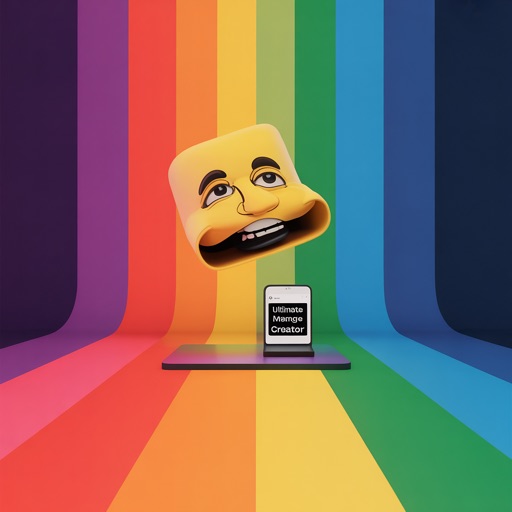
Create memes in seconds with built-in templates, your own photos, and quick caption controls that feel easy on iPhone. Ultimate Meme Image Creator helps you go from idea to finished image fast, whether you start with a template, a library photo, or a fresh camera shot.
Terms of Use (EULA): https://www.apple.com/legal/internet-services/itunes/dev/stdeula/
Key Features:
- Browse 12 included templates in a simple grid
- Jump through template categories: All, Basics, Textures, Gradients, Effects, and Panels
- Search templates by name or category
- Star favorites for fast access later
- Reopen from your 10 most recent templates automatically
- Import any picture from Photos or take a new one …
Read the full description
Create memes in seconds with built-in templates, your own photos, and quick caption controls that feel easy on iPhone. Ultimate Meme Image Creator helps you go from idea to finished image fast, whether you start with a template, a library photo, or a fresh camera shot. Terms of Use (EULA): https://www.apple.com/legal/internet-services/itunes/dev/stdeula/ Key Features: - Browse 12 included templates in a simple grid - Jump through template categories: All, Basics, Textures, Gradients, Effects, and Panels - Search templates by name or category - Star favorites for fast access later - Reopen from your 10 most recent templates automatically - Import any picture from Photos or take a new one with the camera - Resume your last draft from the Create tab with on-device autosave - Add top and bottom captions, plus a center caption with Pro - Choose from 10 fonts and adjust font size from 18 to 84 - Set text color, outline color, and outline width from 0 to 14 - Fine-tune caption placement with positioning sliders - Apply one-tap text styles: Classic, Subtitle, Neon, News, or Caption - Use ALL CAPS and Left, Center, or Right alignment - Tap Undo for up to 20 steps per editing session - Crop, rotate 90 degrees, flip horizontally or vertically, and apply filter presets with intensity control - Save to Photos, share, and export without a watermark How It Works: - Start in the template gallery, search for a background, or browse All, Basics, Textures, Gradients, Effects, and Panels - Pick a photo from Photos or tap Take Photo to capture a new image and start editing right away - Add a Top caption and Bottom caption, then adjust font size from 18 to 84 and outline width from 0 to 14 - Try Classic for bold meme text, Subtitle for cleaner sentence case, Neon for bright color contrast, News for all caps, or Caption for a strong label look - Use the Undo button if you change text, remove a sticker, delete a text box, or finish a stroke you do not want to keep - Return later and continue from the saved draft card on the Create tab, or discard it with one tap Pro Tools: - Add extra text boxes, then move, scale, rotate, duplicate, or delete each one - Change per-box text color, outline color, and outline width - Bring a text box Forward or send it Back to control layer order - Lock a text box to prevent accidental drags while you edit around it - Add stickers, tint them, resize them, spin them, and snap them to center - Draw with adjustable brush color, width, and opacity, then clear drawing when needed - Choose canvas ratios: 1:1, 4:5, 9:16, or 16:9 - Turn on safe margins overlay and add a border or frame - Export in either PNG or JPEG and use the quality slider for JPEG output - Pick export size presets: Standard, Square 1080, Story 1080×1920, Post 1080×1350, Link 1200×630, or Max 2400 - Make a 2-image vertical comic strip or a 2×2 collage Common Use Cases: - Make a classic reaction image with Top caption, Bottom caption, Classic style, and a favorite template - Turn a camera photo into a quick joke using crop, filter intensity, and caption positioning sliders - Build a layered post with extra text boxes, Forward and Back controls, and locked boxes for precise placement - Create a tall design with the 9:16 canvas ratio and the Story 1080×1920 export preset - Make a square post with the 1:1 ratio or Square 1080 preset - Assemble a simple side-by-side story with the 2-image vertical comic strip or a 2×2 collage Settings You Can Change: - Font picker with 10 fonts - Font size slider from 18 to 84 - Outline width slider from 0 to 14 - Alignment controls: Left, Center, Right - ALL CAPS toggle - Filter intensity control - Brush width and brush opacity - JPEG quality slider - Canvas ratio selector: 1:1, 4:5, 9:16, 16:9 Terms of Use (EULA): https://www.apple.com/legal/internet-services/itunes/dev/stdeula/
Installs
Apple does not publish download counts. Estimates are in testing.
We publish iOS estimates only after they pass a back-test against real numbers. Chart history below is measured.
Estimated store revenue Estimated Beta
App Store, worldwide, monthly rate from the last 13 chart days to 20 Nov 2026
Below the top 100 grossing apps in the markets we calibrate. In the United States that usually means under about $6.4M a month. App Store purchases and subscriptions only, before Apple's 15 to 30% fee. Ads and web payments are not included.
Ratings
3 ratings, 3 reviews
No rating breakdown published for this app.
Recent reviews
Latest public reviews from the store
No reviews in our sample for this app yet.
Top chart positions
Latest App Store chart ranks by country, last 10 days
Not in any tracked top chart in the last 10 days.
Ultimate Meme Image Creator history
Release, install milestones, listing and store changes
- First released on the store 5 Oct 2016
Update frequency
How often Ultimate Meme Image Creator ships a new version, month by month
2 updates in the last 12 months. More often than most similar apps: they shipped a median of 0 updates in the same year.
Recent versions
Current version 1.2
- Version 1.217 Jun 2026
Bug fixes and enhancements
- Version 1.128 Apr 2026
Bug fixes and enhancements
Listing keywords
Words and phrases Ultimate Meme Image Creator repeats most in its store listing
Top phrases: outline width (4), font size (3), text box (3), adjust font size (2), basics textures gradients (2).
Highlighted words also appear in the title. Counts cover the title, short description and description.
Compliance
What the listing and the app package show
- Store status
- Live
- Upkeep
- Updated 17 Jun 2026
- Age rating
- 4+
Apps like Ultimate Meme Image Creator
 Video CollageaZeR DiLLs★ 4.08
 Vee for VideoMedious★ 2.98
 Beauty Camera -Selfie, StickerBhuvan Gupta★ 4.5
 FinalCamXShenzhen Xiaozhen Technology Co.,Ltd.★ 4.44
 Magic Studio - AI Photo EditorMagicStudio.com★ 4.62
 Foto Impresiones: 1 Hr PhotoSoftwareX★ 4.98
 SnapGeo - AI Location FinderRECEP ASLAN★ 4.24
 Family Photo Maker - AIRick-y Media★ 4.12
 BeautifAI: AI Try OnJAI UYGULAMA VE YAPAY ZEKA TEKNOLOJILERI ANONIM SIRKETI★ 4.36
Ultimate Meme Image Creator: questions and answers
Who makes Ultimate Meme Image Creator?
Ultimate Meme Image Creator is published by Sandeep Bhandari.
When was Ultimate Meme Image Creator last updated?
The latest version (1.2) was released on 17 Jun 2026.
Is Ultimate Meme Image Creator free?
Yes. Ultimate Meme Image Creator is free to download.
Is Ultimate Meme Image Creator still available?
Yes. Ultimate Meme Image Creator is live on App Store as of 1 Jul 2026.
Track Ultimate Meme Image Creator and its competitors
Watch any app for new versions, rating drops, chart moves and removals. Free plan, no card.