
- Installs
- —
- Apple does not publish download counts
- Rating
- 4.65
- Ratings
- 387
- 387 reviews
- Version
- 6.0.1
- Updated 29 Aug 2026
- Released
- 27 May 2016
- Tracked since 10 May 2026
- Size
- 105 MB
- Needs 17.0
Screenshots


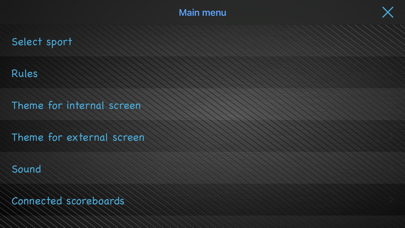

About Ultimate Scoreboard
The description on the store listing
Versatile and highly customizable scoreboard that lets you track any game and share standings and results with friends and family! Can also be used as a "real" scoreboard by connecting to an external screen by HDMI or AirPlay mirroring, or use up to 7 other iDevices as external screens by connecting them over the network.
Features:
- Choose between 6 different layouts when presented on an external screen.
- Adjustable length- and number of periods.
- Set up teams with optional logos and colors.
- Penalties - shows up to three concurrent penalties per team, supports unlimited concurrent penalties. Penalties can be edited and removed.
- Shot clock.
- Timeouts.
- Intermissions.
- All clocks …
Read the full description
Versatile and highly customizable scoreboard that lets you track any game and share standings and results with friends and family! Can also be used as a "real" scoreboard by connecting to an external screen by HDMI or AirPlay mirroring, or use up to 7 other iDevices as external screens by connecting them over the network. Features: - Choose between 6 different layouts when presented on an external screen. - Adjustable length- and number of periods. - Set up teams with optional logos and colors. - Penalties - shows up to three concurrent penalties per team, supports unlimited concurrent penalties. Penalties can be edited and removed. - Shot clock. - Timeouts. - Intermissions. - All clocks can be adjusted, even while still running. Long tap to enter edit mode. - Change clock direction. - Get a notification when the period or game ends if the app is running in the background (you need to accept push notifications for this to work). - Sound effects: select from a rich set of sound effects for events such as scoring, match clock start/stop, period end, game won, penalty or timeout expiration etc. - Customize the colors and fonts of clocks, scores and teams individually. - Select your own background for an even more personal touch. - Share results on social media, Email, messages etc. - Use the companion Apple Watch app to control the scoreboard from your wrist, maybe even as one of the participants? - Show a big scoreboard by connecting a TV by cable or AirPlay mirroring and select from a number of different layouts. - Connect up to 7 iPads or iPhones over the network and use them as external screens. Each connected scoreboard can use it's own separate layout and styling. - Supports most sports including Soccer, Ice hockey, Basketball, Tennis, Padel, Handball, Floorball, Lacrosse and many more. - Connect external buttons (Flic) to control the scoreboard as one of the participants or a referee. Wear the button on your wrist or on your cloths, stick it to the side of your table tennis table... you get the idea. - Use shortcuts through the Shortcuts app to trigger scores, control the game clock and more. Instructions: Tap the score with one finger for one point, two fingers for two points and three fingers for three points. You can also swipe up or right to increase the score by one or swipe left or down to remove the last added point(s). Tap on the game clock (or any other clock for that matter) to start/pause it. Tap on the period to change to the next period, long press to edit. To give either team a penalty or a timeout, tap the whistle icon in the top left. Tap on the team names to go to the team editor, where you can create new teams with customized logos and colors and select teams for the current game. Adjust the length and number of periods, the length of penalties and so on from the settings menu. Tap the trashcan icon to reset the current game. Use the share icon to share results with MMS/Facebook/Twitter/Email etc or save it to your photo album as a dear memory of that big win. Watch app: - swipe left and right to switch between screens. - on the score screen, tap each team button to add a point and swipe down on the button to undo the latest point. - on the game time screen, tap the time to start/stop the game clock. - on the last screen you have the option to reset the current game.
Installs since 29 Aug 2026
Apple does not publish download counts. Estimates are in testing.
Estimated store revenue Estimated Beta
App Store, worldwide, monthly rate from the last 13 chart days to 20 Nov 2026
Below the top 100 grossing apps in the markets we calibrate. In the United States that usually means under about $6.4M a month. App Store purchases and subscriptions only, before Apple's 15 to 30% fee. Ads and web payments are not included.
Ratings
387 ratings, 387 reviews
No rating breakdown published for this app.
Recent reviews
Latest public reviews from the store
No reviews in our sample for this app yet.
Top chart positions
Latest App Store chart ranks by country, last 10 days
Not in any tracked top chart in the last 10 days.
Ultimate Scoreboard history
Release, install milestones, listing and store changes
- First released on the store 27 May 2016
Update frequency
How often Ultimate Scoreboard ships a new version, month by month
3 updates in the last 12 months. More often than most similar apps: they shipped a median of 2 updates in the same year.
Recent versions
Current version 6.0.1
- Version 6.0.129 Aug 2026
Another packed release with winner celebrations, interludes, new goal animations and much more: - Celebrate the winning team in style with confetti, fireworks or golden trophy. - Introducing Interlude: upload short videos and automatically play them on external and connected scoreboards during intermissions or when the match clock has been paused for some time. This feature is available to subscribers only. - A new scoreboard layout for Tennis / Padel has been added, with the game and set scores on the same row. - Themes can now be imported and exported, making it easy to share your beautiful designs or reuse them on other devices. - Teams can now also be imported and exported along with their logos, colors and tags. Great for making backups or sharing data between devices. - Customize connected scoreboards from the controlling scoreboard, making it easier to tune the themes of connected scoreboards. - Set timeout limits per period and per game, with optional indicators showing each team’s remaining timeouts. - Long press a team’s score to quickly award multiple points at once. - Added a hockey goal-light score animation. - The match clock of external scoreboards now feature a run indicator, choose between a number of designs.
- Version 5.0.011 Jun 2026
The most packed update ever! - Set-based sports are here: table tennis, volleyball, badminton and more. - Completely rewritten networking brings faster, more reliable connected scoreboards. - Coin toss: which team will start? - Even more customization: style penalties plus clock and period backgrounds. - Richer scoreboard backgrounds with solid colors, gradients and even animated gradients. - Animated score transitions: choose from 7 different animations. - Dynamic split-second display on the game clock, now with a customizable cutoff.
- Version 4.8.227 Jan 2026
- Fixed a bug that wouldn’t properly persist the game clocks color. - A few UI fixes in color selection and on the external scoreboard connection screen.
Listing keywords
Words and phrases Ultimate Scoreboard repeats most in its store listing
Top phrases: current game (3), game clock (3), control the scoreboard (2), length and number (2), logos and colors (2).
Highlighted words also appear in the title. Counts cover the title, short description and description.
Compliance
What the listing and the app package show
- Store status
- Live
- Upkeep
- Updated 29 Aug 2026
- Age rating
- 4+
Apps like Ultimate Scoreboard
 PlayerProps.ai: Win More PicksBetter Bets Inc★ 4.63
 Fishing Spots - Fish FinderReworld, Inc.★ 4.71
 Charm City BasketballCharm City Basketball★ 4.58
 PWYAPWYA FUNDRAISERS INC★ 4.76
 Soccer Betting Tips & OddsLoheden AI Solutions AB★ 4.59
 NASCAR TracksNASCAR Digital Media, LLC★ 3.27
 SSC Napoli - Official AppSSC Napoli S.p.A.★ 4.8
 SporfieNagra USA Inc.★ 4.69
 Match! Tennis AppMatt Waters★ 3.94
Ultimate Scoreboard: questions and answers
Who makes Ultimate Scoreboard?
Ultimate Scoreboard is published by AgiDev AB.
When was Ultimate Scoreboard last updated?
The latest version (6.0.1) was released on 29 Aug 2026.
Is Ultimate Scoreboard free?
Yes. Ultimate Scoreboard is free to download.
Is Ultimate Scoreboard still available?
Yes. Ultimate Scoreboard is live on App Store as of 14 Nov 2026.
Track Ultimate Scoreboard and its competitors
Watch any app for new versions, rating drops, chart moves and removals. Free plan, no card.