
- Installs
- —
- Apple does not publish download counts
- Rating
- 4.74
- Ratings
- 16.5K
- 16.5K reviews
- Version
- 4.2.0
- Updated 26 May 2026
- Released
- 13 Sep 2012
- Tracked since 10 May 2026
- Size
- 106 MB
- Needs 16.6
Also on Google Play: Voice Record Pro (2.6K ratings)
Screenshots
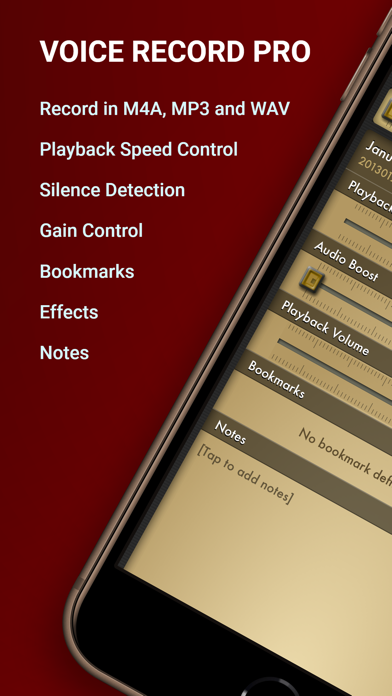
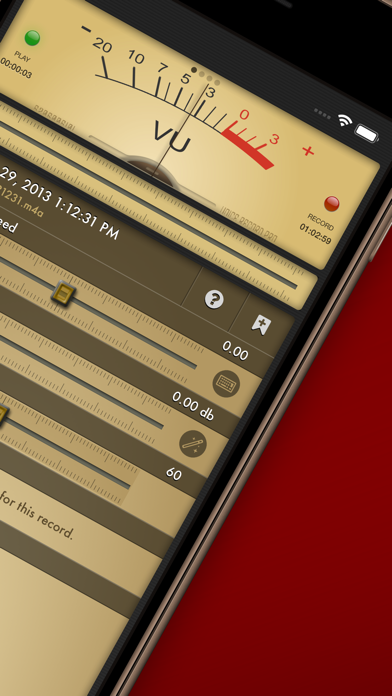


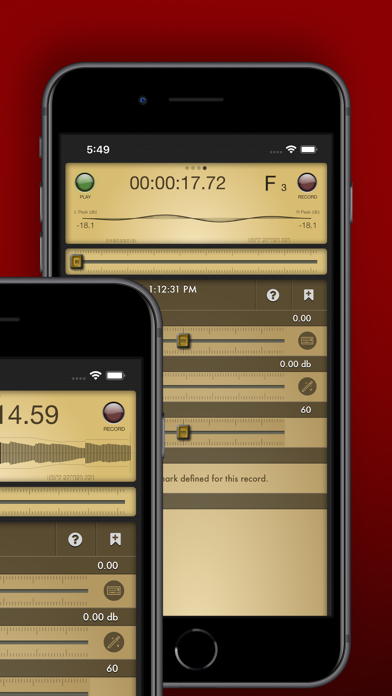
About Voice Record Pro
The description on the store listing
Professional Voice Recorder for iPhone, iPad and iWatch! No limitation, Completely FREE!
Voice Record Pro is a professional voice recorder. It allows you to record voice memos and on-site sounds at unlimited length with configurable quality.
Voice Record Pro can record directly in MP4 (AAC), MP3 (MPEG) and WAV (PCM) formats plus convert function for all supported formats.
None of the features are limited by in-app purchase, they are all free and without limitation. in-app purchase can be used to remove the bottom advertisement from the app.
RECORDING:
- Unlimited recording, the only limit is your device free space.
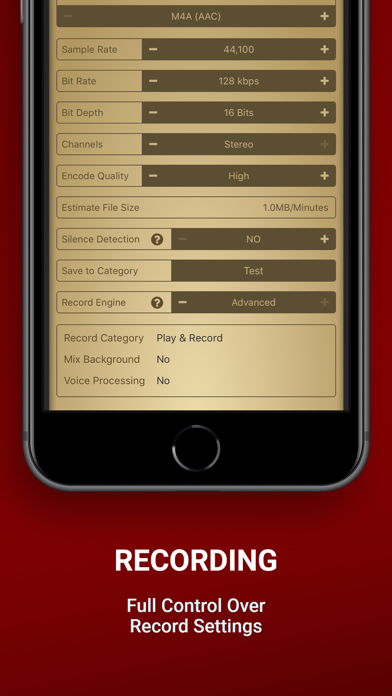
- Record audio in M4A/AAC format, you can choose the exact quality of …
Read the full description
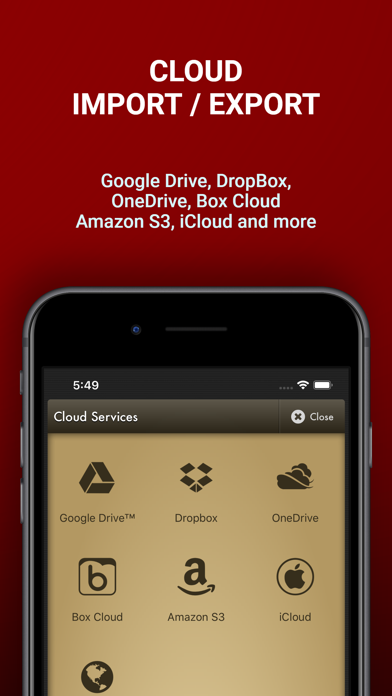
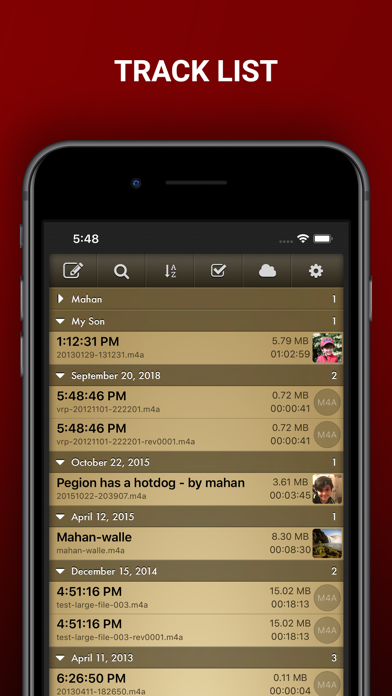
Professional Voice Recorder for iPhone, iPad and iWatch! No limitation, Completely FREE! Voice Record Pro is a professional voice recorder. It allows you to record voice memos and on-site sounds at unlimited length with configurable quality. Voice Record Pro can record directly in MP4 (AAC), MP3 (MPEG) and WAV (PCM) formats plus convert function for all supported formats. None of the features are limited by in-app purchase, they are all free and without limitation. in-app purchase can be used to remove the bottom advertisement from the app. RECORDING: - Unlimited recording, the only limit is your device free space. - Record audio in M4A/AAC format, you can choose the exact quality of the record including bitrate, sample rate, bit depth, number of audio channels and encode quality. - Record audio in MP3 format, in addition to sample rate, bitrate, bit depth and number of channels you can also set to record MP# in VBR (Variable Bit Rate) or CBR (Constant Bit Rate). - Record audio in WAV/PCM format, sample rate, bit depth and number of channels can be configured. - All formats can be set to record audio in silence detection mode, which will only record audio if detected (record level is configurable) - Ability to enable/disable iOS Voice Processing and mix with background sounds. - Ability to record in stereo format on supported devices. - Apply effects while recording - Add bookmarks during record session PLAYBACK: - Change playback speed - Boost audio volume - Change playback volume and divert into connected devices (AirPlay) - Jump to previously defined bookmarks and add new ones - Read and edit notes - Swipe gestures to short and long jump forward and backward, amount of jump is configurable - Swipe gestures to previous and next track - Loop playback on single record or play multiple records in sequence STORAGE & EXPORT: - Export to and import from Google Drive™, DropBox, Microsoft® OneDrive (personal and business), Box Cloud, iCloud Drive, Amazon S3 - Export to SoundCloud and Custom FTP server - Post to Any Web base Script - Import from device Music Library - Sync records with other nearby devices running this app - Send to other devices via Bluetooth - Download directly to PC using built-in web server via local WiFi connection - Upload from PC using WiFi connection - WebDav support using WiFi service - Convert to a movie clip and export to Photo Albums - Post as a Movie Clip on YouTube - Export to other apps on your device that can handle the audio file - Import from other apps - Send Audio or Movie by email - Send Audio or Movie by SMS/iMessage MODIFICATION: - Add notes to records - Add photo to records - Add bookmarks to records - Simple trim and Advanced trim functions - Modify ID3v2 tags - Append a record to another record - Split audio files into separate files based on equal parts, file size or bookmarks - Join multiple audio records into one - Apply effects while recording - Apply effects to the recorded or imported file including: - Echo - Volume/Gain - Pitch & Speed - Reverb - Distortion - 3/6/10 Band Equalizer - Add reminder alarm for each record - Color tag audio files - Convert M4A to and from MP3 to and from WAV GENERAL: - Protect the app with a passcode - Create custom movie templates - Built-in WiFi http server - Custom categories for better organizing - Customized swipe to right gestures on each record - Multiple sort options and deep customization of track lists and much more. Enjoy.
Installs, last 30 days
Apple does not publish download counts. Estimates are in testing.
Estimated store revenue Estimated Beta
App Store, worldwide, monthly rate from the last 12 chart days to 19 Nov 2026
Below the top 100 grossing apps in the markets we calibrate. In the United States that usually means under about $6.4M a month. App Store purchases and subscriptions only, before Apple's 15 to 30% fee. Ads and web payments are not included.
Ratings
16,476 ratings, 16,476 reviews
No rating breakdown published for this app.
Recent reviews
Latest public reviews from the store
- 15 Dec 2025
My Favorite App
I absolutely love this app, and use it every day, multiple times. I’ve always been impressed at the wealth of features included by the developer; pretty much anything you can think of (and more) is in here, and works intuitively! I’m so grateful for the recent update that fixes the ability to backup to Google, iCloud, etc. (It stopped working some time back due to changes made by Google, which affected all the backup options.) Works perfectly now; I just backed up almost 3,000 audio files to iCloud, and then to Google Drive. Then confirmed that all files are backed up and functional. Another issue I’d had in the past is now fixed, though not mentioned: When recording, then Pause, then resume, I used to find that everything beyond the first pause was distorted. Now that aspect works perfectly, which will save me from needlessly creating new files just to avoid the distortion. There are some other improvements as well in the latest update, such as including the displaying of note names while you’re recording. For most things I record, it goes by too rapidly, and it can’t determine chords - just note names and octave number. But it can be useful if playing or singing a
- 23 Dec 2024
I dont usually write reviews
But this little app is hands down the best voice recorder i've ever known so i just had to say that. Fully customizable. I was simply looking for a easier way to share voice memos on my old iphone 5c to my macbook and found my new goto for recordings instead. Its like audacity with the many options of reaper and the fx of garageband. The ability to bulk transfer to computer via wifi download makes it the clear choice from now on. Simple tap to add a jump marker or make a note. It even has a reminder feature where you can set an alarm for a memo to play. They threw everything in here, and for free to boot. Wait, let me test one last thing. Yep, it allows recording while monitoring through garageband. I can do my singing takes and press the bookmark button to mark the best takes as i record before exporting to reaper. Merry christmas!!! Only one suggestion, a quick record option, to start recording without setting options. But dont do it for me, because i probably can't use any newer versions, im on ios 10. Thanks for allowing previous versions in a world that wants to update everything
- 11 Oct 2024
Excellent recording app
This app is excellent. I tried a few dozen recording apps and finally chose this one. I use it primarily to record my concert band rehearsals. I am able to record a 90 minute rehearsal and then edit the file to separate each song. I can then practice, each song individually at home. I use the bookmark feature extensively so that I can practice certain parts of a song repeatedly. I also use the playback speed feature. This allows me to slow the songs down to help me learn them at a slower tempo. The app is very powerful. I am still learning how to use some of the advanced features to my advantage. I use the app about 3 to 4 hours each week. Finally, I also used this app to record my conversations with my brother during his final weeks. Very important to me. I was able to easily upload and archive those files to the cloud and other devices. If you are looking for a recording app for voice and music, I highly recommend this app based on my experiences.
- 31 Aug 2024
Unbelievable and for free.
Best recorder I’ve ever used for a mobile device. Has either a simple or advanced interface to allow either fast and easy recording on the fly or in-depth options from format WAV/MP3/AAC to silence detection and more with the advanced recording engine. After that there is nearly every conceivable method of transferring or uploading files to anywhere, every cloud service, FTP, WiFi server, WebDav, USB transfer with iTunes, and more. None of it is complicated. For example the WiFi server is started with the push of a button and you can access your recordings on any computer/mobile web browser by entering the provided URL. You can then transfer—upload or download—and even delete them off your phone if desired. There’s a small ad at the bottom which is the only aspect of the free version, otherwise it’s fully functional. I love it so much I might pay to rid of the little ad, but mostly just support the development and say thanks by purchasing. If there is any possible feature missing you should probably go buy an expensive external recorder that would also include all the features this little app has. As far as mobile device recording features and quality, this has pretty
What reviewers bring up
Topics mentioned in the latest 8 reviews, by how many reviews mention them
Liked in good reviews (8 reviews)
- recording 8
- feature 6
- files 5
- options 4
- allows 4
- audio 4
- other 4
- advanced 3
Raised in bad reviews (0 reviews)
No topic comes up twice.
Top chart positions
Latest App Store chart ranks by country, last 10 days
Not in any tracked top chart in the last 10 days.
Voice Record Pro history
Release, install milestones, listing and store changes
- First released on the store 13 Sep 2012
Update frequency
How often Voice Record Pro ships a new version, month by month
1 updates in the last 12 months. Less often than most similar apps: they shipped a median of 2 updates in the same year.
Recent versions
Current version 4.2.0
- Version 4.1.326 May 2026
- Fixed a bug causing bookmark text to not show properly in some situations - Dropbox integration fixed - Fixed a crash that could occur when stopping a recording assigned to a collapsed folder.
- Version 4.1.014 Nov 2025
- Improved UI to match iOS 26 - Fixed Google Drive integration (due to restrictions by Google, only files uploaded by app can be accessed) - Fixed Box Drive integration - Improved transcription service - Fixed a bug causing feedback form to crash the app
Listing keywords
Words and phrases Voice Record Pro repeats most in its store listing
Top phrases: record audio (5), voice record pro (3), apply effects (3), bit depth (3), record pro (3).
Highlighted words also appear in the title. Counts cover the title, short description and description.
Compliance
What the listing and the app package show
- Store status
- Live
- Upkeep
- Updated 26 May 2026
- Age rating
- 4+
Apps like Voice Record Pro
 CamToPlan - AR tape measureTasmanic Editions★ 4.68
 Hidden Camera Detector - PeekKupertino Labs★ 4.36
 مترجم النت عربي و ترجمة متصفحNayer AbuAlSoud★ 4.18
 Second Texting Number:UnlistedFathomTel, Inc.★ 4.63
 NIOSH Sound Level MeterEA LAB★ 4.68
 VPN -fast unlimited secure vpnGREEN DYGITAL CONSULTING LLP★ 4.6
 Pocket Bubble Level XXLExaMobile S.A.★ 4.8
 Hornady Reloading GuideHornady★ 4.64
 My FileManager - DocumentsGyoom★ 4.61
Voice Record Pro: questions and answers
Who makes Voice Record Pro?
Voice Record Pro is published by Dayana Networks Ltd.
When was Voice Record Pro last updated?
The latest version (4.2.0) was released on 26 May 2026.
Is Voice Record Pro free?
Yes. Voice Record Pro is free to download.
Is Voice Record Pro still available?
Yes. Voice Record Pro is live on App Store as of 19 Nov 2026.
Track Voice Record Pro and its competitors
Watch any app for new versions, rating drops, chart moves and removals. Free plan, no card.