
- Installs
- —
- Apple does not publish download counts
- Rating
- 4.63
- Ratings
- 911K
- 911K reviews
- Version
- 45.6.2
- Updated 28 Oct 2025
- Released
- 6 Jan 2009
- Tracked since 10 May 2026
- Size
- 204 MB
- Needs 13.0
Also on Google Play: Webex Meetings (2.2M ratings)
Screenshots
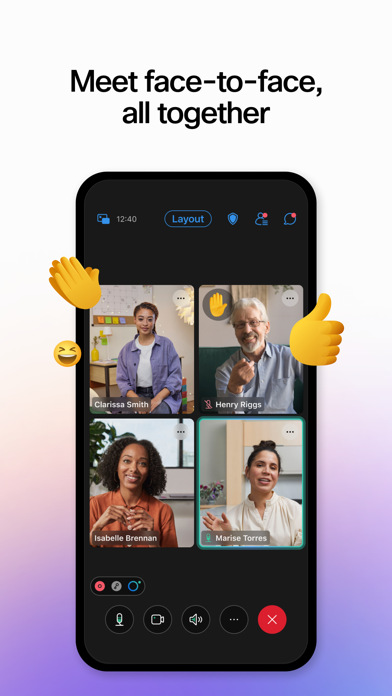

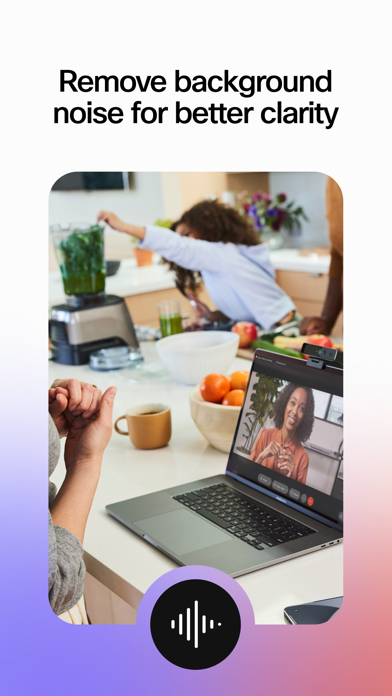
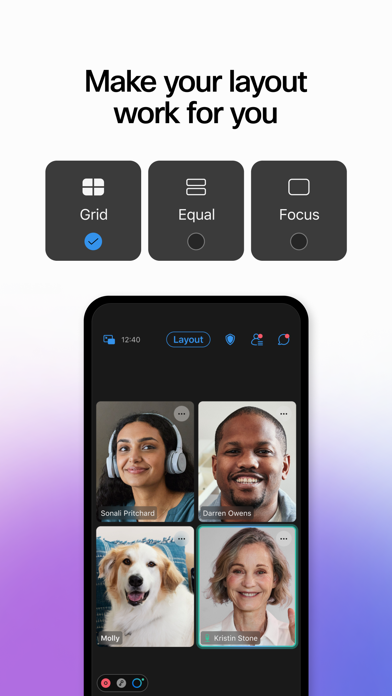
About Webex Meetings
The description on the store listing
Don’t let being away from the office slow your business down. Experience secure, productive meetings from wherever you are.
Webex Meetings delivers over 25 billion meetings per month, offering industry-leading video and audio conferencing with sharing, chat, and more. Experience why Webex Meetings is the most trusted video conferencing solution today.
General features:
• Join and present from any meeting, event, or training session directly from your iPhone, iPad, or Apple Watch
• Hands-free voice commands with Siri
• One-tap joining directly from your calendar
• Schedule meetings directly from your app
• Customizable video layouts and virtual backgrounds
• Share your content (including …
Read the full description
Don’t let being away from the office slow your business down. Experience secure, productive meetings from wherever you are. Webex Meetings delivers over 25 billion meetings per month, offering industry-leading video and audio conferencing with sharing, chat, and more. Experience why Webex Meetings is the most trusted video conferencing solution today. General features: • Join and present from any meeting, event, or training session directly from your iPhone, iPad, or Apple Watch • Hands-free voice commands with Siri • One-tap joining directly from your calendar • Schedule meetings directly from your app • Customizable video layouts and virtual backgrounds • Share your content (including 3-D files) or screen to everyone • Easily sign in using Face ID or Touch ID Want to learn more? See https://help.webex.com/nowvmhw/. Follow us: • Twitter - https://twitter.com/webex • Facebook - https://www.facebook.com/CiscoCollab By installing this application, you are accepting the Terms of Service (http://www.webex.com/terms-of-service-text.html) and Privacy Statement (https://www.cisco.com/web/siteassets/legal/privacy.html) and are consenting to receive communications, updates, and upgrades for Cisco Webex services. Cisco Webex may collect meeting usage data and personal information, such as your email address, from your computer or device.
Installs, last 30 days
Apple does not publish download counts. Estimates are in testing.
Estimated store revenue Estimated Beta
App Store, worldwide, monthly rate from the last 13 chart days to 20 Nov 2026
Below the top 100 grossing apps in the markets we calibrate. In the United States that usually means under about $6.4M a month. App Store purchases and subscriptions only, before Apple's 15 to 30% fee. Ads and web payments are not included.
Ratings
911,487 ratings, 911,487 reviews
No rating breakdown published for this app.
Recent reviews
Latest public reviews from the store
- 11 Jul 2020
Fine but could use some obvious updates.
This was a good enough experience, but button placement is all over the place, at least from a participant view. For example, during a slideshow presentation, the “raise hand” button is buried in the chat light box pop up, so you have to click on the screen, click on the chat button, click on the raise hand button and hope the presenter hasn’t moved on by then. It should be placed next to the annotation request button on the top left. Second, the chat window should be able to be selected as overlay or sidebar (left or right side). Having it ONLY overlay ruins the presentation experience completely if you want to be able to follow along with both chat and presentation at the same time. Finally, for the participants bar on the top or bottom of the window, the currently non-speaking participants can be 4x4 in a current 1-block space instead of full-size participant boxes for more easily viewing a large team or group in a smaller space (with video participants favored first). Also the “who’s speaking” pop up should be middle center top, not bottom left, which is not a good placement in relation to the participant bar. Finally, with regards to buttons: extra buttons should b
- 8 May 2020
Great App
With everything going on due to COVID I have lost my treatment groups and my meetings that I had in person they were what helped me replace my time I used to use to get high and they would help me process things in my life and living clean and sober. This app has made it possible to have a one on one session with my counselor and be able to get that connection you can’t get over a phone call I am able to see her and have eye contact and feel as though she is fully present in our conversation. The app did not glitch out at all and it was a very easy process to get signed up and to figure out how to get in the video with my counselor. The only thing I did not like was that I could not figure out how to flip my camera around to where I could show what I was looking at instead of the camera being on my face I am not sure if it is even possible to do that with this app and if it is I feel that it needs to be more easily accessible. Overall this is a great app and I love it!
- 5 May 2020
Great iPhone app
This is a great app for the iPhone. I’ve never experienced any issues related to the app. Most audio issues I’ve experienced are caused from users: bad microphone, not talking close enough to microphone, not muting themselves when dialing in, etc. I attend all of my WebEx meetings exclusively on iPhone app now so that I can keep working separately on desktop during meetings. I especially love that there is an Apple Watch app; when you’re in a meeting, the Watch app pops up and is basically just a large mute/unmute button. Genius! Something Apple should adapt for their normal phone functionality. If I were to ask for an additional feature, it would be to integrate with the iPhone phone app. When I’m on a meeting with Microsoft Teams, I get the same lock screen as I would if I were in a phone call, with a mute button, video button (instead of FaceTime), etc. I take a lot of my calls while outside on walks with my dogs during the COVID-19 shut down, so it would be nice to be able to quickly mute/unmute myself without unlocking my phone (the Watch app isn’t always responsive).
What reviewers bring up
Topics mentioned in the latest 8 reviews, by how many reviews mention them
Liked in good reviews (2 reviews)
- meetings 2
- instead 2
- video 2
- able 2
- call 2
Raised in bad reviews (5 reviews)
- meeting 4
- once 4
- webex 3
- asked 3
- functionality 2
- constantly 2
- important 2
- annoying 2
Top chart positions
Latest App Store chart ranks by country, last 10 days
Not in any tracked top chart in the last 10 days.
Webex Meetings history
Release, install milestones, listing and store changes
- First released on the store 6 Jan 2009
Update frequency
How often Webex Meetings ships a new version, month by month
0 updates in the last 12 months. Less often than most similar apps: they shipped a median of 10 updates in the same year.
Recent versions
Current version 45.6.2
- Version 45.6.228 Oct 2025
• Usability improvements • Bug fixes
Listing keywords
Words and phrases Webex Meetings repeats most in its store listing
Top phrases: webex meetings (3), cisco webex (2).
Highlighted words also appear in the title. Counts cover the title, short description and description.
Compliance
What the listing and the app package show
- Store status
- Live
- Upkeep
- Updated 28 Oct 2025
- Age rating
- 4+
Apps like Webex Meetings
 Amazon A to ZAMZN Mobile LLC★ 4.74
 Glassdoor | Jobs & CareersGlassdoor★ 4.77
 SAP ConcurConcur★ 4.77
 Intune Company PortalMicrosoft Corporation★ 4.65
 PaylocityPaylocity★ 4.81
 Adobe Acrobat Reader: Edit PDFAdobe Inc.★ 4.64
 Uber - Driver: Drive & DeliverUber Technologies, Inc.★ 4.43
 UPSUPS★ 4.58
 LinkedIn: Community & NetworkLinkedIn Corporation★ 4.77
Webex Meetings: questions and answers
Who makes Webex Meetings?
Webex Meetings is published by Cisco.
When was Webex Meetings last updated?
The latest version (45.6.2) was released on 28 Oct 2025.
Is Webex Meetings free?
Yes. Webex Meetings is free to download.
Is Webex Meetings still available?
Yes. Webex Meetings is live on App Store as of 20 Nov 2026.
Track Webex Meetings and its competitors
Watch any app for new versions, rating drops, chart moves and removals. Free plan, no card.