
- Installs
- —
- Apple does not publish download counts
- Rating
- 4.7
- Ratings
- 347
- 347 reviews
- Version
- 26.0
- Updated 4 Jan 2026
- Released
- 15 Jun 2018
- Tracked since 10 May 2026
- Size
- 22 MB
- Needs 12.4
Screenshots
About WinboxMobile - Router Admin
The description on the store listing
WinboxMobile – Manage Your Mikrotik Routers on the Go
WinboxMobile is a universal app designed for both iPhone and iPad, offering full support for Mikrotik RouterOS versions 6.X and 7.X with seamless connections via API or API-SSL.
Key Features:
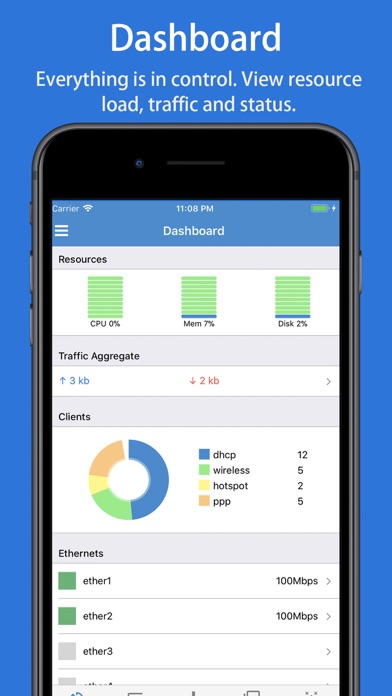
• Comprehensive Dashboard: Get real-time insights into resource usage, including CPU, memory, disk usage, traffic throughput, client counts, percentage charts, and Ethernet status.
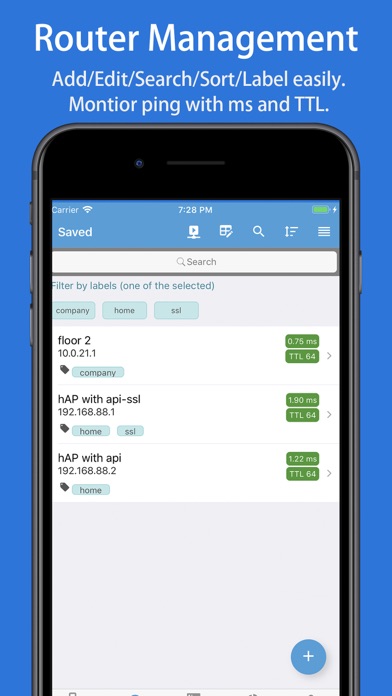
• Organize & Search: Group routers by labels and easily search by name, IP/URL, or labels for quick access.
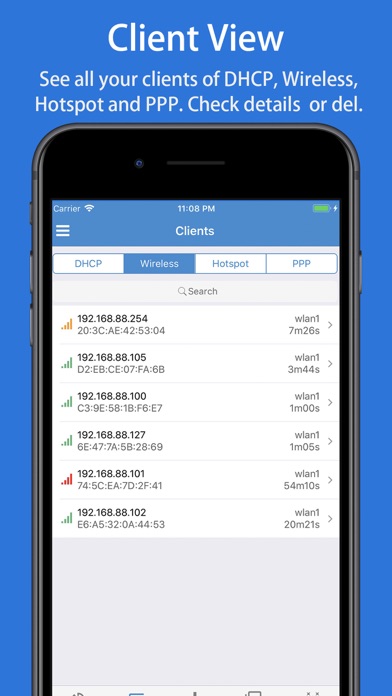
• Client Management: View key router clients, DHCP leases, wireless registrations, active hotspots, and PPP sessions. You can check details and control these …
Read the full description
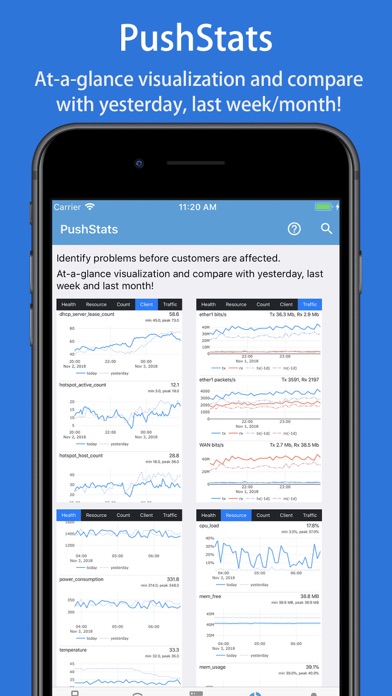
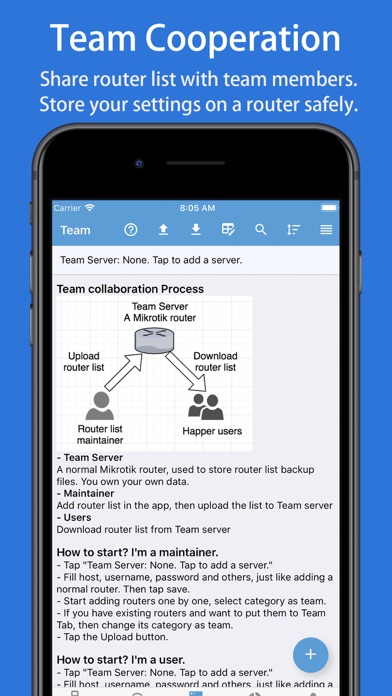
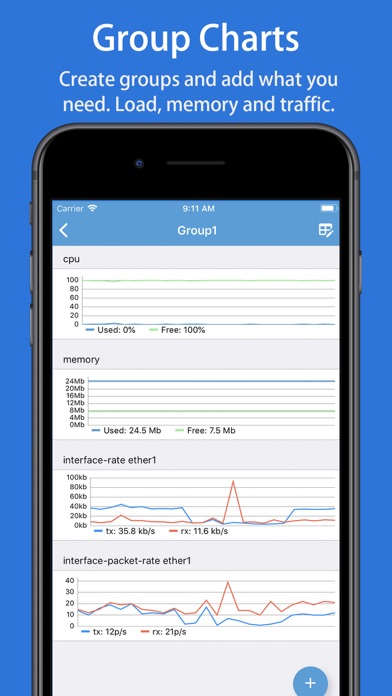
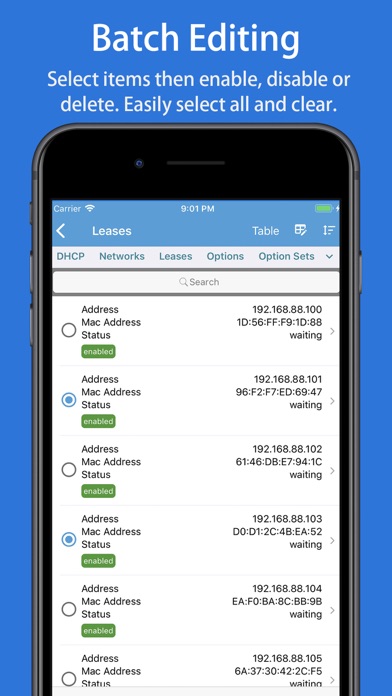
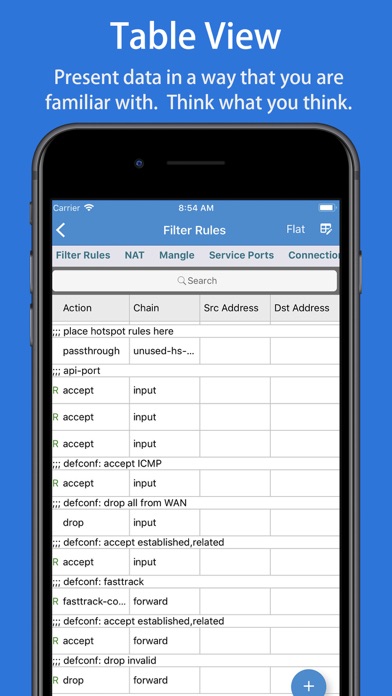
WinboxMobile – Manage Your Mikrotik Routers on the Go WinboxMobile is a universal app designed for both iPhone and iPad, offering full support for Mikrotik RouterOS versions 6.X and 7.X with seamless connections via API or API-SSL. Key Features: • Comprehensive Dashboard: Get real-time insights into resource usage, including CPU, memory, disk usage, traffic throughput, client counts, percentage charts, and Ethernet status. • Organize & Search: Group routers by labels and easily search by name, IP/URL, or labels for quick access. • Client Management: View key router clients, DHCP leases, wireless registrations, active hotspots, and PPP sessions. You can check details and control these clients effortlessly. • Real-time Interface Monitoring: Track the real-time transmission and reception rates of network interfaces. • Custom Charts: Create chart groups for specific metrics, such as CPU usage, memory usage, and traffic rates for Ethernet and WLAN interfaces. • Advanced Router Settings: Manage CAPsMAN, interfaces, wireless settings, bridges, switches, mesh networks, PPP, IP configurations, routing, system settings, queues, and radius. • Live Statistics & Charts: Get real-time data for WLAN clients, simple queues, firewall rules, NAT, and more. • Batch Updates: Select and batch-enable, disable, or delete items with ease. Easily select all items and clear them. • Logs & Tools: View router logs with search functionality. Utilize powerful tools like Ping, Traceroute, IP Scan, Bandwidth Test, and Profile. • Script Automation & Maintenance: Run scripts, reboot or shut down routers, manage backups and restores, and check for system updates effortlessly. • User-Friendly Interface: Enjoy ease of use with features like pull-to-refresh, search highlights, sortable lists, and drag-and-drop functionality. • Enhanced Security: With Port Knocking, minimize hacking risks by enabling security features with just one tap. • Team Collaboration: Share and maintain router lists efficiently within a team for smooth collaboration. PushStats – Proactive Monitoring: Monitor crucial statistics to identify issues before they affect your users: • Health Monitoring: Get real-time data on voltage, power consumption, temperatures, fan speeds, and more. • Resource Tracking: Monitor uptime, CPU load, memory usage, and disk space. • Client & Traffic Stats: Track system active users, wireless registrations, DHCP leases, hotspot activity, traffic rates, and packet rates for Ethernet and WLAN interfaces. • Custom Alerts: Set up alerts for key events, such as high CPU or memory usage, interface traffic drops, or link downs, with customizable thresholds. With WinboxMobile, managing your Mikrotik routers has never been easier or more efficient. Stay in control and monitor your network in real-time, wherever you are. Payment will be charged to iTunes Account at confirmation of purchase. Subscription automatically renews unless auto-renew is turned off at least 24-hours before the end of the current period. Account will be charged for renewal within 24-hours prior to the end of the current period, and identify the cost of the renewal. Subscriptions may be managed by the user and auto-renewal may be turned off by going to the user's Account Settings after purchase. Any unused portion of a free trial period, if offered, will be forfeited when the user purchases a subscription to that publication, where applicable. Terms of use: https://septudio.com/terms-of-use Privacy policy: https://septudio.com/privacy-policy
Installs since 29 Aug 2026
Apple does not publish download counts. Estimates are in testing.
Estimated store revenue Estimated Beta
App Store, worldwide, monthly rate from the last 12 chart days to 19 Nov 2026
Below the top 100 grossing apps in the markets we calibrate. In the United States that usually means under about $6.4M a month. App Store purchases and subscriptions only, before Apple's 15 to 30% fee. Ads and web payments are not included.
Ratings
347 ratings, 347 reviews
No rating breakdown published for this app.
Recent reviews
Latest public reviews from the store
No reviews in our sample for this app yet.
Top chart positions
Latest App Store chart ranks by country, last 10 days
Not in any tracked top chart in the last 10 days.
WinboxMobile - Router Admin history
Release, install milestones, listing and store changes
- First released on the store 15 Jun 2018
Update frequency
How often WinboxMobile - Router Admin ships a new version, month by month
1 updates in the last 12 months. About as often as similar apps, which shipped a median of 1 updates in the same year.
Recent versions
Current version 26.0
- Version 26.04 Jan 2026
Bug fixes and stability improvements.
Listing keywords
Words and phrases WinboxMobile - Router Admin repeats most in its store listing
Top phrases: memory usage (3), ethernet and wlan (2), rates for ethernet (2), real time data (2), current period (2).
Highlighted words also appear in the title. Counts cover the title, short description and description.
Compliance
What the listing and the app package show
- Store status
- Live
- Upkeep
- Updated 4 Jan 2026
- Age rating
- 4+
Apps like WinboxMobile - Router Admin
 Prayer Times & QiblaYahya Alzahrani★ 4.68
 Statistics Calculator--Dogahe★ 4.44
 BTU Calculator - Data CentersCristinel Bontas★ 4.58
 Universal Remote – TV ControlControlla TV LTD.★ 4.54
 Petra: Aptos Crypto WalletAptos Labs★ 4.76
 Angle Gradient InclinometerSHIGETO TAKAGI★ 4.34
 givestar - Fundraising AppTapSimple★ 4.75
 Calculator for PadBeijing Free Sight Technology Co., Ltd★ 4.34
 FUZE: Mobile ChargingFuze Technology Inc.★ 4.29
WinboxMobile - Router Admin: questions and answers
Who makes WinboxMobile - Router Admin?
WinboxMobile - Router Admin is published by 婉媚 邵.
When was WinboxMobile - Router Admin last updated?
The latest version (26.0) was released on 4 Jan 2026.
Is WinboxMobile - Router Admin free?
Yes. WinboxMobile - Router Admin is free to download.
Is WinboxMobile - Router Admin still available?
Yes. WinboxMobile - Router Admin is live on App Store as of 14 Nov 2026.
Track WinboxMobile - Router Admin and its competitors
Watch any app for new versions, rating drops, chart moves and removals. Free plan, no card.