- Installs
- —
- Apple does not publish download counts
- Rating
- 3.6
- Ratings
- 5
- 5 reviews
- Version
- 2.3.7
- Updated 9 Jan 2019
- Released
- 7 Sep 2012
- Tracked since 10 May 2026
- Size
- 35 MB
- Needs 9.0
Screenshots



About xCalendar Lite
The description on the store listing
If you want to export your calendar events to an Excel file and edit them on your computer or - if you want to share these events with your friends so that they could import them to their own calendar, then xCalendar maybe right for you.
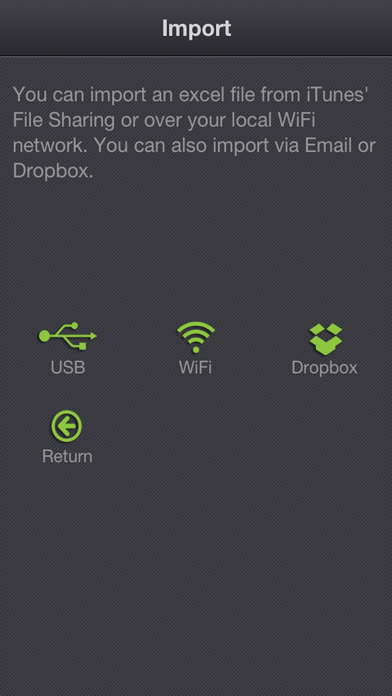
xCalendar exports all of your events from your iPhone or iPad to an Excel file by email, USB, WiFi and Dropbox. You can then modify and maintain your schedule easily and conveniently on your computer using Excel, Numbers, OpenOffice or any other Excel-compatible application.
Importing your schedule is also an easy thing to do. You can import an Excel file to your iPhone or iPad by email, USB, WiFi and Dropbox. xCalendar can update the existing events and …
Read the full description
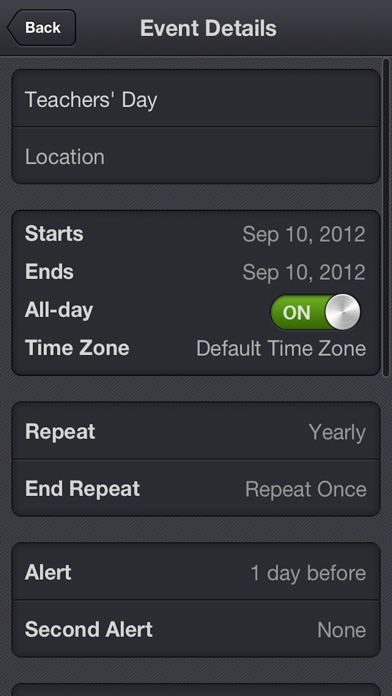
If you want to export your calendar events to an Excel file and edit them on your computer or - if you want to share these events with your friends so that they could import them to their own calendar, then xCalendar maybe right for you. xCalendar exports all of your events from your iPhone or iPad to an Excel file by email, USB, WiFi and Dropbox. You can then modify and maintain your schedule easily and conveniently on your computer using Excel, Numbers, OpenOffice or any other Excel-compatible application. Importing your schedule is also an easy thing to do. You can import an Excel file to your iPhone or iPad by email, USB, WiFi and Dropbox. xCalendar can update the existing events and add new events during import. Features include: 1. Export all events from all iPhone supported calendars(Local, Exchange, CalDAV, Subscription, Birthday). 2. Export all unique events by merging all recurring events. 3. Export all fields in the Event view of your iPhone’s built-in Calendar application, including title, location, dates, times, alarms, recurrence, etc. 4. Support for Excel 97-2003 file format (.xls), it is the most widely supported Excel file format. You can use MS Office 2003/2007/2010, OpenOffice.org, MAC Office, MAC Numbers to open and edit. 5. Keep a back-up copy of your Calendar events in Dropbox. 6. Export a calendar via email, it’s an easy way to share your personal calendar with your friends. 7. Export events to an excel file which can be imported into Outlook. 8. Import events from an Outlook Excel file (only available in the full version). 9. Import events from an Excel file to iCloud or Exchange Calendar. 10. Import unlimited number of events in seconds. 11. Preview the events which have been imported before saving them. 12. Add a new event if it does not already exist during import. 13. Update the existing events based on the title of the event and the calendar name during the import. 14. Create a new local calendar if it does not exist. 15. Support pages are provided to help you create your schedule on the spreadsheet.
Installs
Apple does not publish download counts. Estimates are in testing.
We publish iOS estimates only after they pass a back-test against real numbers. Chart history below is measured.
Estimated store revenue Estimated Beta
App Store, worldwide, monthly rate from the last 13 chart days to 20 Nov 2026
Below the top 100 grossing apps in the markets we calibrate. In the United States that usually means under about $6.4M a month. App Store purchases and subscriptions only, before Apple's 15 to 30% fee. Ads and web payments are not included.
Ratings
5 ratings, 5 reviews
No rating breakdown published for this app.
Recent reviews
Latest public reviews from the store
No reviews in our sample for this app yet.
Top chart positions
Latest App Store chart ranks by country, last 10 days
Not in any tracked top chart in the last 10 days.
xCalendar Lite history
Release, install milestones, listing and store changes
- First released on the store 7 Sep 2012
Recent versions
Current version 2.3.7
- Version 2.3.79 Jan 2019
1. Added TravelTime field 2. Fixed a bug that the app can not import the file from Dropbox.
Listing keywords
Words and phrases xCalendar Lite repeats most in its store listing
Top phrases: excel file (8), email usb wifi (2), excel file format (2), iphone or ipad (2), update the existing (2).
Highlighted words also appear in the title. Counts cover the title, short description and description.
Compliance
What the listing and the app package show
- Store status
- Live
- Upkeep
- No update since 9 Jan 2019
- Age rating
- 4+
Apps like xCalendar Lite
 Super VPN: Fast Private ProxyGeek Incorporated★ 4.4
 Hubtel RetailerHubtel Limited★ 4.32
 Monthly Calendar 2022 - CalistOmoboto LLC★ 4.38
 Firstly: To-Do List & PlannerfocusCove LLC★ 4.7
 CBUS 311City of Columbus, Ohio★ 1.8
 Themes for Powerpoint - DesiGNGraphic Node★ 4.22
 iSiloDC & Co.★ 3.82
 Flashlight Pro [Multipurpose LED light]KAVAPOINT★ 3.88
 WiPryOscium LLC★ 2.68
xCalendar Lite: questions and answers
Who makes xCalendar Lite?
xCalendar Lite is published by ShenZhen SamApp Technology Development Co., Ltd.
When was xCalendar Lite last updated?
The latest version (2.3.7) was released on 9 Jan 2019.
Is xCalendar Lite free?
Yes. xCalendar Lite is free to download.
Is xCalendar Lite still available?
Yes. xCalendar Lite is live on App Store as of 1 Jul 2026.
Track xCalendar Lite and its competitors
Watch any app for new versions, rating drops, chart moves and removals. Free plan, no card.