- Installs
- —
- Apple does not publish download counts
- Rating
- 1.71
- Ratings
- 7
- 7 reviews
- Version
- 3.0.2
- Updated 17 Jan 2020
- Released
- 27 May 2015
- Tracked since 2 Jun 2026
- Size
- 47 MB
- Needs 11.0
Screenshots
About XL Keyboard
The description on the store listing
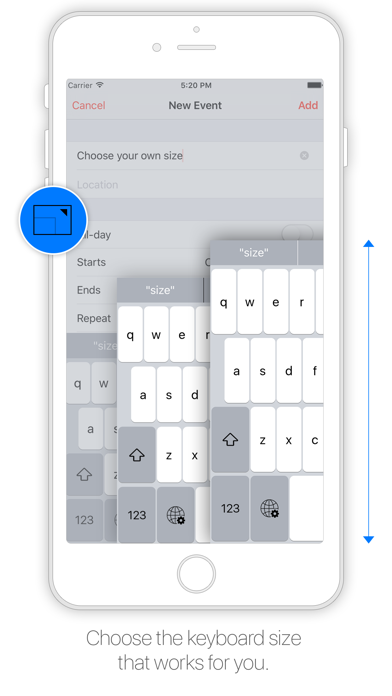
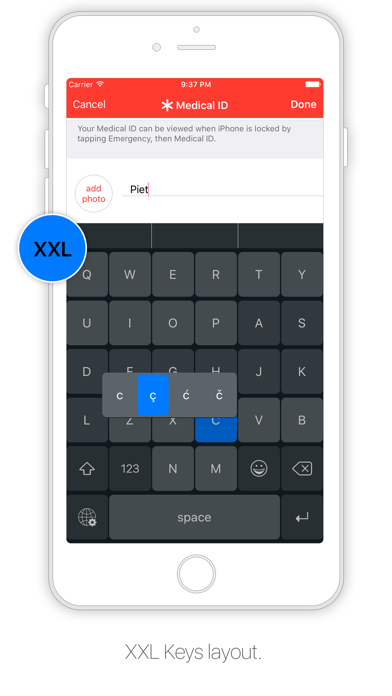
Designed to resemble the standard keyboard with extra large keys. Change the size of the keyboard, select any existing system language for spelling suggestions and autocorrect and choose the keyboard layout you like.
Features:
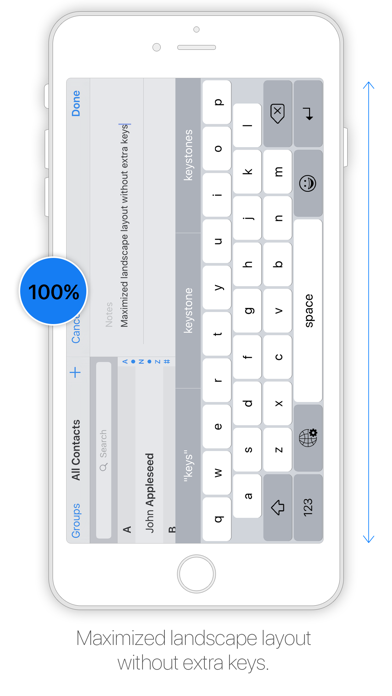
- Change layout: Maximized or default
- Change size
- Select emoji skin tone
- Check spelling
- Autocorrect
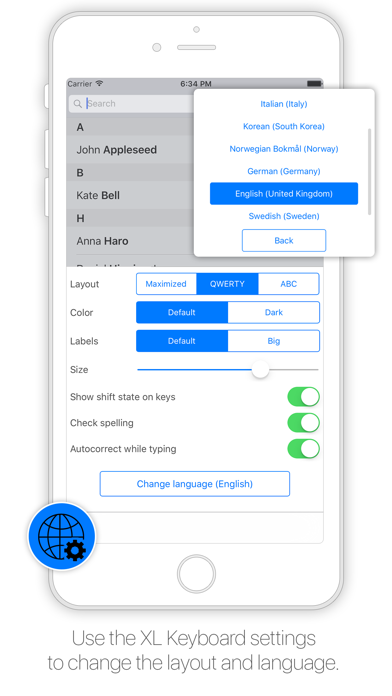
- Select language (choose from all installed system languages)
- Enable/disable shift state on keys
- Enable/disable click sound
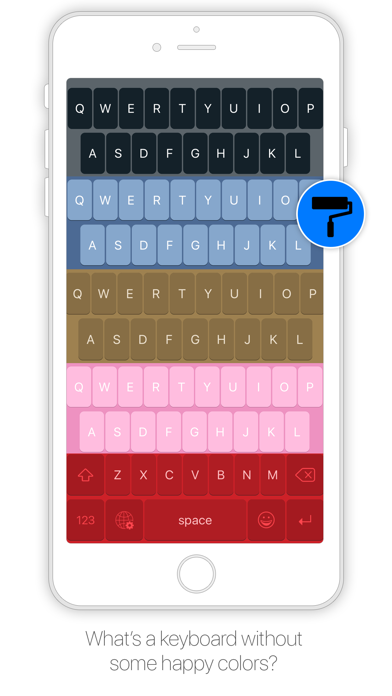
- Change color
- Thumb keyboard left/right (iPhone 6/iPhone 6 Plus)
- QWERTY, AZERTY, QWERTZ, Turkish-Q, Turkish-F, or ABC
- Supports Scandinavian, Turkish and Polish keyboard layout
Tips:
- Swipe to place thumb keyboard left/right …
Read the full description
Designed to resemble the standard keyboard with extra large keys. Change the size of the keyboard, select any existing system language for spelling suggestions and autocorrect and choose the keyboard layout you like. Features: - Change layout: Maximized or default - Change size - Select emoji skin tone - Check spelling - Autocorrect - Select language (choose from all installed system languages) - Enable/disable shift state on keys - Enable/disable click sound - Change color - Thumb keyboard left/right (iPhone 6/iPhone 6 Plus) - QWERTY, AZERTY, QWERTZ, Turkish-Q, Turkish-F, or ABC - Supports Scandinavian, Turkish and Polish keyboard layout Tips: - Swipe to place thumb keyboard left/right (iPhone 6/iPhone 6 Plus) - Swipe up/down to change size of keyboard - Click to add word to dictionary to prevent autocorrect - To access XL Keyboard settings: tap and hold globe button - To access special characters: tap and hold a key - Tap and hold spacebar to switch to previously used languages To install go to: Settings > General > Keyboard > Keyboards > Add New Keyboard The application does not in anyway collect information while using the keyboard. Please note that dictation input is not possible.
Installs
Apple does not publish download counts. Estimates are in testing.
We publish iOS estimates only after they pass a back-test against real numbers. Chart history below is measured.
Estimated store revenue Estimated Beta
App Store, worldwide, monthly rate from the last 12 chart days to 19 Nov 2026
Below the top 100 grossing apps in the markets we calibrate. In the United States that usually means under about $6.4M a month. App Store purchases and subscriptions only, before Apple's 15 to 30% fee. Ads and web payments are not included.
Ratings
7 ratings, 7 reviews
No rating breakdown published for this app.
Recent reviews
Latest public reviews from the store
No reviews in our sample for this app yet.
Top chart positions
Latest App Store chart ranks by country, last 10 days
- Countries ranked
- 1 of 50
- Best rank
- #89
- Top 10 placements
- 0
- of 1 chart placements
- Average rank
- #89
Best countries on App Store
- 🇩🇪 Germany · Top paid, Utilities#89
| Country | Chart | Category | Rank | Best (10 days) | Date |
|---|---|---|---|---|---|
| 🇩🇪 Germany | Top paid | Utilities | #89 | #89 | 15 Nov 2026 |
XL Keyboard history
Release, install milestones, listing and store changes
- First released on the store 27 May 2015
Update frequency
How often XL Keyboard ships a new version, month by month
0 updates in the last 12 months. Less often than most similar apps: they shipped a median of 1 updates in the same year.
Recent versions
Current version 3.0.2
- Version 3.0.217 Jan 2020
Emoji overlap fix.
Listing keywords
Words and phrases XL Keyboard repeats most in its store listing
Top phrases: tap and hold (3), iphone iphone plus (2), left right iphone (2), thumb keyboard left (2), change size (2).
Highlighted words also appear in the title. Counts cover the title, short description and description.
Compliance
What the listing and the app package show
- Store status
- Live
- Upkeep
- No update since 17 Jan 2020
- Age rating
- 4+
Apps like XL Keyboard
 Library of AviationNazmi Yavuz★ 4.82
 MyNOVECNorthern Virginia Electric Cooperative★ 2.28
 打工人小组件光翔 卓★ 4.96
 TruckbaysTruckbays LLC★ 4.3
 Tornado PRO PlayerMohammed Altam★ 4.44
 VDX - Video ManagerARISEPEAK LP★ 1.74
 TV CastingZeasn Info Technology Co., Ltd.★ 1.86
 Mil-Dot BallisticsTom Holsten★ 3.82
 MySontiqSontiq, Inc.★ 2.4
XL Keyboard: questions and answers
Who makes XL Keyboard?
XL Keyboard is published by Piet Hein van Cleef.
When was XL Keyboard last updated?
The latest version (3.0.2) was released on 17 Jan 2020.
Is XL Keyboard free?
No. XL Keyboard is a paid app priced at $0.99.
Is XL Keyboard still available?
Yes. XL Keyboard is live on App Store as of 1 Jul 2026.
Track XL Keyboard and its competitors
Watch any app for new versions, rating drops, chart moves and removals. Free plan, no card.