
- Installs
- —
- Apple does not publish download counts
- Rating
- —
- Ratings
- —
- Version
- 4.2
- Updated 13 Apr 2021
- Released
- 1 Nov 2011
- Tracked since 10 May 2026
- Size
- 2 MB
- Needs 10.15
Screenshots
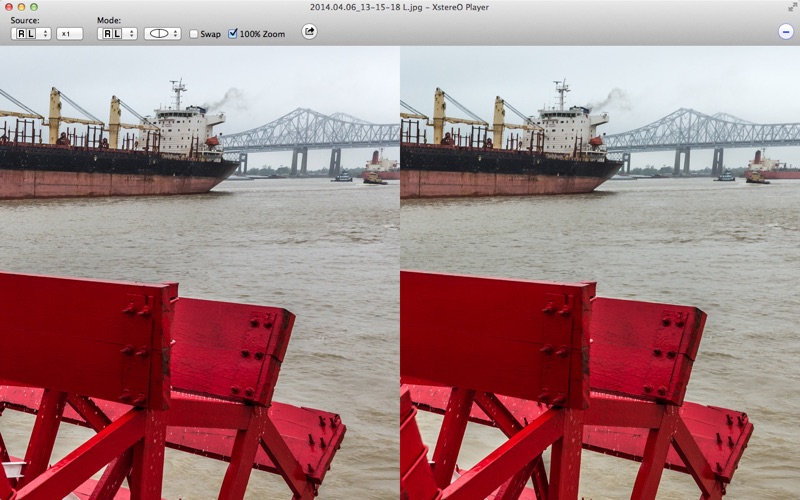
About XstereO Player
The description on the store listing
Enables viewing of 3D-images in various formats.
You can view 3D-images also directly from the web pages (and play slideshow) and by dragging them from other applications.
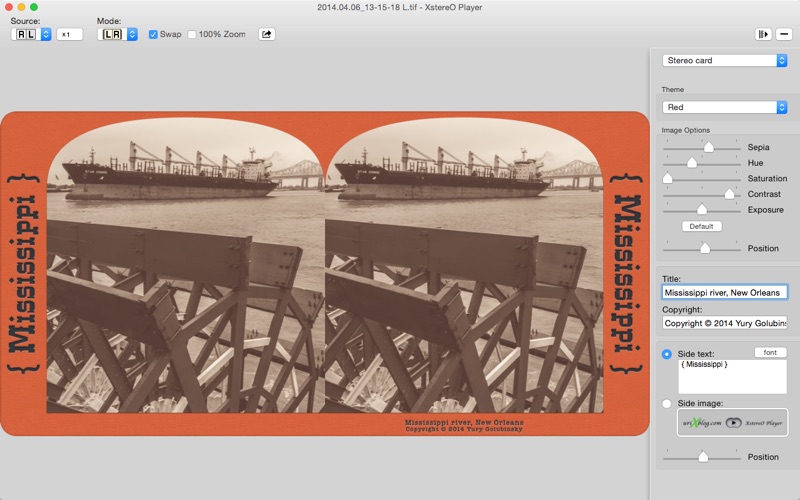
Supports MPO files, Side by Side, Top/Bottom and interleaved stereo pairs in JPG, JPS, PNG, TIFF, animated GIF files and anaglyphs as source format. Left and Right sides can be in two different files. Classic stereo cards scans are also supported.
You can view stereo pairs in MPO containers produced by Fujifilm Real 3D W3, Nintendo 3DS, HTC smartphones with stereo cameras, Sony cameras with 3D functions and other.
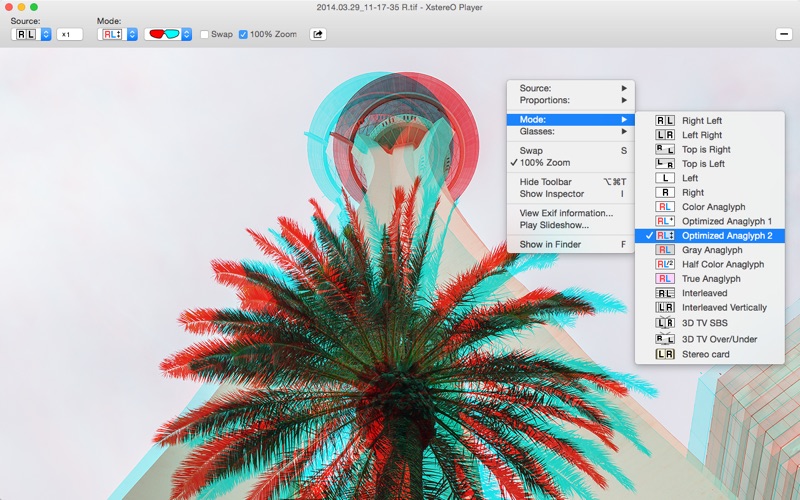
3D viewing is available in several modes including:
• Stereogram for Cross and Parallel viewing methods
• …
Read the full description
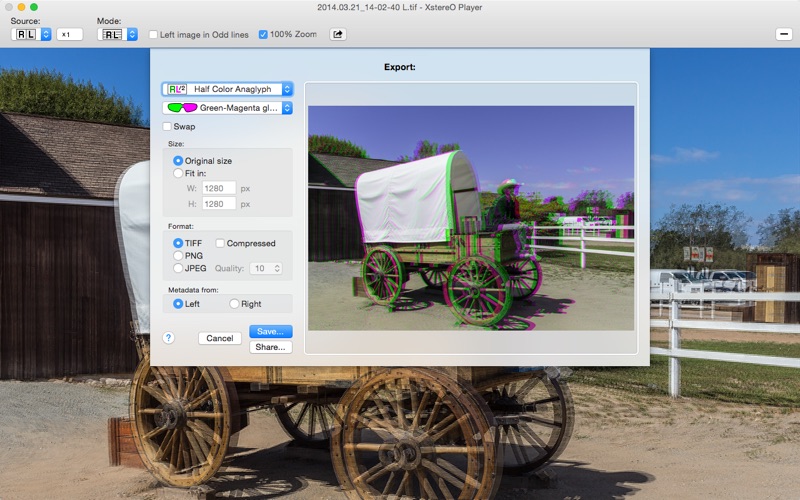
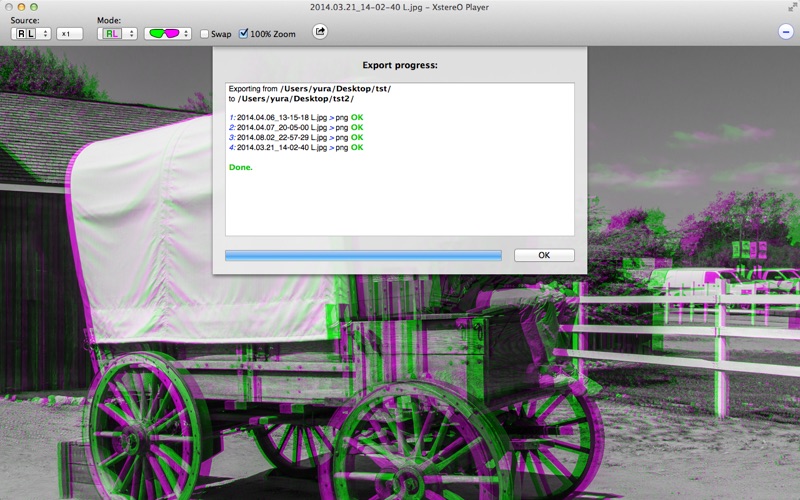
Enables viewing of 3D-images in various formats. You can view 3D-images also directly from the web pages (and play slideshow) and by dragging them from other applications. Supports MPO files, Side by Side, Top/Bottom and interleaved stereo pairs in JPG, JPS, PNG, TIFF, animated GIF files and anaglyphs as source format. Left and Right sides can be in two different files. Classic stereo cards scans are also supported. You can view stereo pairs in MPO containers produced by Fujifilm Real 3D W3, Nintendo 3DS, HTC smartphones with stereo cameras, Sony cameras with 3D functions and other. 3D viewing is available in several modes including: • Stereogram for Cross and Parallel viewing methods • Stereogram for Top/Bottom viewing method with special glasses • different kinds of Anaglyph mode for Red/Cyan and Green/Magenta glasses • Left or Right eye only • Vertical and Horizontal Interlaced modes for 3D monitors with polarized glasses • 3D TV mode (half Side-by-Side and Over/Under) including 4K screen support • Convenient special mode for viewing Classic stereo cards • Special mode for triple Left-Right-Left images that could be found on the web • Simple Stereo card emulation viewing mode • Left-Right animation view mode (see Preferences for some options) • zoom up to 100% and pan through the whole image in all modes • view 3D-image sequences directly from the web pages Slideshow mode with various effects and adjustable time interval. Use Right and Left arrow keyboard keys or onscreen Navigation buttons to view all images in the current folder. Touch bar support. Retina display support. Export 3D views in to JPG, PNG TIFF of GIF files in any supported mode preserving all metadata and alpha channels. Export options stores separately from the current viewing mode options, so you can view images in one comfortable mode and export with another. Batch mode allows you to convert multiple files with the same options (from web page or from disk folder). Export feature including batch mode available for all for free with Demo watermark. Export feature without Demo watermark available through In-App purchase. Please note: Playing 3D video files is not supported!
Installs
Apple does not publish download counts. Estimates are in testing.
We publish iOS estimates only after they pass a back-test against real numbers. Chart history below is measured.
Estimated store revenue Estimated Beta
App Store, worldwide, monthly rate from the last 13 chart days to 20 Nov 2026
Below the top 100 grossing apps in the markets we calibrate. In the United States that usually means under about $6.4M a month. App Store purchases and subscriptions only, before Apple's 15 to 30% fee. Ads and web payments are not included.
Ratings
No rating breakdown published for this app.
Recent reviews
Latest public reviews from the store
No reviews in our sample for this app yet.
Top chart positions
Latest App Store chart ranks by country, last 10 days
Not in any tracked top chart in the last 10 days.
XstereO Player history
Release, install milestones, listing and store changes
- First released on the store 1 Nov 2011
Recent versions
Current version 4.2
- Version 4.213 Apr 2021
• Added retina displays support. • Fixed issues with loading images from the web pages. • Fixed interlaced mode. • Fixed some issues in Dark appearance. • Improved overall performance.
Listing keywords
Words and phrases XstereO Player repeats most in its store listing
Top phrases: classic stereo cards (2), side by side (2), 3d images (2), batch mode (2), classic stereo (2).
Highlighted words also appear in the title. Counts cover the title, short description and description.
Compliance
What the listing and the app package show
- Store status
- Live
- Upkeep
- No update since 13 Apr 2021
- Age rating
- 4+
Apps like XstereO Player
 Video CollageaZeR DiLLs★ 4.08
 Vee for VideoMedious★ 2.98
 Beauty Camera -Selfie, StickerBhuvan Gupta★ 4.5
 FinalCamXShenzhen Xiaozhen Technology Co.,Ltd.★ 4.44
 Magic Studio - AI Photo EditorMagicStudio.com★ 4.62
 Foto Impresiones: 1 Hr PhotoSoftwareX★ 4.98
 SnapGeo - AI Location FinderRECEP ASLAN★ 4.24
 Family Photo Maker - AIRick-y Media★ 4.12
 BeautifAI: AI Try OnJAI UYGULAMA VE YAPAY ZEKA TEKNOLOJILERI ANONIM SIRKETI★ 4.36
XstereO Player: questions and answers
Who makes XstereO Player?
XstereO Player is published by Yury Golubinsky.
When was XstereO Player last updated?
The latest version (4.2) was released on 13 Apr 2021.
Is XstereO Player free?
Yes. XstereO Player is free to download.
Is XstereO Player still available?
Yes. XstereO Player is live on App Store as of 10 May 2026.
Track XstereO Player and its competitors
Watch any app for new versions, rating drops, chart moves and removals. Free plan, no card.