
- Installs
- —
- Apple does not publish download counts
- Rating
- 3.35
- Ratings
- 247
- 247 reviews
- Version
- 7.2.5
- Updated 28 Sep 2026
- Released
- 10 Jan 2022
- Tracked since 10 May 2026
- Size
- 328 MB
- Needs 14.0
Screenshots
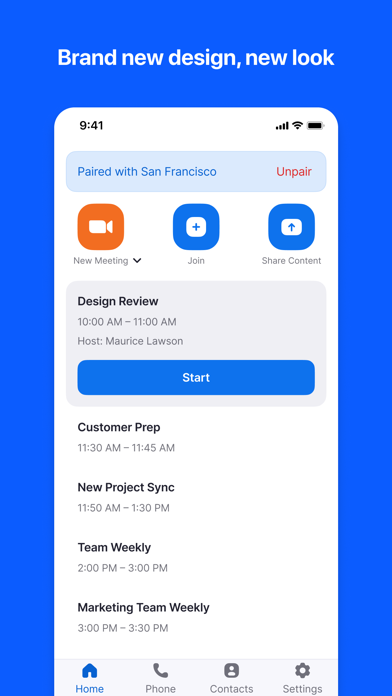
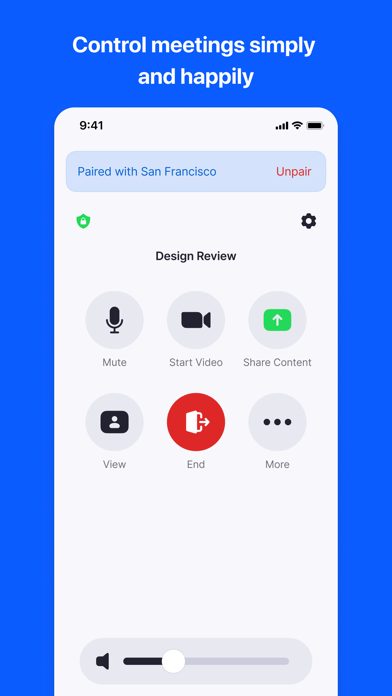
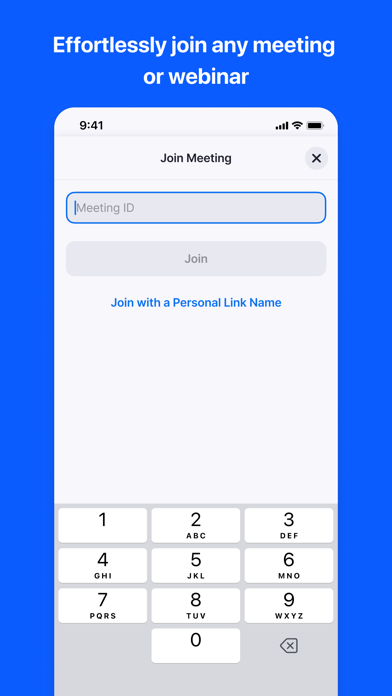
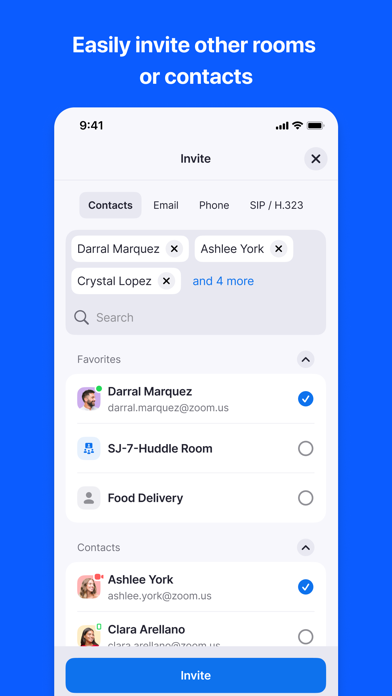
About Zoom Rooms
The description on the store listing
Zoom Rooms video conferencing systems use appliance or custom hardware deployments to bring high-quality video, audio, and sharing to any type of workspace, making it extremely flexible. Easily connect to participants on mobile devices, desktops, and in other rooms across a variety of locations.
The Zoom Rooms app on iPad has five modes to choose from: Zoom Rooms Controller, Zoom Rooms for Touch, scheduling display, workspace desk, and reservation only room.
Zoom Rooms Controller
Connect your iPad to a Mac, PC, or Zoom Rooms Appliance as the dedicated Zoom Rooms Controller for that room. The iPhone app allows you to pair with a Zoom Room, giving you similar control functionality from …
Read the full description
Zoom Rooms video conferencing systems use appliance or custom hardware deployments to bring high-quality video, audio, and sharing to any type of workspace, making it extremely flexible. Easily connect to participants on mobile devices, desktops, and in other rooms across a variety of locations. The Zoom Rooms app on iPad has five modes to choose from: Zoom Rooms Controller, Zoom Rooms for Touch, scheduling display, workspace desk, and reservation only room. Zoom Rooms Controller Connect your iPad to a Mac, PC, or Zoom Rooms Appliance as the dedicated Zoom Rooms Controller for that room. The iPhone app allows you to pair with a Zoom Room, giving you similar control functionality from your personal mobile device. Zoom Rooms for Touch Use the iPad as a Zoom Rooms (for shared spaces), Zoom Rooms kiosk, personal Zoom Rooms or Zoom Rooms digital signage only device. Zoom Rooms (for shared spaces) and personal Zoom Rooms allow you to start or join Zoom meetings, start a Zoom Whiteboard session, and access other Zoom Rooms features. Zoom Rooms kiosk can be configured to provide virtual receptionist and Workspace Reservation functionality. Zoom Rooms digital signage only can be configured to show digital signage content. Consult Zoom support documentation for more details. Zoom Rooms Scheduling Display Connect your iPad to a Mac, PC, or Zoom Rooms Appliance as the dedicated scheduling display for that room. A scheduling display is usually placed outside the room to show current availability, display upcoming meetings, and allow users to reserve the room on an ad-hoc basis. Workspace Desk Use the iPad to display the status of a workspace desk and allow users to make ad-hoc reservations or check in for their existing scheduled reservation with a QR code. Reservation Only Room Use the iPad to display the status of a workspace reservation only room and allow users to make ad-hoc reservations or check in for their existing scheduled reservation with a QR code. Simply install the Zoom Rooms app and follow the on-screen instructions to select a mode and activate. KEY FEATURES: ● One touch to join or start a meeting ● Intuitive room controls to easily manage audio, video, participants, and more ● Supports native room control integration to control lighting, projectors, and more Follow us on social @zoom! Have a question? Contact us at http://support.zoom.us.
Installs since 29 Aug 2026
Apple does not publish download counts. Estimates are in testing.
Estimated store revenue Estimated Beta
App Store, worldwide, monthly rate from the last 15 chart days to 22 Nov 2026
Below the top 100 grossing apps in the markets we calibrate. In the United States that usually means under about $6.4M a month. App Store purchases and subscriptions only, before Apple's 15 to 30% fee. Ads and web payments are not included.
Ratings
247 ratings, 247 reviews
No rating breakdown published for this app.
Recent reviews
Latest public reviews from the store
- 27 Jan 2023
App integration issue
My org has the Teams integration enabled for Zoom Rooms. When utilizing the Teams feature, the join button no longer appears within the app after this recent update release.
- 1 Oct 2022
It looks like the App version 5.11.3 has broken the reliably of the client to start meetings
Fantastic! It looks like App Version 5.12.0 fixed the issue. Released 3 days ago. It looks like the App version 5.11.3 has broken the reliably of the 5.11.3 app to start meetings. If I start a meeting and close the 5.11.3 app I can’t start the next meeting without rebooting the iMac. This has been going on for approximately 1 month since the 5.11.3 app release. Fantastic! It looks like App Version 5.12.0 fixed the issue. Released 3 days ago.
- 13 Jun 2022
Unpairs too quickly
During the meeting we have to keep touching the screen on the cell phone to stay paired. We use it to help with audio and camera control during meetings. Problem is that if it’s not active long enough it unpairs automatically!!!
- 22 Aug 2021
Generally useful, needs minor improvements to be great
This app makes it easy to remotely control a Zoom Room device which now includes devices such as Facebook Portal so many can use this device without getting close to it. A few improvements would make this app amazing: 1. Raise hand feature (especially useful for meetings at a conference table) 2. Option to disable automatically increasing the brightness 3. App should be able to dock (at least half screen if not quarter) These features would not only help at conference tables but especially the elderly or disabled enabling them to use a device such as Facebook Portal to participate in Zoom meetings more fully.
What reviewers bring up
Topics mentioned in the latest 8 reviews, by how many reviews mention them
Liked in good reviews (4 reviews)
- without 3
- remotely control 2
- control zoom 2
- conference 2
- zoom room 2
- meetings 2
- close 2
- able 2
Raised in bad reviews (2 reviews)
No topic comes up twice.
Top chart positions
Latest App Store chart ranks by country, last 10 days
- Countries ranked
- 25 of 50
- Best rank
- #28
- Top 10 placements
- 0
- of 25 chart placements
- Average rank
- #73.7
Best countries on App Store
- 🇪🇬 Egypt · Top free, Business#28
- 🇵🇪 Peru · Top free, Business#43
- 🇵🇭 Philippines · Top free, Business#43
- 🇹🇭 Thailand · Top free, Business#46
- 🇻🇳 Vietnam · Top free, Business#54
- 🇮🇩 Indonesia · Top free, Business#54
| Country | Chart | Category | Rank | Best (10 days) | Date |
|---|---|---|---|---|---|
| 🇪🇬 Egypt | Top free | Business | #28 | #28 | 22 Nov 2026 |
| 🇵🇪 Peru | Top free | Business | #43 | #42 | 22 Nov 2026 |
| 🇵🇭 Philippines | Top free | Business | #43 | #31 | 22 Nov 2026 |
| 🇹🇭 Thailand | Top free | Business | #46 | #36 | 22 Nov 2026 |
| 🇻🇳 Vietnam | Top free | Business | #54 | #48 | 22 Nov 2026 |
| 🇮🇩 Indonesia | Top free | Business | #54 | #26 | 22 Nov 2026 |
| 🇬🇷 Greece | Top free | Business | #55 | #40 | 22 Nov 2026 |
| 🇳🇬 Nigeria | Top free | Business | #56 | #40 | 22 Nov 2026 |
| 🇮🇱 Israel | Top free | Business | #58 | #58 | 22 Nov 2026 |
| 🇭🇺 Hungary | Top free | Business | #70 | #70 | 22 Nov 2026 |
Zoom Rooms history
Release, install milestones, listing and store changes
- First released on the store 10 Jan 2022
Update frequency
How often Zoom Rooms ships a new version, month by month
6 updates in the last 12 months. More often than most similar apps: they shipped a median of 2 updates in the same year.
Recent versions
Current version 7.2.5
- Version 7.2.028 Sep 2026
User features (Zoom Rooms for Controller): • Enhancements to Google Meet logo in Zoom Rooms • Enhancements to Breakout room support in Zoom Rooms • Ad-hoc Tencent meeting join from the Zoom Rooms Controller • Enhancements to leave and end meeting button styling and order • External display shared room mode restricted to Personal Zoom Rooms Pro and Zoom Rooms Admin features (Zoom Rooms for Controller): • Sensitivity classification labels for scheduled meetings • Enhancements to the Zoom Rooms user interface • End of support for iPadOS 14 • Enhancements to self-view controls in dynamic gallery layout • Kinesis Video Stream (KVS) integration for Zoom Rooms • Option for Participant consent acknowledgment for custom Amazon Kinesis Video Streams disclaimers • Support for My Notes General features (Zoom Rooms for Controller): • Enhancements to camera mode selection in Zoom Rooms • Room controls access during webinars • Adaptive camera mode based on people count In-meeting features (Zoom Rooms for Controller): • Enhancements to transcript access in Zoom Rooms Scheduling display features (Zoom Rooms for Controller): • Enhancements to workspace photos on Scheduling Displays • Workspace notes visibility on scheduling displays AI features (Zoom Rooms for Controller): • Personalize Room Setup Preferences in Zoom Rooms • Support automatic disabling of Zoom AI features for restricted users in Zoom Rooms • Restrict Zoom AI for External Users and Participant Requests in Zoom Rooms • Zoom AI in-meeting user interface enhancements in Zoom Rooms General features (Zoom Rooms): • Enhancements to the Zoom Rooms user interface • Enhancements to the problem report form on Zoom for Government and Zoom for Defense • Enhancements to camera mode selection in Zoom Rooms • Reserve and pair or check in and pair from the Zoom Rooms homepage • Ad-hoc Tencent meeting join from the Zoom Rooms home screen • Sensitivity classification labels for scheduled meetings • Enhancements to multiple companion zoom room device support • Participant consent acknowledgment for custom Amazon Kinesis Video Streams disclaimers • Kinesis Video Stream (KVS) integration for Zoom Rooms • Multi-Companion Zoom Room support with Enhanced Media licensing • Optimizing Hot Desking and Reservation UX for co-working space-based Zoom Room Experiences • End of support for iPadOS 14 General features (Zoom Rooms External Display): • Support Phone • Support connect Zoom Rooms scheduling • Support Curved Screen • Restricted to Personal Zoom Rooms Pro and Shared Zoom Rooms • Support zoom client connect (ZMC) In-meeting features (Zoom Rooms): • Enhancements to transcript access in Zoom Rooms • Enhancements to leave and end meeting button styling and order • Enhancements to whiteboard sharing controls in meetings • Custom disclaimer for transcript • View-only support for rich text in in-meeting chat AI features (Zoom Rooms): • Enhancements to Zoom Rooms speaker identification in New Transcript using Smart Name Tags • Zoom AI in-meeting behavior, participant access, and interface design • AI in-meeting user interface enhancements in Zoom Rooms • Zoom AI restrictions when regulated users join Zoom Rooms meetings • Zoom AI restrictions for external users and participant requests Resolved Issues: • Minor bug fixes • Security enhancements
- Version 7.1.53 Aug 2026
Admin features (Zoom Rooms for Controller): • End of support notification for iOS 14.0 version Admin features (Zoom Rooms for Touch): • Enhancements to Join from Room for third-party meetings • End of support notification for iOS 14.0 version Resolved Issues: • Minor bug fixes • Security enhancements
- Version 7.1.029 Jun 2026
Admin features (Zoom Rooms for Controller): • Enhancements to scheduling display reservation access controls • Enhancements to SSL certificate warning display in Zoom Rooms • Enhancements to in-meeting recording status visibility • Enhancements to consolidated meeting notices and consent collection at join • Content sharing with native NDI source • Co-host permissions for meeting recordings and transcripts • End of support for Zoom Rooms Controller on Phone • Enhancements to check-in exception rules for external calendar reservations • Enhancements to automatic meeting end when Zoom Rooms is the only participant • Zoom in and out on shared content in a Zoom Room • Support dynamic gallery view layout in Zoom Rooms Device features (Zoom Rooms for Controller): • Enhancements to external display support for Zoom Rooms for Touch in an iPad • Third-party scheduling display support for Zoom for Cisco Rooms General features (Zoom Rooms for Controller): • Enhancements to multi-share with content spotlight support AI features (Zoom Rooms for Controller): • Retirement of the "AI Companion" name In-meeting features (Zoom Rooms for Controller): • Enhancements to in-meeting chat visibility when external guest chat is disabled General features (Zoom Rooms): • External display support for Zoom Rooms • Enhancements to problem report log submission • Auto-Accept Elevated Meetings from Zoom Phone Call in Kiosk Mode In-meeting features (Zoom Rooms): • Zoom Rooms in-meeting recording status visibility • Enhancements to consolidated meeting notices and consent collection at join • Retirement of the "AI Companion" name • Enhancements to automatic meeting end when Zoom Rooms is the only participant • Enhancements to consolidated meeting notices and consent collection at join • Co-host permissions for meeting recordings and transcripts • Optimize self-view mute and people count indicator and notification placement • DLP Screen Capture Prevention • On demand download avatar for large meeting Resolved Issues: • Minor bug fixes • Security enhancements
- Version 7.0.61 Jun 2026
Resolved Issues: • Minor bug fixes • Security enhancements
Listing keywords
Words and phrases Zoom Rooms repeats most in its store listing
Top phrases: zoom rooms (21), scheduling display (4), reservation only room (3), zoom rooms controller (3), ad hoc (3).
Highlighted words also appear in the title. Counts cover the title, short description and description.
Compliance
What the listing and the app package show
- Store status
- Live
- Upkeep
- Updated 28 Sep 2026
- Age rating
- 4+
Apps like Zoom Rooms
 JBDev MobileJB Developers, Inc.★ 4.51
 Brother Pro Label ToolBrother Industries, LTD.★ 4.54
 Tecoloco.comTecoloco.com S.A.★ 4.69
 АЗС ЛУКОЙЛ - топливо, бензинООО "ЛУКОЙЛ-Интер-Кард"★ 4.53
 Bonsai - Track Time & Get PaidBonsai Technologies Inc.★ 4.3
 CDK Modern Retail CRMElead1One★ 2.16
 Baltimore Business JournalAmerican City Business Journals★ 4.76
 Bolt Food CourierBOLT TECHNOLOGY OU★ 4.5
 Photo Translator - Scanner AppMilan Unjiya★ 4.28
Zoom Rooms: questions and answers
Who makes Zoom Rooms?
Zoom Rooms is published by Zoom Communications, Inc..
When was Zoom Rooms last updated?
The latest version (7.2.5) was released on 28 Sep 2026.
Is Zoom Rooms free?
Yes. Zoom Rooms is free to download.
Is Zoom Rooms still available?
Yes. Zoom Rooms is live on App Store as of 21 Nov 2026.
Track Zoom Rooms and its competitors
Watch any app for new versions, rating drops, chart moves and removals. Free plan, no card.