Analog Clock
Elegant, Beautiful, Customizable Live Wallpaper Application.
- Installs
- 34.54K
- Measured
- Rating
- 5.0
- Ratings
- 122
- 4 reviews
- Version
- Varies with device
- Updated 9 Sep 2025
- Released
- 22 Oct 2015
- Tracked since 12 May 2026
- Size
- —
Screenshots
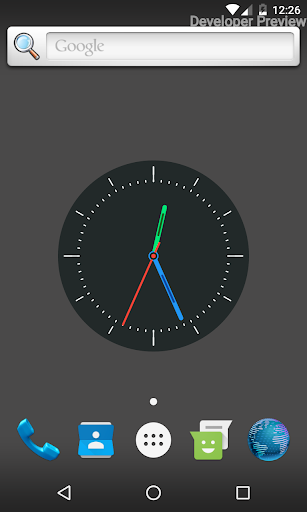
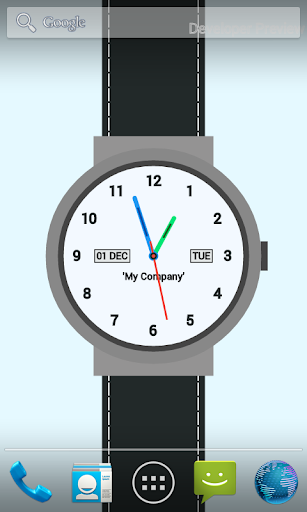
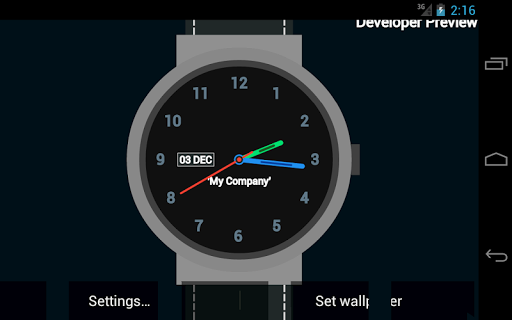
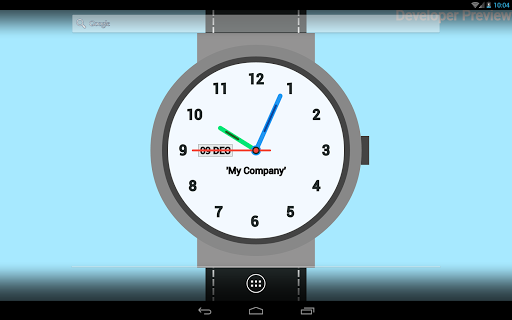
About Analog Clock
The description on the store listing
Analog Clock is a newly designed standard analog clock live wallpaper. Elegant, Customizable, Beautifully designed to fit with screens of all sizes and orientations. Integrated with settings making it highly customizable. It comes with five types of appearances:
->Wrist Watch: The Clock appears to be like a wrist watch. The Theme has been kept since the first version and is been constantly improved in every upgrade.
->Lite Clock: Special light clock with very few functionalities. The clock theme is movable and scalable.
->Elite Clock: It appears like the analog clock widget but the color of various parts of this clock can be changed. As the name suggests, It doesn't have many …
Read the full description
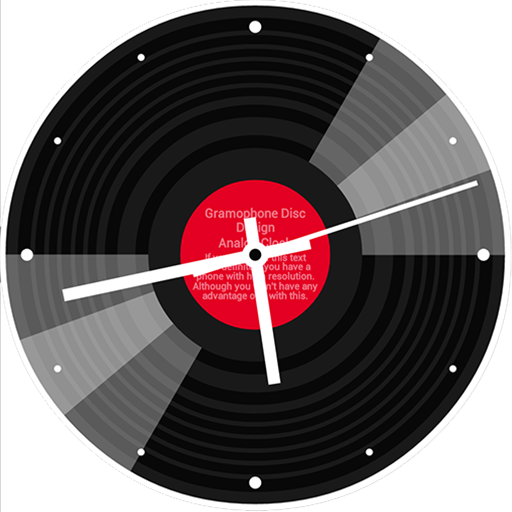
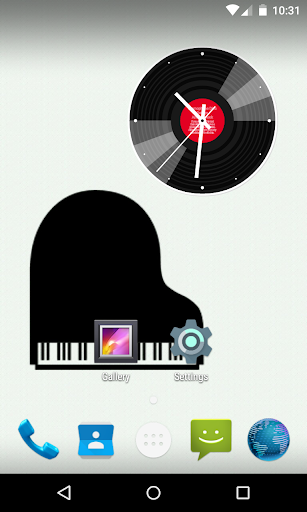
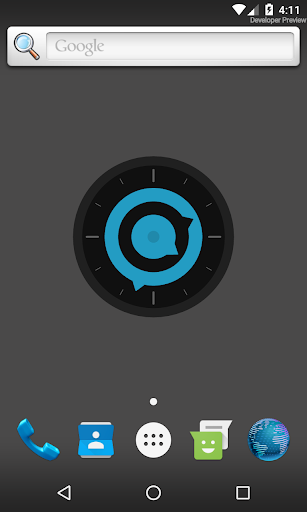
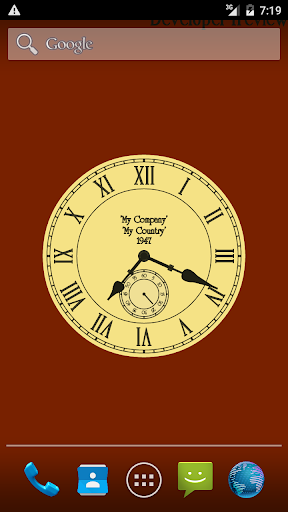
Analog Clock is a newly designed standard analog clock live wallpaper. Elegant, Customizable, Beautifully designed to fit with screens of all sizes and orientations. Integrated with settings making it highly customizable. It comes with five types of appearances: ->Wrist Watch: The Clock appears to be like a wrist watch. The Theme has been kept since the first version and is been constantly improved in every upgrade. ->Lite Clock: Special light clock with very few functionalities. The clock theme is movable and scalable. ->Elite Clock: It appears like the analog clock widget but the color of various parts of this clock can be changed. As the name suggests, It doesn't have many functionalities and is very Light Weight. ->Vintage Clock: The old style analog clock (might have seen one at your Grandfathers place). The clock is a successor of the wall clock. The clock has an added functionality that the users can change the country and year text of the clock from settings. ->Wall Clock: In appearance, it is similar to the watch clock but it can be moved anywhere on the screen unlike Watch Clock. ->Modish Clock: Look and Feel of a Modern Clock. The clock uses knobs instead of regular clock hands. ->Gramo Disc Clock: The old gramophone disc within a new minimalist design. The Analog Clock Mobile Application makes it very easy to set the live wallpaper. Start the application and press the 'Here' button and it will display the list of all live wallpapers available, Users can select the wallpaper from there. With the new version of Analog Clock, It has been very easier to change the scale of the clock. Just visit settings and change the slider in Clock Position Settings. A new important feature which is the positioning of the clock was added in version 1.1.0. Made possible to place clock anywhere on the screen without moving it outside the visibility point. It is now also possible to set a custom background color or image. An option is provided to choose between color and image. The image is cropped within the Application and saved locally. Users can also directly set a Background image from Gallery by sharing it and selecting Analog Clock as an Option. And just like images users can also set a custom background color. To improve the appearance of the clock, colors can be made solid or transparent. All the listed settings can be accessed from the Main Application menu. If you are facing any problem using the app or have a suggestion for us. Please drop a review or a mail, We will respond as soon as possible. Watch our YouTube video for a quick introduction. We are constantly working for providing users with unique and best designs.
Installs since 29 Aug 2026 Measured
Exact Google Play install counts, collected daily
Ratings
122 ratings, 4 reviews
- 5 ★100%
- 4 ★0.0%
- 3 ★0.0%
- 2 ★0.0%
- 1 ★0.0%
Recent reviews
Latest public reviews from the store
No reviews in our sample for this app yet.
Top chart positions
Latest Google Play chart ranks by country, last 10 days
Not in any tracked top chart in the last 10 days.
Analog Clock history
Release, install milestones, listing and store changes
- Reached 10,000+ installs 17 Jul 2016
- Reached 5,000+ installs 12 Mar 2016
- Reached 1,000+ installs 5 Jan 2016
- Reached 500+ installs 15 Dec 2015
- Reached 100+ installs 24 Nov 2015
- Reached 50+ installs 9 Nov 2015
- Reached 10+ installs 26 Oct 2015
- First released on the store 22 Oct 2015
Recent versions
Current version Varies with device
- Version 1.2.48 Sep 2025
- Version 1.2.226 Feb 2024
- Version 1.1.83 Dec 2017
- Version 1.1.713 Mar 2017
Listing keywords
Words and phrases Analog Clock repeats most in its store listing
Top phrases: analog clock (8), live wallpaper (3), clock the clock (2), clock the old (2), custom background color (2).
Highlighted words also appear in the title. Counts cover the title, short description and description.
Business model and tech
From the store listing, the SDKs in the app package and its declared permissions
- Business model
- Free to downloadShows ads
- Built with
- No cross-platform framework or game engine detected
- Ad networks (1)
- AdMob
- Analytics and crash reports
- Firebase
- Sensitive access
- Photos, videos and filesAdvertising ID
2 ad, attribution and analytics SDKs detected. SDKs are read from the app package and permissions from the store listing, so code that loads later is not seen.
Technology
7 SDKs found in the app package
Ad network libraries
Ad networks
Advertising and install-attribution SDKs found in the app package
- AdMob
13 permissions
0 special access, 2 sensitive, 11 standard
- Change or delete shared storageSensitive
- Read shared storageSensitive
- Ad attribution (Privacy Sandbox)ACCESS_ADSERVICES_ATTRIBUTIONStandard
- Ad topics (Privacy Sandbox)ACCESS_ADSERVICES_TOPICSStandard
- Read how it was installed (install referrer)BIND_GET_INSTALL_REFERRER_SERVICEStandard
- Read the advertising IDAD_IDStandard
- Read the advertising ID (Privacy Sandbox)ACCESS_ADSERVICES_AD_IDStandard
- Keep the phone awakeStandard
- Run a foreground serviceFOREGROUND_SERVICEStandard
- Set the wallpaperStandard
- Full internet accessStandard
- See network connectionsStandard
Compliance
What the listing and the app package show
- Store status
- Live
- Upkeep
- Updated 9 Sep 2025
- Registered in
- India
- Privacy policy
- Linked on the listing
- Advertising
- Shows ads
- In-app purchases
- None declared
- Age rating
- Everyone
- Sensitive permissions
- 2 sensitive of 13
- Location access
- No
- Camera and microphone
- Neither
Apps like Analog Clock
Aline Yellow: linear icon packOne4Studio5.2K installs★ 4.0
3D WallpaperWallpaper Gallery14.3K installs★ 3.5
African Wallpaper HD 4KBekenyem8.4K installs★ 4.5
HMKWatch Digital 035HMKWatch4.3K installs★ 5.0
HMKWatch Digital 084HMKWatch17.6K installs★ 4.5
Flawless KWGTRaj Arya Designs5K installs★ 4.2
Aesthetic SymbolsNitish Bajaj51.3K installs★ 4.2
Always Smile Theme+HOME by Ateam Entertainment19.2K installs★ 4.6
Antique Panier 大人可愛い壁紙きせかえ+HOME by Ateam Entertainment15.9K installs★ 4.2
Analog Clock: questions and answers
How many downloads does Analog Clock have?
Analog Clock has 34,541 installs on Google Play, measured from the store's own count on 14 Nov 2026.
Who makes Analog Clock?
Analog Clock is published by Roovie, a developer based in IN.
When was Analog Clock last updated?
The latest version (Varies with device) was released on 9 Sep 2025.
Is Analog Clock free?
Yes. Analog Clock is free to download, and it shows ads.
Is Analog Clock still available?
Yes. Analog Clock is live on Google Play as of 14 Nov 2026.
Track Analog Clock and its competitors
Watch any app for new versions, rating drops, chart moves and removals. Free plan, no card.